印刷机通用说明书(中英文版) 450+.pdf - 第167页
- 167 - 2.生产 设置勾选 使用 SPI闭 环补偿功 能 Che ck th e pro ductio n s ettin gs to u se S PI cl osed- loop c ompen satio n f unctio n
- 166
-
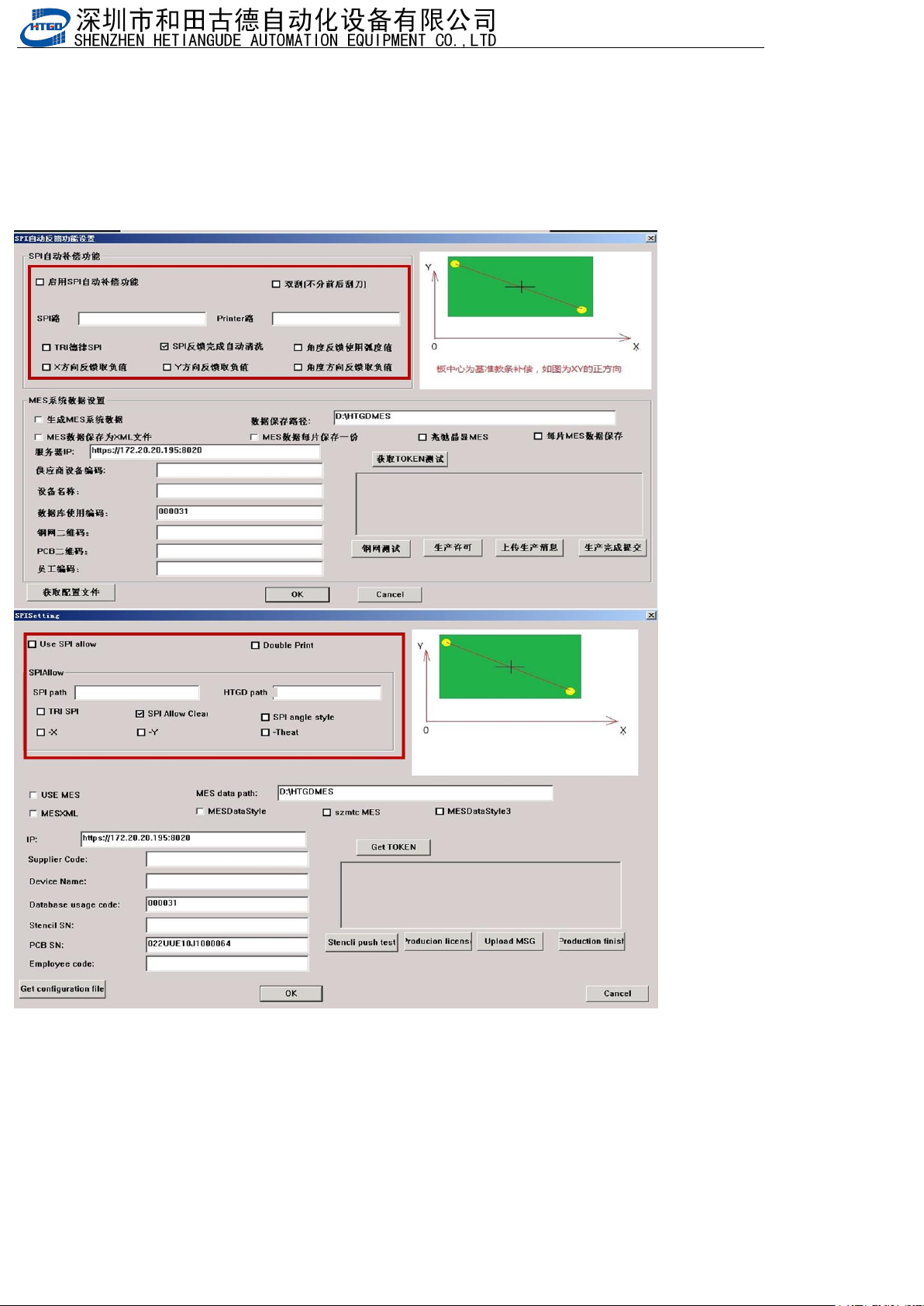
四.SPI反馈功能 SPI feedback function
1.开启MES功能(机器参数3->spi反馈功能设置),启用SPI自动补偿功能,双刮勾选双刮,X,Y,角度方向取反可勾选也可不
用勾选,因为SPI里也有取反还更方便,SPI路径是SPI生成数据文件路径,Printer路径是印刷机生成数据文件路径,TRI德律
SPI是联机德律SPI时勾选
Enable MES function (machine parameter 3->SPI feedback function setting), enable SPI automatic compensation
function, check double scraping, X, Y, angle direction reversal can be checked or not, because SPI also has
reversal for more convenience. SPI path is SPI generated data file path, Printer path is printing machine
generated data file path, TRI Deli SPI is checked when online Deli SPI is available
- 167
-
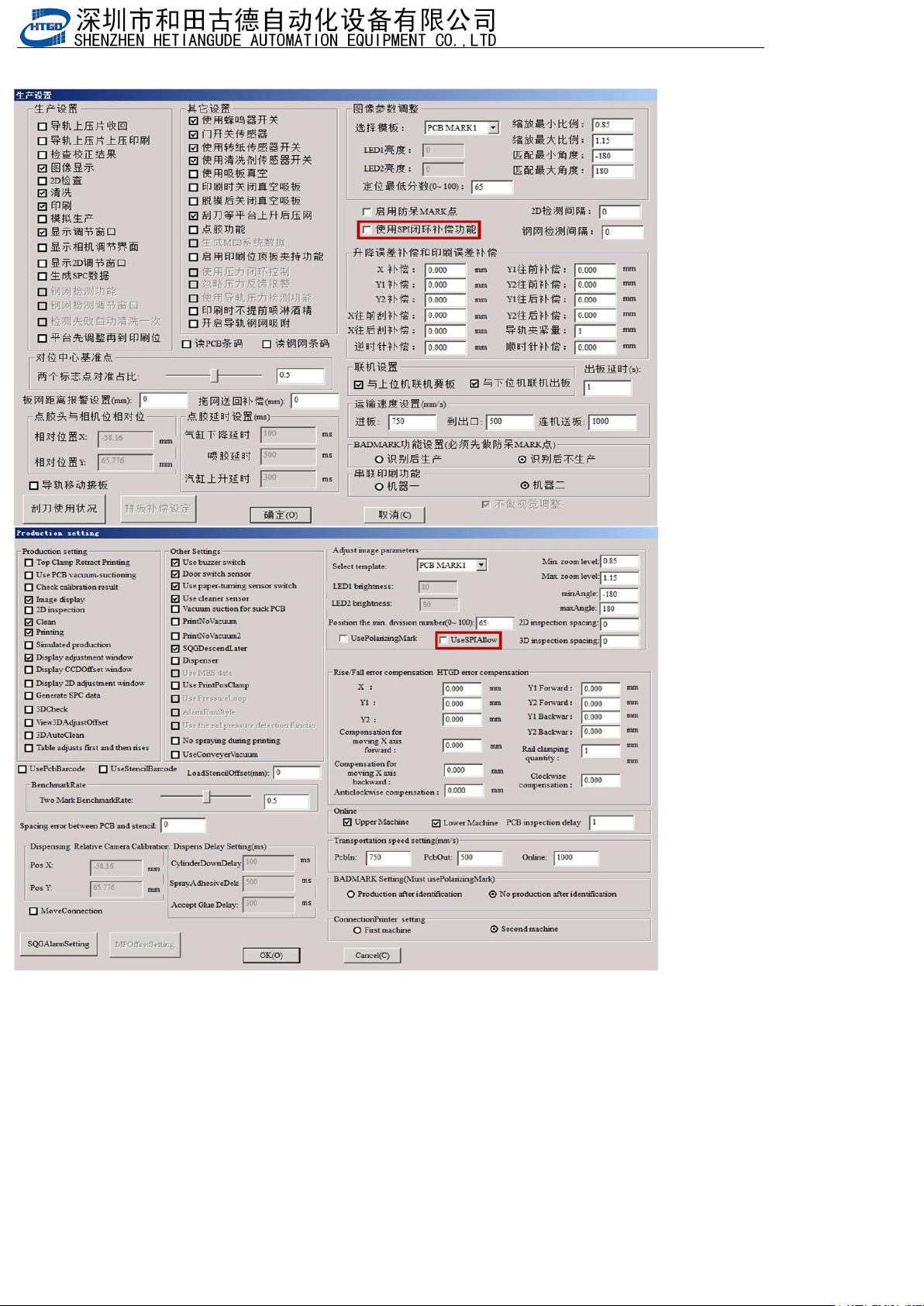
2.生产设置勾选使用SPI闭环补偿功能
Check the production settings to use SPI closed-loop compensation function
- 168
-
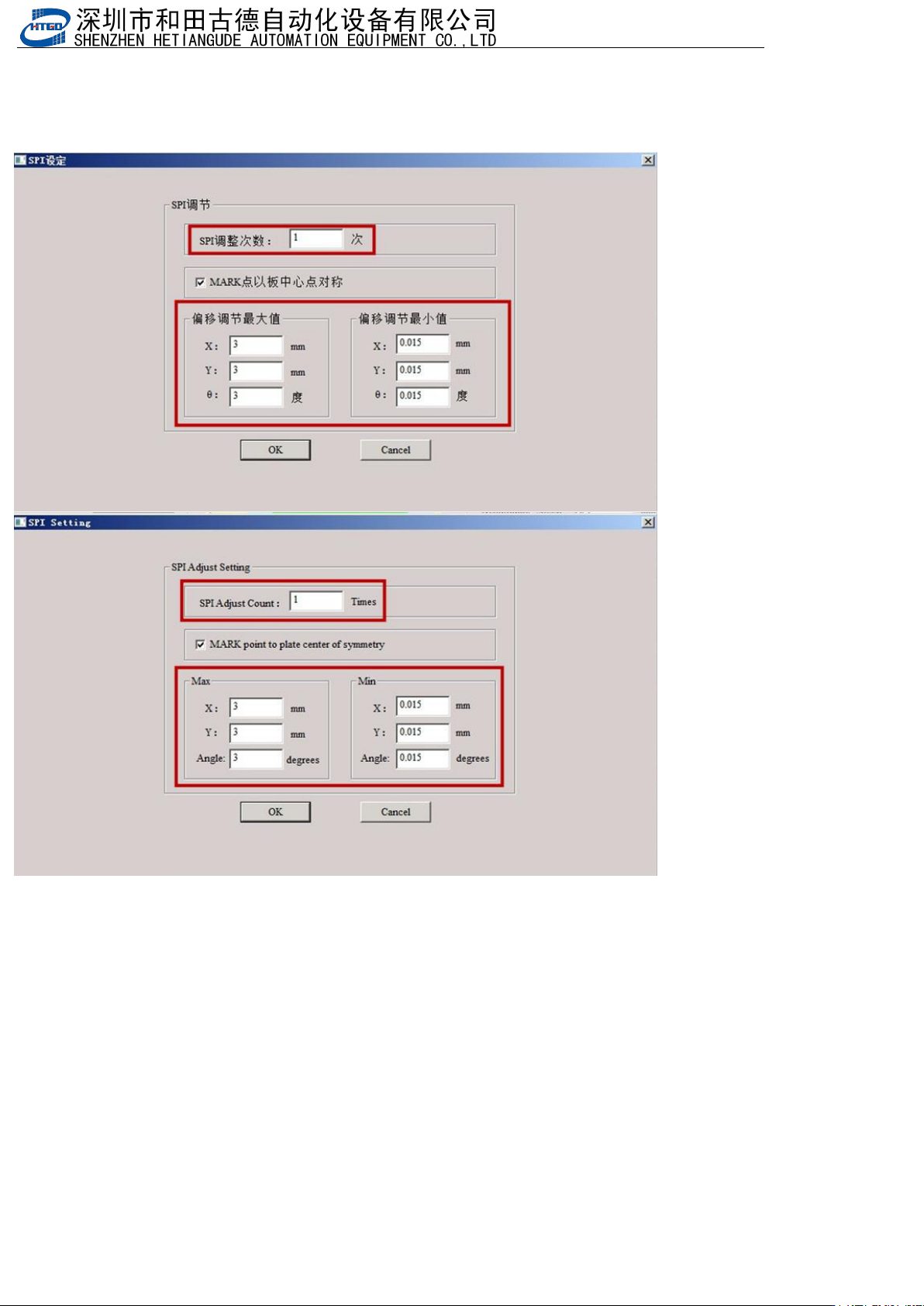
3.设置SPI调整次数(总共调整的次数为10,设置的调整次数是6,前6次补偿是全补偿,后面4次是通过SPI反馈值/第几次调
整),设置可以调整的最大值和最小值
Set the number of SPI adjustments (a total of 10 adjustments, 6 adjustments set, the first 6 compensations
are full compensations, and the last 4 adjustments are based on SPI feedback values/the number of
adjustments), and set the maximum and minimum values that can be adjusted
4.如果生产会报错闪退要把升降包里的sysdata里面的HTGDModule.xml,HTGDModule_old.xml文件拷贝到C:\HTGD\sysdata文件
夹里
If there is an error or crash during production, you need to copy the HTGDModulus. xml and HTGDModulus. old.
xml files from the sysdata in the lift package to the C: \ HTGD \ sysdata folder