印刷机通用说明书(中英文版) 450+.pdf - 第104页
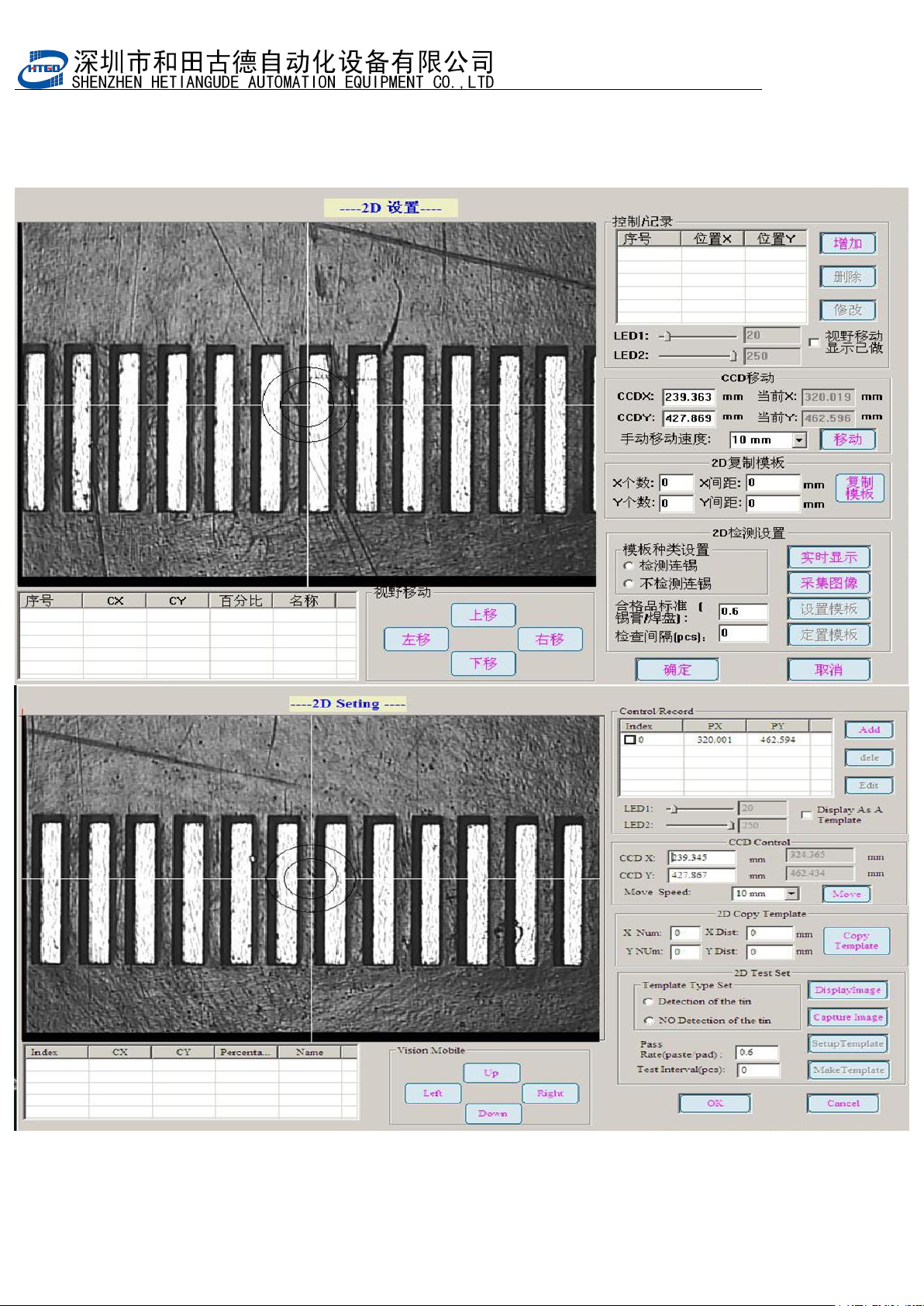
- 104 - 4 . 点击移动,然后使用键盘上的方向键,移动到要检测的位置 Click “ 移动 ”(move) b utton an d pre ss the direction key on t he ke yboard. Move to the inspection p osition. 图 6-4 (查找检测点) Pix 6-4(search the inspection spot)
- 103
-
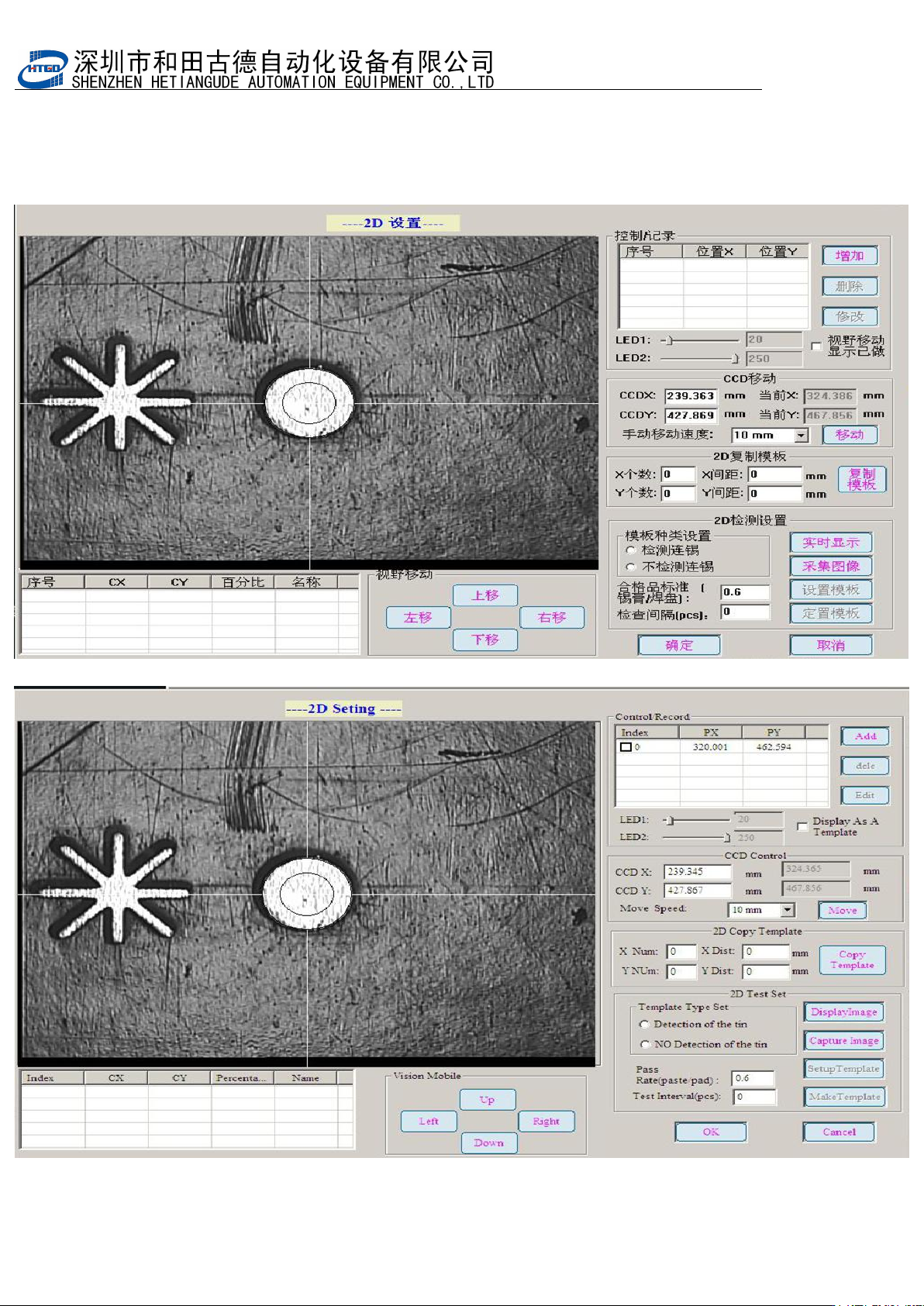
3.
点击增加记录,建立检测点。点击实时显示,并调整
LED1
与
LED2
光源,使图像达
到图中效果。
Click “ 增 加 记 录 ”(add record) button and build inspection spot. Click “ 实 时 显
示
”(real-time display) button. Adjust the light source of LED1 and LED2 and make the
image achieved the performance in the below pix.
图
6-3
(实时显示界面)
Pix 6-3(real-time display interface)
- 104
-
4. 点击移动,然后使用键盘上的方向键,移动到要检测的位置
Click “
移动
”(move) button and press the direction key on the keyboard. Move to the
inspection position.
图 6-4(查找检测点)Pix 6-4(search the inspection spot)
- 105
-
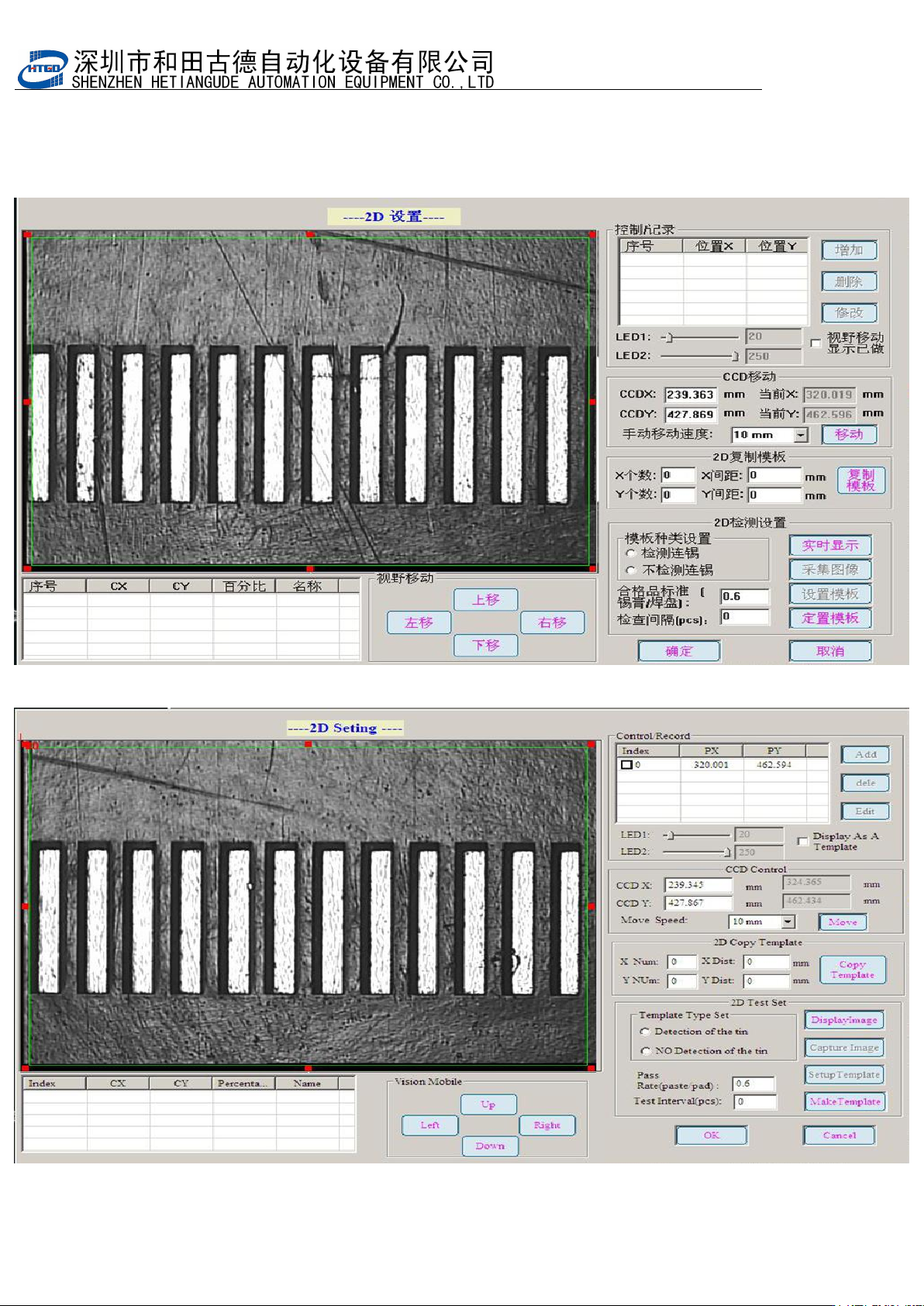
5. 点击采集图像,然后点击设置模板,手动设置 6-5 图上绿色方框
Click “
采集图像
”(image capture) button and click “
设置模板
”(template setting) button.
Setup the green square box manually in the pix 6-5.
图 6-5(设置模板)
Pix 6-5(template setting)