印刷机通用说明书(中英文版) 450+.pdf - 第119页
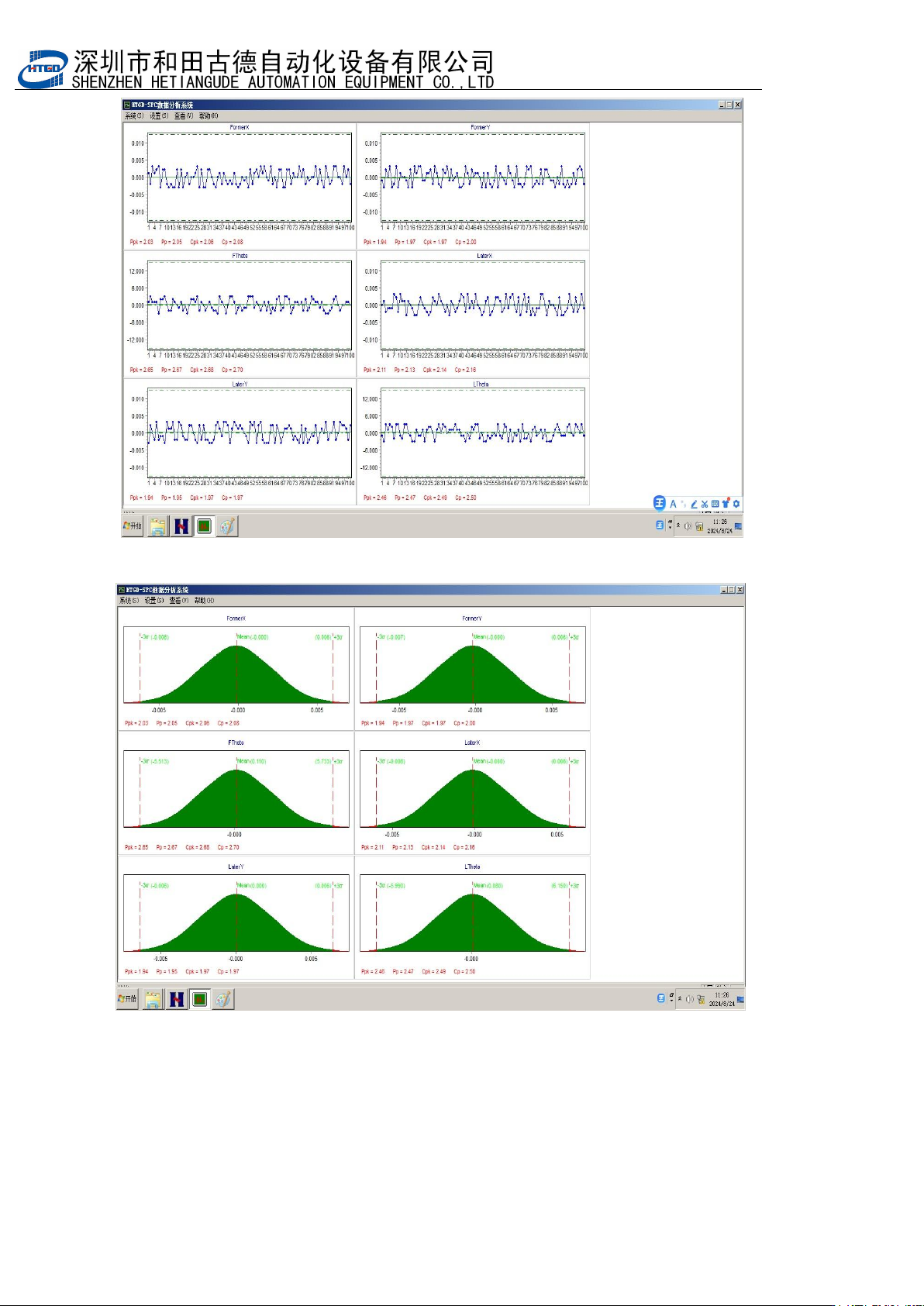
- 119 - 图 7-7 Pix 7-7 最后测试 100PCS 将图 E ,图 F 截图,放到 Word 中,打印出来即可。 Finally, te st 10 0 PCS and get the scree nshot of pix E and pix F. P ut th e two scree nshots into W ord and print them out.
- 118
-
图 7-5
Pix 7-5
Pix 7-6
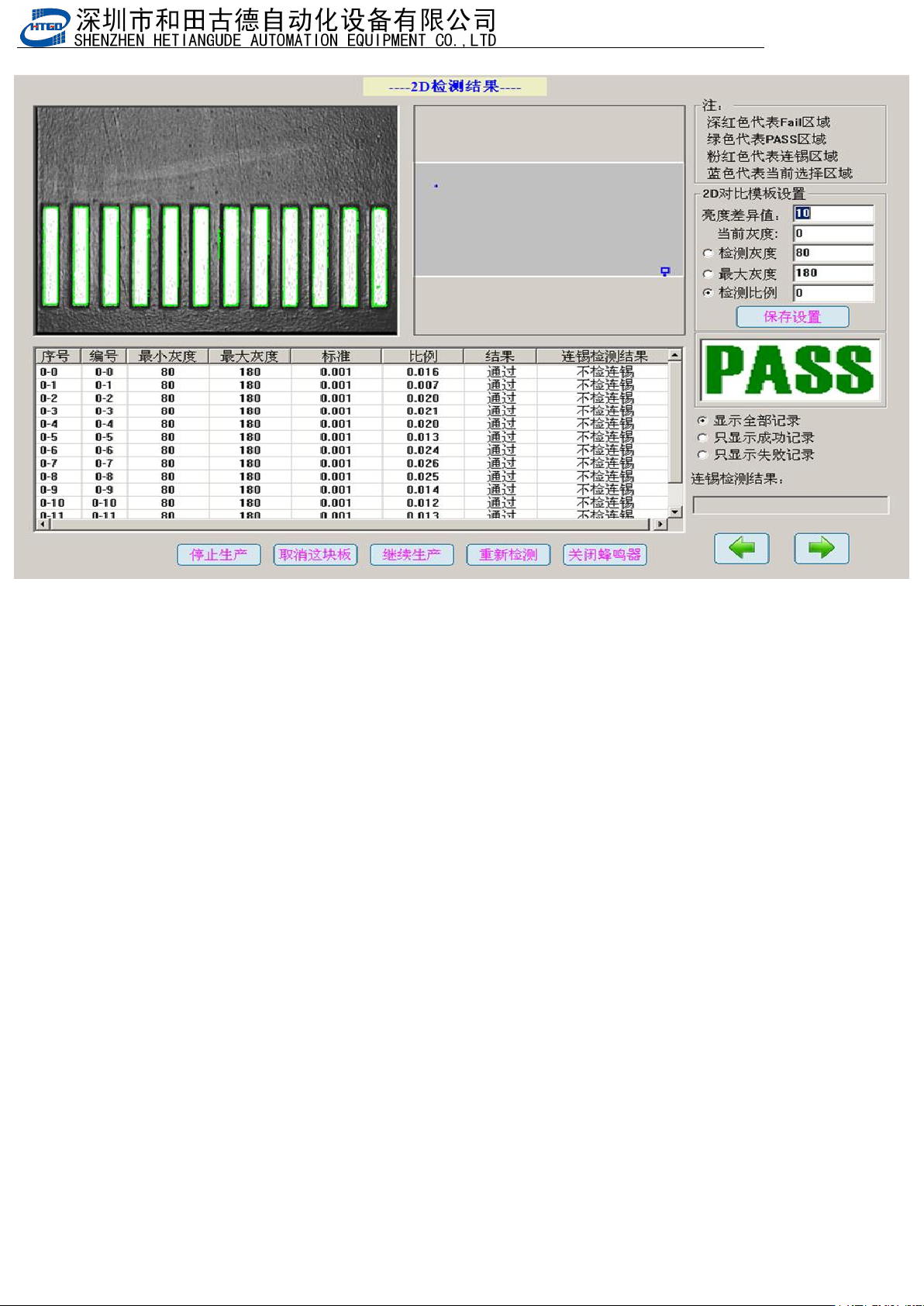
注意:测试期间会弹出图
7-7
显示测试
2D
的画面,这个不用管。软件要求是这样的。
Note: Pix 7-7 which is the 2D test picture will come out during the test. Please do not worry
about this. It is the requirement from the software
- 119
-
图 7-7
Pix 7-7
最后测试
100PCS
将图
E
,图
F
截图,放到
Word
中,打印出来即可。
Finally, test 100 PCS and get the screenshot of pix E and pix F. Put the two screenshots
into Word and print them out.
- 120
-
第八章 选配项介绍说明
Chapter 8 introduction of optional items
8.1压力检测(Pressure detection)
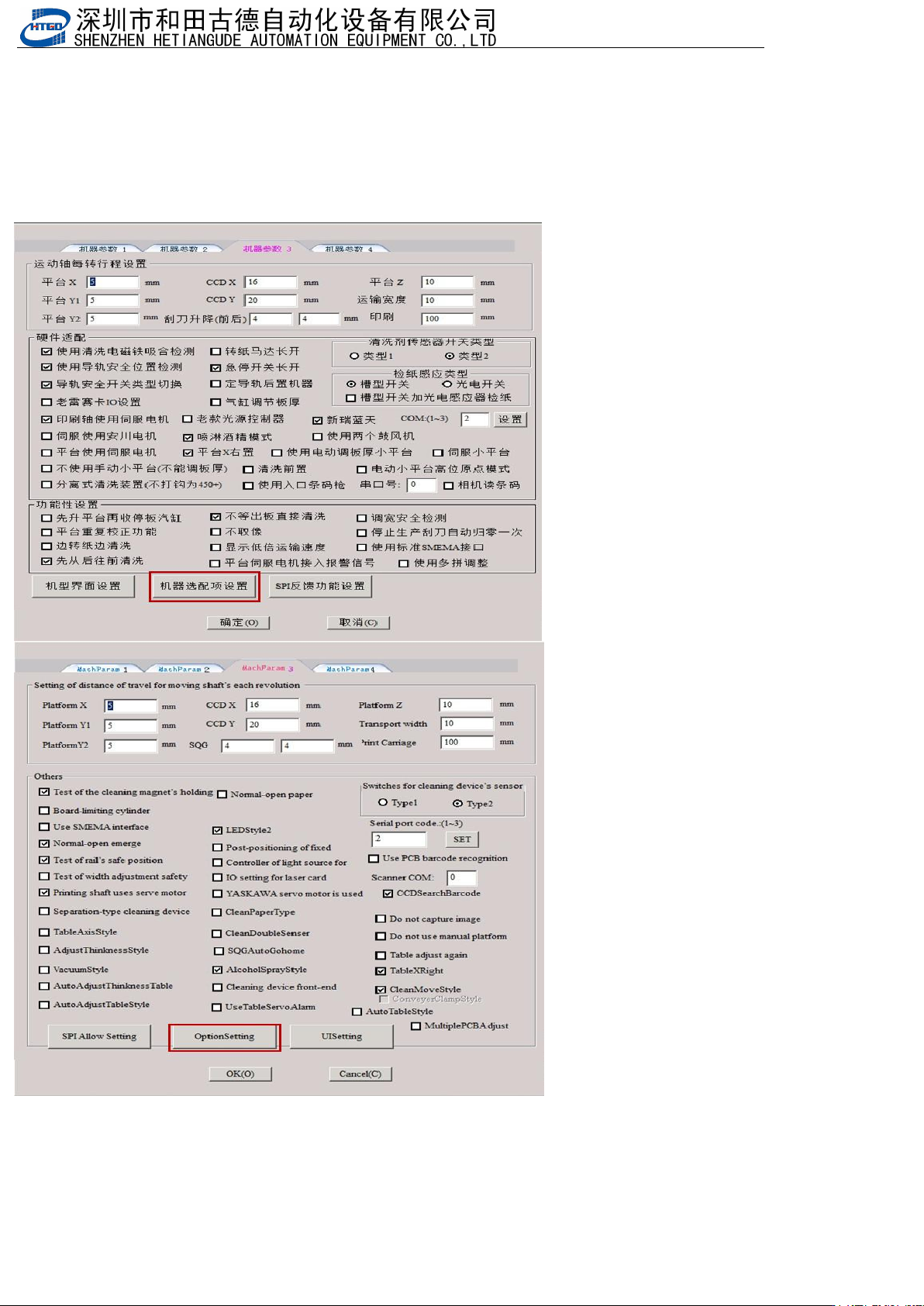
1.勾选压力反馈功能:打开机器参数,选择机器参数3,点击机器选配项设置
Check the pressure feedback function: open the machine parameter, select the machine parameter 3, and click the
machine option setting