88242361-04-01 Vol 1 DEK TQ TECHNICAL REFERENCE (1).pdfPDFA.pdf - 第120页
7 PRINT CARRIAGE MODULE 7.3 CALIBRATIONS 120 TECHNICAL REFERENCE MANUAL DEK TQ 04/2021 14. Select Humidity Offset . 15. Calculate the difference between the humidity meter and the machine display. NOTE If the digital hum…
7 PRINT CARRIAGE MODULE
7.3 CALIBRATIONS
TECHNICAL REFERENCE MANUAL DEK TQ 04/2021 119
24. Select Confirm.
25. Select Exit.
7.3.2 Humidity Offset
The calibration ensures the accuracy of the on-board sensor. The offset also compensates for the
difference in humidity between the sensor location and the print medium on the stencil.
Before carrying out this calibration procedure ensure a stencil is fitted to the machine.
1. Open the front cover.
2. Place a calibrated digital humidity meter on the stencil near to the squeegees.
3. Turn the humidity meter on.
NOTE
The humidity meter needs to be in place for at least 2 minutes to acclimatize and give a reli-
able reading.
4. Close the front cover.
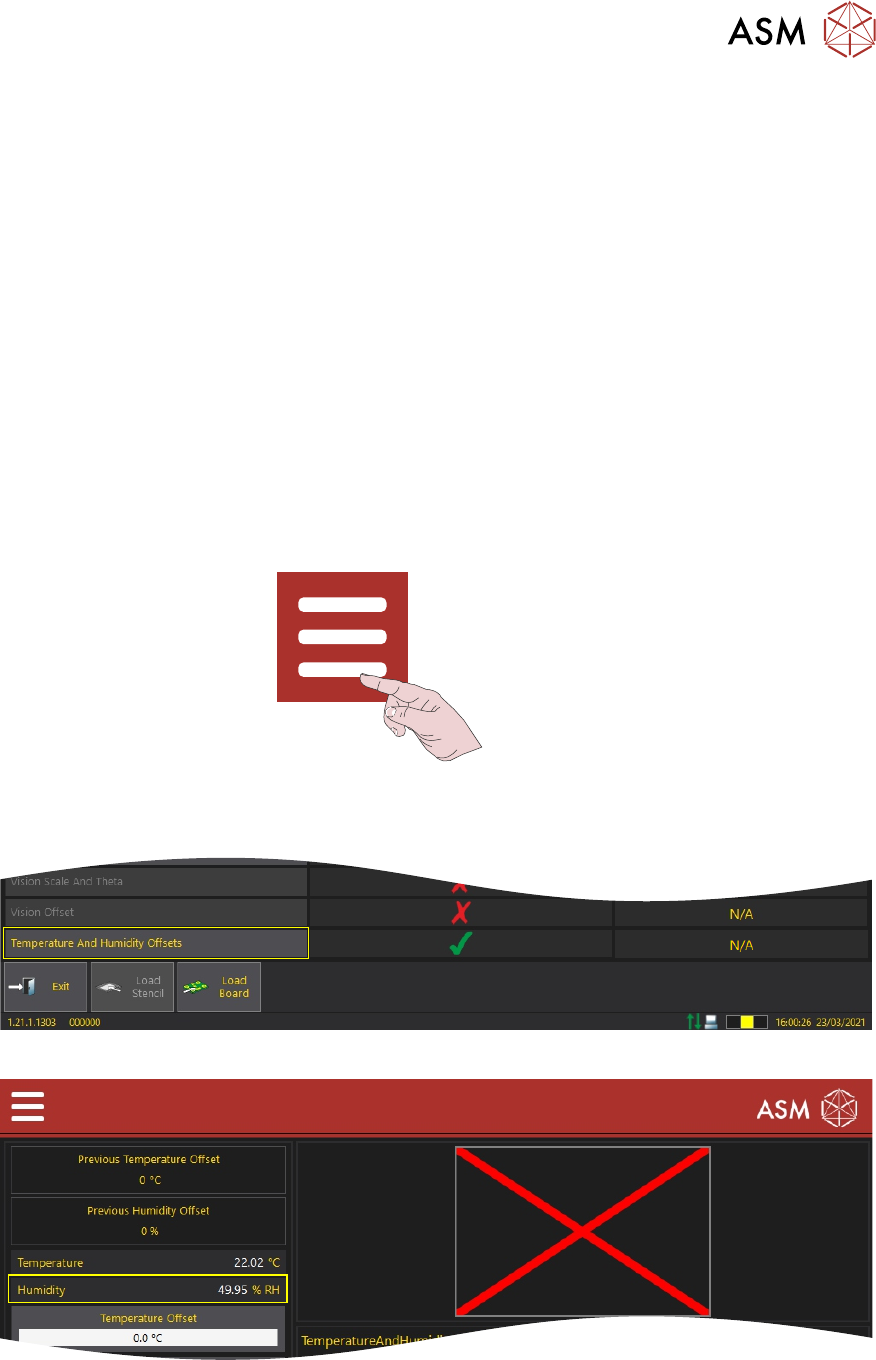
5. Press the System button.
6. Select Menu.
7. Select Service/Calibration.
8. Select Temperature And Humidity Offsets.
9. Note the humidity reading on the on-screen humidity display.
10. Ensuring 2 minutes have passed, open the front cover.
11. Remove the humidity gauge and note the humidity reading.
12. Close the front cover.
13. Press the System button.
7 PRINT CARRIAGE MODULE
7.3 CALIBRATIONS
120 TECHNICAL REFERENCE MANUAL DEK TQ 04/2021
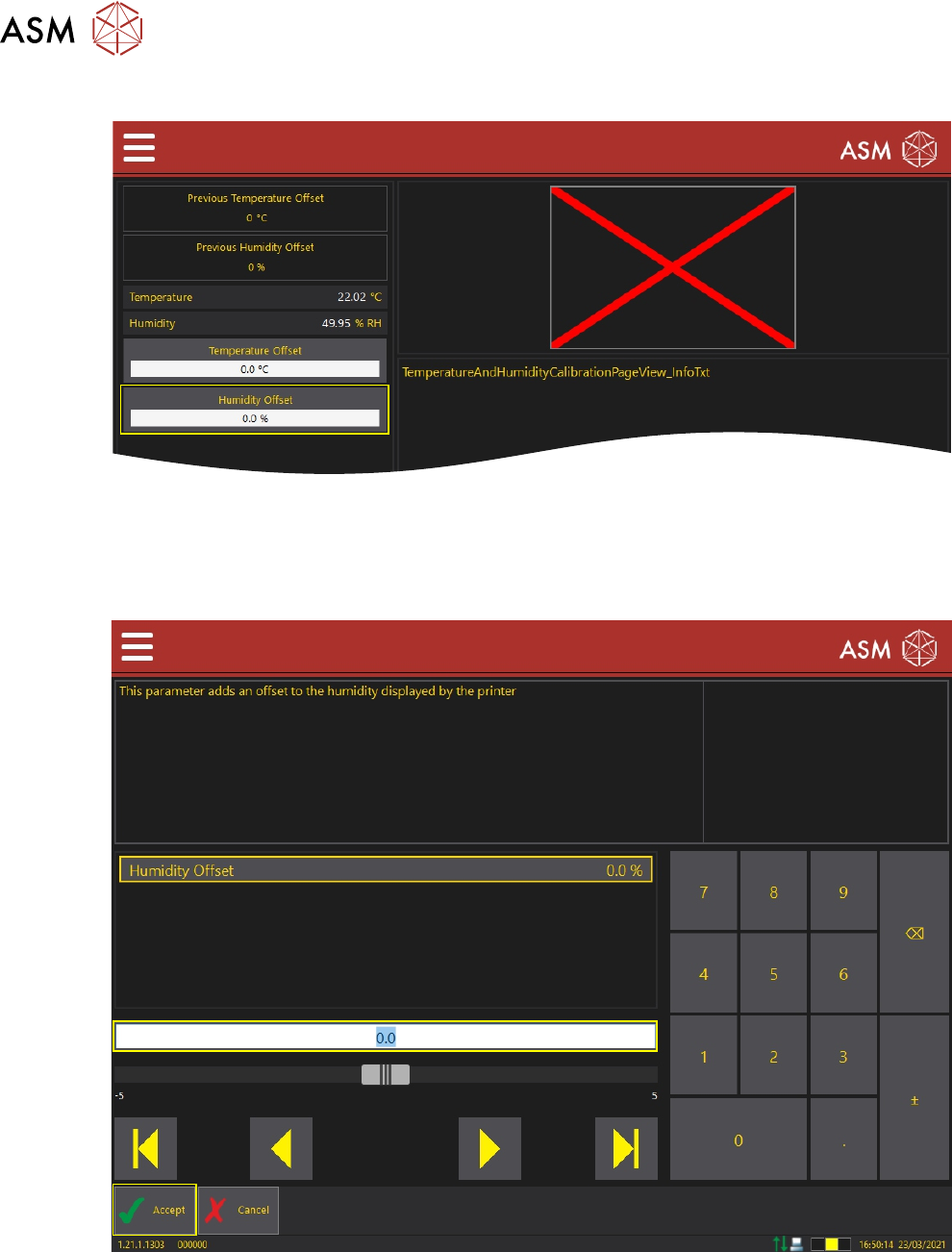
14. Select Humidity Offset.
15. Calculate the difference between the humidity meter and the machine display.
NOTE
If the digital humidity meter reading is 48.45% and the machine humidity reading is 49.95%
then the offset needs to be +1.5%.
16. Set the humidity offset required.
17. Select Accept.
18. Select Save And Exit.
19. Select Confirm.
20. Select Exit.
7 PRINT CARRIAGE MODULE
7.3 CALIBRATIONS
TECHNICAL REFERENCE MANUAL DEK TQ 04/2021 121
7.3.3 Temperature Offset
The calibration ensures the accuracy of the on-board sensor. The offset also compensates for the
difference in temperature between the sensor location and the print medium on the stencil.
Before carrying out this calibration procedure ensure a stencil is fitted to the machine.
1. Open the front cover.
2. Place a calibrated digital temperature gauge on the stencil near to the squeegees.
3. Turn the digital temperature gauge on.
4. Close the front cover.
NOTE
The digital temperature gauge needs to be in place for at least 2 minutes to acclimatize and
give a reliable reading.
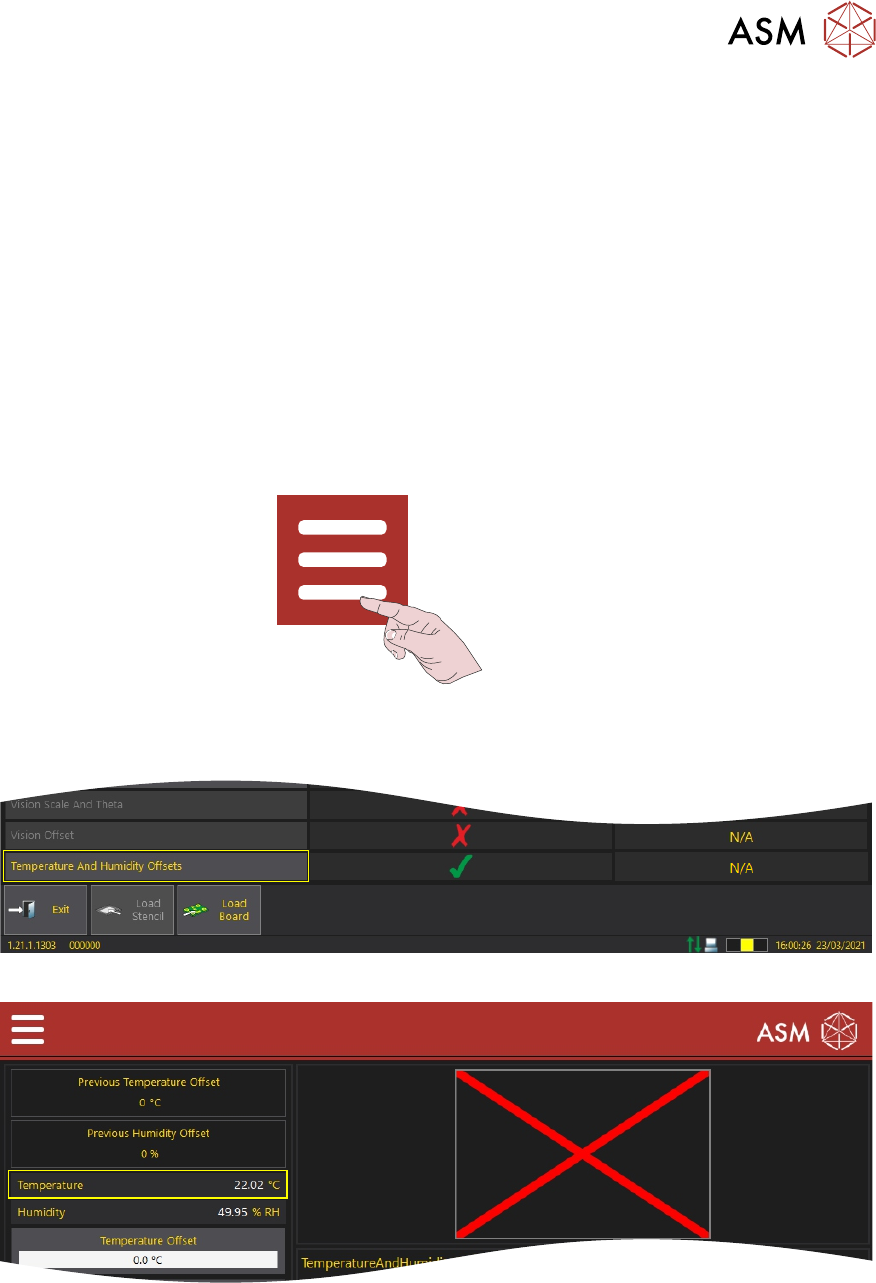
5. Press the System button.
6. Select Menu.
7. Select Service/Calibration.
8. Select Temperature And Humidity Offsets.
9. Note the temperature reading on the on-screen temperature display.
10. Ensuring 2 minutes have passed, open the front cover.
11. Remove the digital temperature gauge and note the temperature reading.
12. Close the front cover.
13. Press the System button.