88242361-04-01 Vol 1 DEK TQ TECHNICAL REFERENCE (1).pdfPDFA.pdf - 第27页
3 COVERS AND PANELS 3.2 PANEL REMOVAL TECHNICAL REFERENCE MANUAL DEK TQ 04/2021 27 3.2.4 Top Panel To remove the panel, carry out the following: 1. Using a 4mm Allen key, undo the two captive securing screws (2). 2 1 2. …
3 COVERS AND PANELS
3.2 PANEL REMOVAL
26 TECHNICAL REFERENCE MANUAL DEK TQ 04/2021
3.2.2 Front Panel
To remove the front panel, carry out the following:
1. Open the front and paste dispenser covers.
2. Using a 4mm Allen key, undo the two captive securing screws at the top of the panel.
3. To remove the panel, pull the top of the cover away from the machine and lift the panel
upwards to clear the locating tabs. Take care not to damage the earth cable.
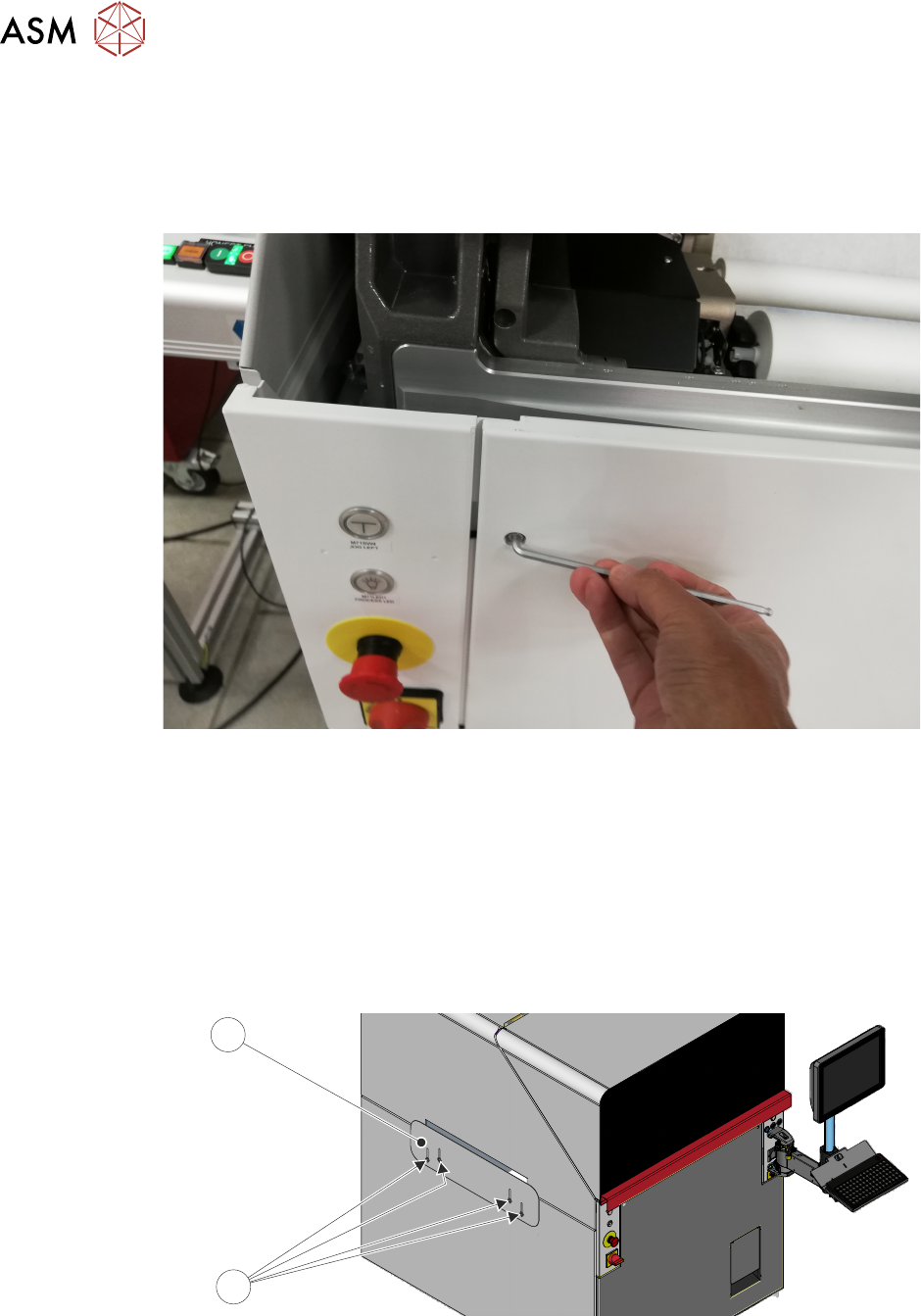
3.2.3 Safety Panels
Safety panels are fitted to the side panels to protect personnel from access to the board entry/exit
ports.
NOTE
The safety panels can be adjusted to accommodate the thickness of the product.
To remove or adjust the safety panel (1), undo the four captive securing screws (2).
2
1
3 COVERS AND PANELS
3.2 PANEL REMOVAL
TECHNICAL REFERENCE MANUAL DEK TQ 04/2021 27
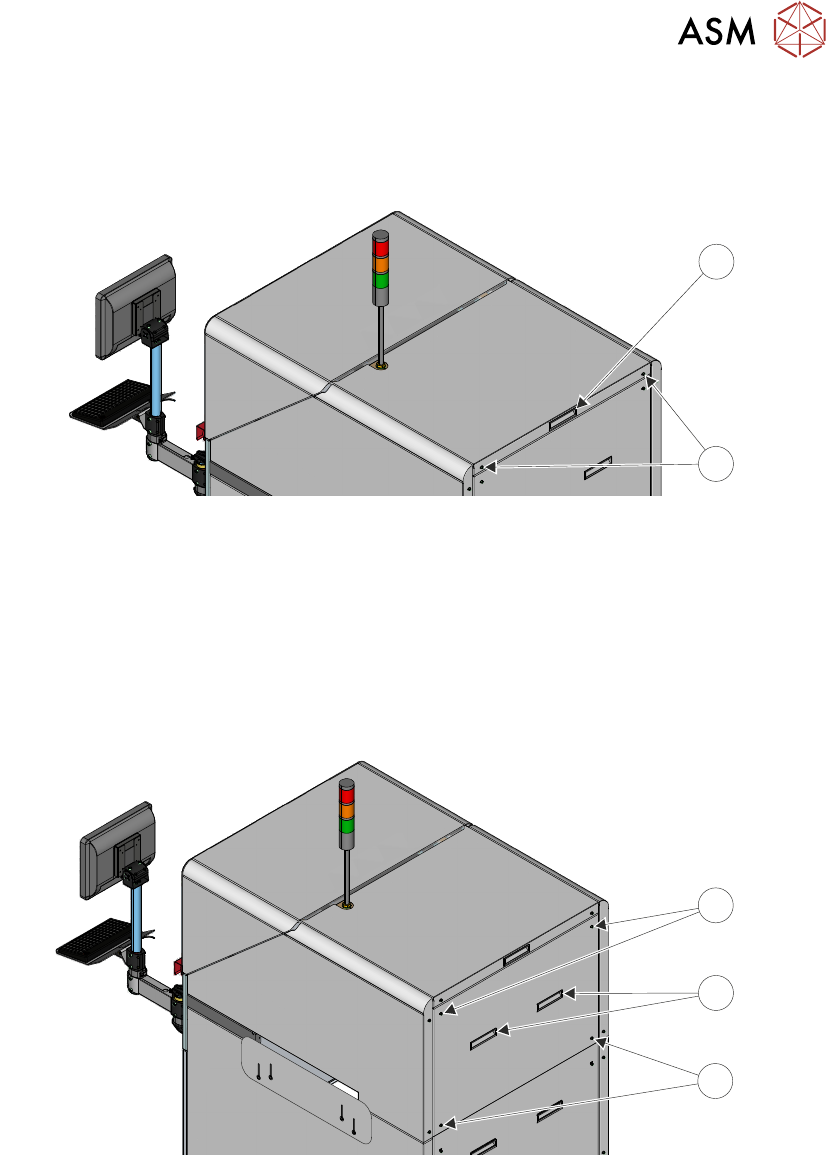
3.2.4 Top Panel
To remove the panel, carry out the following:
1. Using a 4mm Allen key, undo the two captive securing screws (2).
2
1
2. Using the handle (1), slide the top panel rearwards about 30cm to access the earth cable.
3. Disconnect the cable from the earth stud.
4. Slide the panel fully off the back of the machine taking care as the panel weight is 5.2kg.
3.2.5 Rear Upper Panel
To remove the panel, carry out the following:
1. Using a 4mm Allen key, undo the four captive securing screws (1).
2
1
1
2. Using the handles (2), lift the panel upwards to clear the locating tabs before removing from
the machine. Take care not to damage the earth cable.
3 COVERS AND PANELS
3.2 PANEL REMOVAL
28 TECHNICAL REFERENCE MANUAL DEK TQ 04/2021
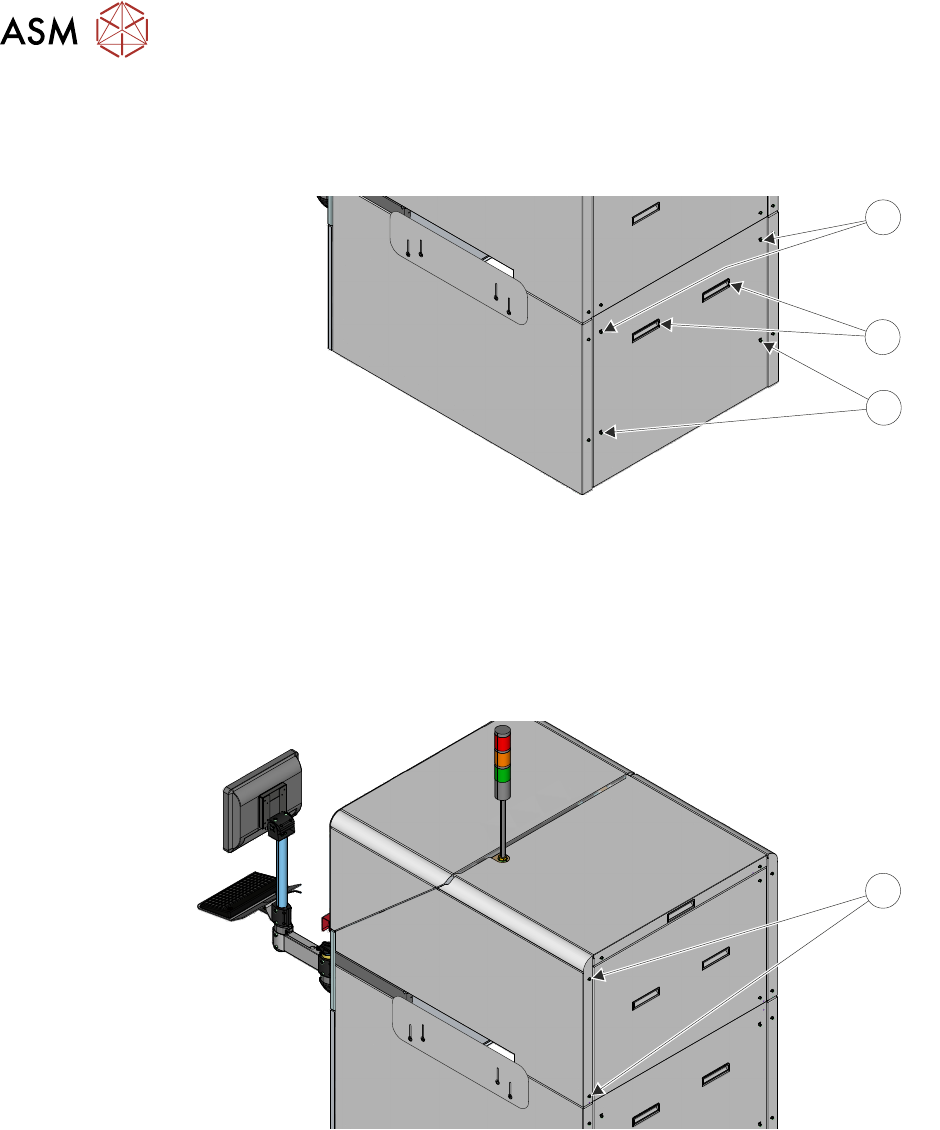
3.2.6 Rear Lower Panel
To remove the panel, carry out the following:
1. Using a 4mm Allen key, undo the four captive securing screws (1).
2
1
1
2. Using the handles (2), lift the panel upwards to clear the locating tabs before removing from
the machine. Take care not to damage the earth cable.
3.2.7 Upper Side Panels
To remove the panel, carry out the following:
1. Using a 4mm Allen key, undo the two captive securing screws (1).
1
2. Slide the panel rearwards taking care not to damage the earth cable.