88242361-04-01 Vol 1 DEK TQ TECHNICAL REFERENCE (1).pdfPDFA.pdf - 第148页
9 PASTE DISPENSER SYSTEM 9.3 ADJUSTMENTS AND SETTINGS 148 TECHNICAL REFERENCE MANUAL DEK TQ 04/2021 9.3.3 Paste Level Sensor (Jar) 9.3.3.1 Mechanical Setting 1. Open the front cover. 2. Check the 24mm measurement between…
9 PASTE DISPENSER SYSTEM
9.3 ADJUSTMENTS AND SETTINGS
TECHNICAL REFERENCE MANUAL DEK TQ 04/2021 147
9.3.1.2 Electrical Setting
Ensure that the measurement in 9.3.1.1 "Mechanical Setting" [}146] is correct before adjusting the
sensitivity of the paste level sensor.
1. Fit an empty paste cartridge into the paste dispenser.
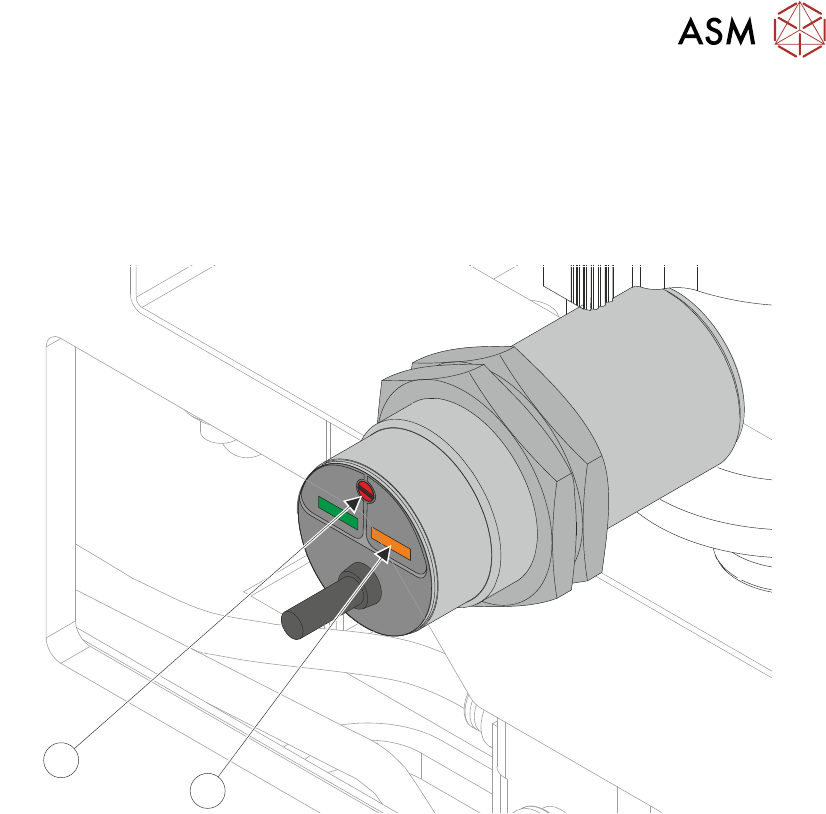
2. Slowly adjust the sensitivity control (2) to the point where the amber status LED (1) switches
ON
.
1
2
3. Fit a full paste cartridge into the paste dispenser. The amber status LED (1) switches OFF.
4. Slowly adjust the sensitivity control (2) anti clockwise to the point where the amber status LED
switches ON
. Note the amount of turns taken.
5. Turn the sensitivity control (2) clockwise half the noted amount of turns above. The amber
status LED (1) switches OFF
.
6. Remove and refit the full cartridge, ensuring the amber LED (1) switches on and off.
9.3.2 Paste Dispenser Regulator
For information on the regulator setting, refer to the Pneumatic Module chapter.
9 PASTE DISPENSER SYSTEM
9.3 ADJUSTMENTS AND SETTINGS
148 TECHNICAL REFERENCE MANUAL DEK TQ 04/2021
9.3.3 Paste Level Sensor (Jar)
9.3.3.1 Mechanical Setting
1. Open the front cover.
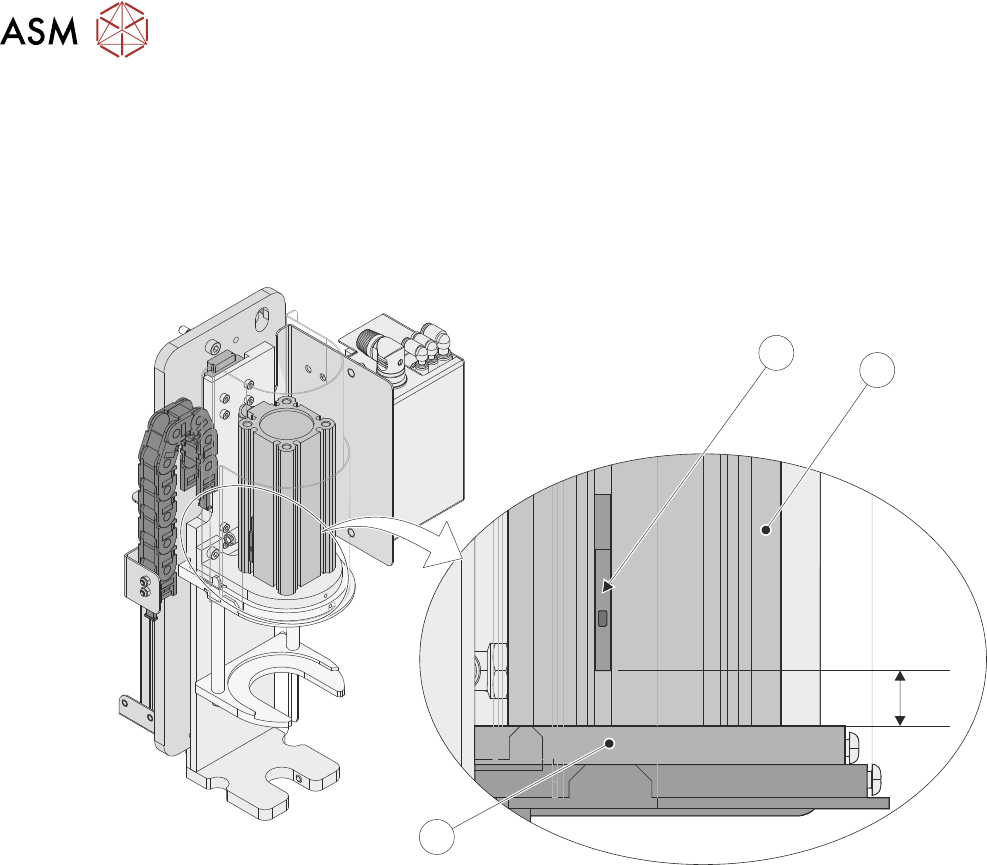
2. Check the 24mm measurement between the end of the paste jar low level reed switch (1) and
the top of the paste jar cylinder support plate (3). The reed switch is located in the paste jar
cylinder (2).
24mm
2
3
1
9 PASTE DISPENSER SYSTEM
9.4 REPLACEMENT PROCEDURES
TECHNICAL REFERENCE MANUAL DEK TQ 04/2021 149
9.4 REPLACEMENT PROCEDURES
9.4.1 Paste Dispenser Changeover
The paste dispenser allows for the use of paste jars or cartridges via interchangeable paste dis-
penser assemblies. The following procedures are used to change from one to the other.
9.4.1.1 Cartridge to Jar
1. Select the Changeover tab.
2. Select Start Changeover.
3. Select Continue.
4. Select Carriage To Rear.
5. Select Menu.
6. Select Shut Down.
7. Open the front cover.
8. Ensure that the stencil has been removed.
9. Switch the mains isolator to OFF.
10. Remove the front panel.
11. Turn the pneumatic lockout switch to EXH.
12. Remove the upper left hand side panel.
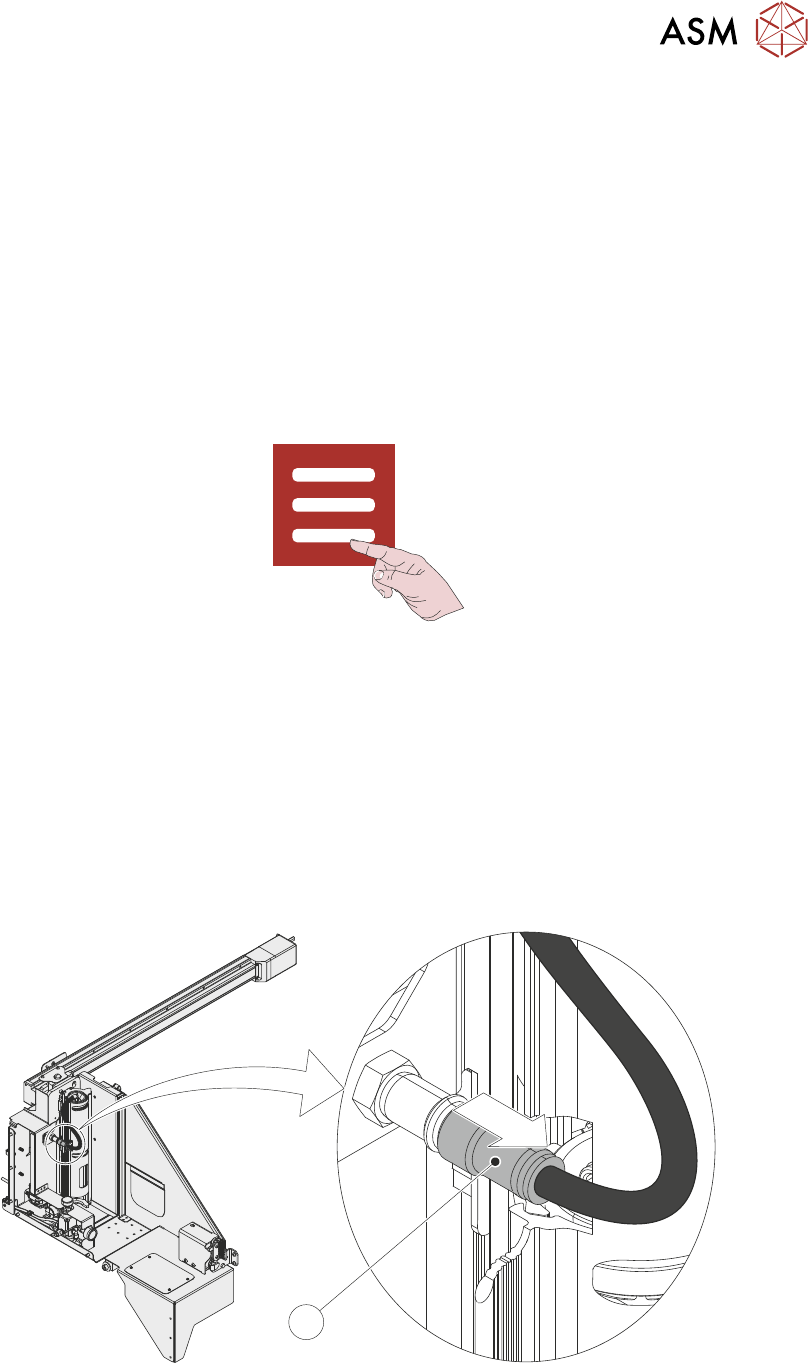
13. Disconnect the paste cartridge caps pneumatic quick release connector (1) from the paste
dispenser.
1
14. Open the paste cartridge cover and remove the paste cartridge from the paste dispenser.