88242361-04-01 Vol 1 DEK TQ TECHNICAL REFERENCE (1).pdfPDFA.pdf - 第30页
3 COVERS AND PANELS 3.2 PANEL REMOVAL 30 TECHNICAL REFERENCE MANUAL DEK TQ 04/2021
3 COVERS AND PANELS
3.2 PANEL REMOVAL
TECHNICAL REFERENCE MANUAL DEK TQ 04/2021 29
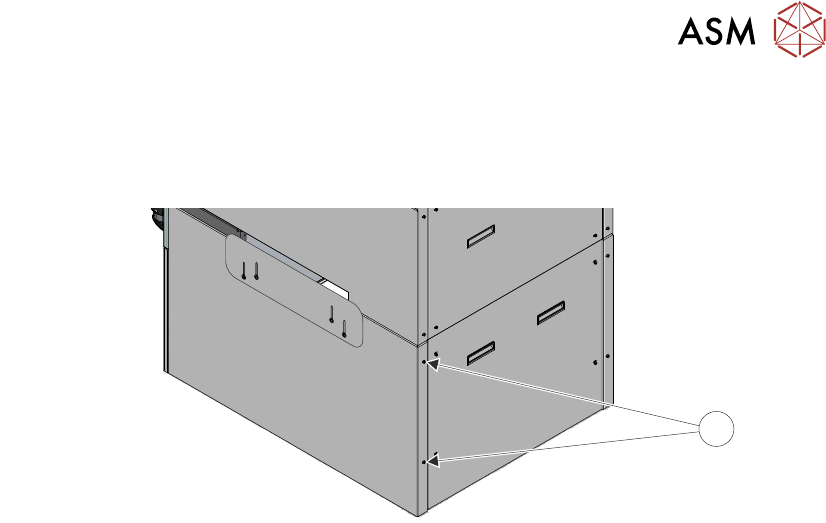
3.2.8 Lower Side Panels
To remove the panel, carry out the following:
1. Using a 4mm Allen key, undo the two captive securing screws (1).
1
2. Slide the panel rearwards taking care not to damage the earth cable.

3 COVERS AND PANELS
3.2 PANEL REMOVAL
30 TECHNICAL REFERENCE MANUAL DEK TQ 04/2021
4 MACHINE OVERVIEW
4.1 MODULE OVERVIEWS
TECHNICAL REFERENCE MANUAL DEK TQ 04/2021 31
4 MACHINE OVERVIEW
4.1 MODULE OVERVIEWS
This chapter describes the function and the purpose of each of the machine modules, their location
within the machine and the relationship and interaction between modules, if applicable. For detailed
information regarding each module refer to the relevant module chapter in this manual.
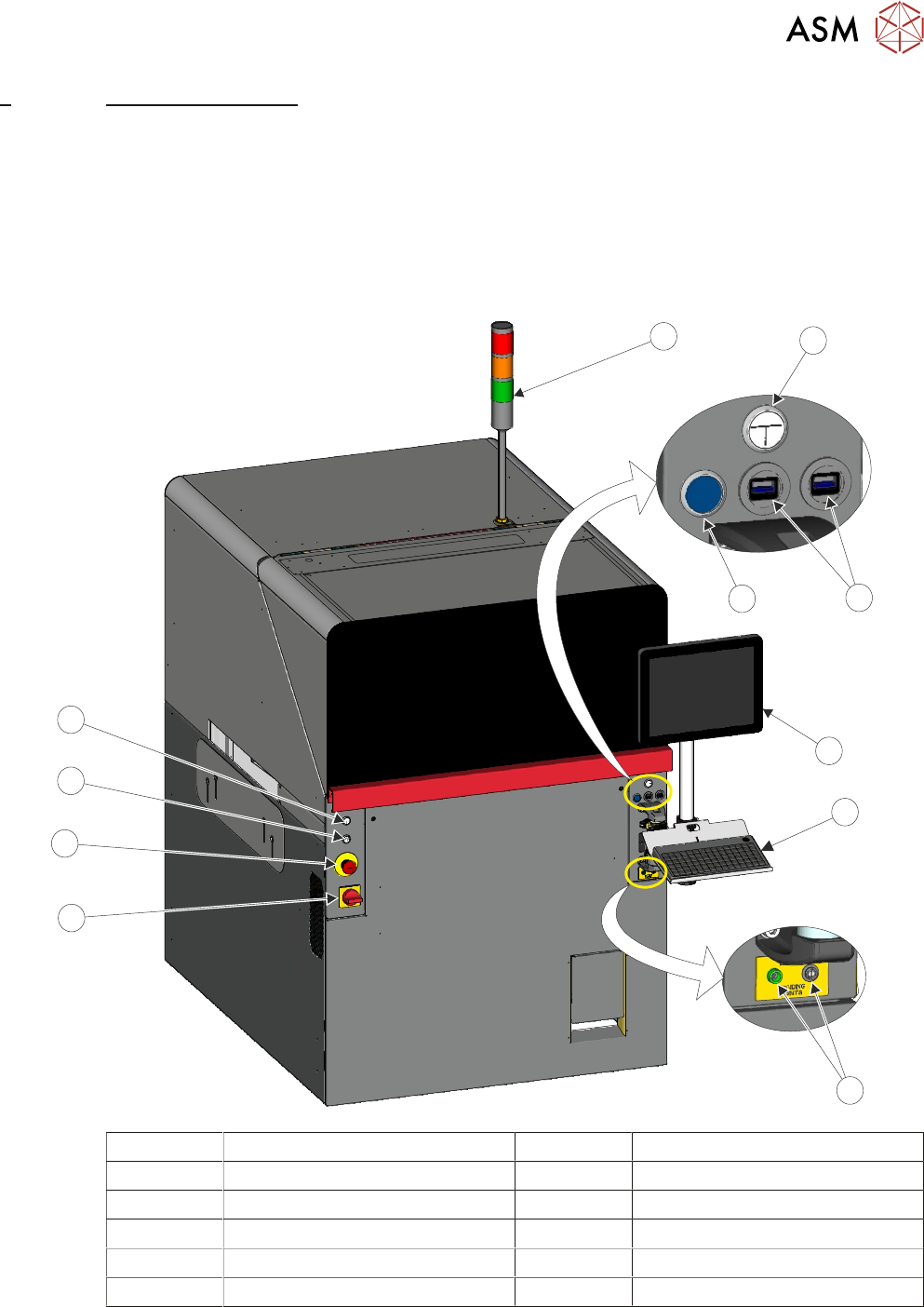
4.1.1 Human Machine Interface (HMI) Module
The HMI module enables communication and interaction between the user and the machine.
11
10
9
8
7
6
5
4
3
2
1
1 Light Tower 7 ESD Earthing Points
2 Jog Button (Right) 8 Mains Isolator Switch
3 USB Connectors 9 Emergency Stop (E Stop) Button
4 System Button 10 Internal Light Button
5 Monitor 11 Jog Button (Left)
6 Keyboard