88242361-04-01 Vol 1 DEK TQ TECHNICAL REFERENCE (1).pdfPDFA.pdf - 第151页
9 PASTE DISPENSER SYSTEM 9.4 REPLACEMENT PROCEDURES TECHNICAL REFERENCE MANUAL DEK TQ 04/2021 151 18. Manually move the cartridge dispenser into the centre of the printer, and lower the paste dis- penser to expose two M5…
9 PASTE DISPENSER SYSTEM
9.4 REPLACEMENT PROCEDURES
150 TECHNICAL REFERENCE MANUAL DEK TQ 04/2021
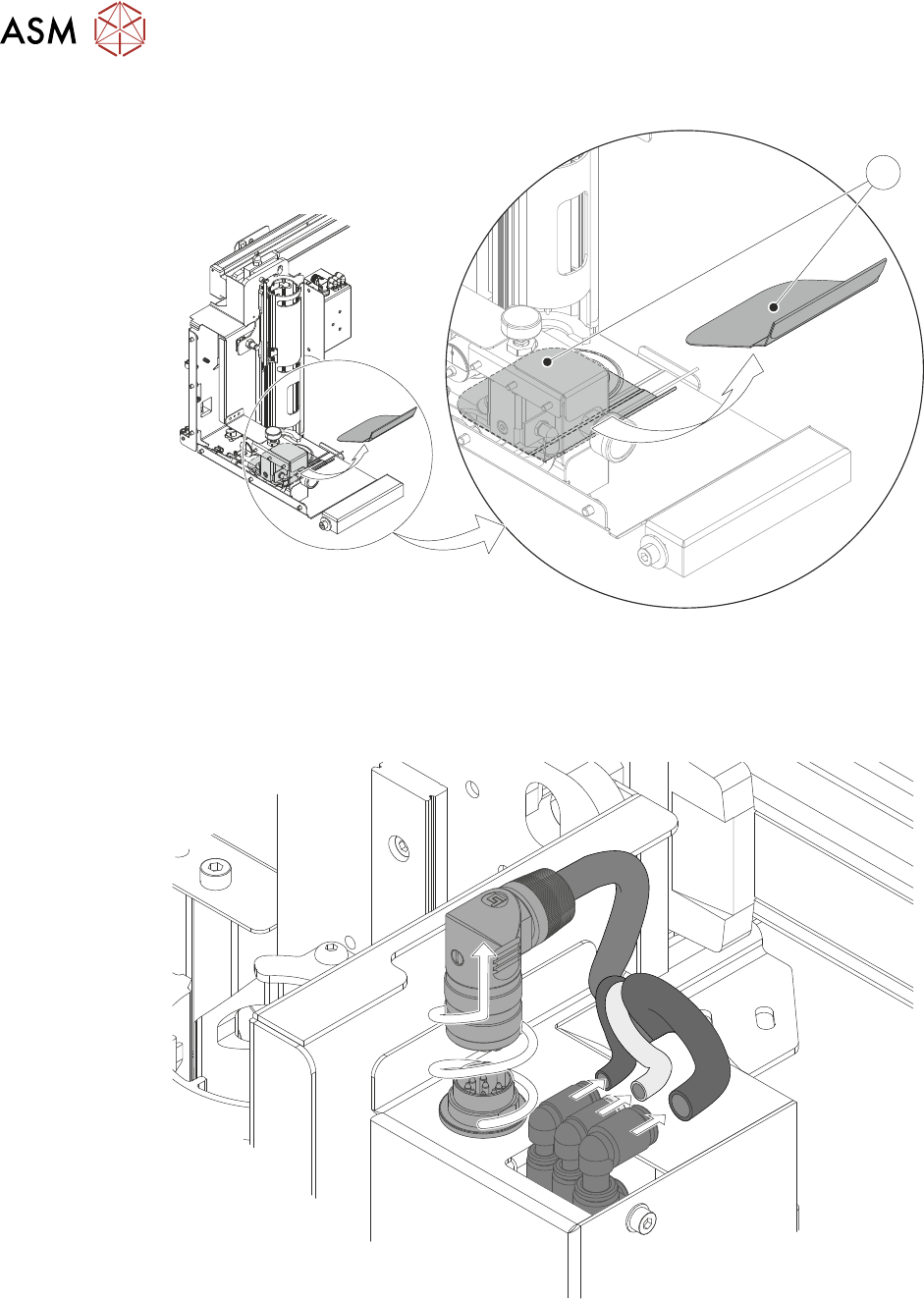
15. Remove and clean the paste drip tray (1).
1
16. Ensure that any spilled paste is removed from the surfaces on and around the paste dis-
penser.
17. Disconnect the three pneumatic connectors and unscrew and pull-up the electrical connector
plug.
9 PASTE DISPENSER SYSTEM
9.4 REPLACEMENT PROCEDURES
TECHNICAL REFERENCE MANUAL DEK TQ 04/2021 151
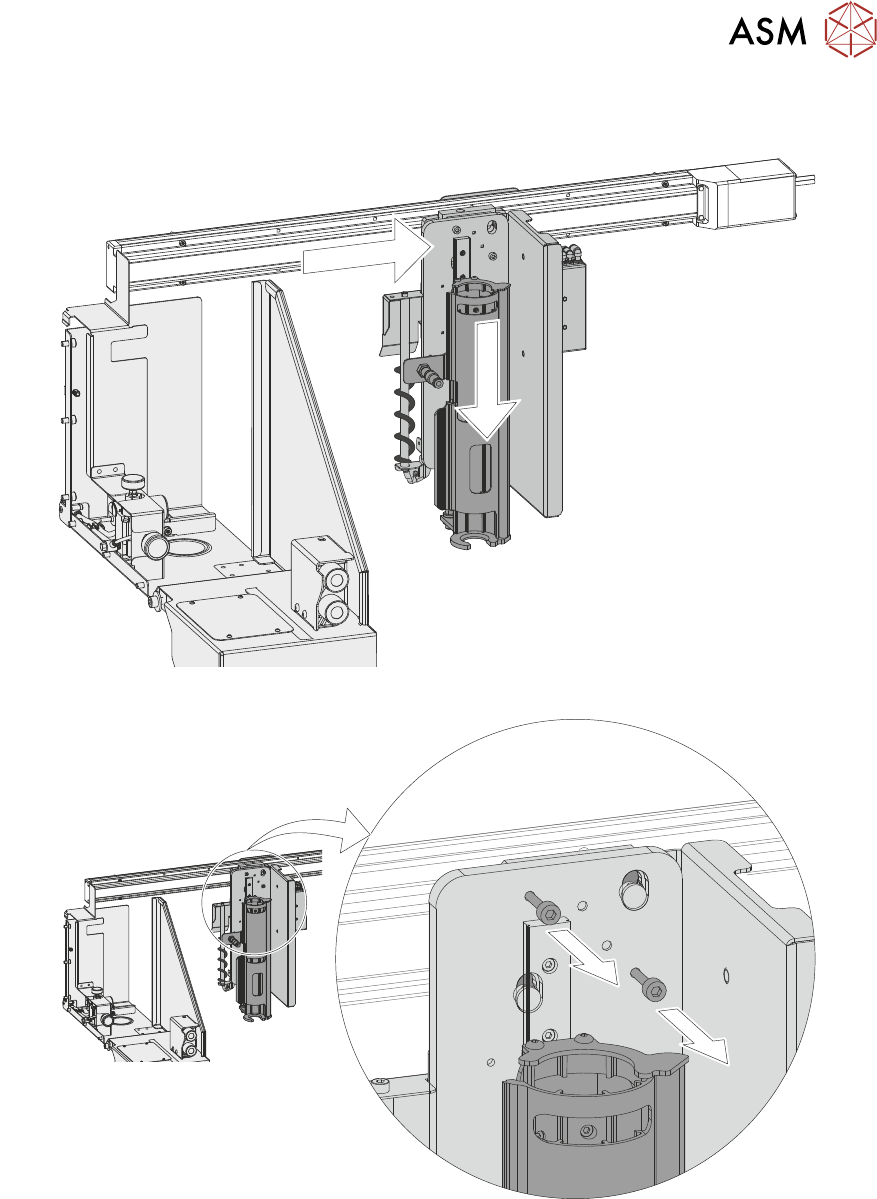
18. Manually move the cartridge dispenser into the centre of the printer, and lower the paste dis-
penser to expose two M5 socket cap-head retaining screws.
19. Using an M5 Allen key loosen the two captive retaining screws.
9 PASTE DISPENSER SYSTEM
9.4 REPLACEMENT PROCEDURES
152 TECHNICAL REFERENCE MANUAL DEK TQ 04/2021
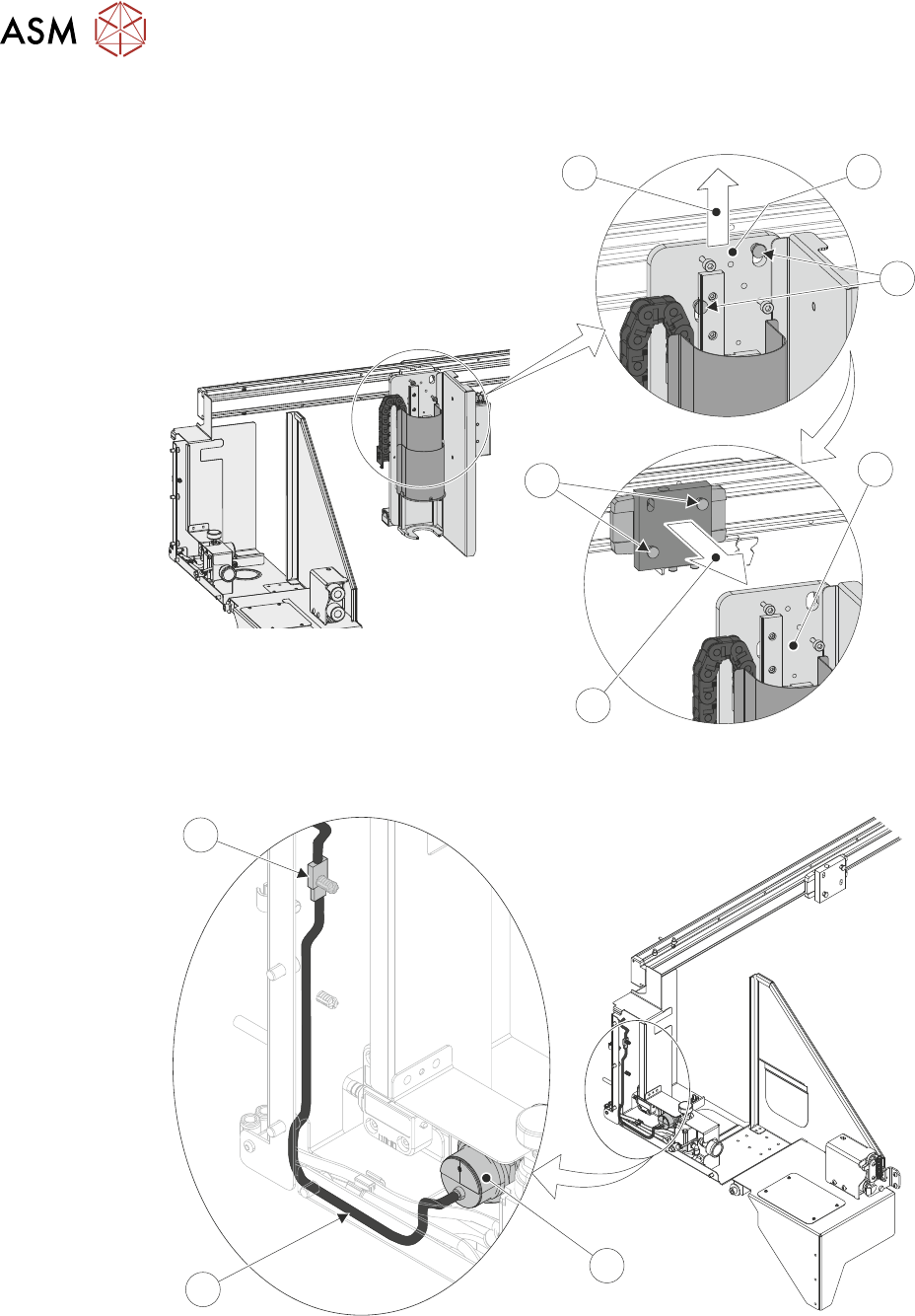
20. Lift (3) the cartridge dispenser assembly (1) off of the retaining dowels (2) on the mounting
then remove (4) from the machine.
4
2
1
3
2
1
21. Trace the paste low sensor cable (2) from the rear of the sensor (1) to the connector (3) on
the paste dispenser cover.
3
2
1
22. Disconnect the cartridge paste low sensor's electrical connector (3).