Printer 710_810 v8 Transportation.pdf - 第102页
TRANSPORT ATION MACHINE POW ER UP S EQUENCE 34.102 Technical Reference Manual Chapter Issue 7 Oct 06 s. When the DOS window closes, select Star t on the task bar , select Shut Down... . t. Selec t Restar t from the drop …
TRANSPORTATION
MACHINE POWER UP SEQUENCE
Chapter Issue 7 Oct 06 Technical Reference Manual 34.101
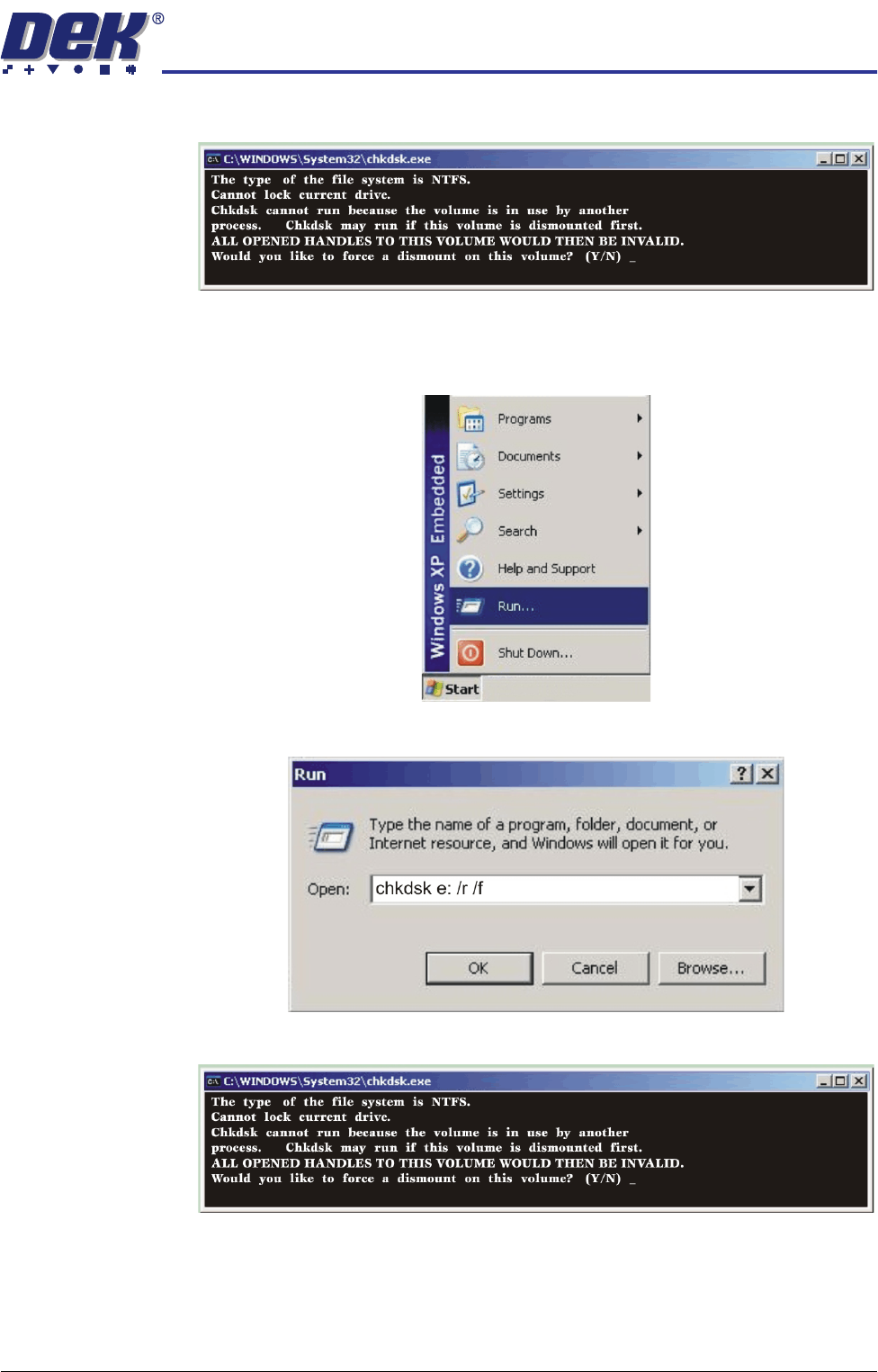
m. The Chkdsk program displays the following prompt. Select Y, Ente r.
n. The Chkdsk program executes and checks the D drive for errors.
Checking Hard
Disk Partition E
o. When the DOS window closes, select Start on the taskbar, select Run....
p. Click in the open box, type chkdsk e: /r /f and select OK.
q. The Chkdsk program displays the following prompt. Select Y, Ent e r.
r. The Chkdsk program executes and checks the E drive for errors.
TRANSPORTATION
MACHINE POWER UP SEQUENCE
34.102 Technical Reference Manual Chapter Issue 7 Oct 06
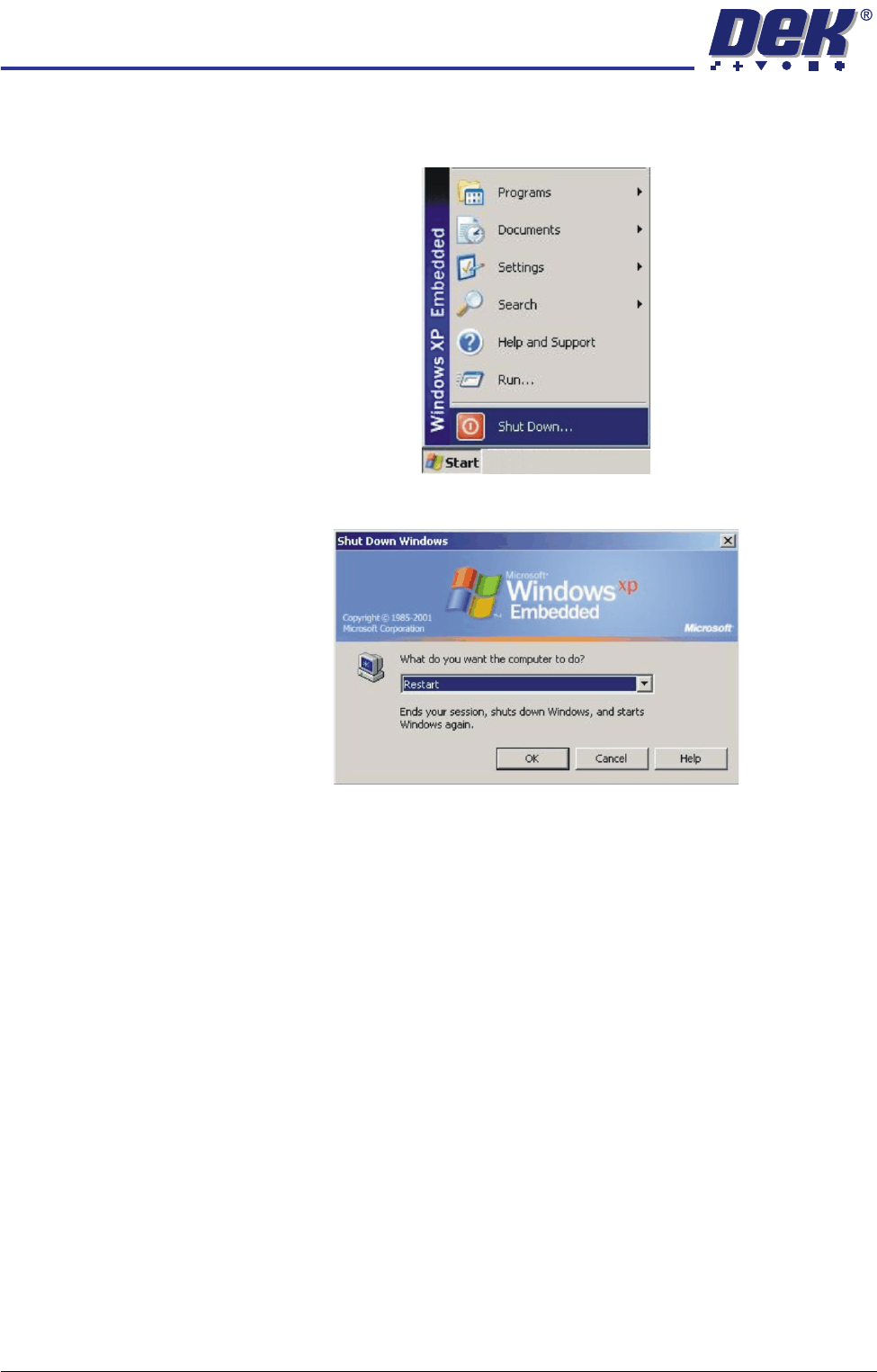
s. When the DOS window closes, select Start on the taskbar, select Shut
Down....
t. Select Restart from the drop down menu and select OK.
The system closes down and restarts. The Chkdsk program executes
and checks the C drive for errors. On completion of Chkdsk, Windows
starts in the standard way.
5. During the machine initialisation, press the System button when prompted.
6. To close the DEK program and display the Windows desktop, select Show
Classic to display the classic menu.
7. Select Maint..
8. Select Diagnost.
9. Ensure that System is highlighted and select Select Module.
10. Select the Previous button once to highlight Terminate Control Program.
11. Select Run Diagnost.
TRANSPORTATION
MACHINE POWER UP SEQUENCE
Chapter Issue 7 Oct 06 Technical Reference Manual 34.103
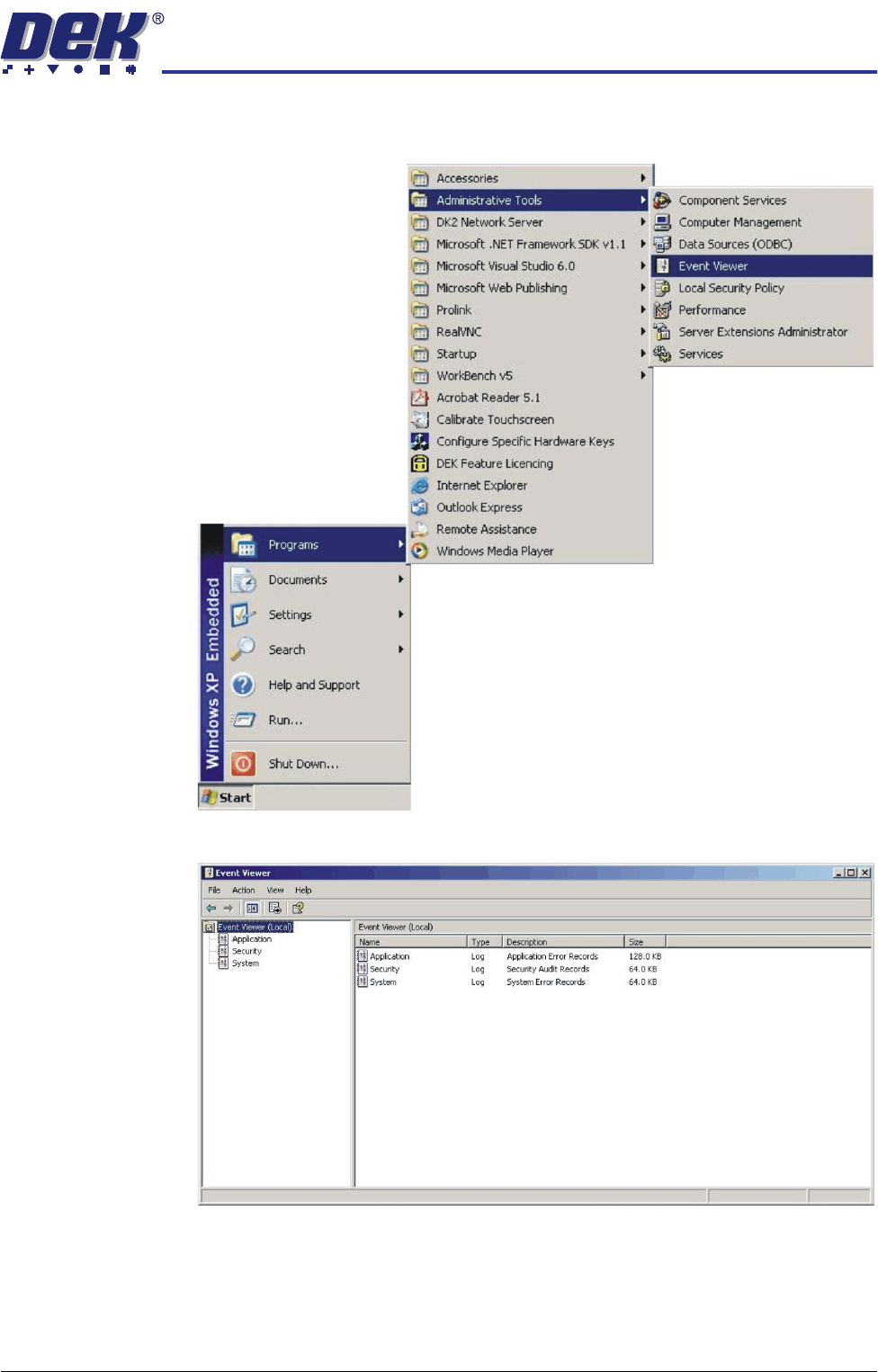
12. Select Start on the taskbar, select Programs, Administrative Tools, Event
Viewer.
13. Select Applications in the sub menu of the left hand box.