Printer 710_810 v8 Transportation.pdf - 第36页
TRANSPORT ATION MAJOR RE LOCATION 34.36 Technical Reference Manual Chapter Issue 7 Oct 06 Removal of the MMI Assembly (Met al Cover) 1. Remove the following connec tions on the rear of the monitor: • Monitor Power Ca ble…
TRANSPORTATION
MAJOR RELOCATION
Chapter Issue 7 Oct 06 Technical Reference Manual 34.35
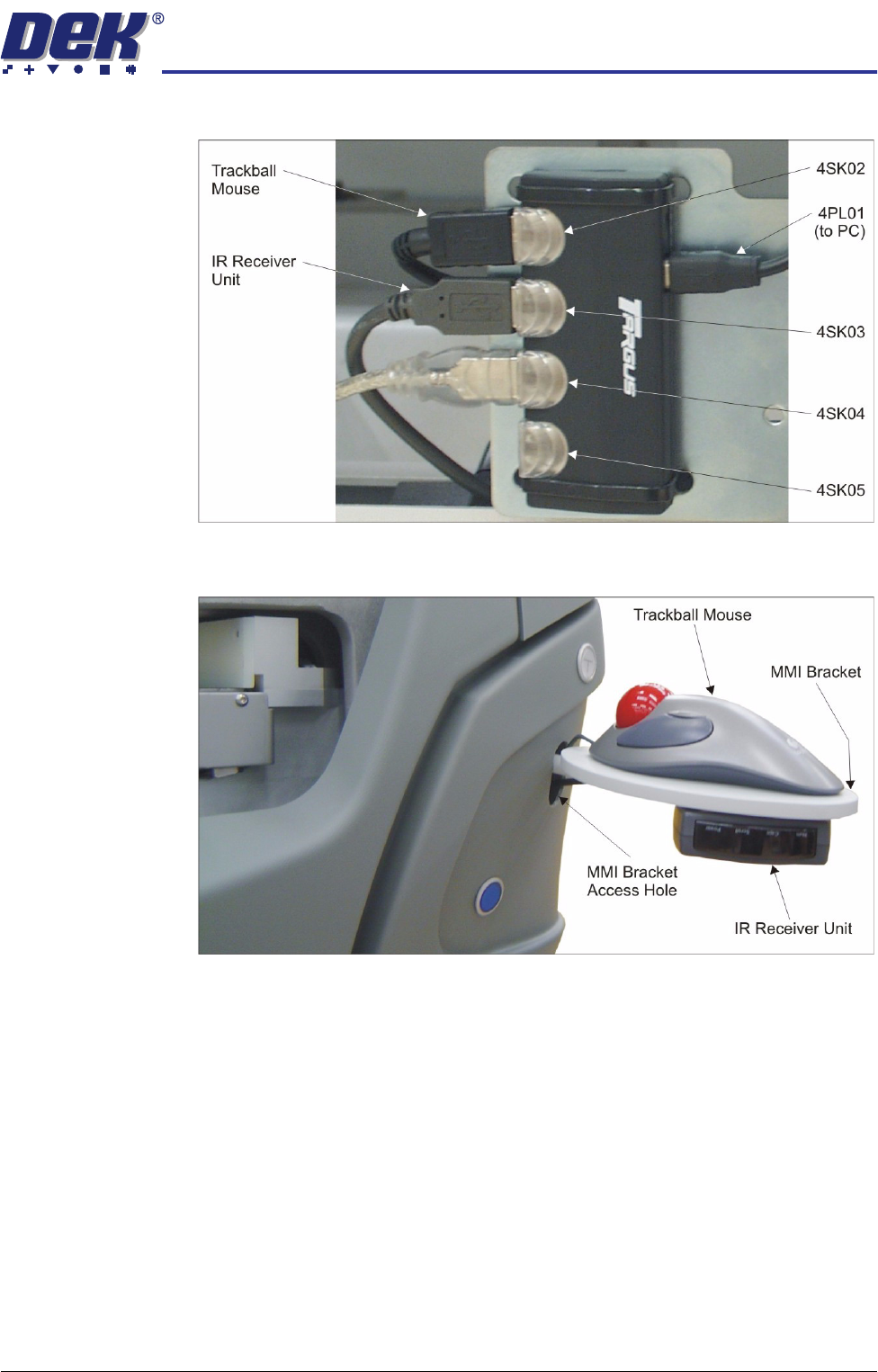
4. Disconnect the trackball mouse from 4SK02 on the 4 port USB hub.
5. Remove the trackball mouse from the MMI bracket and carefully pull the
cable out through the MMI bracket access hole.
TRANSPORTATION
MAJOR RELOCATION
34.36 Technical Reference Manual Chapter Issue 7 Oct 06
Removal of the MMI
Assembly (Metal
Cover)
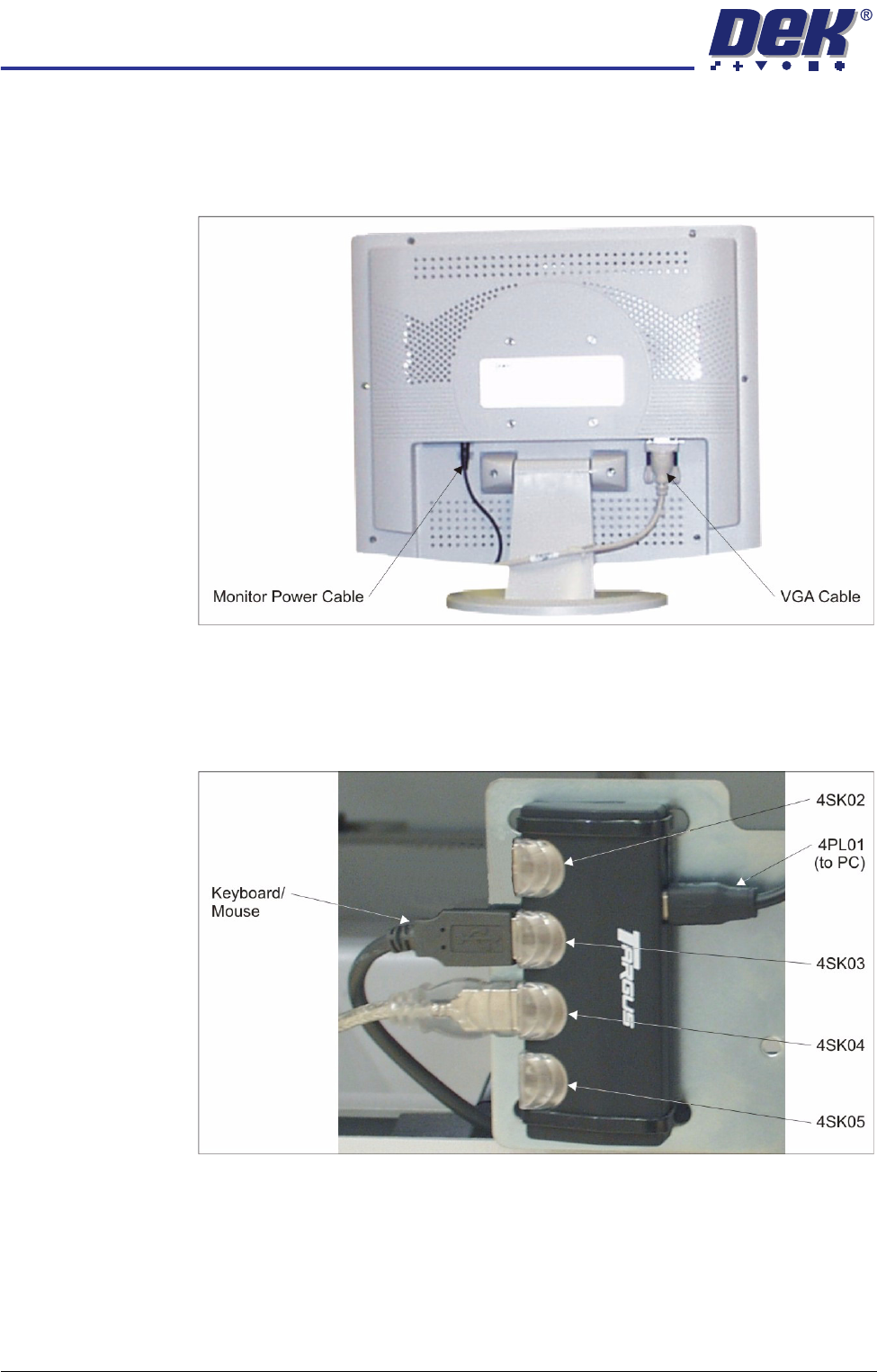
1. Remove the following connections on the rear of the monitor:
• Monitor Power Cable (DC)
• VGA Cable
2. Remove the monitor from the top of the machine.
3. Locate the 4 port USB hub secured to the left side of the mains isolator
switch bracket.
4. Disconnect the keyboard/mouse from 4SK03 on the 4 port USB hub.
5. Remove the keyboard/mouse from the machine.
TRANSPORTATION
MAJOR RELOCATION
Chapter Issue 7 Oct 06 Technical Reference Manual 34.37
Removing the High
Throughput
Conveyor (HTC)
The high throughput conveyors (HTC) auxiliary conveyors must be removed
prior to transportation.
To remove the auxiliary conveyors, remove the left and right safety covers and
the following panels (as detailed in the Covers chapter):
• Gull wing covers - front and rear side covers on both sides
• Sliding glass covers - front and rear corner panels and the centre side
panel on both sides
1. Disconnect the following from the right hand auxiliary conveyor:
• M27PL17 from M27SK17 on the rear rail
• M27PL16 from M27SK16 on the front rail
• M27PL14 from M27SK14 on the front rail and unclip M27SK14 from its
bracket
• Electrical connection from M27SOL01 (pneumatic solenoid) on the front
rail
• Electrical connection from M27SOL03 (pneumatic solenoid) on the front
rail
• Pneumatic feed from the input connector of M27SOL03
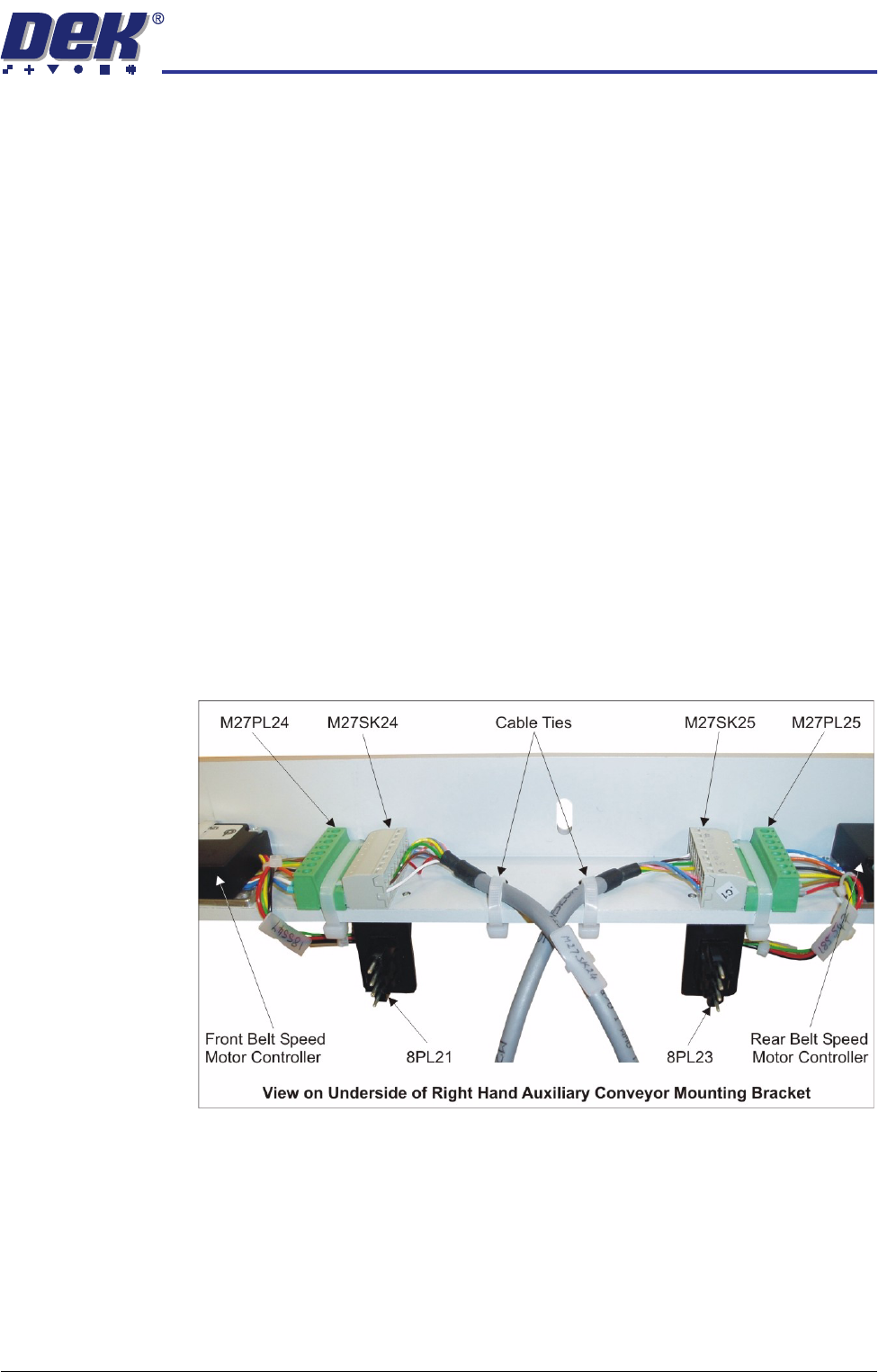
• 8SK21 from 8PL21 and 8SK23 from 8PL23 of the belt speed motor
controllers
• M27SK24 from M27PL24 and M27SK25 from M27PL25 of the belt speed
motor controllers. Cut the two cable ties.
NOTE
Some cable ties need cutting to separate cables that are attached to the
auxiliary rail and those that stay in the machine.