Printer 710_810 v8 Transportation.pdf - 第118页
TRANSPORT ATION MACHI NE PERF ORMAN CE 34.118 Technical Reference Manual Chapter Issue 7 Oct 06 MACHINE PERFORMANCE Carry out a machi ne capabi lity check an d compar e the result s with th e check complet ed prior to tr…
TRANSPORTATION
HIGH THROUGHPUT CONVEYOR (HTC)
Chapter Issue 7 Oct 06 Technical Reference Manual 34.117
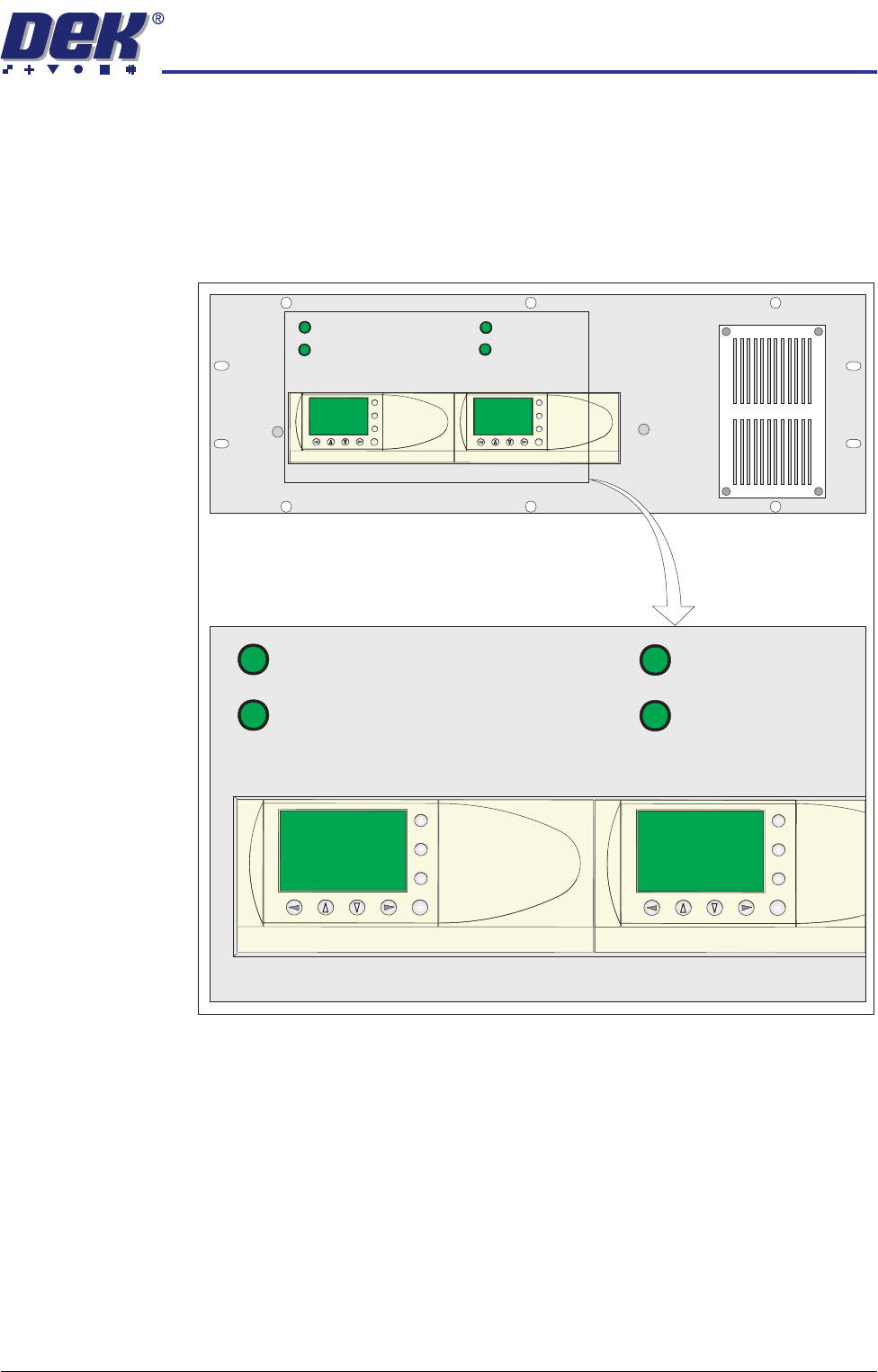
Operation The 1/3 Stage Operation and Fast Transfers Disabled buttons are LED illumi-
nated push buttons and are configured as follows:
3-Stage/Single
Stage Mode
For 3-stage mode, both 1/3 Stage Operation buttons must be OFF (LED
extinguished). The LCD screen on the PLC displays ’3 Stage’ on the top line.
For single stage mode, both 1/3 Stage Operation buttons must be ON (LED lit).
The LCD screen on the PLC displays ’1 Stage’ on the top line.
Fast/Normal Mode For a conveyor to operate in fast transfer mode, both Fast Transfer Disabled
buttons must be OFF (LED extinguished). The LCD screen on the PLC displays
’Fst.Trans.’ on the bottom line for 5 seconds on power-up or when the button
is switched to OFF.
For a conveyor to operate in normal transfer mode, both Fast Transfer Disabled
buttons must be ON (LED lit). Normal transfer mode is not displayed on the
PLC.
1/3 STAGE
OPERATION
1/3 STAGE
OPERATION
FAST TRANSFERS
DISABLED
FAST TRANSFERS
DISABLED
R/H CONVEYOR L/H CONVEYOR
1/3 STAGE
OPERATION
1/3 STAGE
OPERATION
FAST TRANSFERS
DISABLED
FAST TRANSFERS
DISABLED
R/H CONVEYOR L/H CONVEYOR
ESC
OK
+
-
ESC
OK
+
-
ESC
OK
+
-
ESC
OK
+
-
TRANSPORTATION
MACHINE PERFORMANCE
34.118 Technical Reference Manual Chapter Issue 7 Oct 06
MACHINE PERFORMANCE
Carry out a machine capability check and compare the results with the check
completed prior to transportation.
Machine Capability Load the product file named 265test1 from the hard disk and with a DEK
alignment board loaded ensure that the following parameters are correct:
• Screen - Calibration/Dry Align
• Squeegee - Length to suit board / ProFlow - Empty Transfer Head
• Front & Rear Print Speed - 25mm/sec (squeegees) / 70mm/sec (ProFlow)
• Front & Rear Pressure - 5kg (squeegees) / 3kg (ProFlow)
• ProFlow Paste Pressure - 2.0 bar
• ProFlow Idle Pressure - 0.2 bar (ProFlow with SCAR)
• Separation Speed - 1mm/sec.
• Under Board Clearance - 20mm
• Paste Dispense - 0
• Under Screen Rate - 0
• Transport Mode - Left to Left
• SPC Data Output Rate - Every Cycle
• SPC Data Mode - Disk
• SPC Format - Windows
• SPC Align Inspect Mode - Pre & Post Print
Use nine magnetic tooling pins to fully support the board, apply a small amount
of paste or suitable lubricant (enough to lubricate squeegees). Record >100 full
machine cycles and setup QC-Cal program as follows:
1. Start the QC-Cal program.
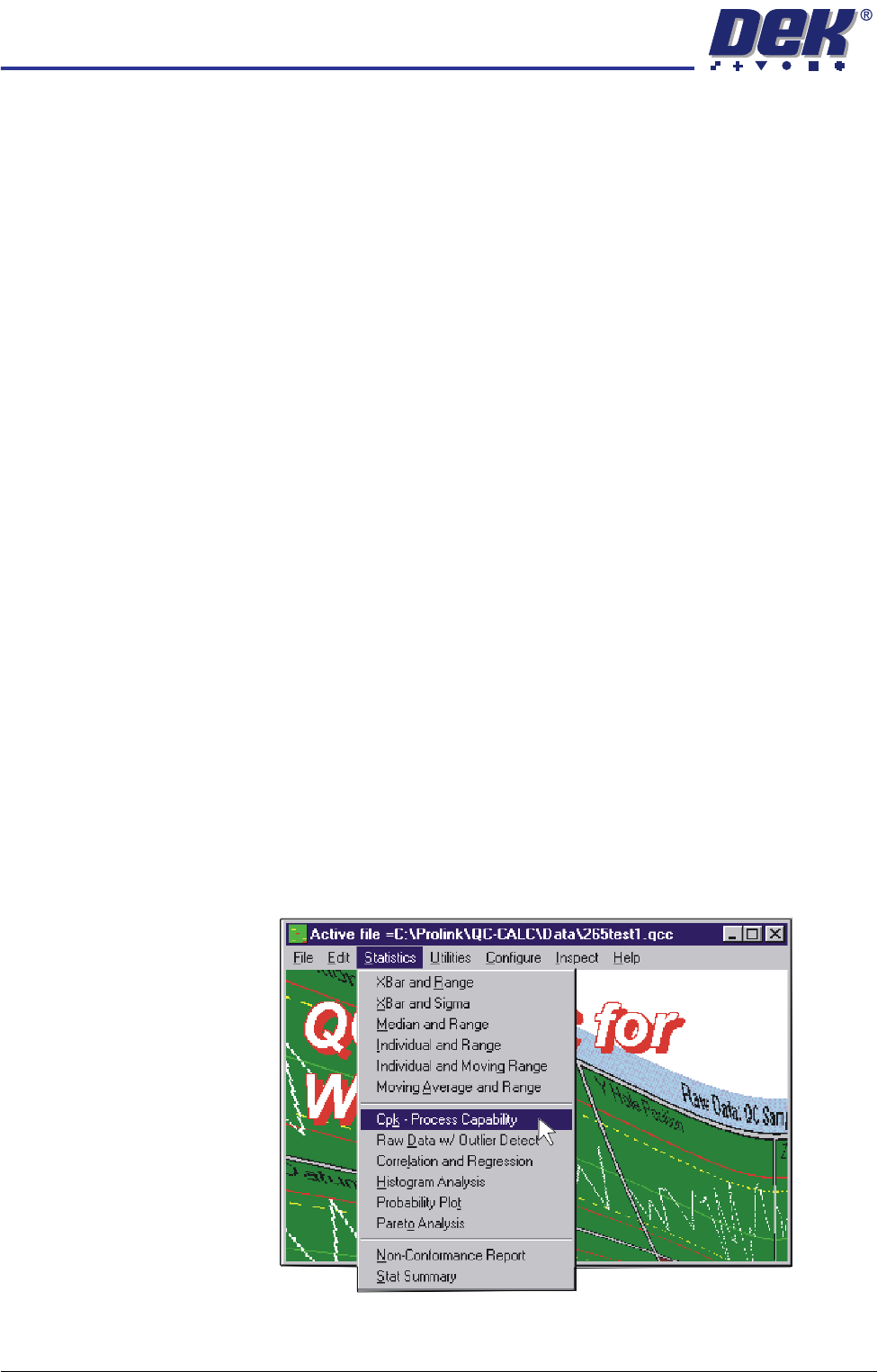
2. Select Statistics, Cpk - Process Capability.
TRANSPORTATION
MACHINE PERFORMANCE
Chapter Issue 7 Oct 06 Technical Reference Manual 34.119
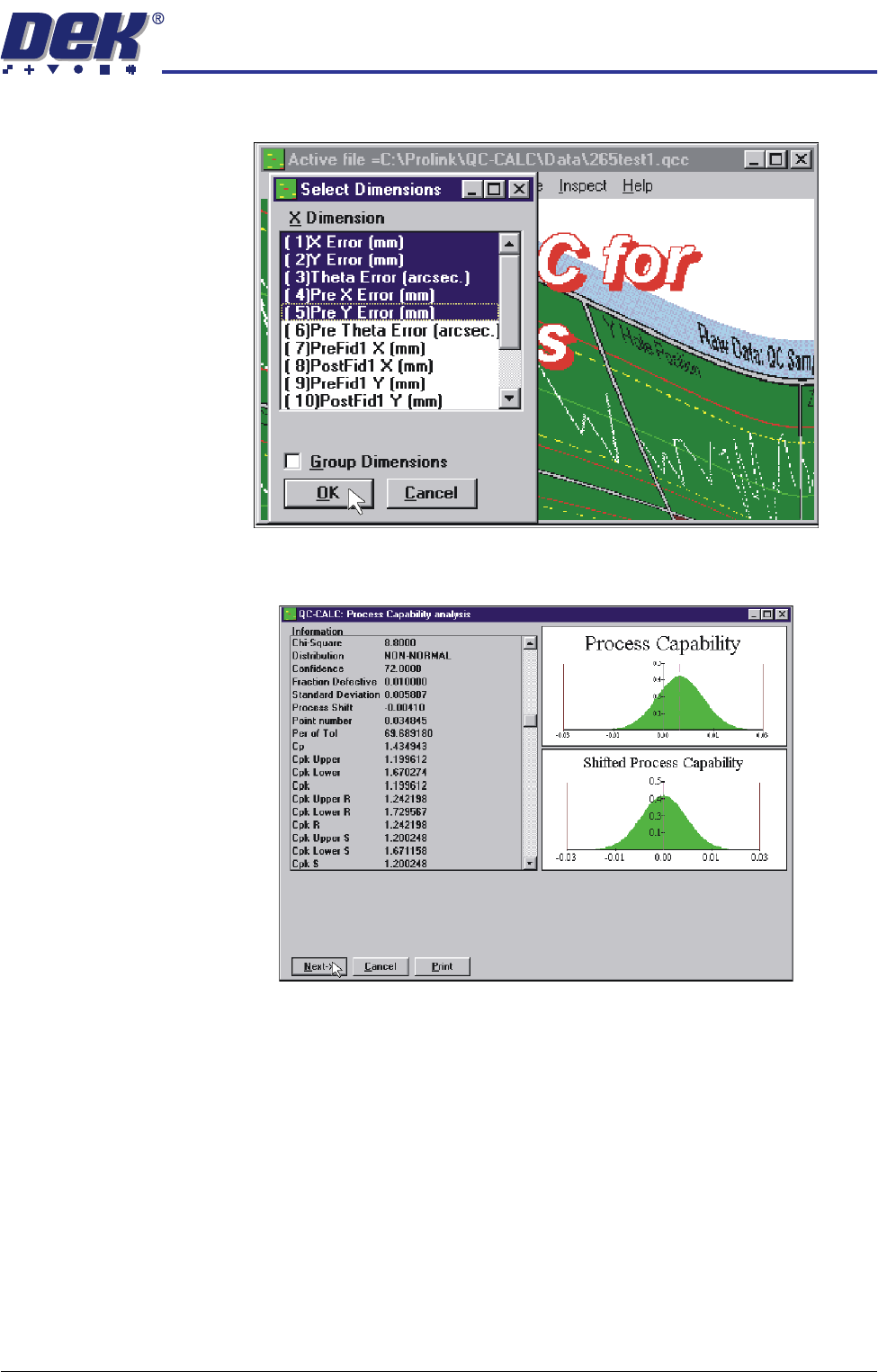
3. Highlight the required dimensions to output and select O.K.
4. View the Cp/Cpk values for the dimension illustrated ensuring the values are
within the specification. Select Next to view the further dimensions.