Printer 710_810 v8 Transportation.pdf - 第103页
TRANS PORTATION MACHI NE POWE R UP SEQU ENCE Chapter Issue 7 Oct 06 Technical Reference Manual 34.103 12. Select St art on the t askbar , select Progra ms, Administrati ve T ools, Event Vie w e r . 13. Select Appli catio…
TRANSPORTATION
MACHINE POWER UP SEQUENCE
34.102 Technical Reference Manual Chapter Issue 7 Oct 06
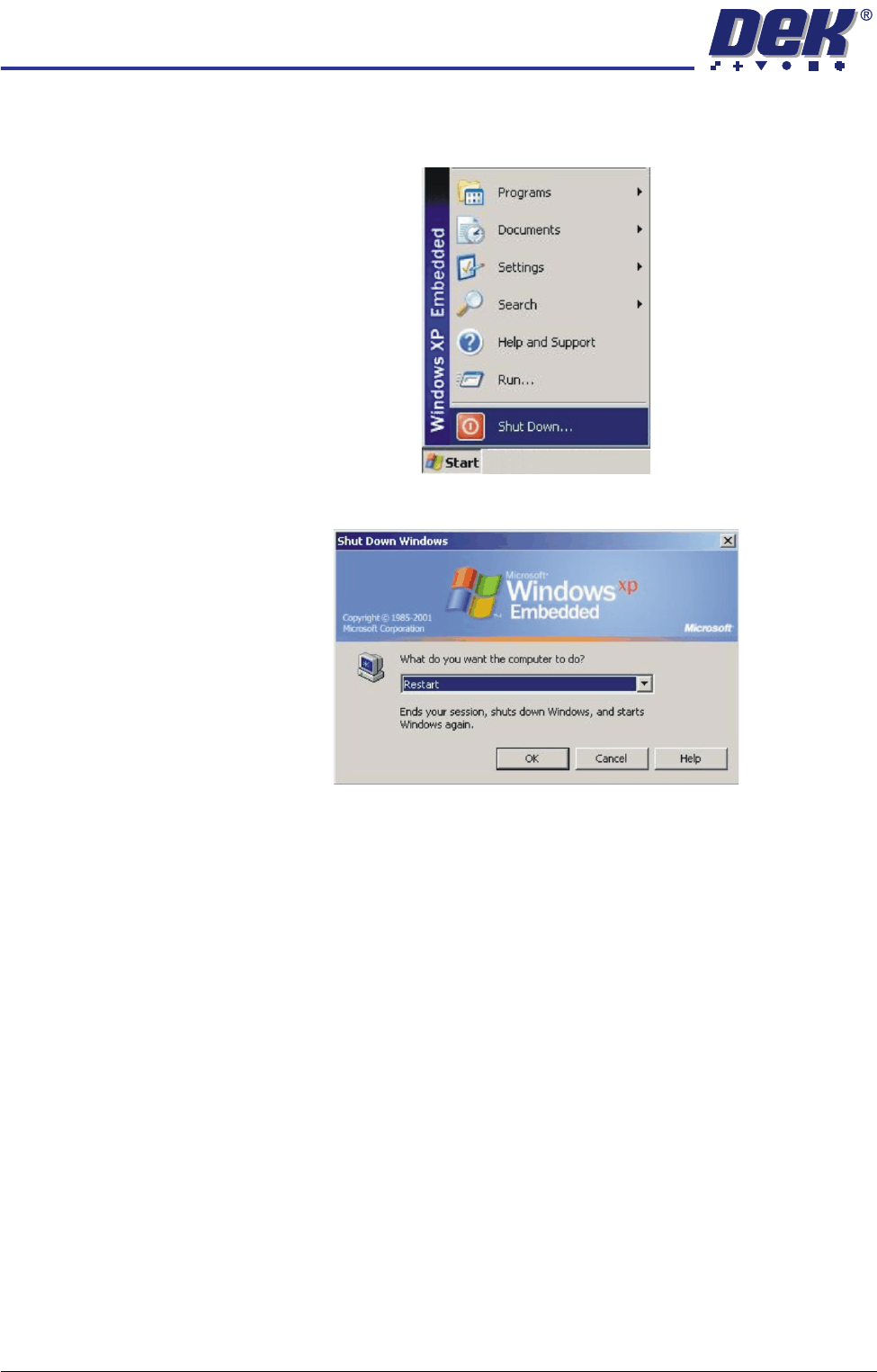
s. When the DOS window closes, select Start on the taskbar, select Shut
Down....
t. Select Restart from the drop down menu and select OK.
The system closes down and restarts. The Chkdsk program executes
and checks the C drive for errors. On completion of Chkdsk, Windows
starts in the standard way.
5. During the machine initialisation, press the System button when prompted.
6. To close the DEK program and display the Windows desktop, select Show
Classic to display the classic menu.
7. Select Maint..
8. Select Diagnost.
9. Ensure that System is highlighted and select Select Module.
10. Select the Previous button once to highlight Terminate Control Program.
11. Select Run Diagnost.
TRANSPORTATION
MACHINE POWER UP SEQUENCE
Chapter Issue 7 Oct 06 Technical Reference Manual 34.103
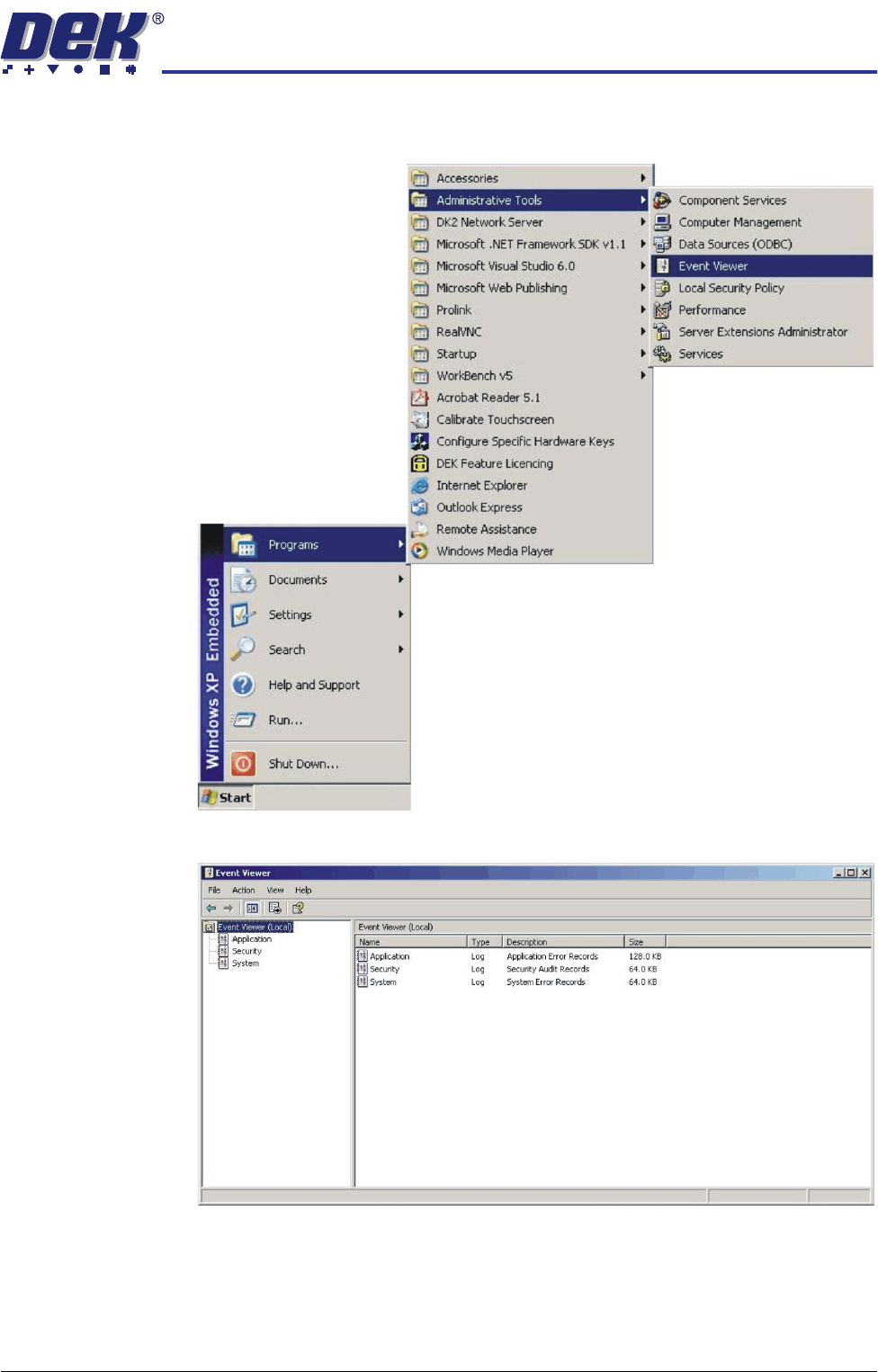
12. Select Start on the taskbar, select Programs, Administrative Tools, Event
Viewer.
13. Select Applications in the sub menu of the left hand box.
TRANSPORTATION
MACHINE POWER UP SEQUENCE
34.104 Technical Reference Manual Chapter Issue 7 Oct 06
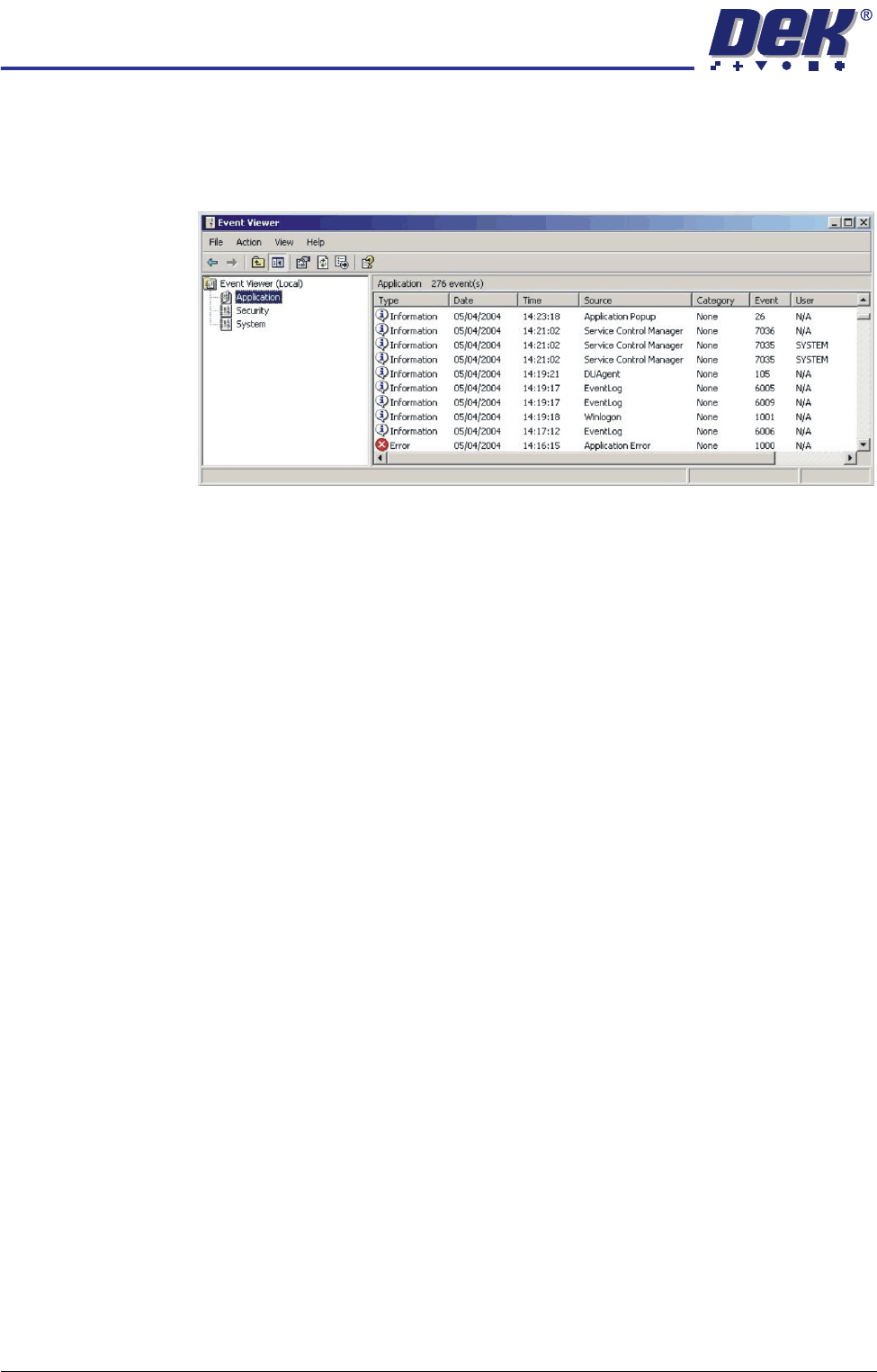
14. Examine the Event Log, looking for errors. Errors are indicated by a white
cross in a red circle in the left most column. Any errors reported that display
'Winlogon' in the source column, indicates that a problem has been found
on the system hard disk.
When errors are found, the Event Log is to be forwarded to DEK CSG
Helpdesk, by e-mail - helpdesk@dek.com, hardcopy or fax - +44 1305
208382.
15. If no errors are found in the Event Viewer, close down Event Viewer.