Printer 710_810 v8 Transportation.pdf - 第87页
TRANS PORTATION MAJOR RELO CATION Chapter Issue 7 Oct 06 Technical Reference Manual 34.87 3. Run the feeler gauge along the whol e length of t he conveyor r ail, th e fit of the feel er gauge should b e tight, b etween t…
TRANSPORTATION
MAJOR RELOCATION
34.86 Technical Reference Manual Chapter Issue 7 Oct 06
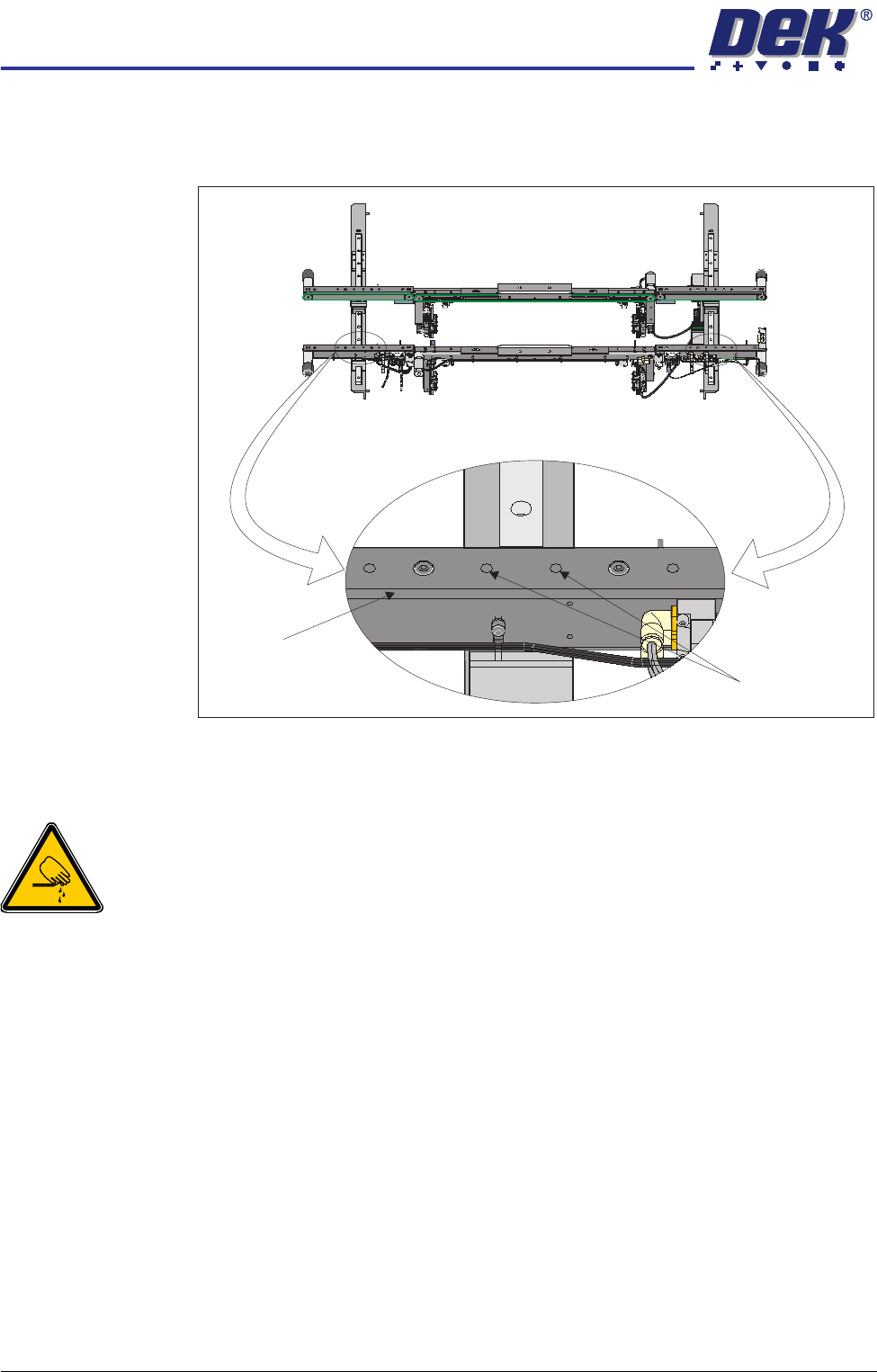
7. Further adjustment of the auxiliary conveyor can be achieved by loosening
the two front rail securing bolts, adjusting the rail to achieve parallelism and
re-tightening the rail securing bolts.
8. Repeat Steps 3 - 7 for the left hand auxiliary conveyor.
Auxiliary Conveyor Rear Rail Parallelism
WARNING
BOARD CLAMPS. EXTREME CARE MUST BE EXERCISED WHEN WORKING IN
THE TOOLING AREA OF THE MACHINE TO AVOID INJURY. THE FOILS ON THE
FRONT AND REAR BOARD CLAMPS ARE VERY SHARP.
To check and if required adjust the auxiliary conveyors rear rail parallelism, carry
out the following procedure at transport height:
NOTE
1. The parallelism of the auxiliary conveyors rails is dependent on the front and
rear print station rails being parallel. Therefore, before any adjustment is
carried out an assessment of the parallelism of the print station rails must
be carried out.
2. Ensure that the auxiliary conveyor front rail is in alignment with the print
station front rail before any adjustment of the auxiliary conveyor rear rail
parallelism (refer to Auxiliary Conveyor Front Rail Parallelism section of this
chapter).
1. Using a Board Clamp Setting Plate Pt No 140403, place the plate on the
right hand auxiliary conveyor transport belts.
2. Place a 0.5mm feeler gauge between the plate and the inner face of the
auxiliary conveyor rear rail.
Front View of HTC Rails
Auxiliary Conveyor
Front Rail
Front Rail
Securing Bolts
TRANSPORTATION
MAJOR RELOCATION
Chapter Issue 7 Oct 06 Technical Reference Manual 34.87
3. Run the feeler gauge along the whole length of the conveyor rail, the fit of
the feeler gauge should be tight, between the plate and the inner face of the
rail.
4. Remove the feeler gauge and manually move the plate in and out of the
machine along the conveyor transport belts, ensuring the plate moves freely
without binding or jamming.
If adjustment is required, carry out the following:
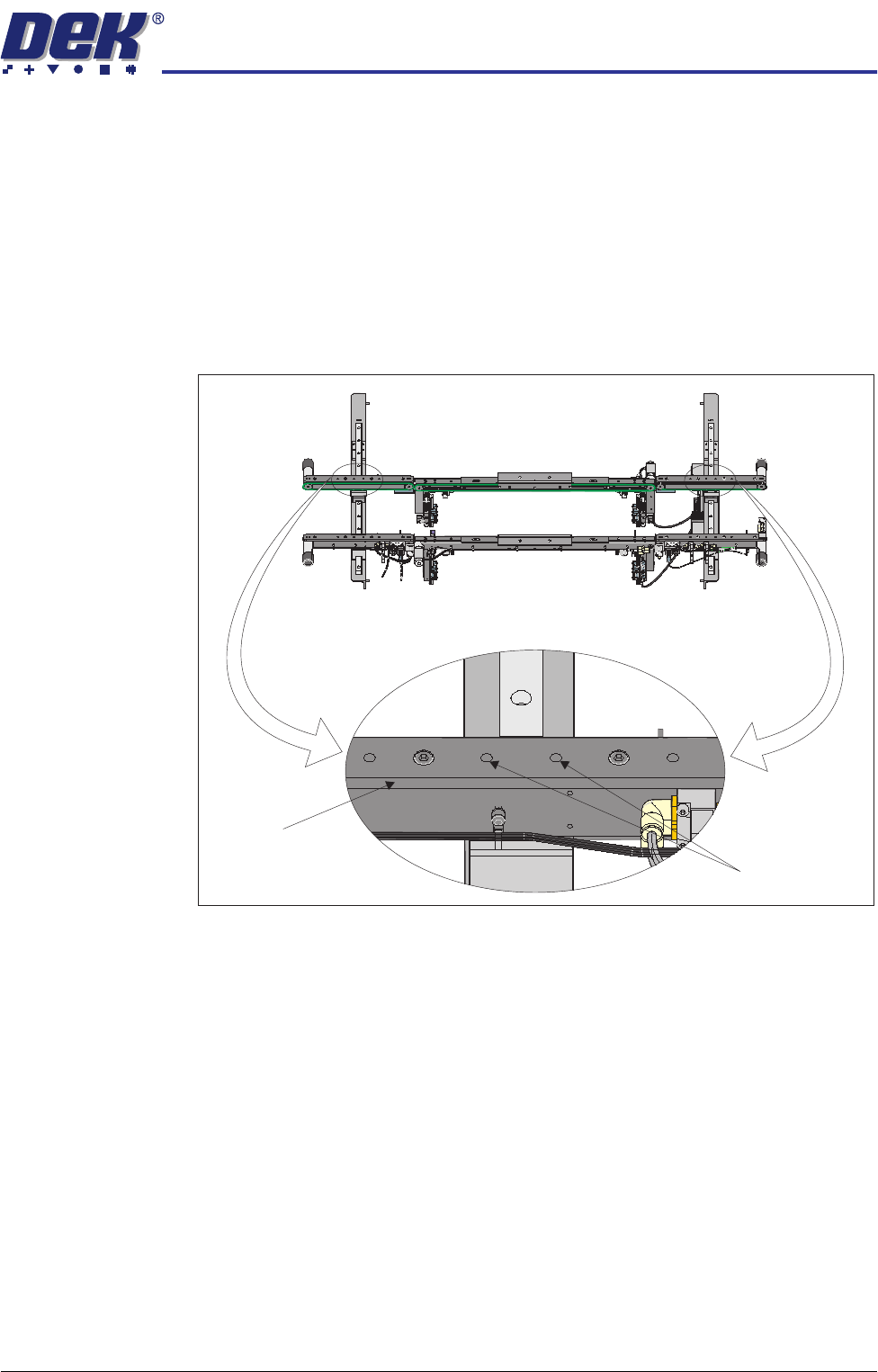
5. Loosen the two rear rail securing bolts, adjust the rail to achieve parallelism
and re-tightening the rail securing bolts.
6. Repeat Steps 2 - 5 to recheck for parallelism.
7. Repeat Steps 1 - 6 for the left hand auxiliary conveyor.
Auxiliary Conveyor
Height Setting
To check and if required adjust the height of the auxiliary conveyor to the print
station rails carry out the following:
1. Using a Board Clamp Setting Plate Pt No 140403, place the plate on the
auxiliary conveyor transport belts.
2. Place a second board clamp setting plate onto the transport belts of the print
station.
3. Ensure the plates abut and are fully supported by the transport belts.
4. Using a spirit level placed across both setting plates, check the plates are
level.
Front View of HTC Rails
Auxiliary Conveyor
Rear Rail
Rear Rail
Securing Bolts
TRANSPORTATION
MAJOR RELOCATION
34.88 Technical Reference Manual Chapter Issue 7 Oct 06
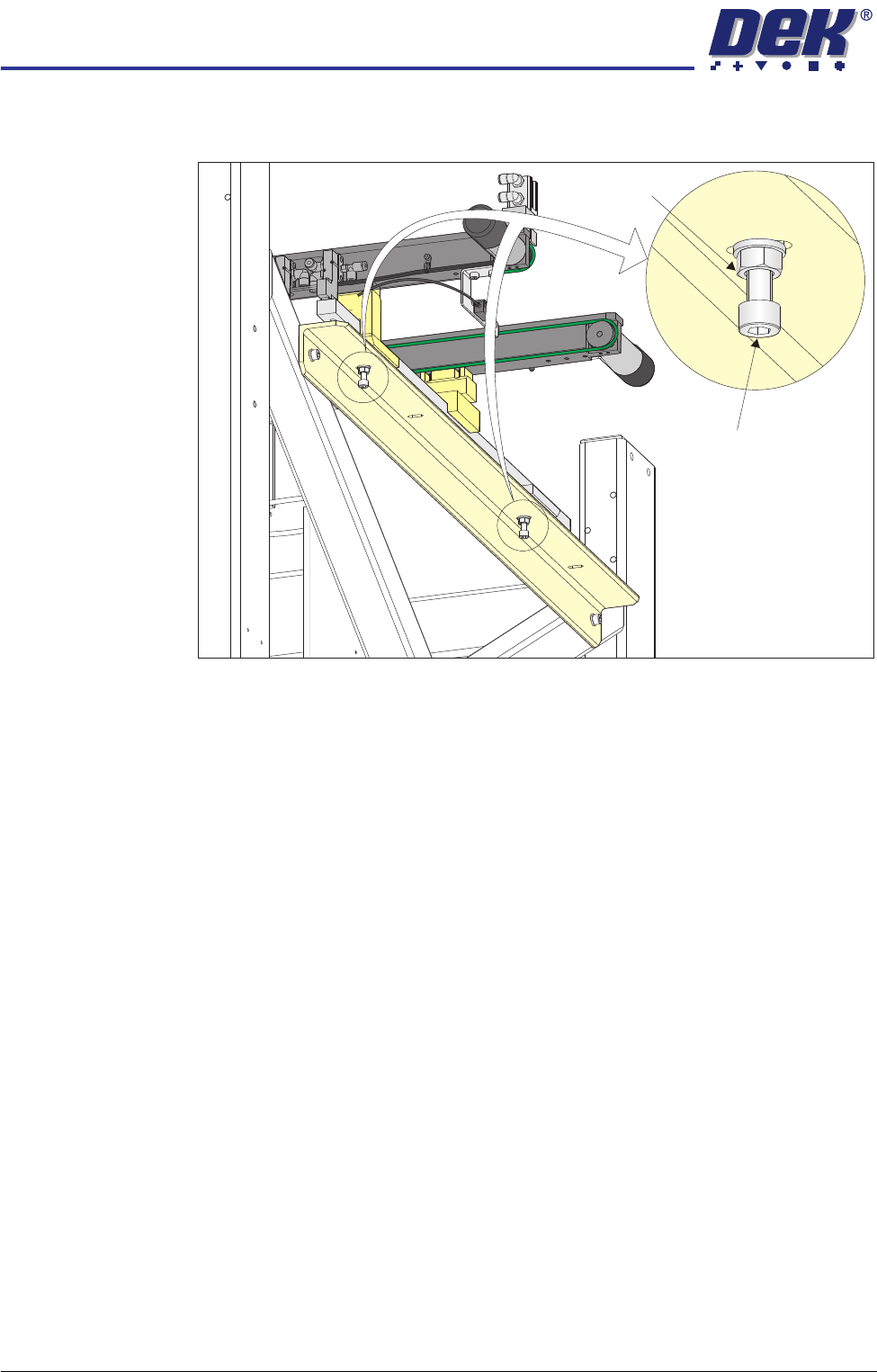
5. If adjustment is required, loosen the two locknuts on the auxiliary conveyor
height adjustment bolts.
6. To alter the height of the conveyor carefully adjust both height adjustment
bolts.
7. Carefully adjust the height of the conveyor rails until they match the print
station rails.
8. Re-tighten the locknuts loosened in Step 5 and repeat the check.
9. If adjustment has occurred, carry out Auxiliary Conveyor Levelling check.
10. Fit the side covers and panels that were previously removed.
Auxiliary Conveyor
Height Adjustment
Bolt
Locking Nut