Printer 710_810 v8 Transportation.pdf - 第35页
TRANS PORTATION MAJOR RELO CATION Chapter Issue 7 Oct 06 Technical Reference Manual 34.35 4. Disconnect the t rackball mouse from 4SK02 on the 4 port USB hub. 5. Remove the tr ackball mouse f rom the MMI brack et and car…
TRANSPORTATION
MAJOR RELOCATION
34.34 Technical Reference Manual Chapter Issue 7 Oct 06
10. Remove the friction washer and the bottom mounting spacer.
11. Refit all covers.
Removal of the MMI
Assembly (Shutter
Cover)
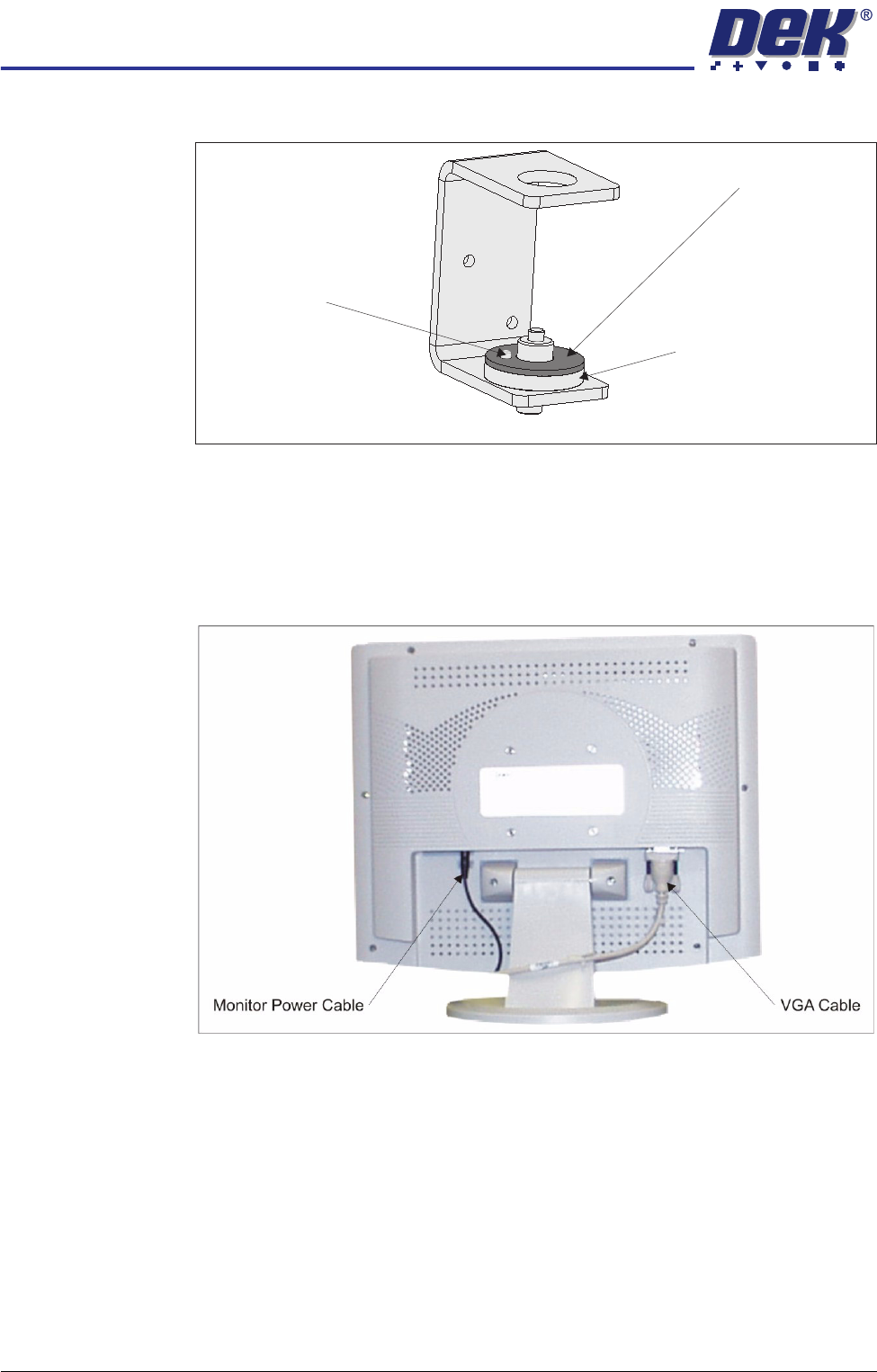
1. Remove the following connections on the rear of the monitor:
• Monitor Power Cable (DC)
• VGA Cable
2. Remove the monitor from the top of the machine.
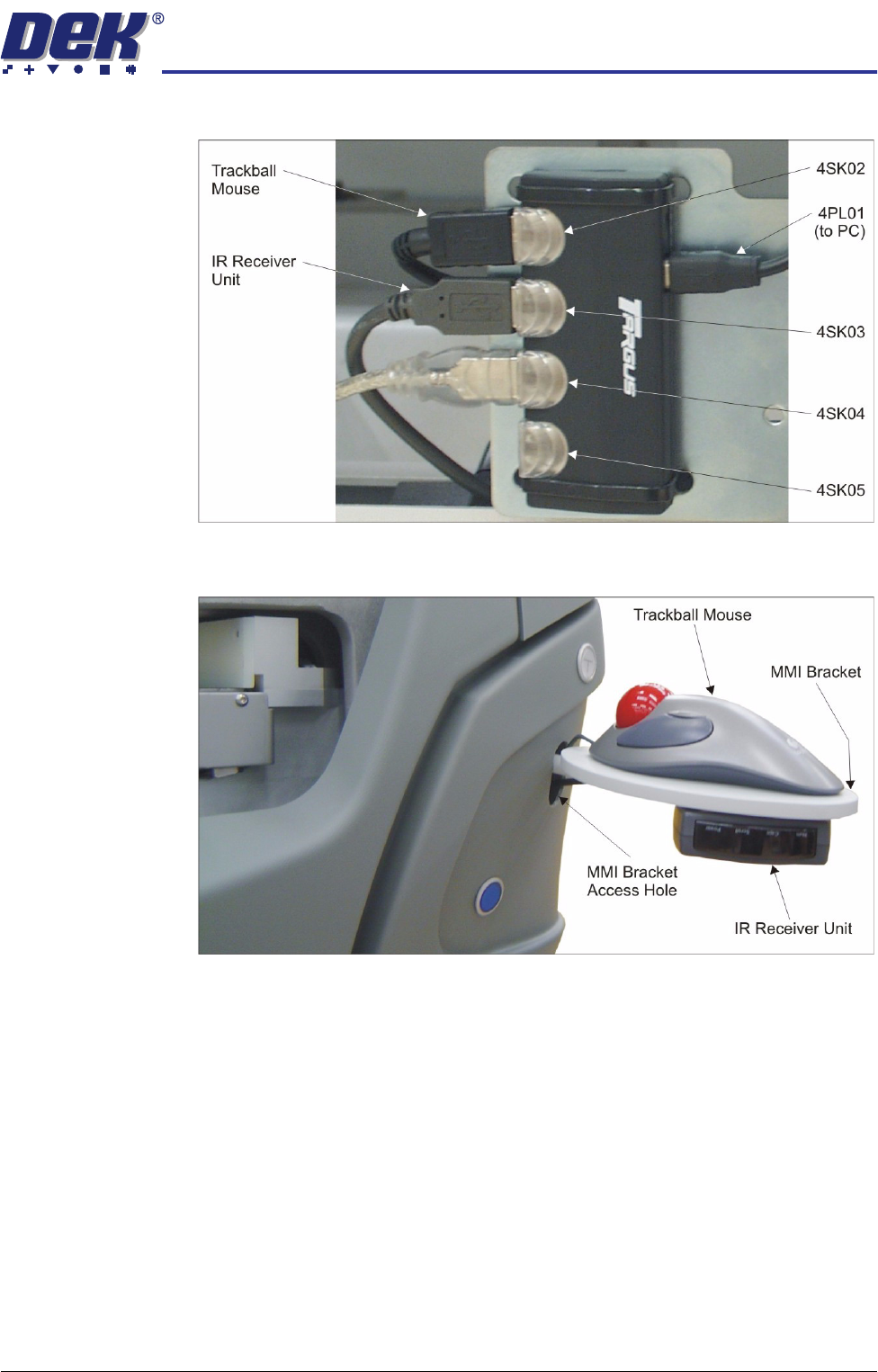
3. Locate the 4 port USB hub secured to the left side of the mains isolator
switch bracket.
Friction Washer
Bottom Mounting Spacer
Locating Dowel
View on MMI Arm Mounting Bracket
TRANSPORTATION
MAJOR RELOCATION
Chapter Issue 7 Oct 06 Technical Reference Manual 34.35
4. Disconnect the trackball mouse from 4SK02 on the 4 port USB hub.
5. Remove the trackball mouse from the MMI bracket and carefully pull the
cable out through the MMI bracket access hole.
TRANSPORTATION
MAJOR RELOCATION
34.36 Technical Reference Manual Chapter Issue 7 Oct 06
Removal of the MMI
Assembly (Metal
Cover)
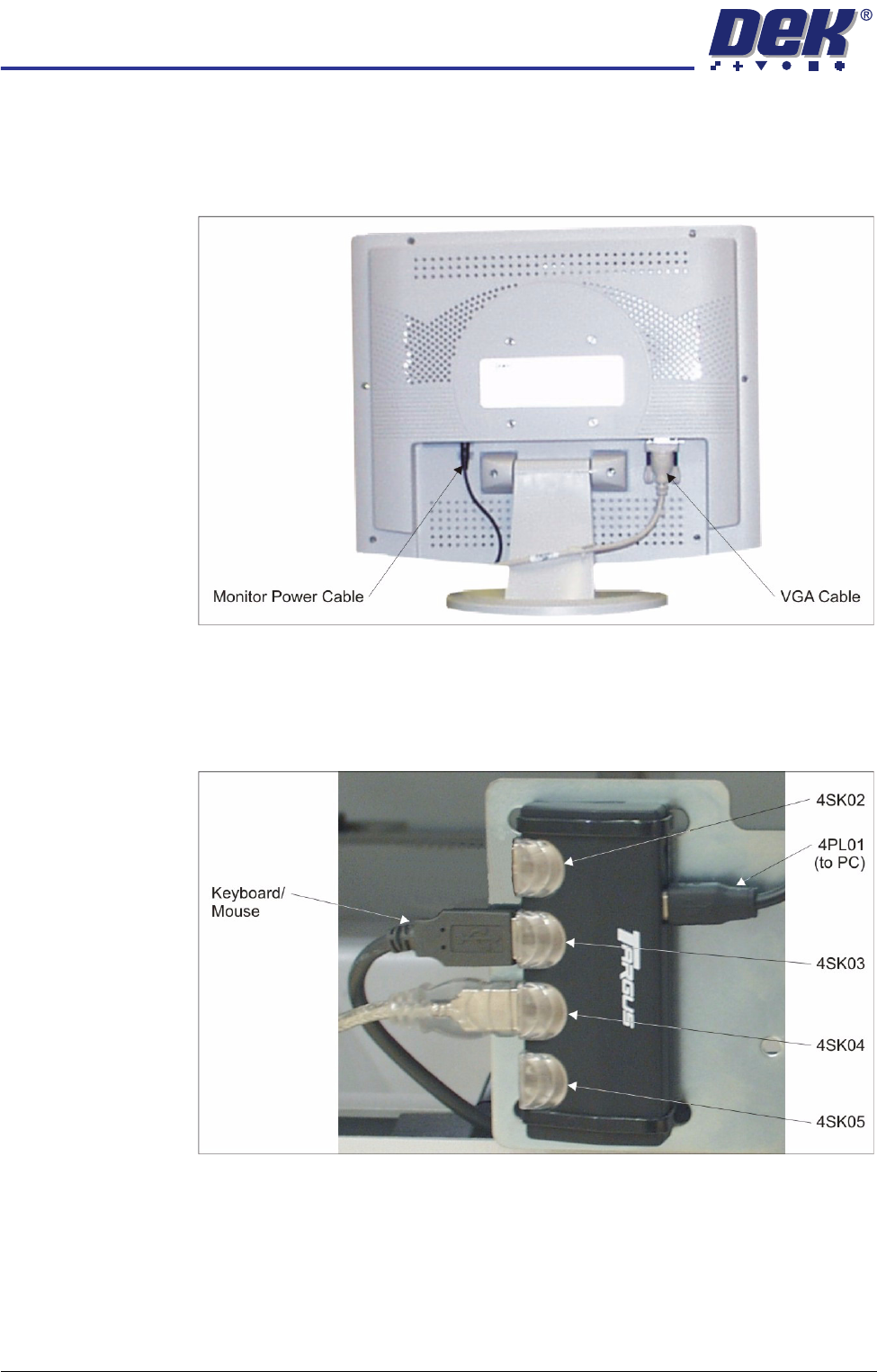
1. Remove the following connections on the rear of the monitor:
• Monitor Power Cable (DC)
• VGA Cable
2. Remove the monitor from the top of the machine.
3. Locate the 4 port USB hub secured to the left side of the mains isolator
switch bracket.
4. Disconnect the keyboard/mouse from 4SK03 on the 4 port USB hub.
5. Remove the keyboard/mouse from the machine.