Printer 710_810 v8 Transportation.pdf - 第71页
TRANS PORTATION MAJOR RELO CATION Chapter Issue 7 Oct 06 Technical Reference Manual 34.71 Fitting o f MMI Asse mbly (Slid ing Glass Cover) If the machine was not p ackaged in a DEK machi ne crate, it was recommended that…
TRANSPORTATION
MAJOR RELOCATION
34.70 Technical Reference Manual Chapter Issue 7 Oct 06
Tricolour Beacon
(Metal Cover
Design)
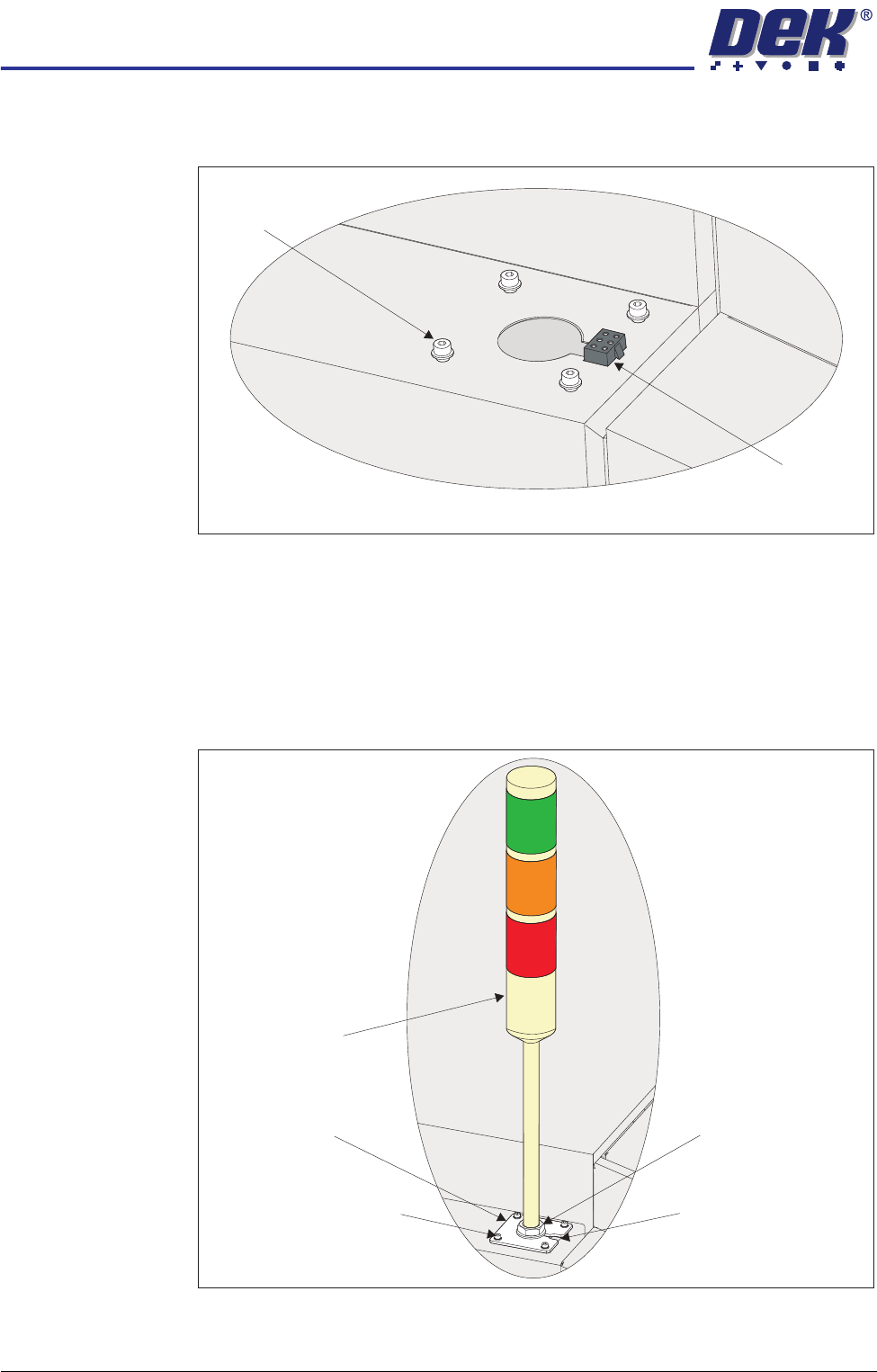
1. Using a 3mm Allen key, remove the beacon bracket securing screws from
the machine cover.
2. Maintaining hold of the socket 14SK07 (to prevent the socket from falling
into the machine through the hole), lift the socket from its location.
3. Connect the tricolour beacon connection 14PL07 to 14SK07 and feed down
through the hole in the cover with any surplus cable.
4. Fit the beacon bracket to the machine cover using the four beacon bracket
securing screws ensuring that any cables are not trapped between the
beacon bracket and the cover.
Beacon Bracket
Securing Screws
(in 4 positions)
Beacon Connector
(14SK07)
View on Right Hand Side of the Machine
Beacon Bracket
Tricolour Beacon
Beacon Securing Nut
Beacon Bracket Cut-Out
Beacon Bracket Securing
Screws (in 4 positions)
TRANSPORTATION
MAJOR RELOCATION
Chapter Issue 7 Oct 06 Technical Reference Manual 34.71
Fitting of MMI
Assembly (Sliding
Glass Cover)
If the machine was not packaged in a DEK machine crate, it was recommended
that the touchscreen monitor and monitor arm were removed from the machine.
1. Remove the front panel.
2. Locate the following cables stowed within the machine and feed the cables
downwards through the hole of the monitor arm support bracket:
• Monitor Power Cable
• VGA Cable - 14PL04
• Touchscreen Cable (USB) - 14PL03
3. Feed the IR receiver unit cable upwards through the hole of the monitor arm
support bracket.
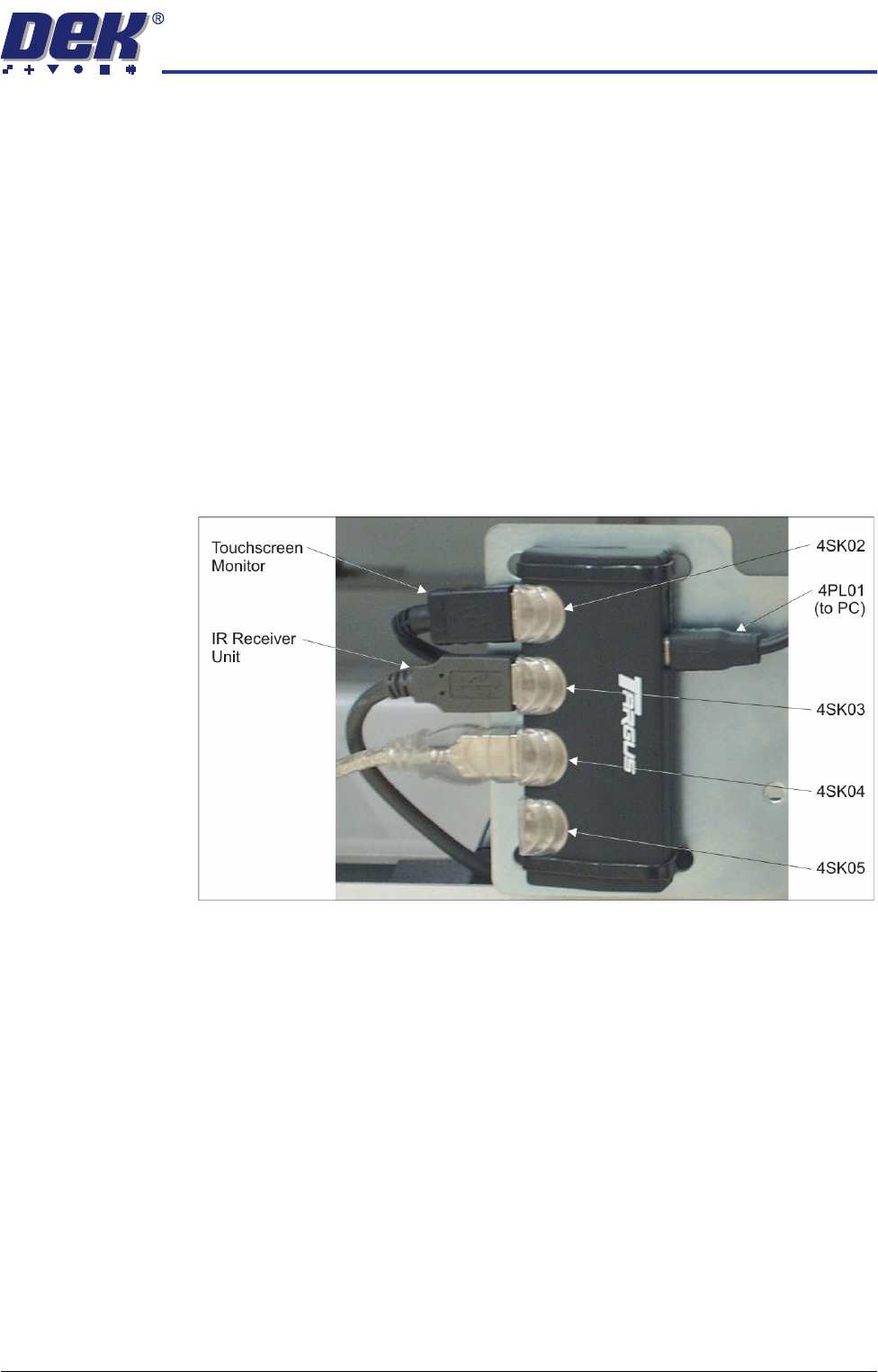
4. Locate the 4 port USB hub secured to the left side of the mains isolator
switch bracket.
5. Connect the IR Receiver Unit to 4SK03 of the 4 port USB hub.
6. Cable tie the cables inside the machine ensuring that the cables do not
come into contact with any moving parts.
TRANSPORTATION
MAJOR RELOCATION
34.72 Technical Reference Manual Chapter Issue 7 Oct 06
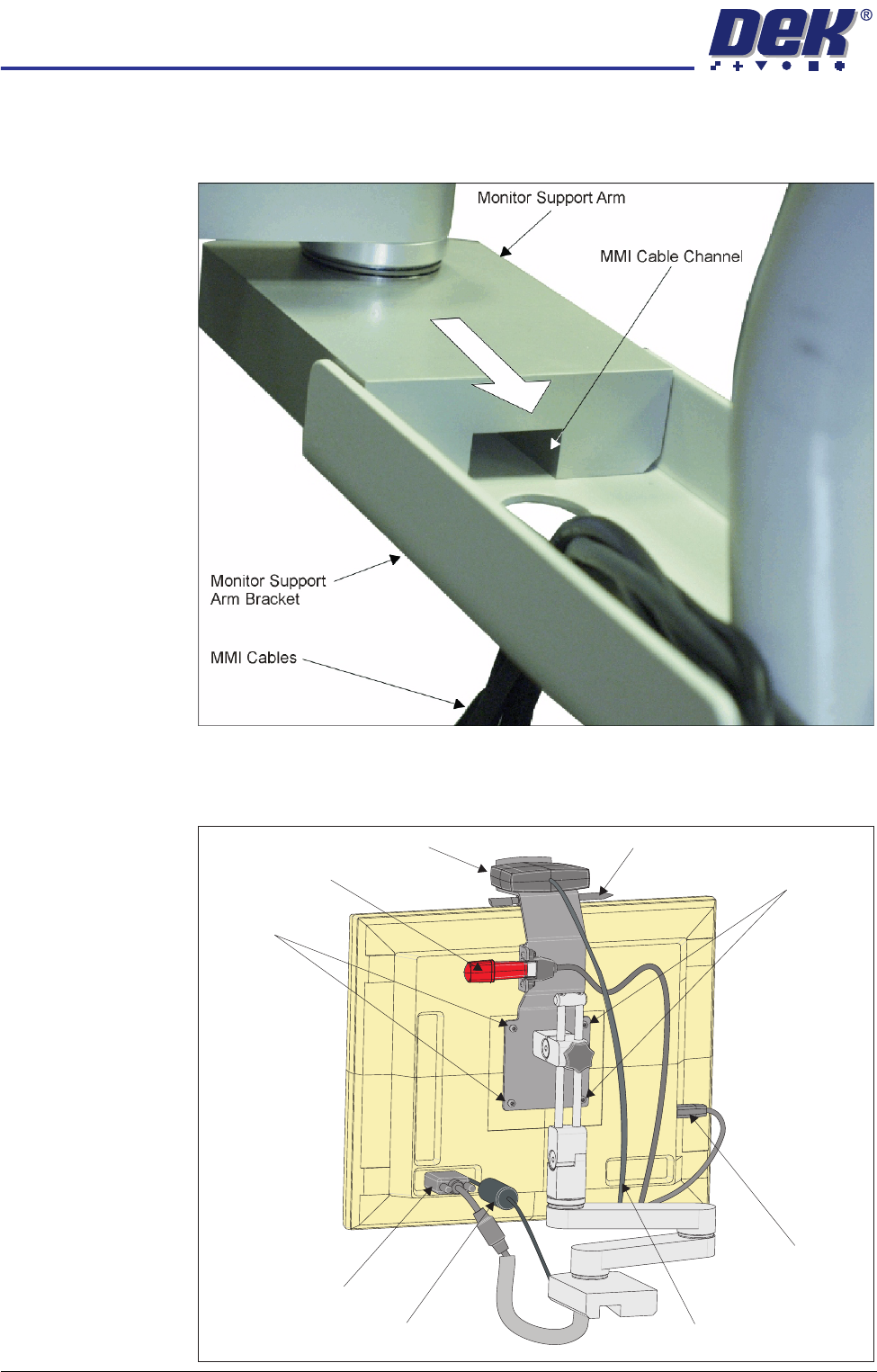
7. Group the four cables referred to in Steps 2 and 3, and fit the monitor arm
by sliding the monitor support arm on to the bracket. Ensure that the cables
are not trapped between the monitor support arm and the bracket.
8. Secure the monitor support arm to the bracket using 3 screws from below
the bracket.
9. Fit the monitor to the monitor arm using the four monitor fixing screws.
Monitor Fixing Screws
Monitor Fixing
Screws
Touchscreen Stylus
IR Receiver Unit
DC Connection
Touchscreen
Connection
(USB)
IR Receiver Unit Cable
VGA Connection
USB Flash Drive