Printer 710_810 v8 Transportation.pdf - 第104页
TRANSPORT ATION MACHINE POW ER UP S EQUENCE 34.104 Technical Reference Manual Chapter Issue 7 Oct 06 14. Examine the Event Log, looking for er rors. Errors ar e indicated by a whi te cross in a red circle in the lef t mo…
TRANSPORTATION
MACHINE POWER UP SEQUENCE
Chapter Issue 7 Oct 06 Technical Reference Manual 34.103
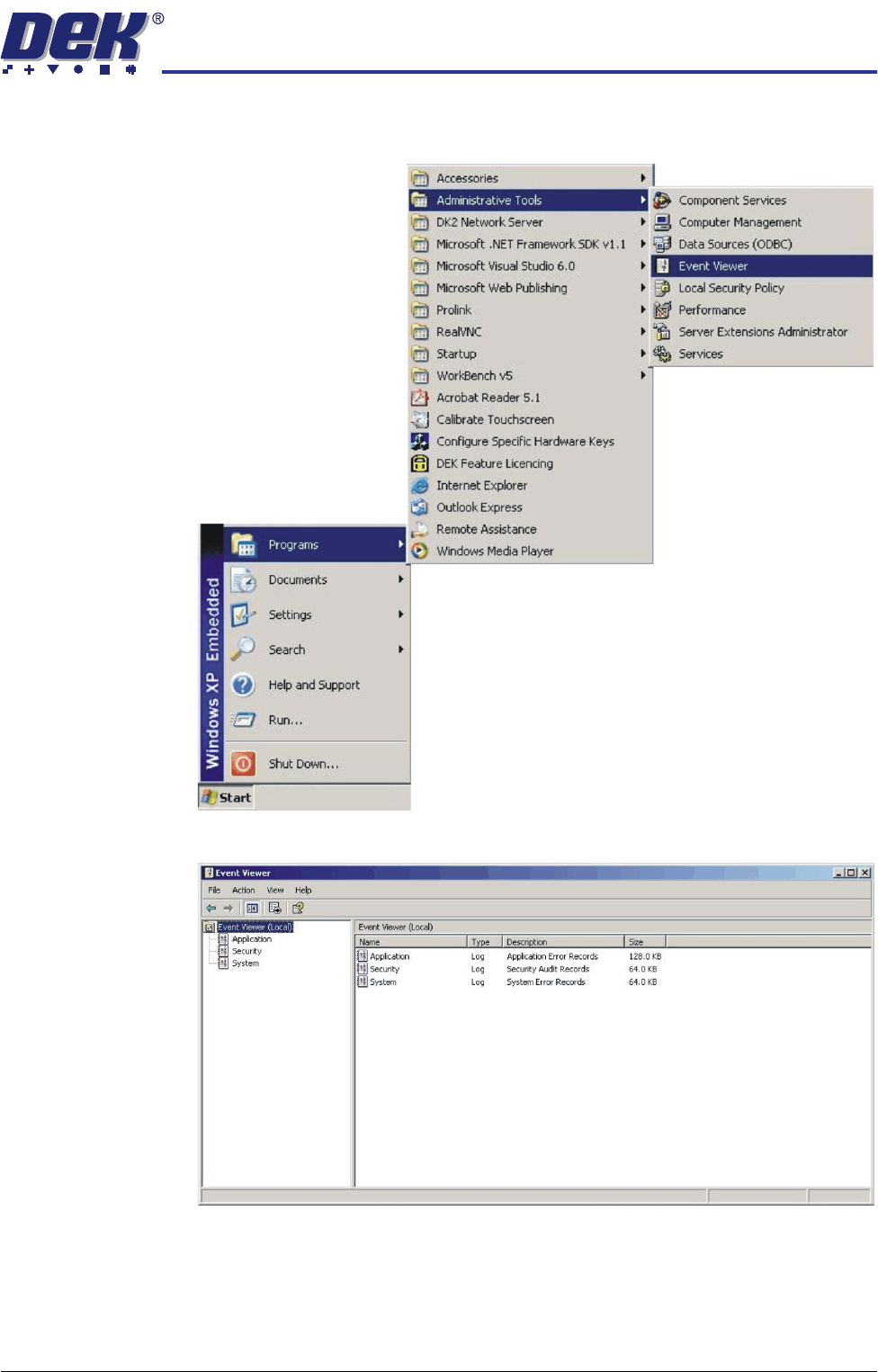
12. Select Start on the taskbar, select Programs, Administrative Tools, Event
Viewer.
13. Select Applications in the sub menu of the left hand box.
TRANSPORTATION
MACHINE POWER UP SEQUENCE
34.104 Technical Reference Manual Chapter Issue 7 Oct 06
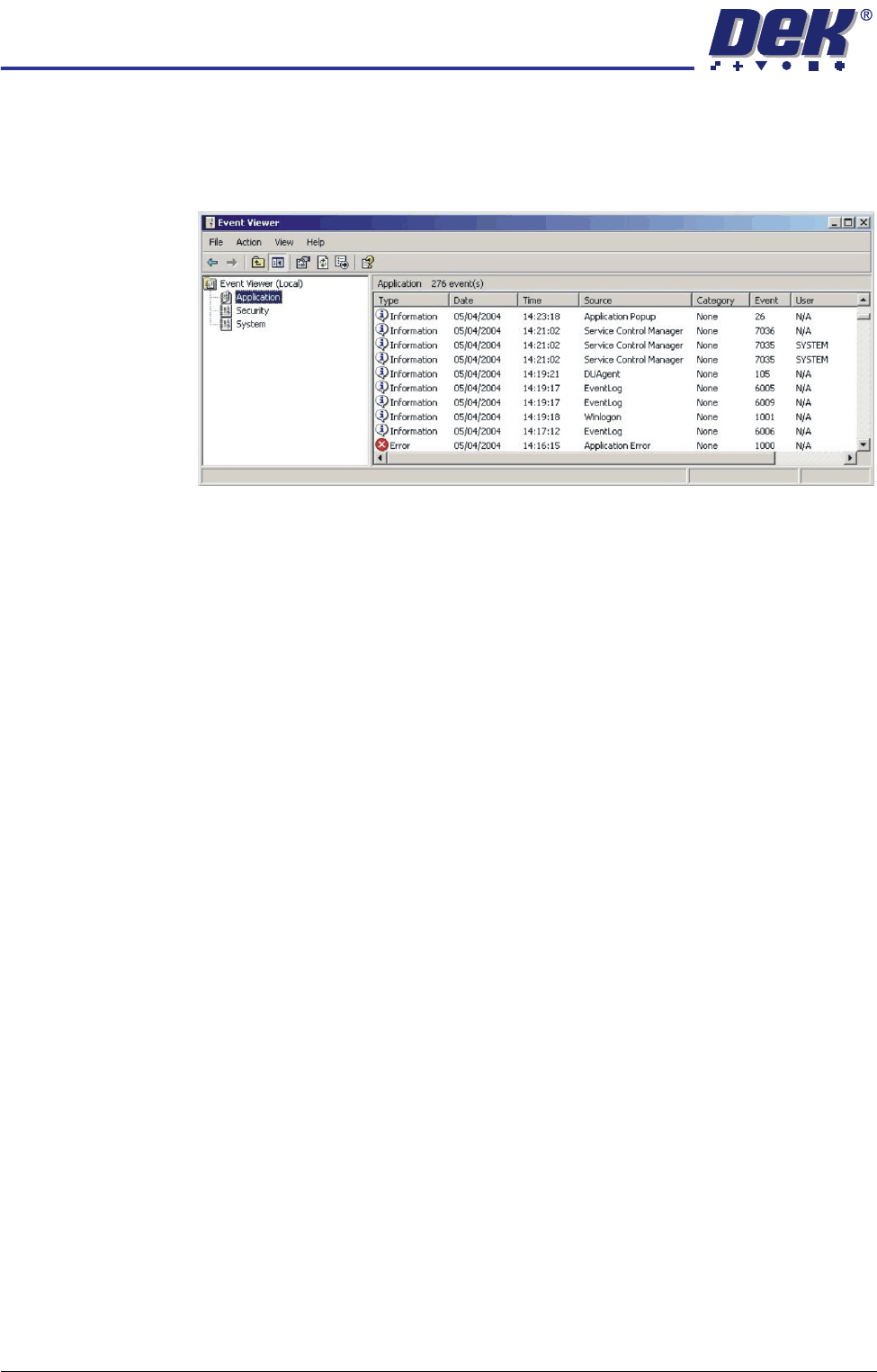
14. Examine the Event Log, looking for errors. Errors are indicated by a white
cross in a red circle in the left most column. Any errors reported that display
'Winlogon' in the source column, indicates that a problem has been found
on the system hard disk.
When errors are found, the Event Log is to be forwarded to DEK CSG
Helpdesk, by e-mail - helpdesk@dek.com, hardcopy or fax - +44 1305
208382.
15. If no errors are found in the Event Viewer, close down Event Viewer.
TRANSPORTATION
MACHINE POWER UP SEQUENCE
Chapter Issue 7 Oct 06 Technical Reference Manual 34.105
Set Time and Time
Zone
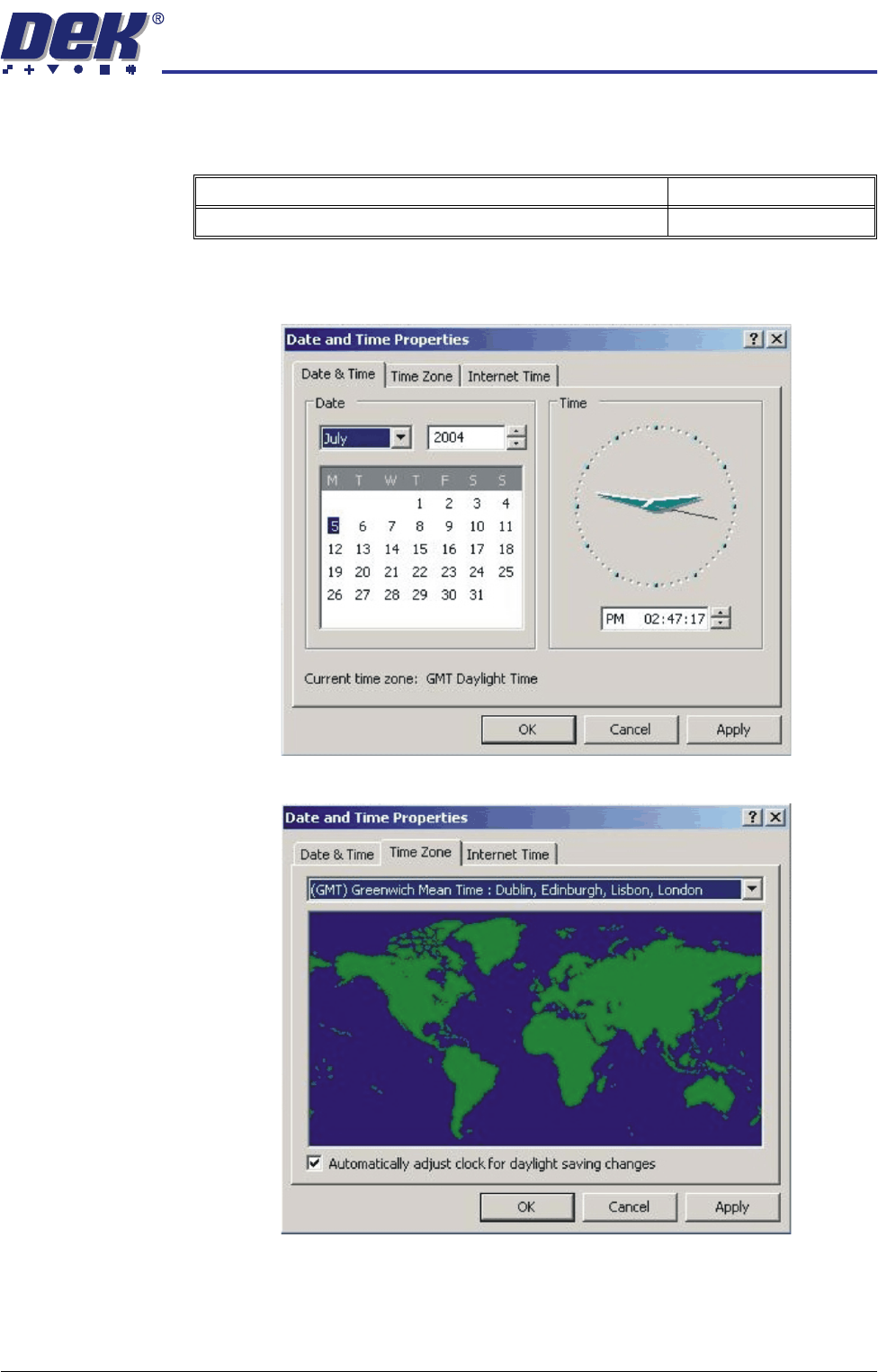
16. In order for the machine PC to log events correctly, the system time, date
and correct time zone must be set.
a. Using the mouse, double click on the time, displayed at the right hand side
of the Windows taskbar. The Date/Time Properties window is displayed.
b. Click on the Time Zone tab.
c. Select the appropriate locale/time zone from the drop down menu box.
d. Click on Apply.
e. Click on the Date & Time tab. Adjust to local time and date and select OK.
Detail Accept
Set the machine PC time and date