Printer 710_810 v8 Transportation.pdf - 第33页
TRANS PORTATION MAJOR RELO CATION Chapter Issue 7 Oct 06 Technical Reference Manual 34.33 6. Remove the r emaining cabl es from t he cable conduit and stow withi n the machine. 7. Remove the M5 cap head screw and r emove…
TRANSPORTATION
MAJOR RELOCATION
34.32 Technical Reference Manual Chapter Issue 7 Oct 06
Removal of the MMI
Assembly (Gull
Wing Cover)
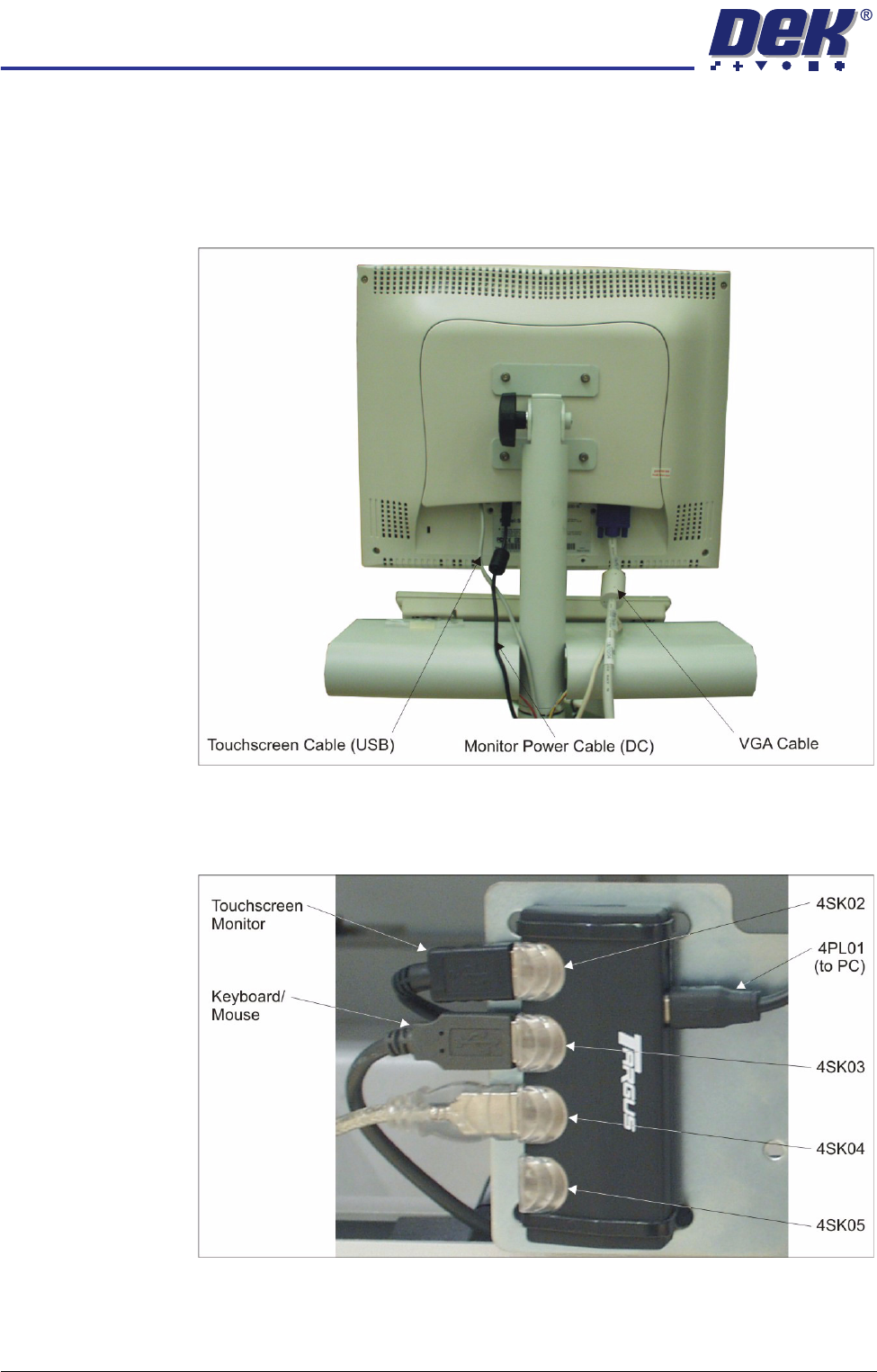
1. Remove the following connections on the rear of the monitor:
• Monitor Power Cable (DC)
• VGA Cable
• Touchscreen Cable (USB)
2. Locate the 4 port USB hub secured to the left side of the mains isolator
switch bracket.
3. Disconnect the keyboard/mouse from 4SK03 on the 4 port USB hub.
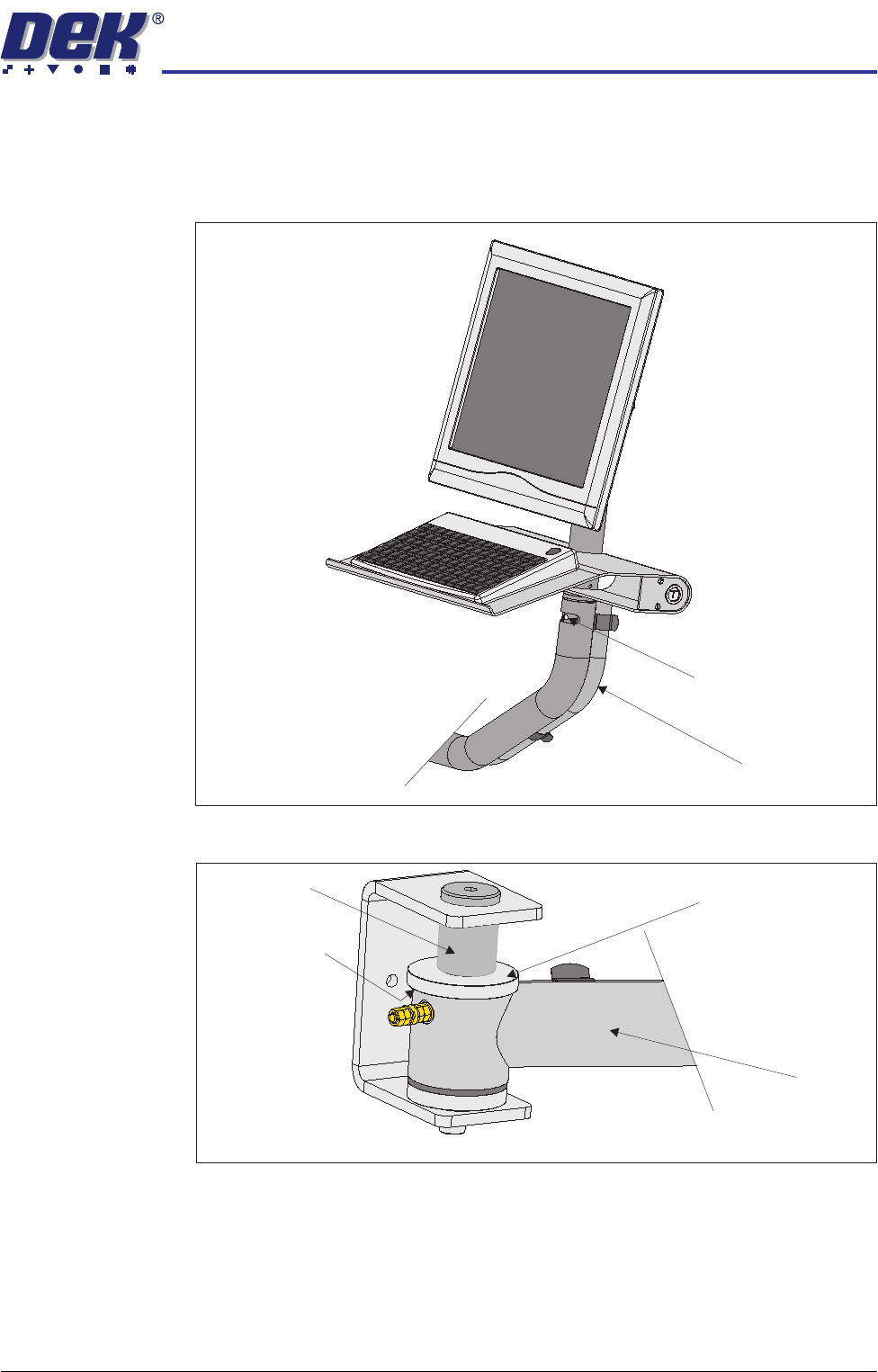
4. Unclip the cable conduit from the three pipe clamps on the rear of the MMI
tube.
5. Remove the keyboard cable from the cable conduit.
TRANSPORTATION
MAJOR RELOCATION
Chapter Issue 7 Oct 06 Technical Reference Manual 34.33
6. Remove the remaining cables from the cable conduit and stow within the
machine.
7. Remove the M5 cap head screw and remove the MMI assembly, tube and
keyboard tray from the MMI arm.
8. Using a 6mm Allen key unscrew the mounting pin.
9. Remove the top mounting spacer, friction washer and feed the MMI arm
through the slot in the front right hand side cover.
Cable Conduit
M5 Cap Head Screw
Friction Washer
MMI Arm
Top Mounting Spacer
Mounting Pin
View on MMI Arm Mounting Bracket
TRANSPORTATION
MAJOR RELOCATION
34.34 Technical Reference Manual Chapter Issue 7 Oct 06
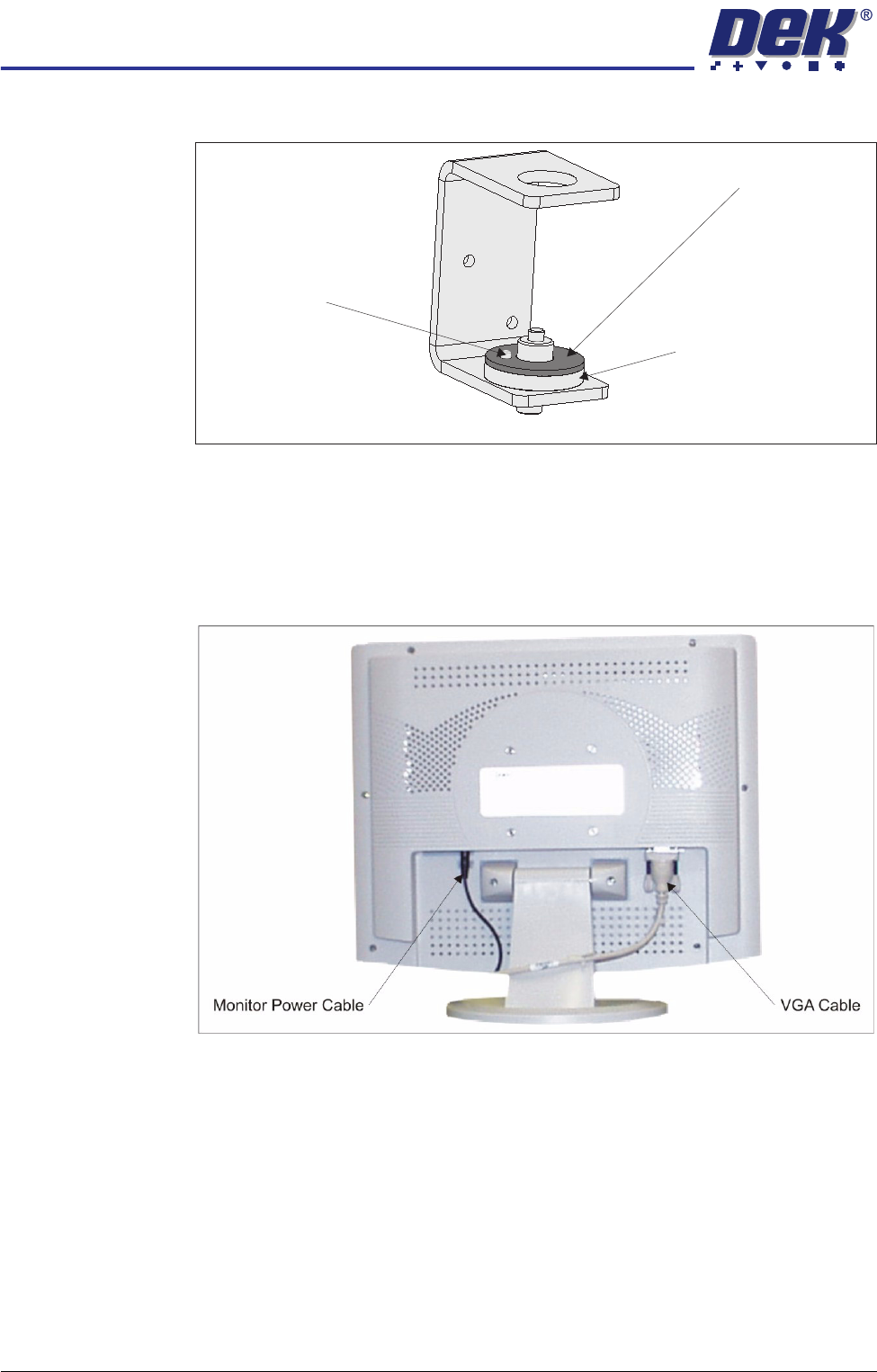
10. Remove the friction washer and the bottom mounting spacer.
11. Refit all covers.
Removal of the MMI
Assembly (Shutter
Cover)
1. Remove the following connections on the rear of the monitor:
• Monitor Power Cable (DC)
• VGA Cable
2. Remove the monitor from the top of the machine.
3. Locate the 4 port USB hub secured to the left side of the mains isolator
switch bracket.
Friction Washer
Bottom Mounting Spacer
Locating Dowel
View on MMI Arm Mounting Bracket