Printer 710_810 v8 Transportation.pdf - 第99页
TRANS PORTATION MACHI NE POWE R UP SEQU ENCE Chapter Issue 7 Oct 06 Technical Reference Manual 34.99 MACHINE POWER UP SE QUENCE Hard Disk Chec k 1. Connect the pneumati c supply to the connect ion on the rear , bottom le…

TRANSPORTATION
PRE POWER UP CHECKS
34.98 Technical Reference Manual Chapter Issue 7 Oct 06
Preparations 1. Ensure machine mains isolator is OFF.
2. Check and verify that the mains electrical supply is single phase 100V to
240V +
10% at 50/60Hz ac.
3. Check that all circuit breakers are in the ON position.
4. Ensure that all access covers and removable panels are closed and are in
place.
5. Ensure that the E Stop button is in the fully out position. To check this, push
the E Stop button until it latches. Turn the button clockwise to release it.
TRANSPORTATION
MACHINE POWER UP SEQUENCE
Chapter Issue 7 Oct 06 Technical Reference Manual 34.99
MACHINE POWER UP SEQUENCE
Hard Disk Check 1. Connect the pneumatic supply to the connection on the rear, bottom left of
the machine, External Services section of this chapter refers.
2. Connect the mains supply to the machine.
3. Turn the Mains Isolation Switch ON.
4. Carry out the following:
Checking Hard
Disk Partition C
a. During the machine initialisation, press the System button when
prompted.
b. To close the DEK program and display the Windows desktop, select
Show Classic to display the classic menu.
c. Select Maint..
d. Select Diagnost.
e. Ensure that System is highlighted and select Select Module.
f. Select the Previous button once to highlight Terminate Control Pro-
gram.
g. Select Run Diagnost.
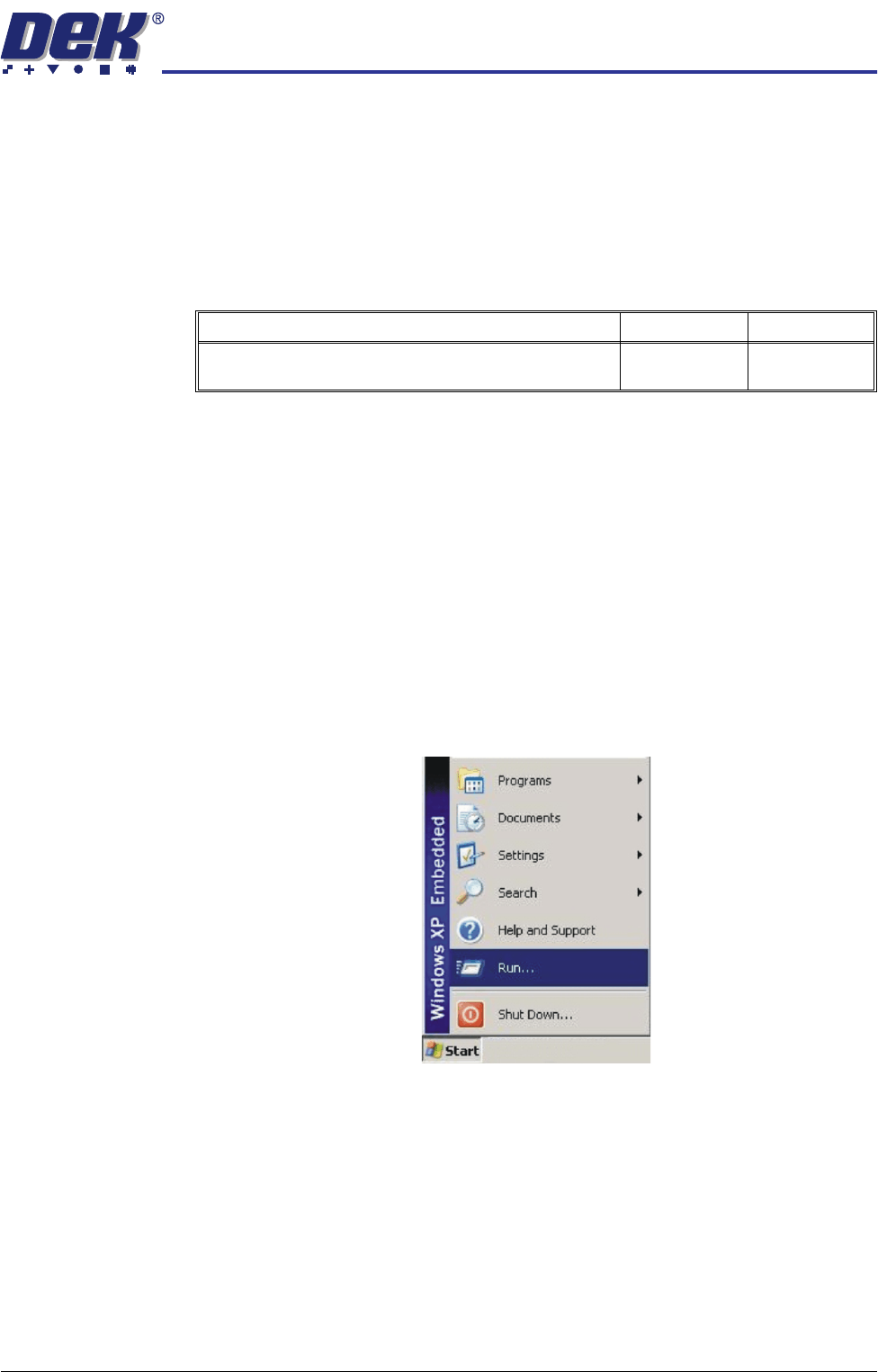
h. Select Start on the taskbar and select Run....
Detail Accept Reject
Check the machine hard disk for any defects caused in
transit using Chkdsk.
TRANSPORTATION
MACHINE POWER UP SEQUENCE
34.100 Technical Reference Manual Chapter Issue 7 Oct 06
i. Using the keyboard/mouse (stowed inside the lower front cover of the
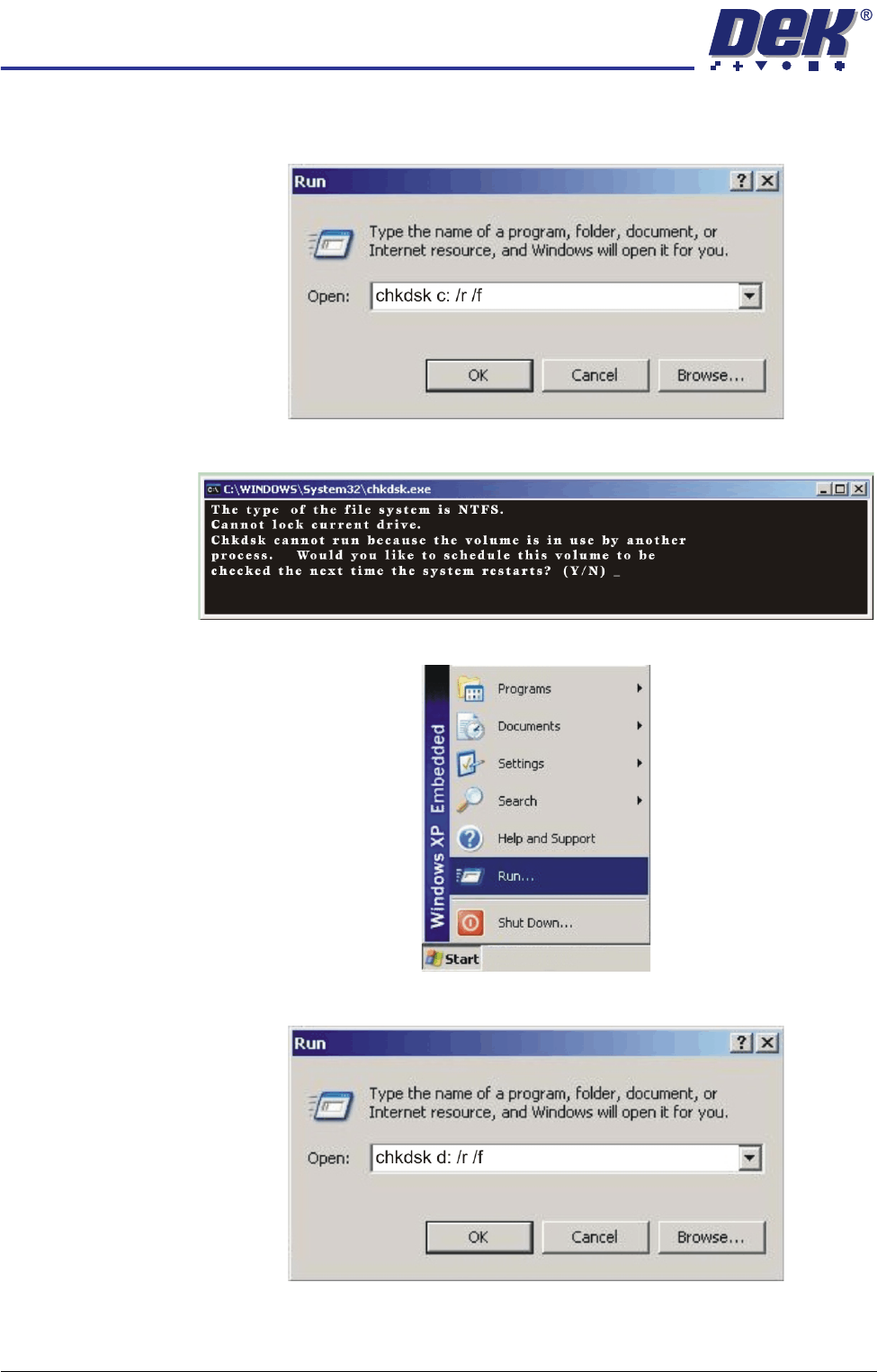
machine) click in the Open box, type chkdsk c: /r /f and select OK.
j. The Chkdsk program displays the following prompt. Select Y, En te r.
Checking Hard
Disk Partition D
k. When the DOS window closes, select Start on the taskbar, select Run....
l. Click in the open box, type chkdsk d: /r /f and select OK.