Printer 710_810 v8 Transportation.pdf - 第26页
TRANSPORT ATION MAJOR RE LOCATION 34.26 Technical Reference Manual Chapter Issue 7 Oct 06 Grease Protect ion If the machine i s being rel ocated to anoth er site or placed i nto storage, bare metal surfaces must be gr ea…
TRANSPORTATION
MAJOR RELOCATION
Chapter Issue 7 Oct 06 Technical Reference Manual 34.25
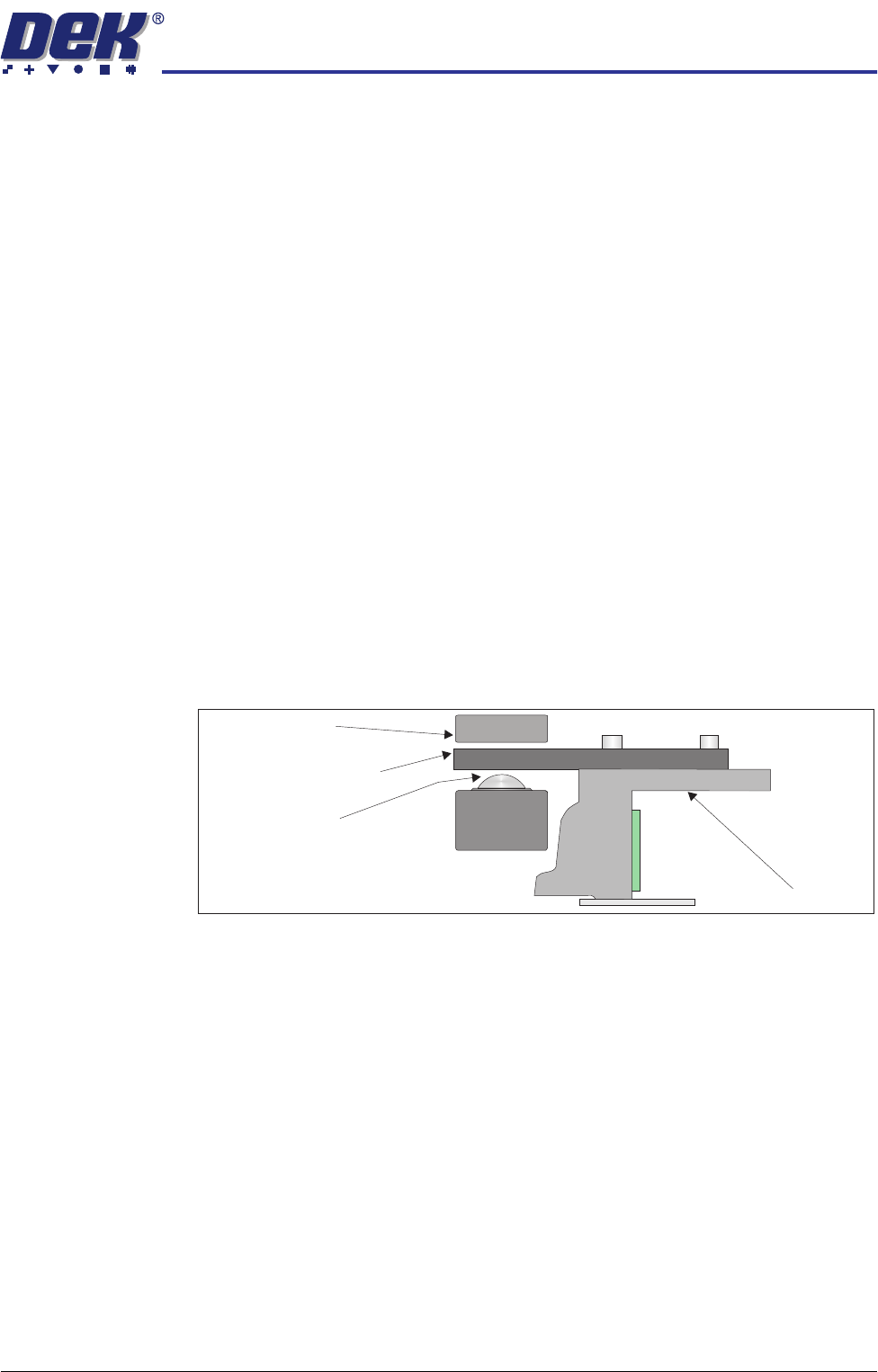
8. Adjust the angle of the rear chase transit bracket (12) to align the transit
adjustment screw (11) to the centre of the chase/ASM. Tighten the M6 cap
head screw (13).
9. Adjust the transit adjust screw (7), on both the left chase transit brackets (5),
and the transit adjustment screw (11) on the rear chase transit bracket (12),
so that the chase is moved approximately 5mm away from all three actuator
shafts.
10. Lock the transit adjustment screws in position with the transit adjustment
screw lock nuts (6) and (15).
11. Place the front and rear transit brackets (2) over the M8 chase studs (1).
12. Loosely attach the adaptor bracket (8) at each end of the front and rear
transit bracket (2) to the left and right printheads using an M5 cap head
screw (9) and an M5 washer (10).
13. Screw an M8 nut (3) and M8 washer (4) onto each of the four M8 chase
studs (1) and adjust so that the front and rear transit brackets are nipped
between the nuts and washers, ensuring that the chase is not lifted at this
time.
14. Fully tighten the M5 cap head screws (9) left loose in Step 12.
15. Slacken the M8 nuts (3) directly below the front and rear transit brackets (2).
16. Adjust the M8 nuts (3) above the front and rear transit brackets (2) to lift the
roller counter plates off the roller bearings (in all four positions), ensuring
that the roller counter plates are not touching the chase clamps.
17. Tighten the M8 nuts (3) directly below the front and rear transit brackets (2).
Chase
Chase Clamp
Roller Bearing
Roller Counter Plate
TRANSPORTATION
MAJOR RELOCATION
34.26 Technical Reference Manual Chapter Issue 7 Oct 06
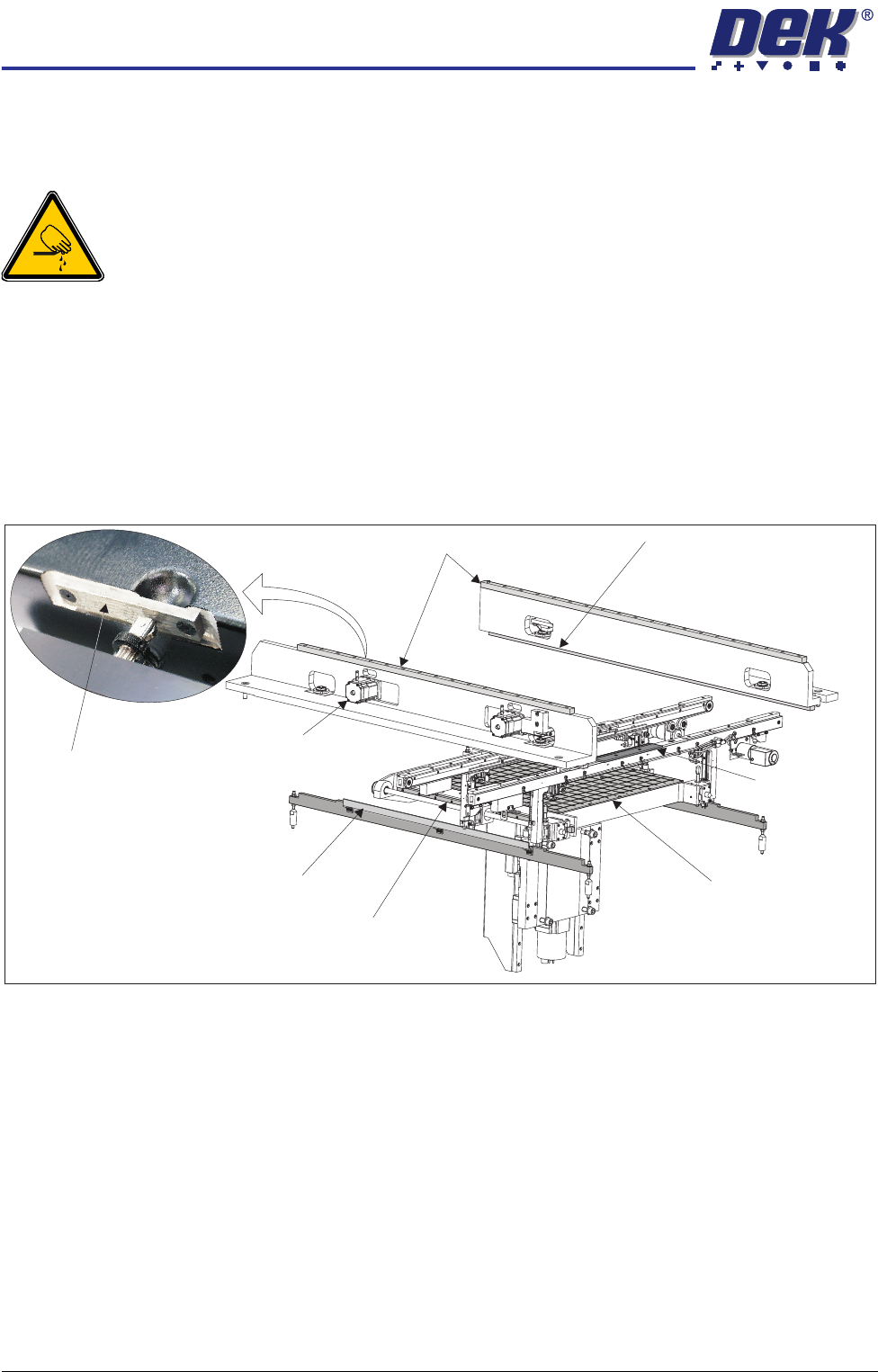
Grease Protection If the machine is being relocated to another site or placed into storage, bare
metal surfaces must be greased to protect against corrosion. Using a small
brush or cloth, apply LM grease to the following areas:
WARNING
BOARD CLAMPS. EXTREME CARE MUST BE EXERCISED WHEN WORKING IN
THE TOOLING AREA OF THE MACHINE TO AVOID INJURY. THE FOILS ON THE
FRONT AND REAR BOARD CLAMPS ARE VERY SHARP.
• Print carriage linear bearing guides (above the printheads)
• Camera linear bearing guides (below the printheads)
• Rear moving rail linear bearing guides (either side of the rising table)
• Top face of both clatter bars (either side of the rising table)
• Actuator striker plates (in 3 positions)
• Front and rear board clamps
Figure 34-11 Grease Protection
Coat the manual tooling plate with WD40 or similar product to protect the
manual tooling plate from corrosion.
Print Carriage Linear Bearing Guides
Moving Rail Linear Bearing Guide (in 2 positions)
Clatter Bar (in 2 positions)
Board Clamp
(in 2 positions)
Camera Linear Bearing Guide
(in 2 positions)
Manual Tooling Plate
Actuator (in 3 positions)
Actuator Striker Plate
(in 3 positions)
TRANSPORTATION
MAJOR RELOCATION
Chapter Issue 7 Oct 06 Technical Reference Manual 34.27
Dismantling To ensure the machine is not damaged during transportation it is recommended
that the following components are removed:
• Barcode readers
• Interactiv headset
• Paste cartridge
• Squeegees
• Tooling
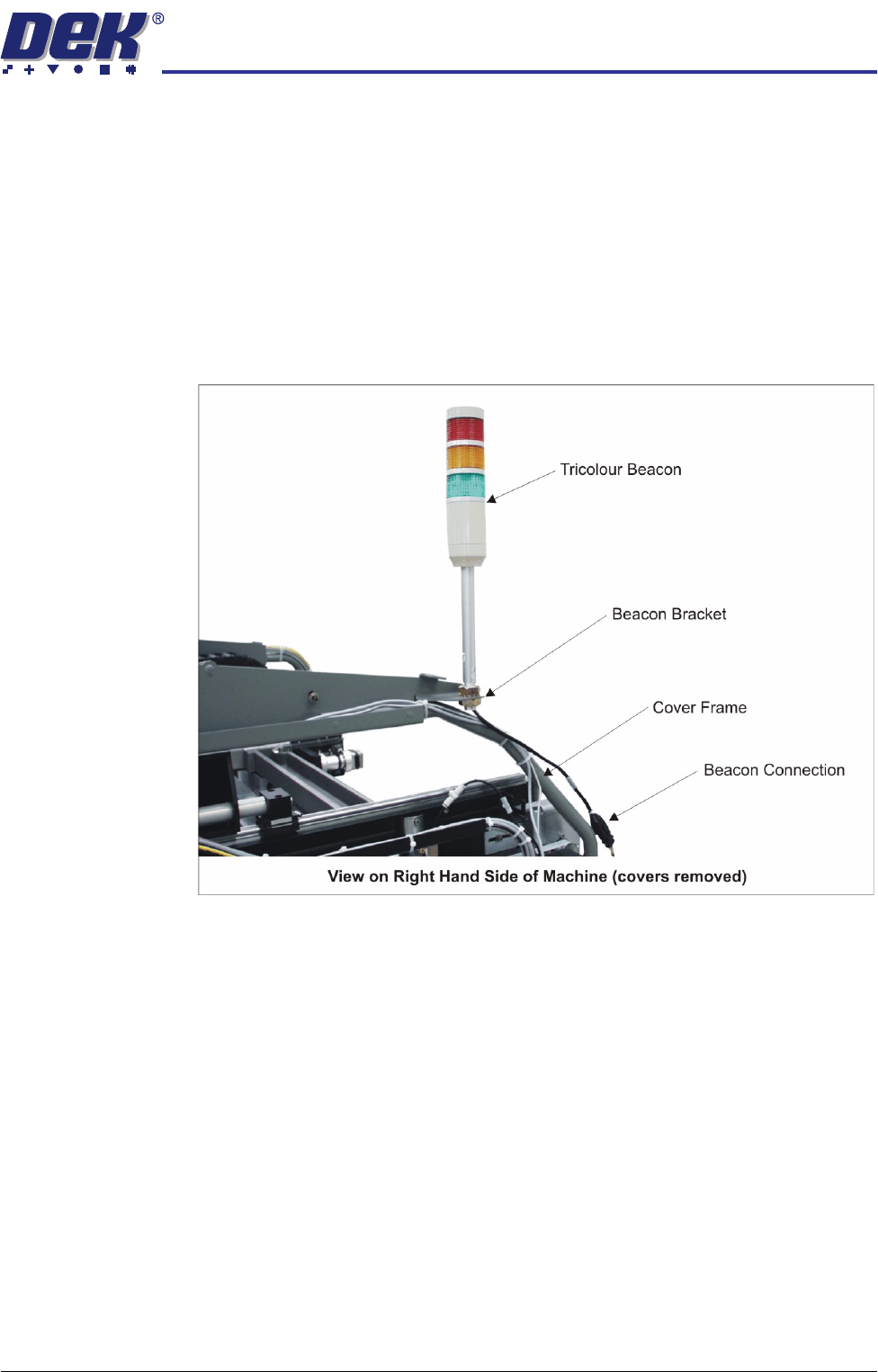
Tricolour Beacon
(Sliding Glass Cover
Design)
1. Disconnect the tricolour beacon connection 14PL07 from 14SK07.
2. Remove the tricolour beacon from the beacon bracket by undoing one of the
nuts and sliding the beacon out of the cut-out on the beacon bracket.
3. Cable tie the loose cable to the cover frame.