Printer 710_810 v8 Transportation.pdf - 第59页
TRANS PORTATION MAJOR RELO CATION Chapter Issue 7 Oct 06 Technical Reference Manual 34.59 Figure 34-23 Front and Rear T ransit Bracket s Item Description Item Desc ription 1 M8 Ch ase Stud 6 T rans it Ad jus tment Scre w…
TRANSPORTATION
MAJOR RELOCATION
34.58 Technical Reference Manual Chapter Issue 7 Oct 06
Removal
Procedure
To remove the transit brackets and screws from the machine, remove/open the
rear printhead cover. On sliding cover machines remove the two upper side
panels as detailed in the Covers chapter.
Chase Transit
Brackets
The chase transit brackets include the following:
• Front Transit Bracket
• Rear Transit Bracket
• Rear Chase Transit Bracket
The following procedure must be adhered to and care must be taken to ensure
that the chase/ASM is released in a controlled manner to prevent damage to
the roller bearings or the actuators.
To remove the chase transit brackets, carry out the following procedure:
1. Using a 13mm spanner, loosen the four M8 nuts (3) directly below the front
and rear transit brackets (2), Chase Transit Brackets figure refers.
2. Slowly loosen the four M8 nuts (3) above the front and rear transit brackets
(2) to lower the roller counter plates onto the rollers bearings.
3. Using a 4mm Allen key, remove the M5 cap head screws (9) and washers
(10) that attach the adaptor bracket (8) at each end of the front and rear
transit brackets (2) to the left and right printheads.
4. Remove the four M8 nuts (3) and washers (4) above the front and rear transit
brackets (2).
5. Remove the front and rear transit brackets (2) from the M8 chase studs (1).
6. Loosen the transit adjustment screw lock nut (6) on the front and rear transit
brackets (2).
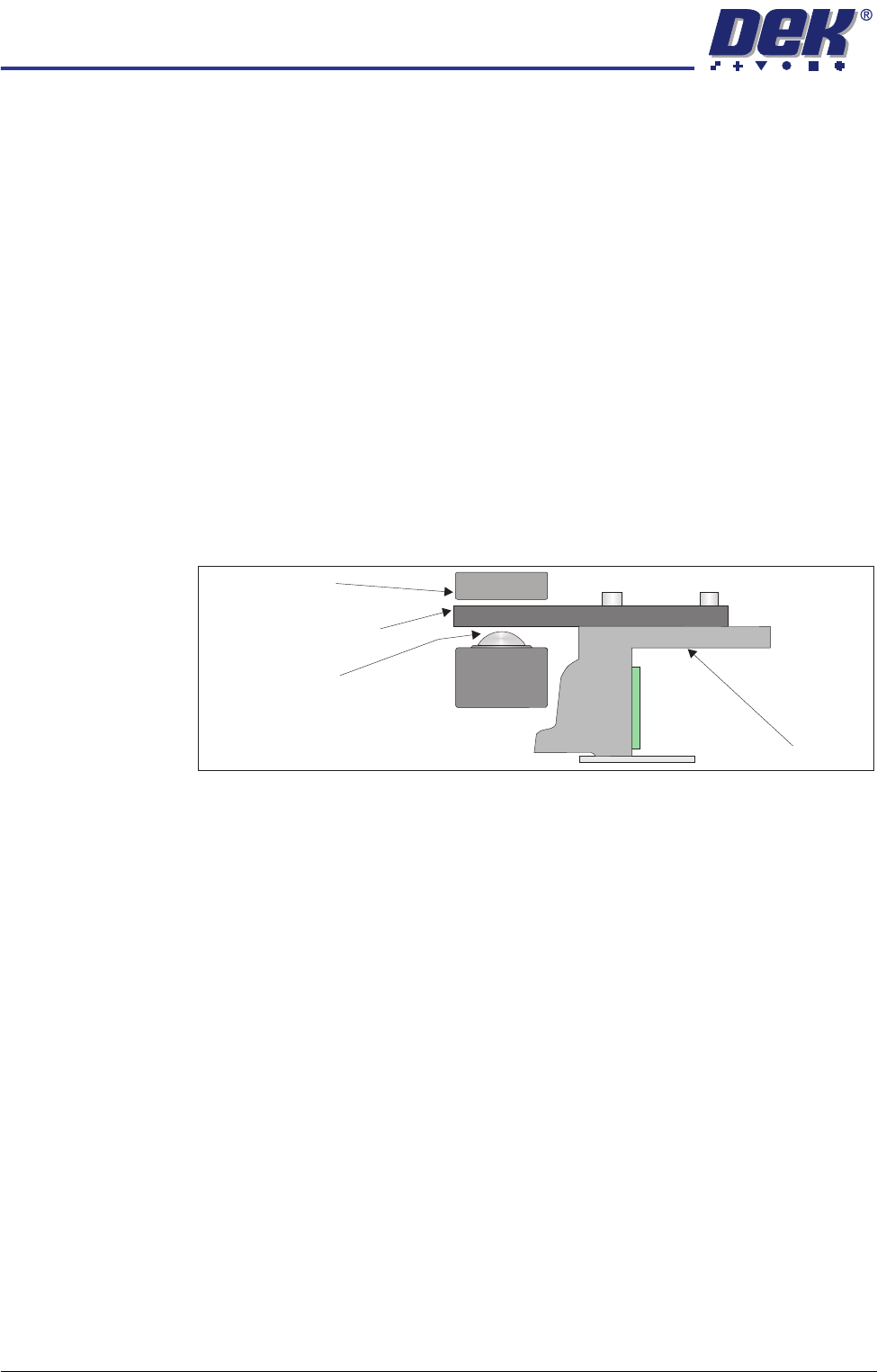
Chase
Chase Clamp
Roller Bearing
Roller Counter Plate
TRANSPORTATION
MAJOR RELOCATION
Chapter Issue 7 Oct 06 Technical Reference Manual 34.59
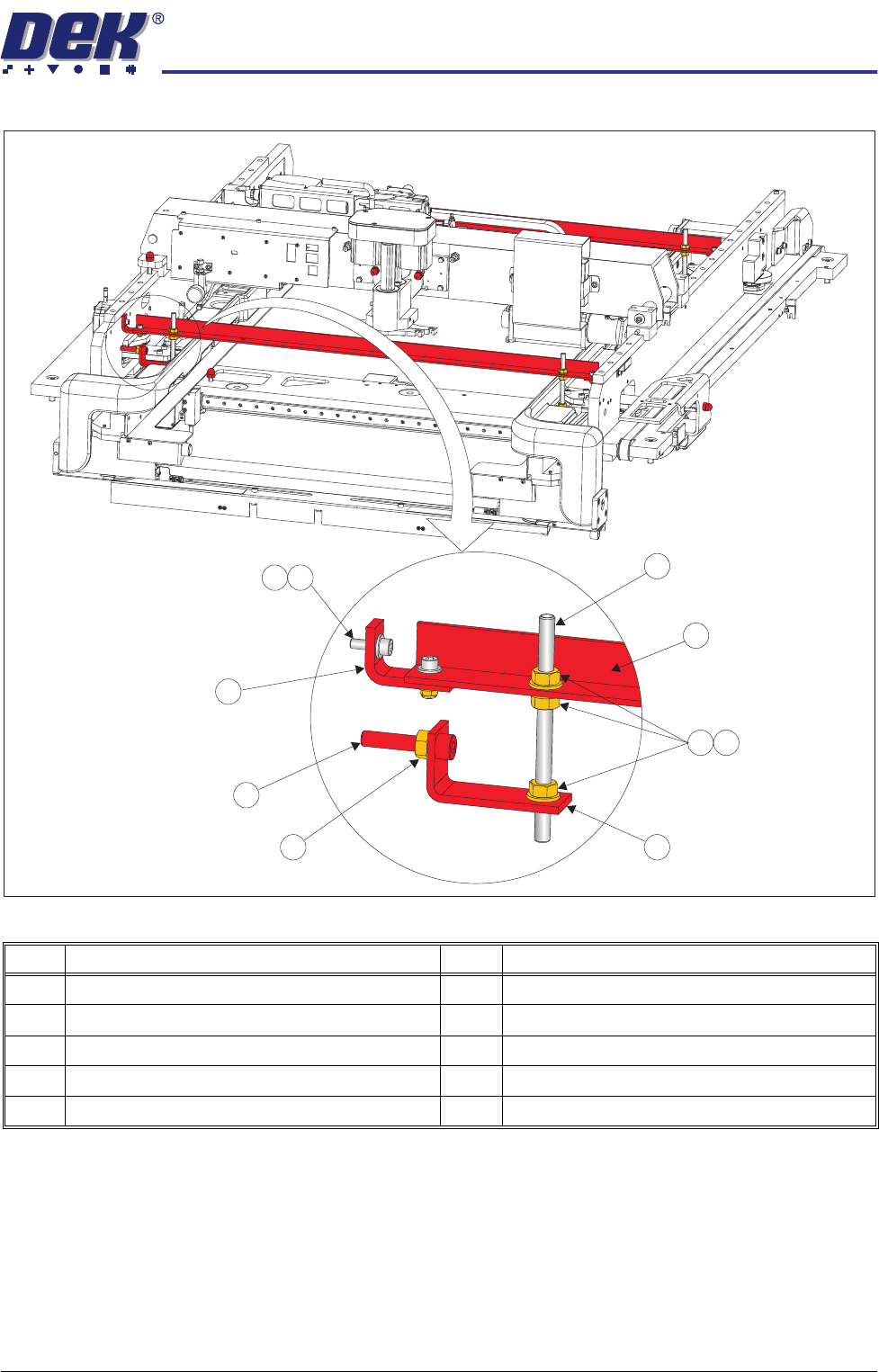
Figure 34-23 Front and Rear Transit Brackets
Item Description Item Description
1 M8 Chase Stud 6 Transit Adjustment Screw Lock Nut
2 Front/Rear Transit Bracket 7 Transit Adjustment Screw
3 M8 Nut 8 Adaptor Bracket
4 M8 Washer 9 M5 Cap Head Screw
5 Left Chase Transit Bracket 10 M5 Washer
9
1
2
3
4
5
6
7
8
10
TRANSPORTATION
MAJOR RELOCATION
34.60 Technical Reference Manual Chapter Issue 7 Oct 06
7. Loosen the transit adjustment screw lock nut (15) on the rear chase transit
bracket (12).
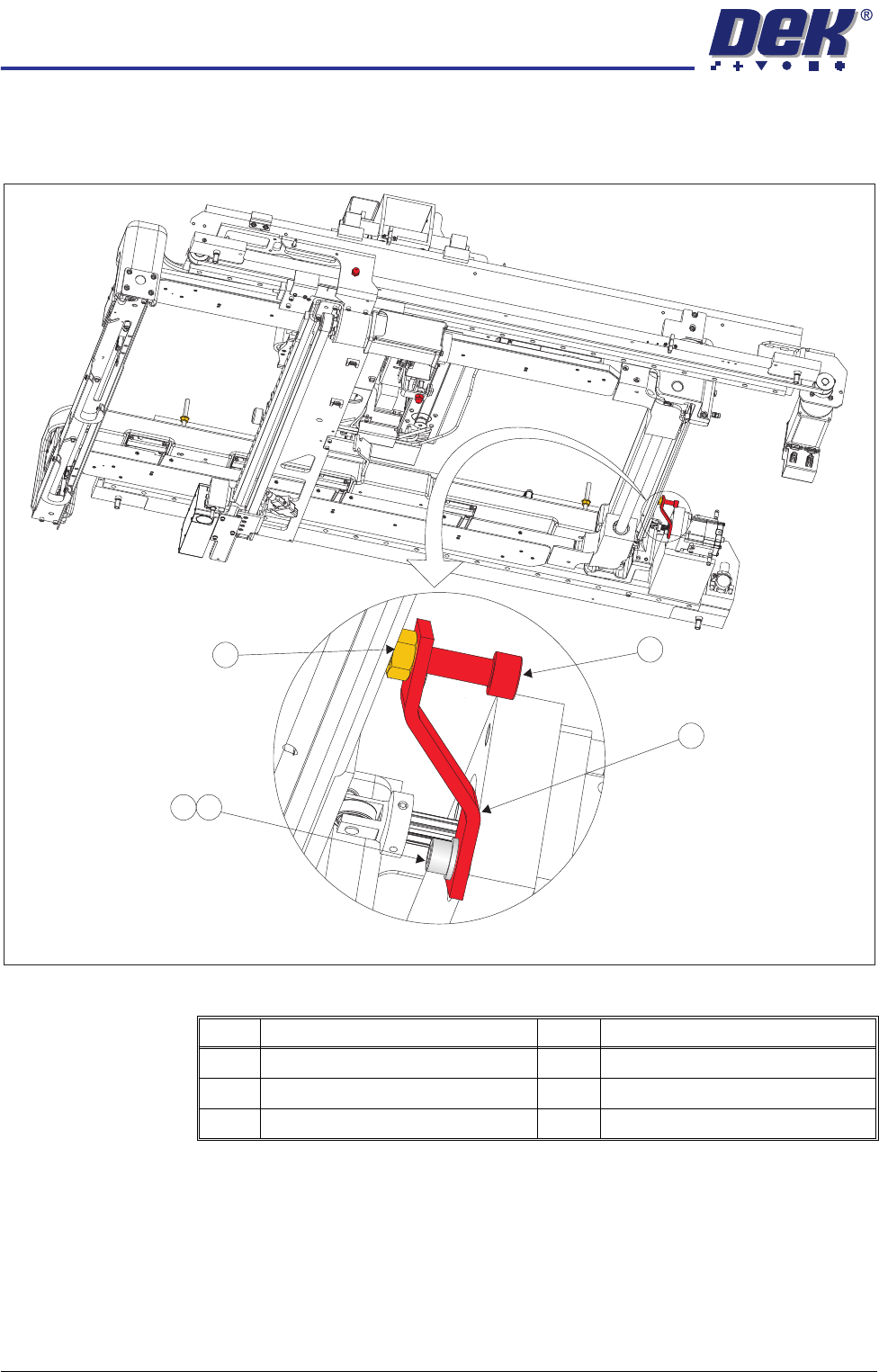
Figure 34-24 Rear Chase Transit Bracket
8. Using a 6mm Allen key, loosen the transit adjustment screw (7), on both the
left chase transit brackets (5), and the transit adjustment screw (11) on the
rear chase transit bracket (12), so that the chase comes into contact with
the three actuator shafts.
9. Using a 5mm Allen key, remove the rear chase transit bracket (12) by
removing the M6 cap head screw (13) and M6 washer (14).
Item Description Item Description
11 Transit Adjustment Screw 14 M6 Washer
12 Rear Chase Transit Bracket 15 Transit Adjustment Screw Lock Nut
13 M6 Cap Head Screw
View on Right Hand Underside
11
12
14
15
13