Printer 710_810 v8 Transportation.pdf - 第73页
TRANS PORTATION MAJOR RELO CATION Chapter Issue 7 Oct 06 Technical Reference Manual 34.73 10. Place the touchs creen stylus in the hole prov ided. 1 1. Using the velc ro strip, secure the IR Recei ver Unit on to the brac…
TRANSPORTATION
MAJOR RELOCATION
34.72 Technical Reference Manual Chapter Issue 7 Oct 06
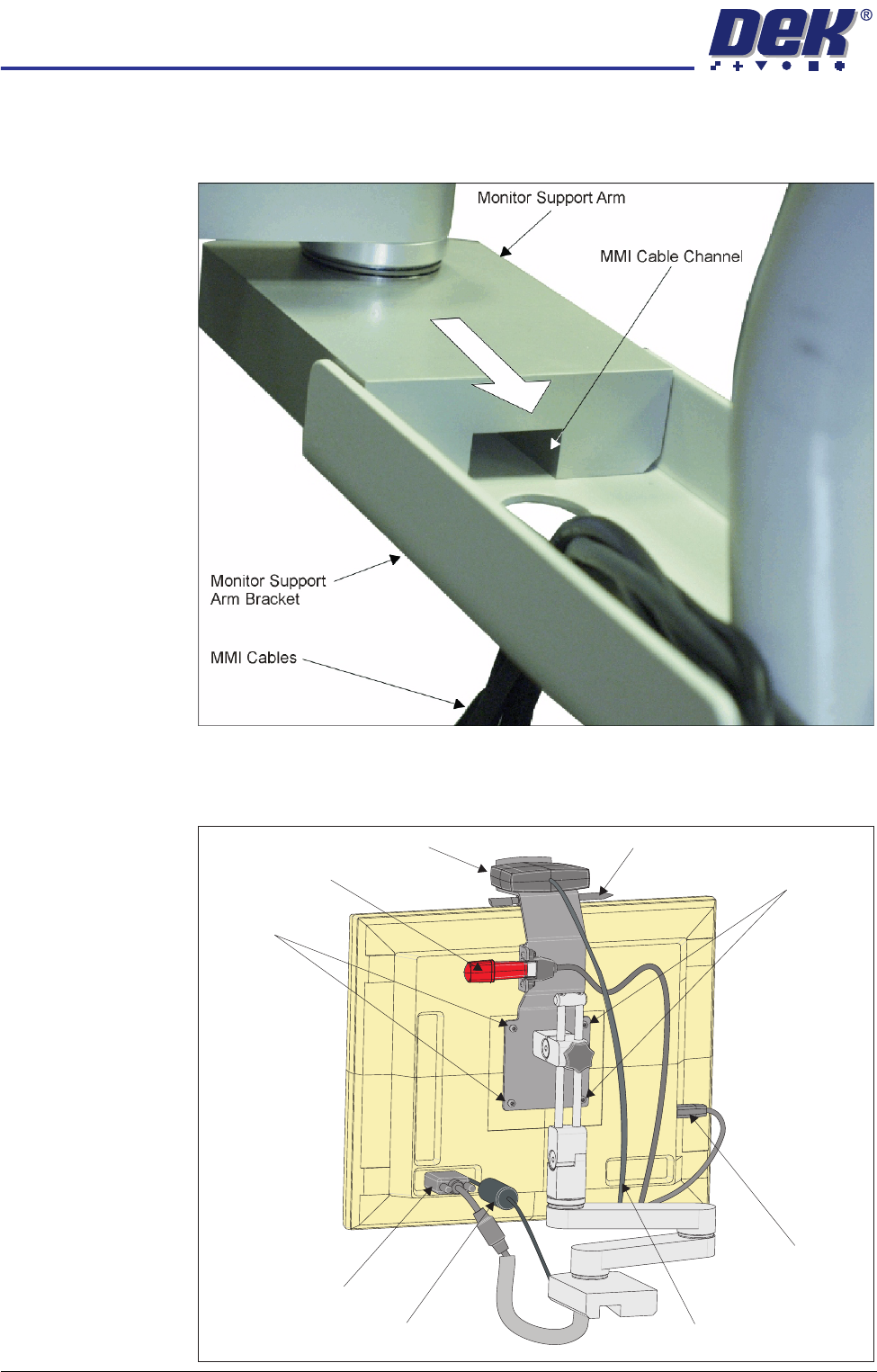
7. Group the four cables referred to in Steps 2 and 3, and fit the monitor arm
by sliding the monitor support arm on to the bracket. Ensure that the cables
are not trapped between the monitor support arm and the bracket.
8. Secure the monitor support arm to the bracket using 3 screws from below
the bracket.
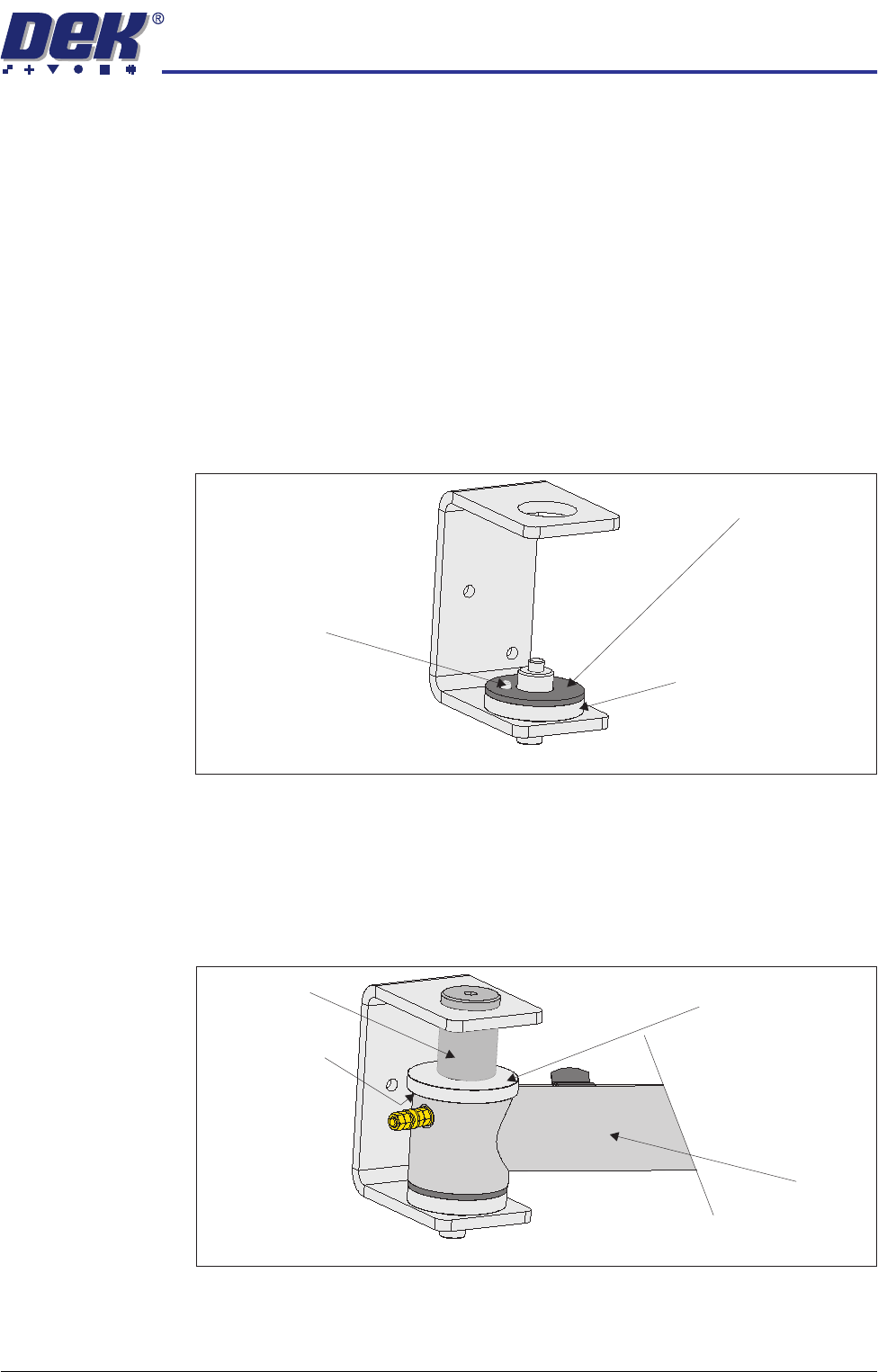
9. Fit the monitor to the monitor arm using the four monitor fixing screws.
Monitor Fixing Screws
Monitor Fixing
Screws
Touchscreen Stylus
IR Receiver Unit
DC Connection
Touchscreen
Connection
(USB)
IR Receiver Unit Cable
VGA Connection
USB Flash Drive
TRANSPORTATION
MAJOR RELOCATION
Chapter Issue 7 Oct 06 Technical Reference Manual 34.73
10. Place the touchscreen stylus in the hole provided.
11. Using the velcro strip, secure the IR Receiver Unit on to the bracket above
the monitor.
12. Connect the cables to the following connections on the rear of the monitor:
• Monitor Power Cable (DC)
• VGA Cable
• Touchscreen Cable (USB)
Fitting of MMI
Assembly (Gull
Wing Cover)
1. Open the front printhead cover.
2. Remove the front panel.
3. Fit the friction washer to the bottom mounting spacer so that the dowel fits
through the washer locating hole.
4. Feed the MMI arm through the slot in the front right hand side cover.
5. Locate the MMI arm onto the friction washer on the MMI arm mounting
bracket. Ensure the MMI arm locates onto the locating dowel correctly so
that the arm is restricted to its arc of movement.
6. Fit the friction washer, top mounting spacer and mounting pin, (figure below
refers). Tighten the mounting pin using a 6mm Allen key.
Friction Washer
Bottom Mounting Spacer
Locating Dowel
View on MMI Arm Mounting Bracket
Friction Washer
MMI Arm
Top Mounting Spacer
Mounting Pin
View on MMI Arm Mounting Bracket
TRANSPORTATION
MAJOR RELOCATION
34.74 Technical Reference Manual Chapter Issue 7 Oct 06
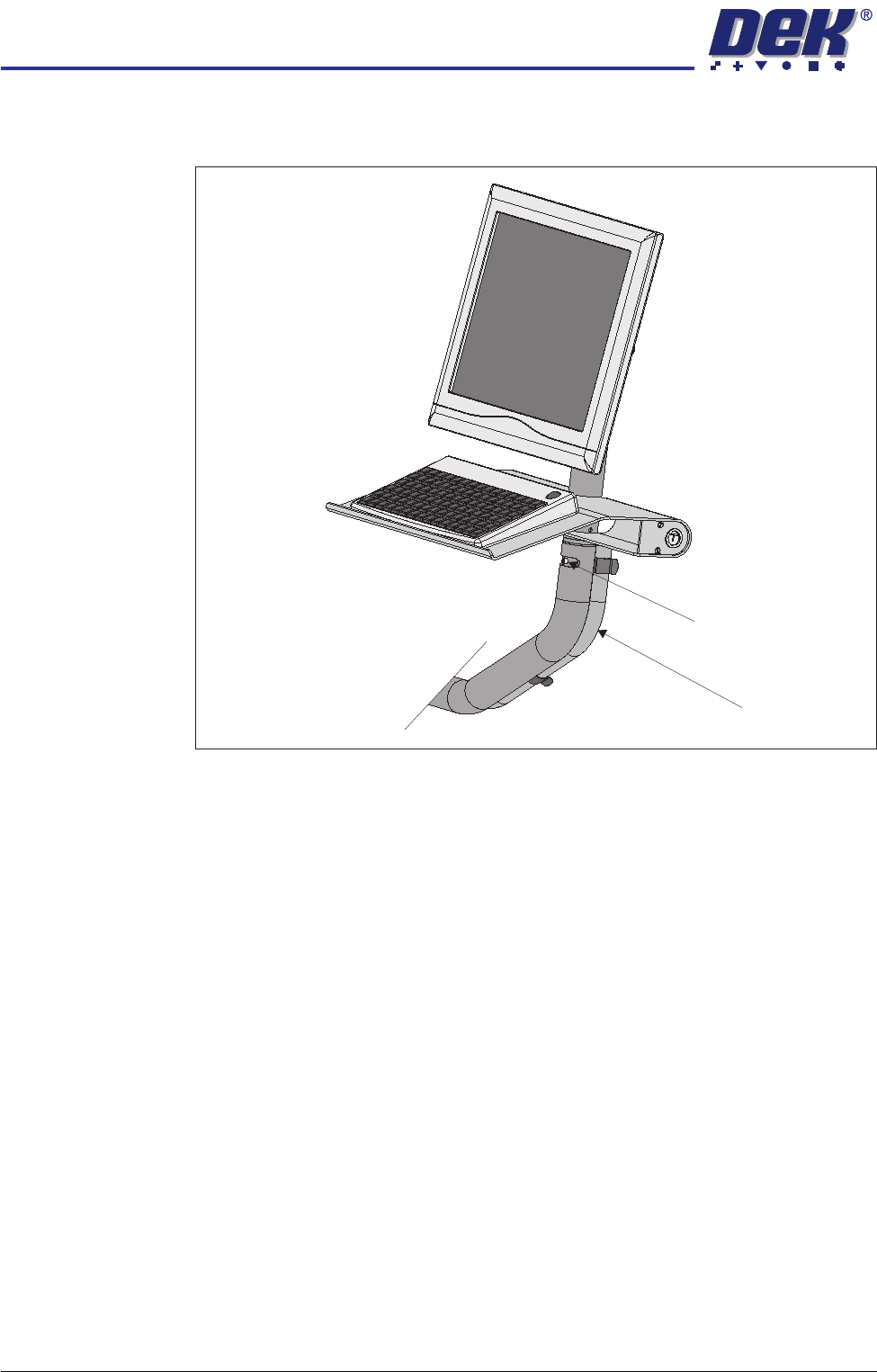
7. Fit the MMI assembly, tube and keyboard tray to the MMI arm and secure
with an M5 cap head screw. Place the keyboard on the keyboard tray.
8. Locate the following cables stowed within the machine and feed the cables
through the slot in the front right hand side cover:
• Monitor Power Cable
• VGA Cable - 14PL04
• Touchscreen Cable (USB) - 14PL03
• Two Button Control Cable
9. Utilizing the slot in the cable conduit, feed the above cables along with the
keyboard cable through the cable conduit.
NOTE
The USB connector on the touchscreen cable should be above the cable
conduit.
10. Utilizing the three pipe clamps, clip the cable conduit to the rear of the MMI
tube.
11. Locate the 4 port USB hub secured to the left side of the mains isolator
switch bracket.
Cable Conduit
M5 Cap Head Screw