Printer 710_810 v8 Transportation.pdf - 第90页
TRANSPORT ATION MAJOR RE LOCATION 34.90 Technical Reference Manual Chapter Issue 7 Oct 06 3. Fit the pr essure mechanism p art of the ProFl ow unit to the ProF low print- head mechanism bear ing block by means of the two…
TRANSPORTATION
MAJOR RELOCATION
Chapter Issue 7 Oct 06 Technical Reference Manual 34.89
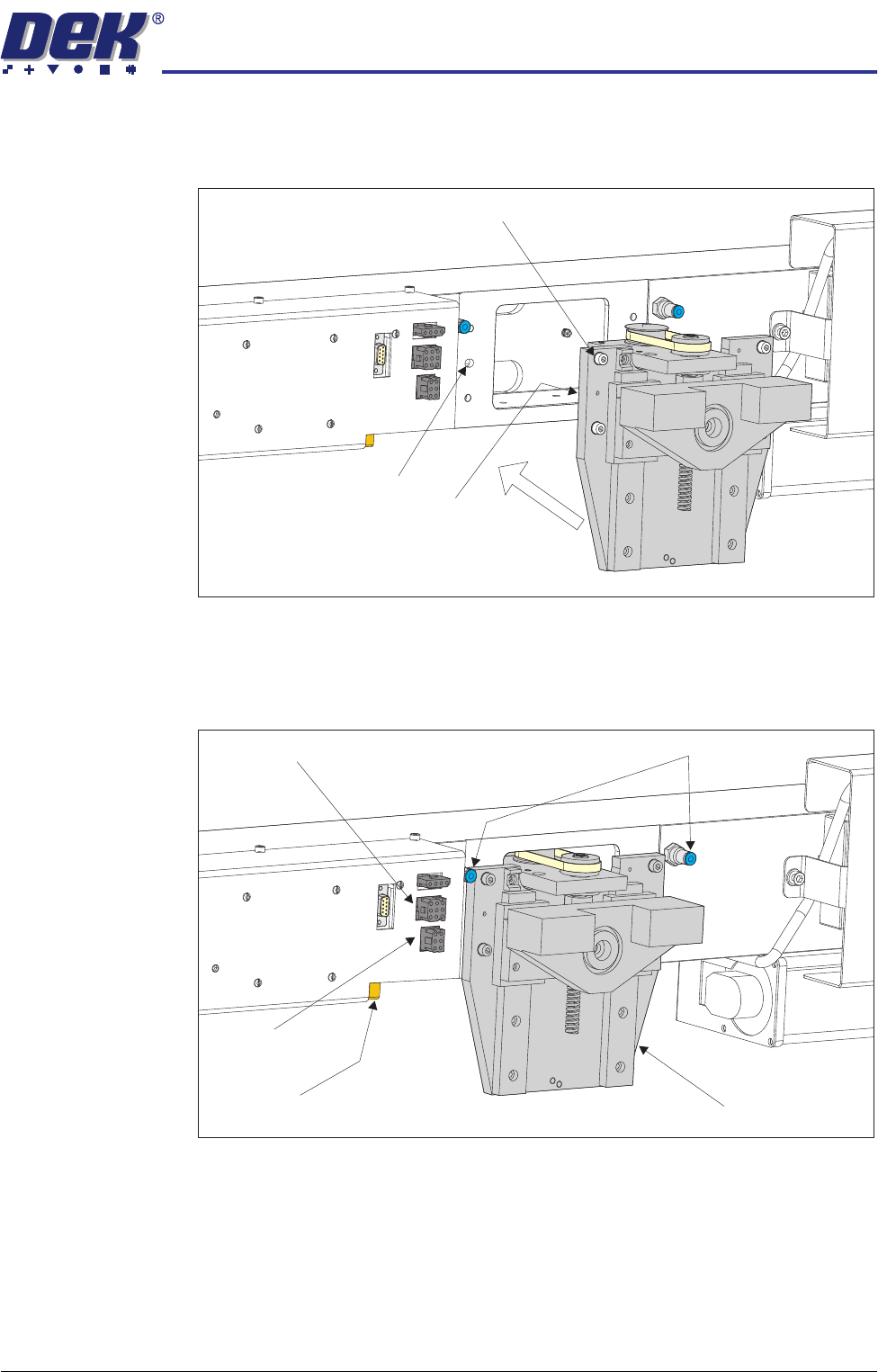
ProFlow 1. Carefully position the ProFlow printhead mechanism so that both locating
dowels locate into the print carriage locating holes. Secure the unit to the
print carriage by means of the four captive screws.
2. Connect the following connectors to the print carriage, left hand side:
• ProFlow motor connector 9PL17 into 9 way socket 9SK17
• ProFlow home sensor connector 9PL08 into 6 way socket 9SK08
Captive Screw (in 4 positions)
Locating Dowel
(in 2 positions)
Print Carriage Locating
Hole (in 2 positions)
Pneumatic Connectors
ProFlow Motor
(9SK17)
Home Sensor
(9SK08)
ProFlow Paste Level
Sensor (9PL61)
ProFlow Printhead
Mechanism
TRANSPORTATION
MAJOR RELOCATION
34.90 Technical Reference Manual Chapter Issue 7 Oct 06
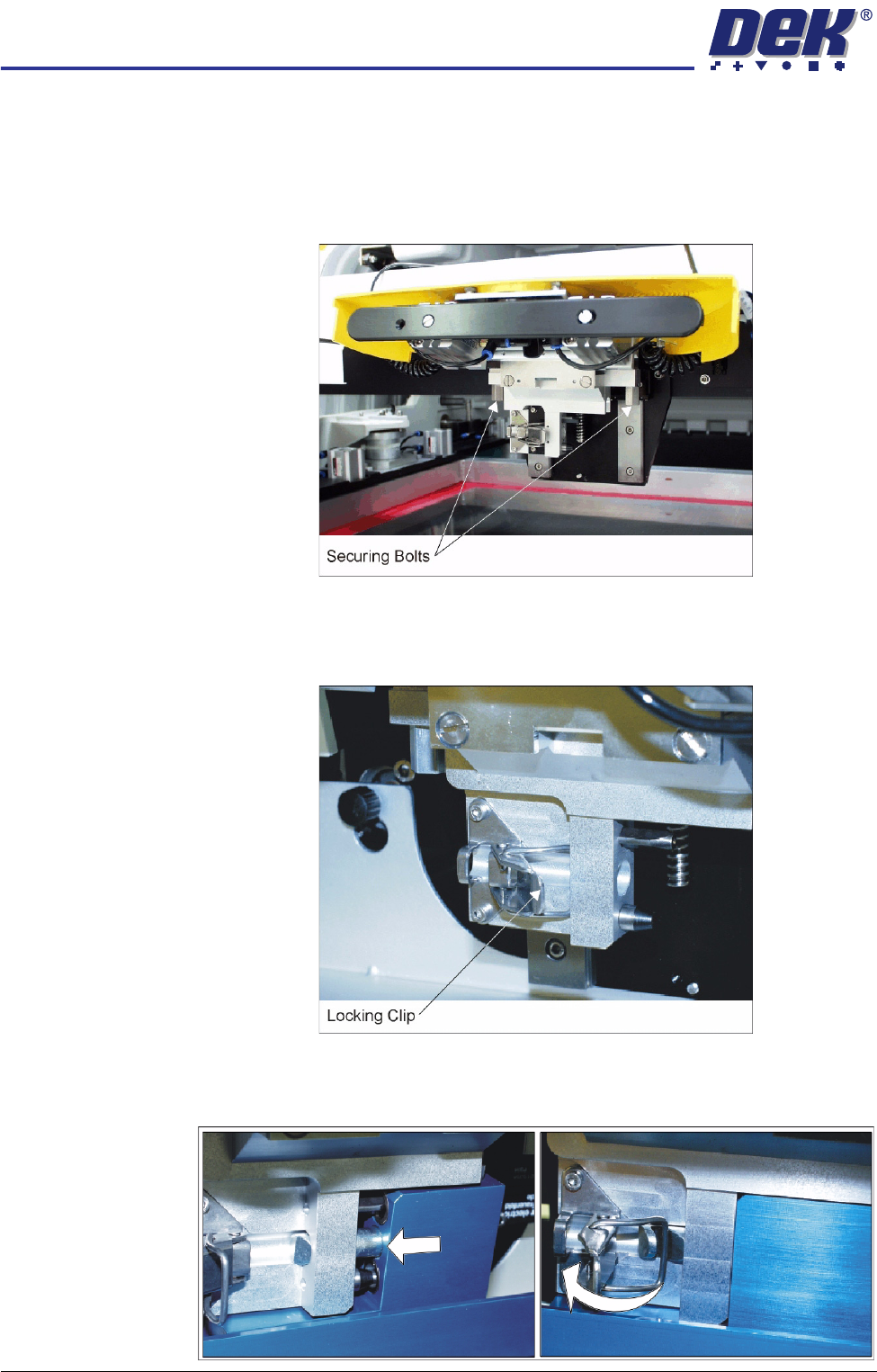
3. Fit the pressure mechanism part of the ProFlow unit to the ProFlow print-
head mechanism bearing block by means of the two securing bolts. Tighten
using a 5mm Allen key.
NOTE
Unit shown in unlatched position to identify bolts.
4. Ensure that the locking clip on the pressure mechanism is pressed over to
the right and clicks into place, as shown in the figure below. This ensures
that the locking clip is in the correct position to secure the transfer head.
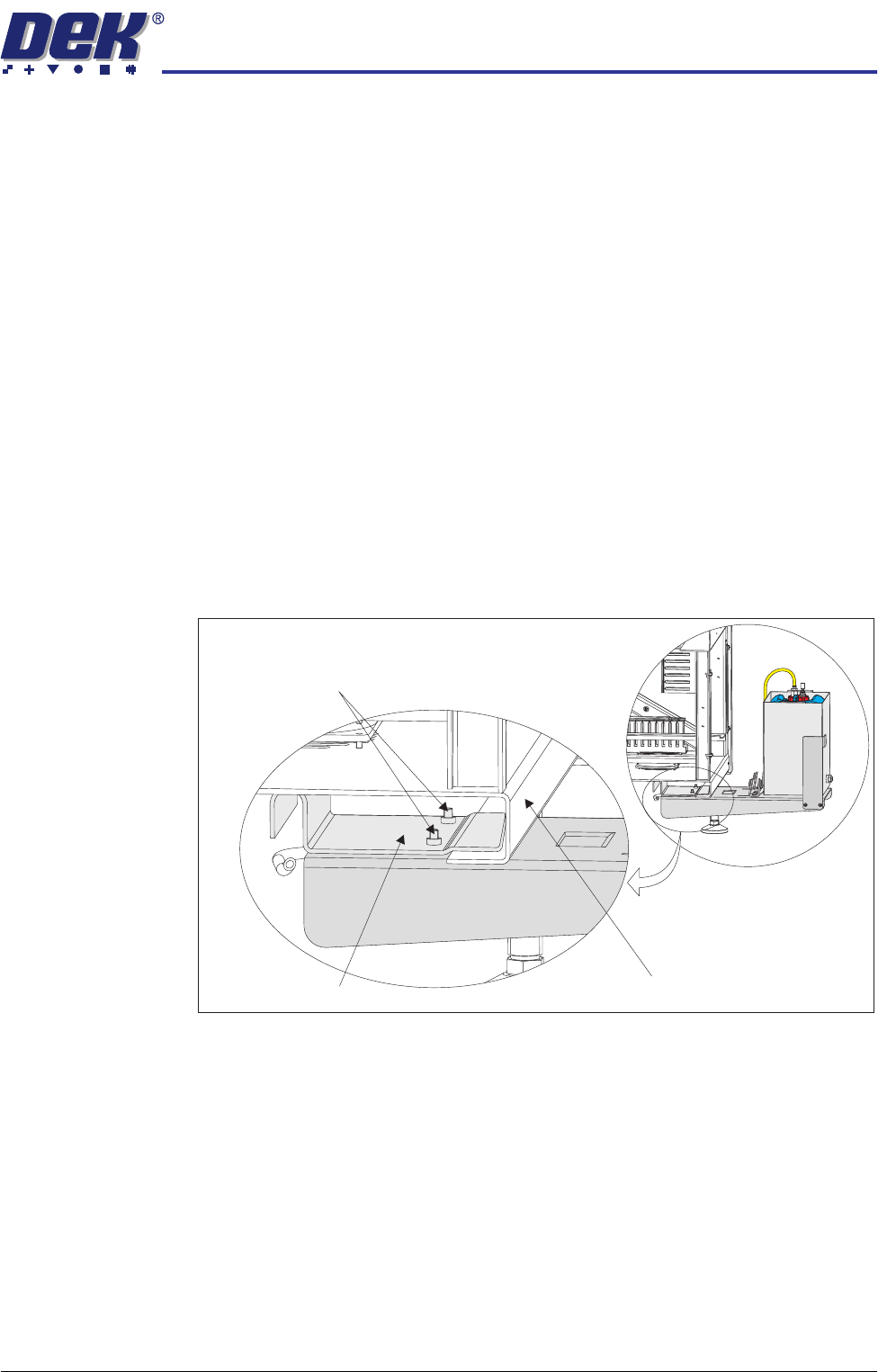
5. Locate and fit the ProFlow transfer head unit to the pressure mechanism by
means of the two locating dowels. Slide the unit onto the pressure mecha-
nism. Once the unit is slid fully home, it is secured by closing the locking clip.
TRANSPORTATION
MAJOR RELOCATION
Chapter Issue 7 Oct 06 Technical Reference Manual 34.91
6. Connect both curly air lines to the self-seal pneumatic connectors situated
either side of the ProFlow printhead mechanism, figure in Step 7 refers.
7. Fit the electrical connection 9SK61 ProFlow Paste Level Sensor from the
ProFlow unit into the connector (9PL61) located on the left hand side of the
ProFlow, on the print carriage, figure in Step 2 refers.
NOTE
If Time to Go is an option, an amplifier is connected to 9PL61 and the
connection is made to 9PL62 on the amplifier.
CAUTION
ELECTRICAL CONNECTION.
This electrical connection informs the
machine of ProFlow fitment and must always be connected whilst the
ProFlow unit is fitted otherwise damage may occur if machine is run.
External Solvent
Tank
To connect the external solvent tank carry out the following:
1. Remove the rear panel using the maintenance key.
2. Place the external solvent tank on the floor beneath its intended location,
either at the rear or either side of the machine.
3. Supporting its weight, lift the external solvent tank and locate the mounting
bracket on the machine frame.
4. Tighten the two M6 cap head securing screws.
5. Place a full solvent container into the external solvent tank.
6. Remove the cap from the solvent container.
7. Fit the combined cap and 4mm tubing to the solvent container.
Securing Screws
Machine Frame Cross Section
Mounting Bracket