Printer 710_810 v8 Transportation.pdf - 第28页
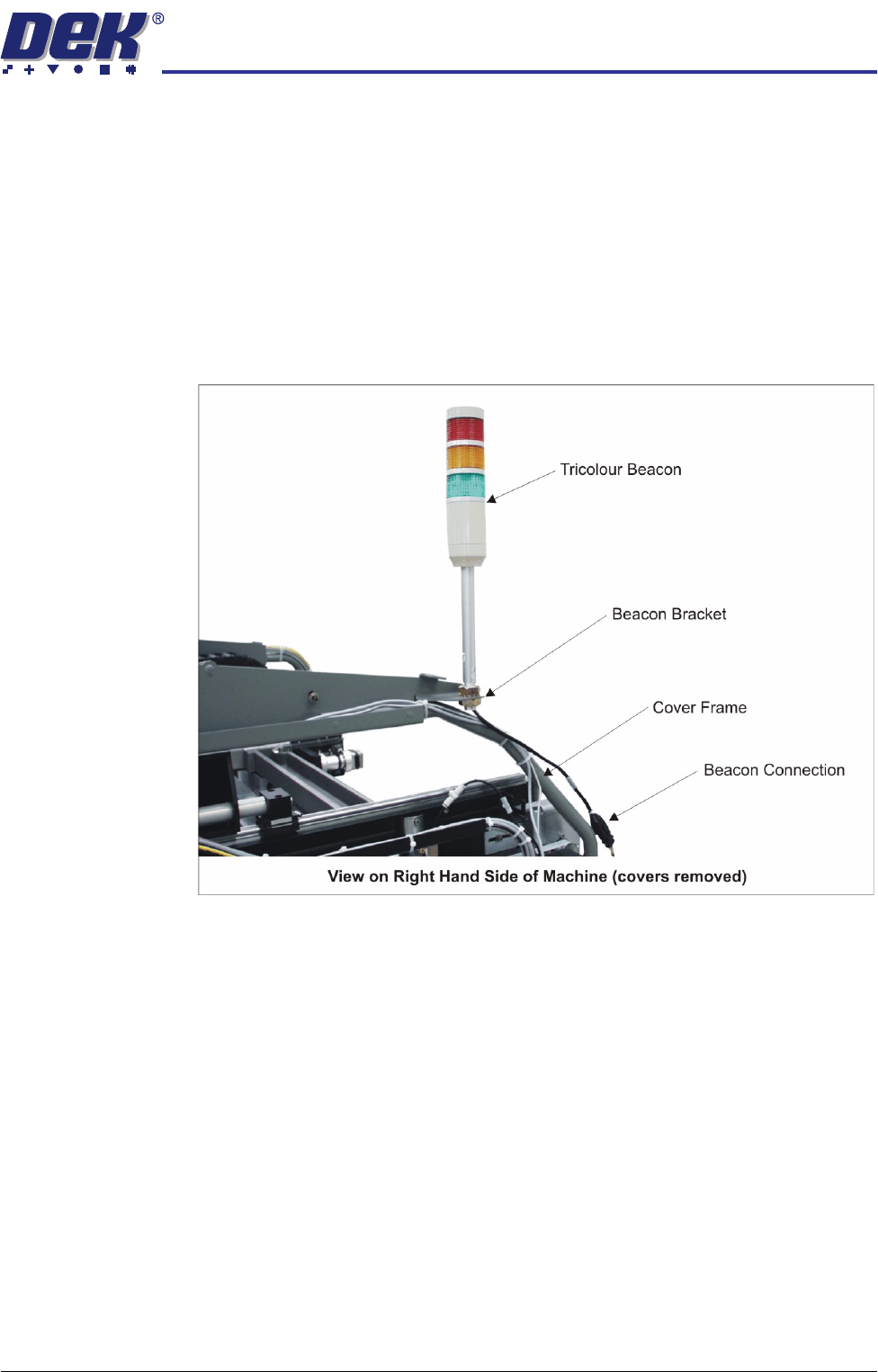
TRANSPORT ATION MAJOR RE LOCATION 34.28 Technical Reference Manual Chapter Issue 7 Oct 06 T ricol our Beacon (Gull Wing and Shutter Cover Design) 1. Disconnect the tr icolour b eacon connecti on 14PL07 fro m 14SK07. 2. R…
TRANSPORTATION
MAJOR RELOCATION
Chapter Issue 7 Oct 06 Technical Reference Manual 34.27
Dismantling To ensure the machine is not damaged during transportation it is recommended
that the following components are removed:
• Barcode readers
• Interactiv headset
• Paste cartridge
• Squeegees
• Tooling
Tricolour Beacon
(Sliding Glass Cover
Design)
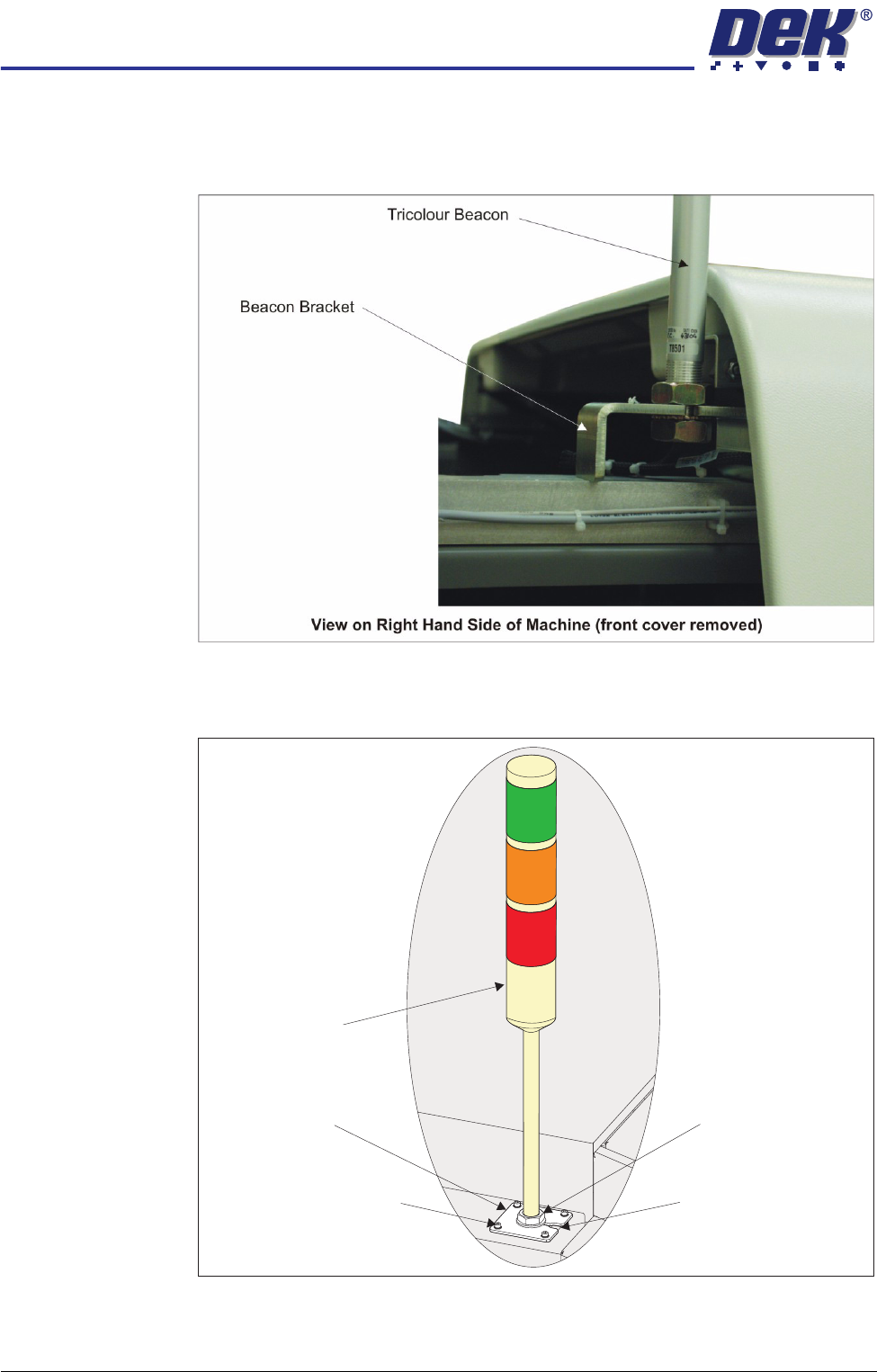
1. Disconnect the tricolour beacon connection 14PL07 from 14SK07.
2. Remove the tricolour beacon from the beacon bracket by undoing one of the
nuts and sliding the beacon out of the cut-out on the beacon bracket.
3. Cable tie the loose cable to the cover frame.
TRANSPORTATION
MAJOR RELOCATION
34.28 Technical Reference Manual Chapter Issue 7 Oct 06
Tricolour Beacon
(Gull Wing and
Shutter Cover
Design)
1. Disconnect the tricolour beacon connection 14PL07 from 14SK07.
2. Remove the tricolour beacon from the beacon bracket by undoing one of the
nuts and sliding the beacon out of the cut-out on the beacon bracket.
3. Cable tie the loose cable to the cover frame.
Tricolour Beacon
(Metal Cover
Design)
1. Using a 3mm Allen key, remove the beacon bracket from the machine cover.
2. Pull the cable up through the hole to reveal the connector.
Beacon Bracket
Tricolour Beacon
Beacon Securing Nut
Beacon Bracket Cut-Out
Beacon Bracket Securing
Screws (in 4 positions)
TRANSPORTATION
MAJOR RELOCATION
Chapter Issue 7 Oct 06 Technical Reference Manual 34.29
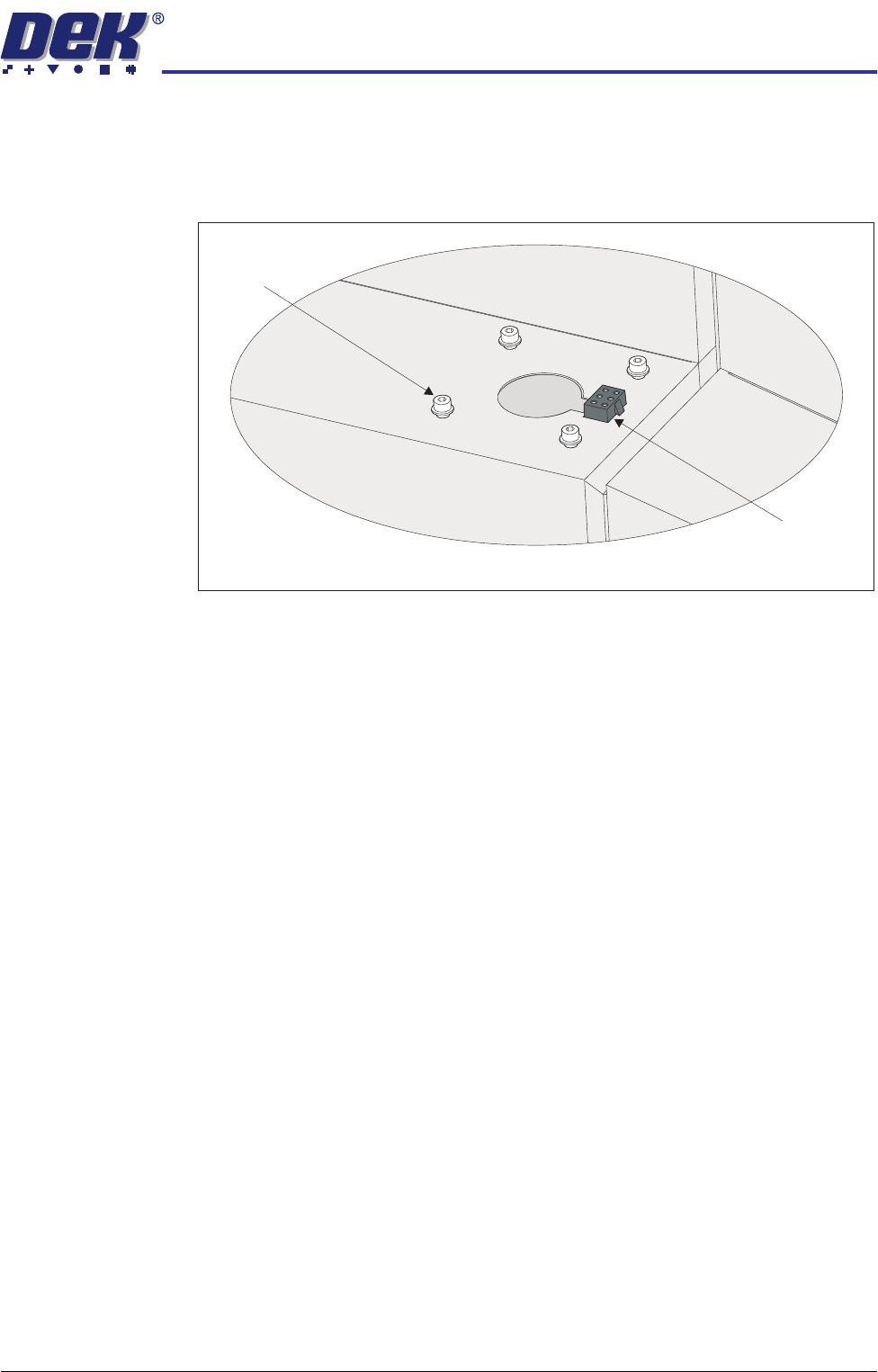
3. Maintaining hold of the socket 14SK07 (to prevent the socket from falling
into the machine through the hole), disconnect the tricolour beacon connec-
tion 14PL07 from 14SK07.
4. Place the socket 14SK07 in the cut-out on the cover.
5. Refit the four beacon bracket securing screws.
Beacon Bracket
Securing Screws
(in 4 positions)
Beacon Connector
(14SK07)
View on Right Hand Side of the Machine