Printer 710_810 v8 Transportation.pdf - 第62页
TRANSPORT ATION MAJOR RE LOCATION 34.62 Technical Reference Manual Chapter Issue 7 Oct 06 Print Ca rriage T rans it Screw 1. Loosen th e M8 locking nut that secures the transit sc rew to the print car riage compliant bea…
TRANSPORTATION
MAJOR RELOCATION
Chapter Issue 7 Oct 06 Technical Reference Manual 34.61
10. Loosen the M8 nut (3) that secures the left chase transit bracket (5) to the
chase on the front and rear transit brackets.
11. Unscrew the M8 chase studs (1) from the chase and remove from the
machine.
12. Remove the two left chase transit brackets (5) from the machine.
13. Remove the two right hand chase studs (1) by loosening the two M8 nuts
(3) that secure the chase studs (1) to the chase.
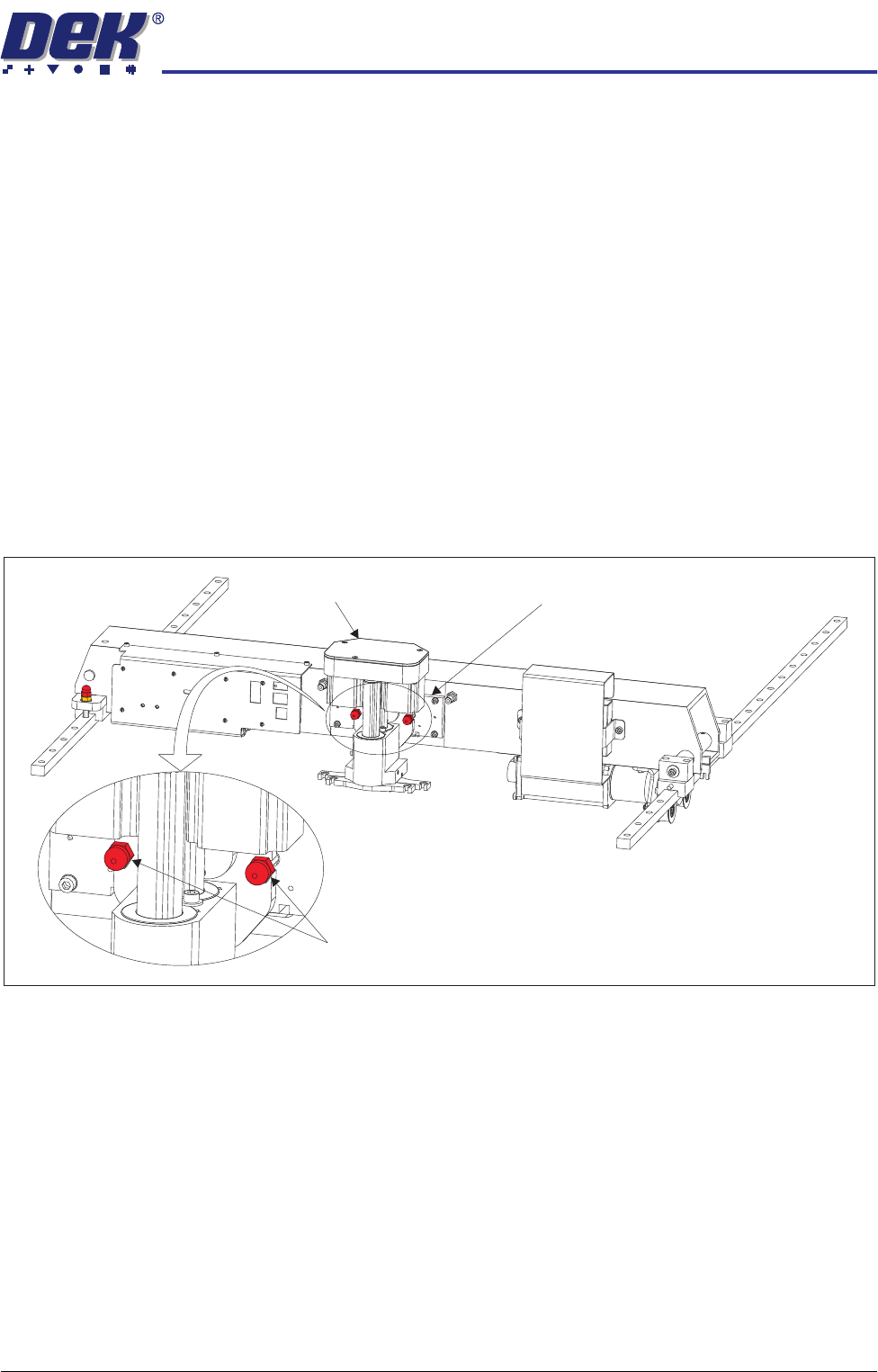
CAUTION
TRANSIT SCREWS.
The transit screws are constructed of a red plastic
dome head nut and a 45mm steel grub screw. Although the two parts are
bonded, ensure that both parts are removed if they become separated.
Squeegee Transit
Screws
1. Snip the cable ties securing the piece of card to the front of the squeegee
mechanism. Remove the cable ties and the piece of card from the machine.
2. Whilst supporting the squeegee mechanism, remove the two squeegee
transit screws.
Squeegee Transit Screws
Squeegee Mechanism Squeegee Mount
TRANSPORTATION
MAJOR RELOCATION
34.62 Technical Reference Manual Chapter Issue 7 Oct 06
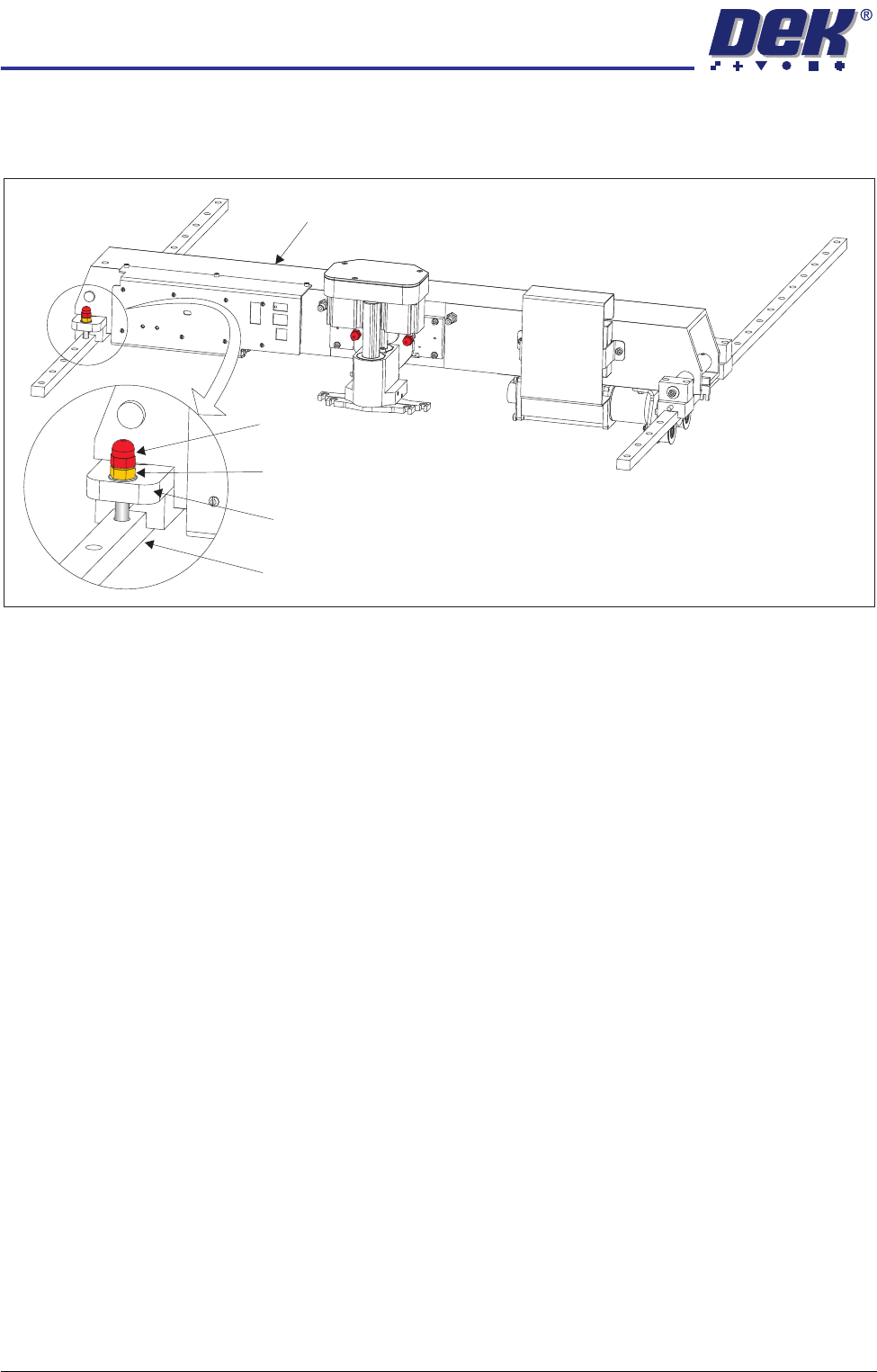
Print Carriage
Transit Screw
1. Loosen the M8 locking nut that secures the transit screw to the print carriage
compliant bearing block.
2. Remove the print carriage transit screw that secures the print carriage
compliant bearing block to the left linear guide rail. Ensure that the crinkle
washer below the locking nut is also removed.
3. Locate the re-sealable polythene bag taped to the print carriage.
4. Remove the plastic cap from the bag and fit into the hole that the transit
screw occupied on the left linear guide rail.
Print Carriage
Transit Screw
Print Carriage Compliant Bearing Block
Left Linear Guide Rail
Locking Nut and Crinkle Washer
TRANSPORTATION
MAJOR RELOCATION
Chapter Issue 7 Oct 06 Technical Reference Manual 34.63
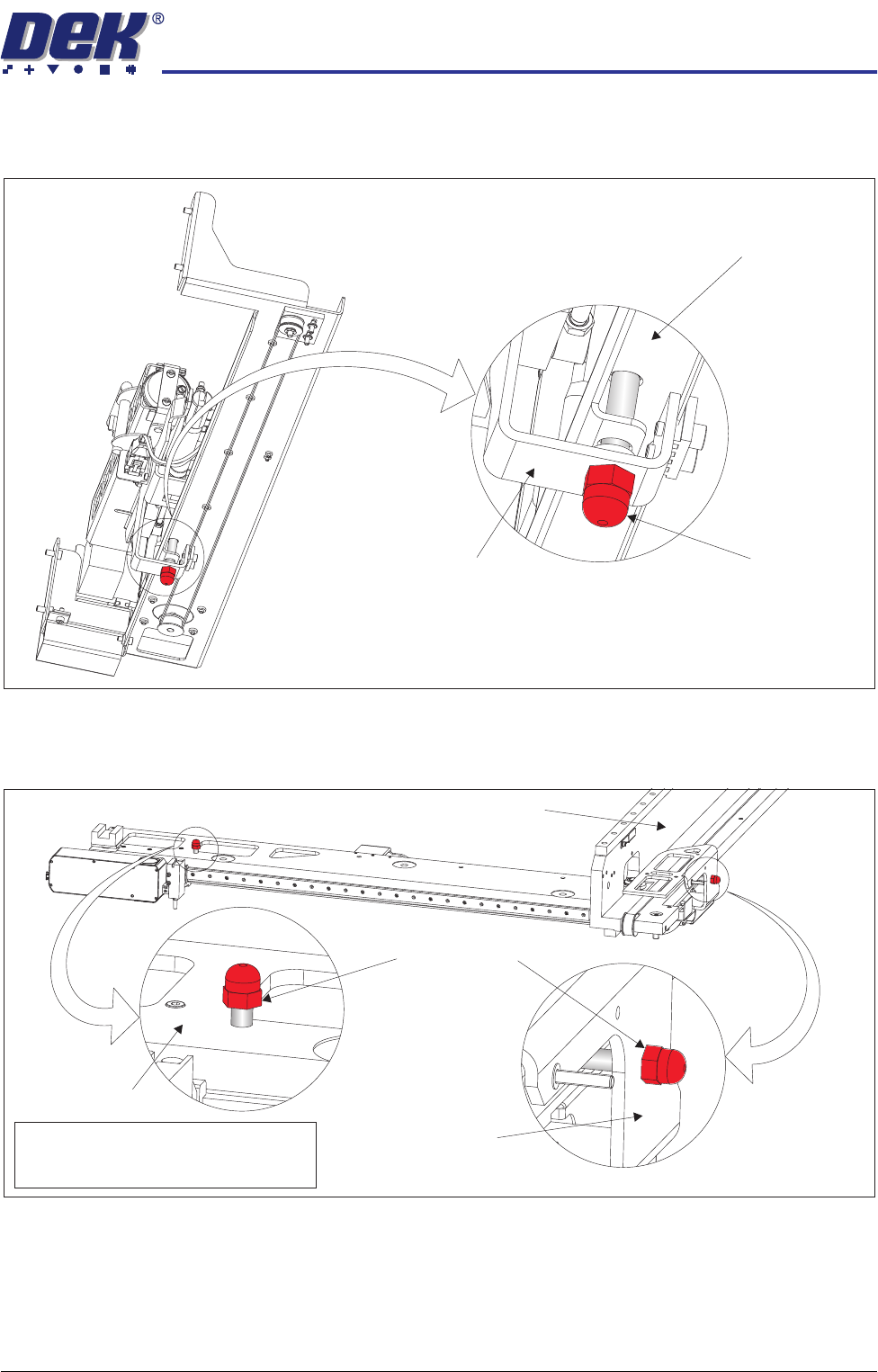
Paste Dispenser
Transit Screw
Remove the paste dispenser transit screw that secures the belt clamp bracket
to the paste dispenser mounting tray.
Camera Transit
Screws (Rotary
Drive)
1. Remove the transit screw that secures the camera beam to the camera X
drag chain bracket.
2. Remove the transit screw that secures the camera Y drag chain bracket to
the right hand printhead.
View on Right Hand Underside of Paste Dispenser
Transit Screw
Paste Dispenser Mounting Tray
Belt Clamp Bracket
Note
Camera X Drag Chain Bracket is hidden
from view by the Camera Beam
Transit Screws
Camera Beam
Right Hand Printhead
Camera Y Drag
Chain Bracket