Printer 710_810 v8 Transportation.pdf - 第6页
TRANSPORT ATION MINOR RELO CATION 34.6 Technical Reference Manual Chapter Issue 7 Oct 06 8. Adjust th e angle of the rear chase transit bracket (12) t o align the tr ansit adjustment screw (1 1) to the centr e of the cha…
TRANSPORTATION
MINOR RELOCATION
Chapter Issue 7 Oct 06 Technical Reference Manual 34.5
3. Place a left chase transit bracket (5) over the hole on the left hand side of
the chase aligned to the rear X actuator.
4. Screw two M8 chase studs (1) through the holes in the left chase transit
brackets (5) and into the holes in the chase, engaging approximately 15mm
of thread and secure with M8 nuts (3) and M8 washers (4).
5. Ensure that an M8 nut (3) is fitted to all four M8 chase studs (1) and is
approximately 50mm down from the top of the M8 chase stud (1).
6. Place an M8 washer (4) on all four M8 chase studs (1).
7. Loosely fit the rear chase transit bracket to the rear of the left hand printhead
using an M6 cap head screw (13) and M6 washer (14).
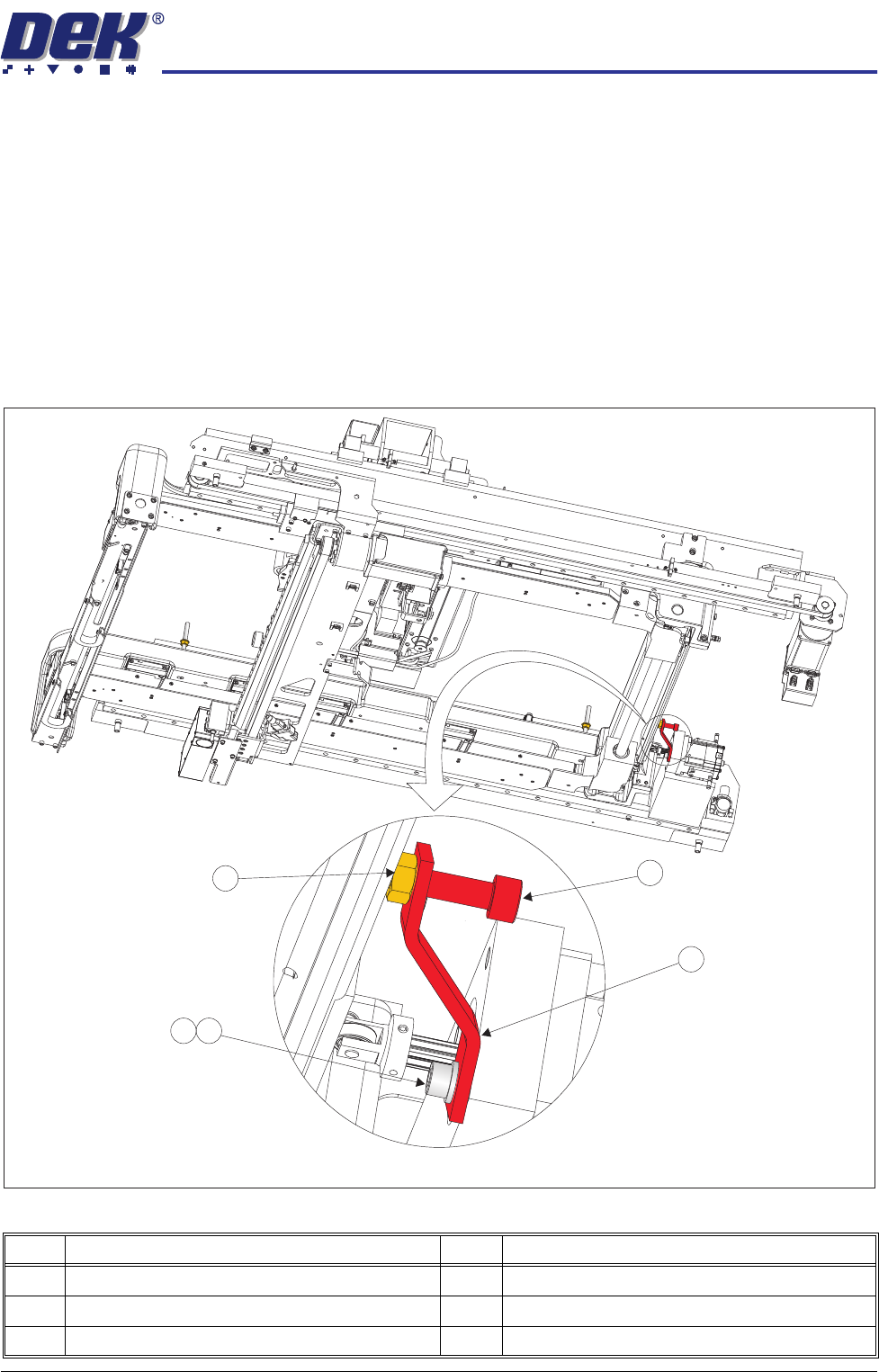
Figure 34-4 Rear Chase Transit Bracket
Item Description Item Description
11 Transit Adjustment Screw 14 M6 Washer
12 Rear Chase Transit Bracket 15 Transit Adjustment Screw Lock Nut
13 M6 Cap Head Screw
View on Right Hand Underside
11
12
14
15
13
TRANSPORTATION
MINOR RELOCATION
34.6 Technical Reference Manual Chapter Issue 7 Oct 06
8. Adjust the angle of the rear chase transit bracket (12) to align the transit
adjustment screw (11) to the centre of the chase/ASM. Tighten the M6 cap
head screw (13).
9. Adjust the transit adjust screw (7), on both the left chase transit brackets (5),
and the transit adjustment screw (11) on the rear chase transit bracket (12),
so that the chase is moved approximately 5mm away from all three actuator
shafts.
10. Lock the transit adjustment screws in position with the transit adjustment
screw lock nuts (6) and (15).
11. Place the front and rear transit brackets (2) over the M8 chase studs (1).
12. Loosely attach the adaptor bracket (8) at each end of the front and rear
transit bracket (2) to the left and right printheads using an M5 cap head
screw (9) and M5 washer (10).
13. Screw an M8 nut (3) and M8 washer (4) onto each of the four M8 chase
studs (1) and adjust so that the front and rear transit brackets are nipped
between the nuts and washers, ensuring that the chase is not lifted at this
time.
14. Fully tighten the M5 cap head screws (9) left loose in Step 12.
15. Slacken the M8 nuts (3) directly below the front and rear transit brackets (2).
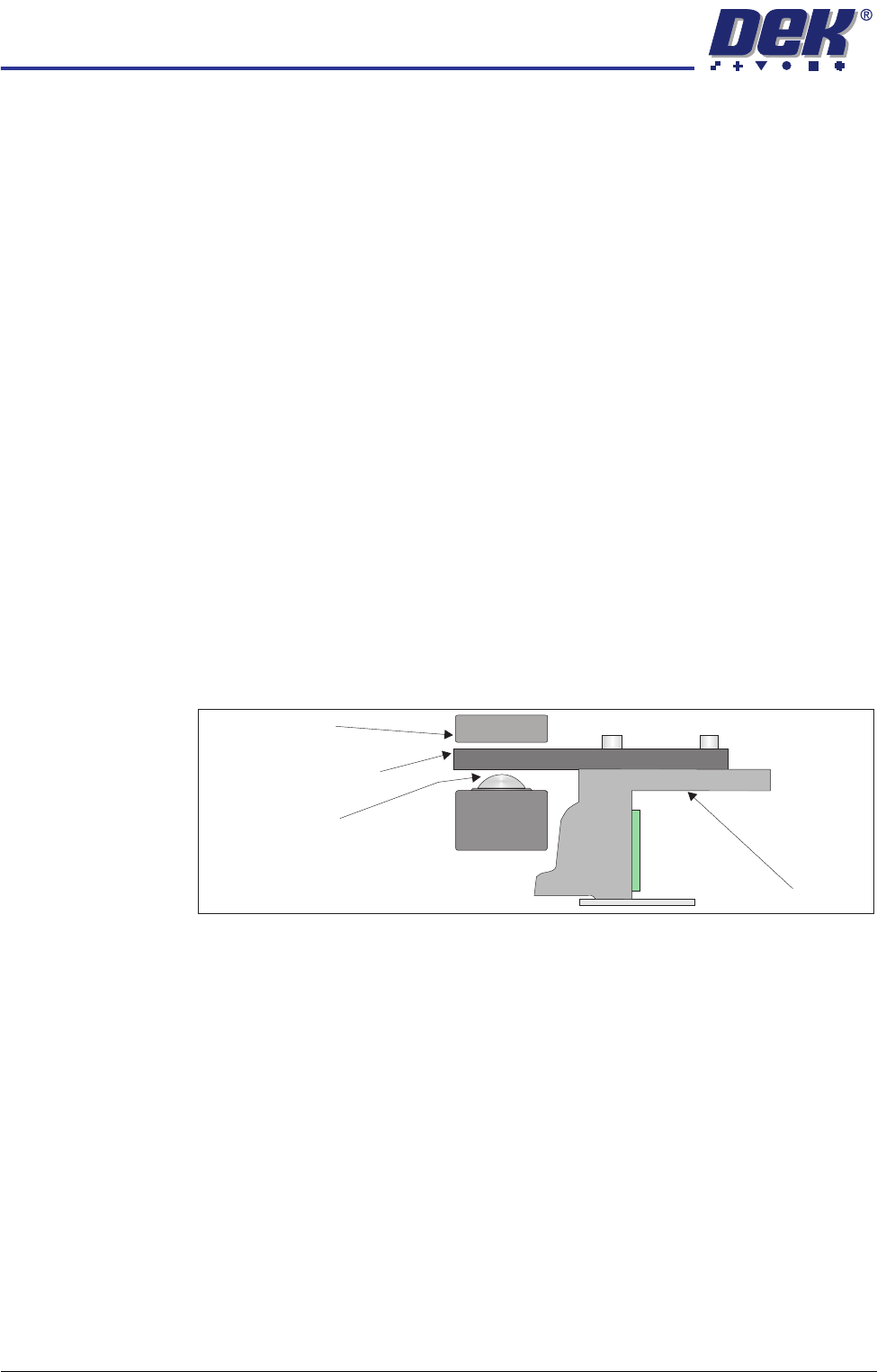
16. Adjust the M8 nuts (3) above the front and rear transit brackets (2) to lift the
chase off the roller bearings (in all four positions), ensuring that the roller
counter plates are not touching the chase clamps.
17. Tighten the M8 nuts (3) directly below the front and rear transit brackets (2).
18. Refit/close any disturbed covers.
Chase
Chase Clamp
Roller Bearing
Roller Counter Plate
TRANSPORTATION
MINOR RELOCATION
Chapter Issue 7 Oct 06 Technical Reference Manual 34.7
Transportation
WARNING
MACHINE LIFTING. TO PREVENT SERIOUS INJURY TO PERSONNEL, DURING
LIFTING AND TRANSPORTATION OPERATIONS, ENSURE THE MACHINE IS
LIFTED AND TRANSPORTED IN ACCORDANCE WITH INSTRUCTIONS
DETAILED IN THIS SECTION.
CAUTION
MACHINE DAMAGE.
Damage to the machine will occur if the machine is
lifted:
• Using lifting strops
• From the sides
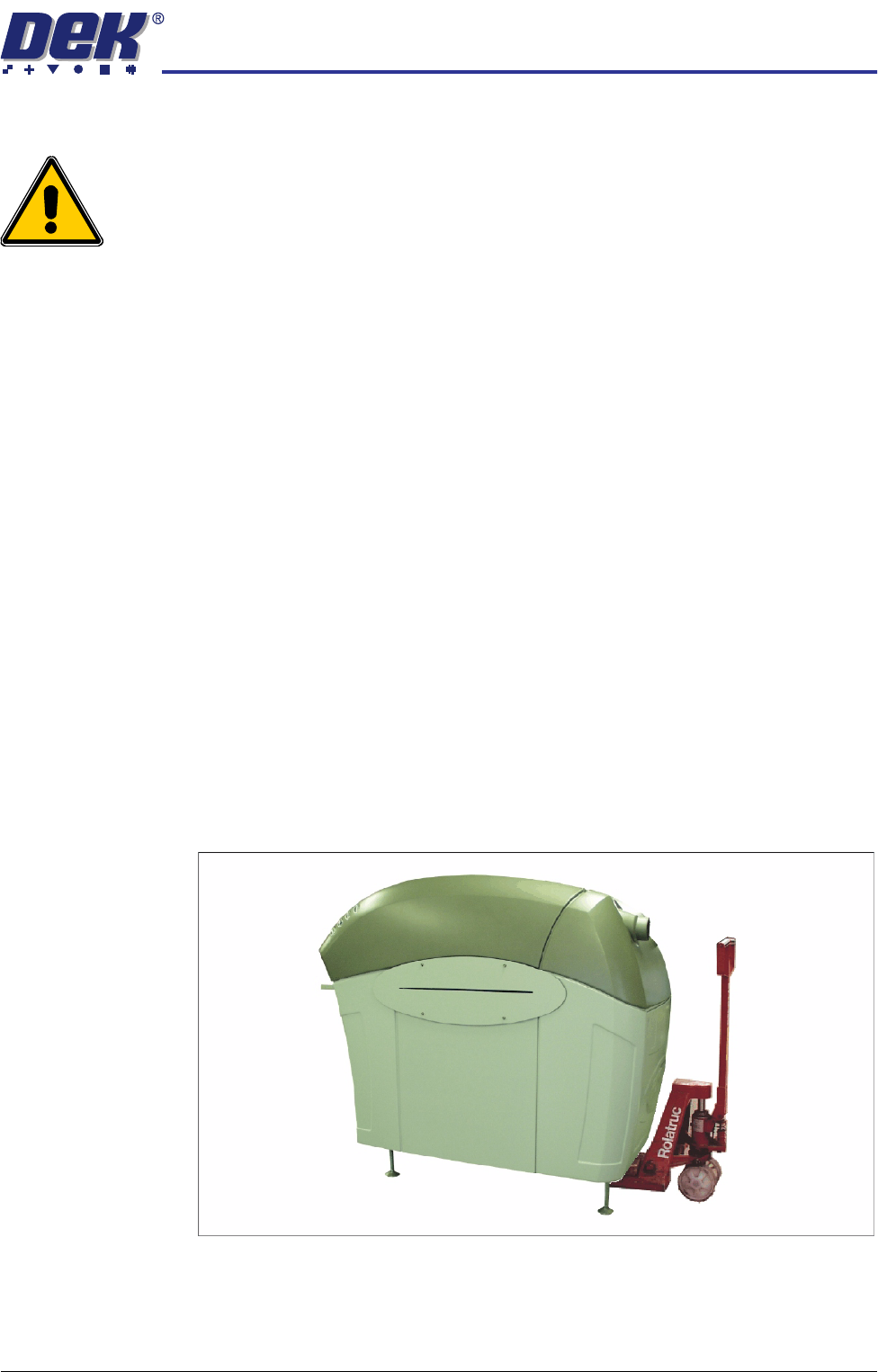
The machine may be lifted using a pallet truck or similar manually operated
machine that meets the following criteria:
• Minimum fork length of 1219mm (48 inches)
• Fork span >686mm (27 inches) and <914mm (36 inches)
• Fork Height (thickness) <50mm (2 inches)
• Lifting capability of 2000kg
1. Locate the forks under the machine base so the weight of the machine is
taken evenly on the front and rear cross members.
NOTE
Height of machine feet may have to be adjusted to allow the pallet truck to
raise the machine clear of the floor.
2. Raise the machine and carefully transport into position.
Figure 34-5 Machine on Pallet Truck