Printer 710_810 v8 Transportation.pdf - 第42页
TRANSPORT ATION MAJOR RE LOCATION 34.42 Technical Reference Manual Chapter Issue 7 Oct 06 5. Unscrew the cap from the sol vent co ntainer in the ext ernal sol vent t ank and drain t he solvent i n the 4mm tubin g back in…
TRANSPORTATION
MAJOR RELOCATION
Chapter Issue 7 Oct 06 Technical Reference Manual 34.41
Removal of External Solvent Tank
WARNING
PROTECTIVE CLOTHING. APPROVED PROTECTIVE CLOTHING SHOULD BE
WORN BY SOLDER PASTE AND SOLVENT HANDLERS AT ALL TIMES TO
ELIMINATE FUME INHALATION, EYE CONTACT, SKIN CONTACT AND
INGESTION.
To disconnect and remove the external solvent tank, carry out the following:
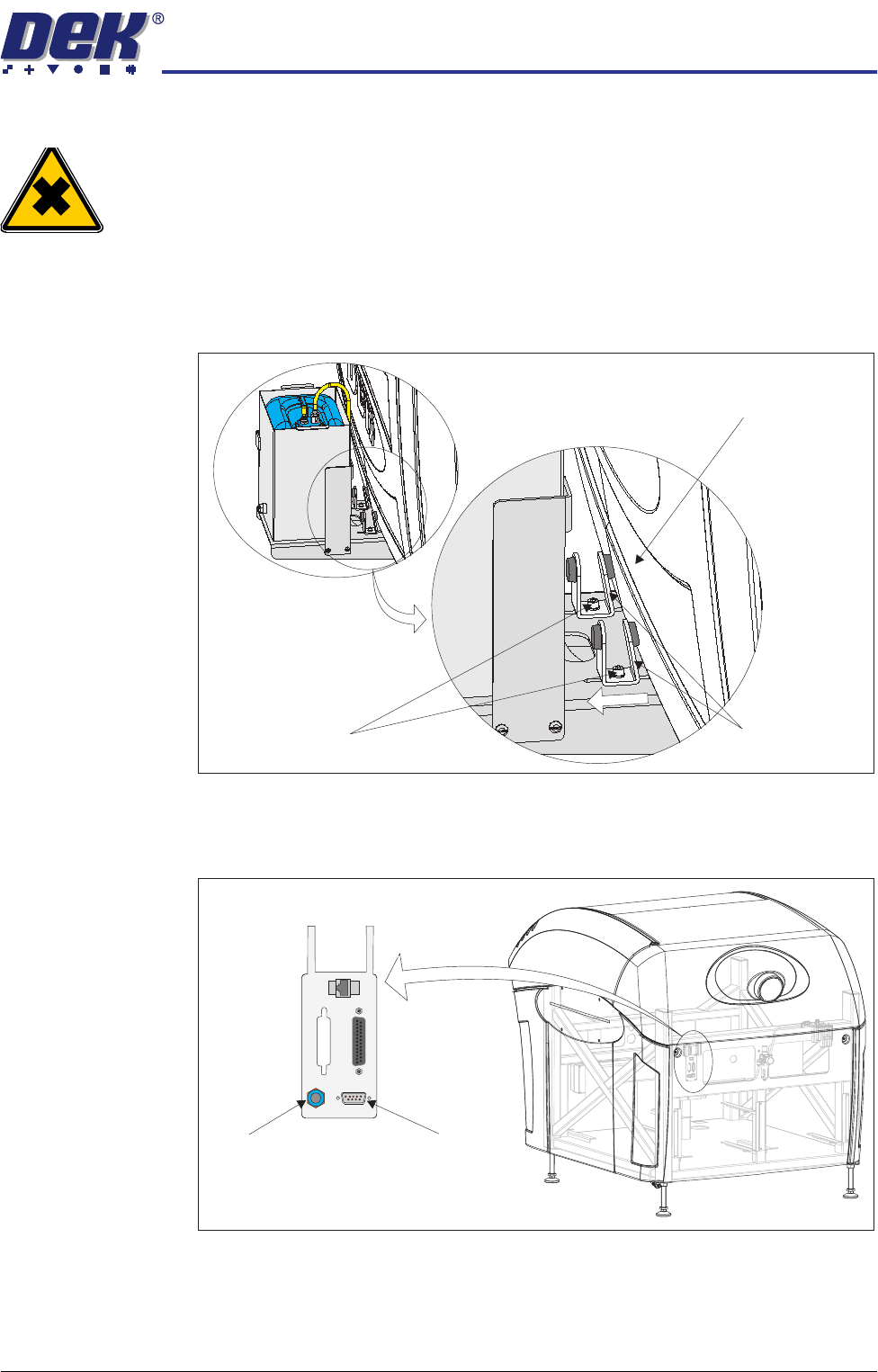
1. Loosen the two M5 cap head securing screws and slide the angle brackets
away from the machine cover.
2. Remove the rear panel using the maintenance key.
3. Disconnect the external solvent tank cable from 9SK69 on the external
services panel located at the rear of the machine.
4. Being careful to avoid spillage, disconnect the 4mm tubing from the solvent
fluid connector on the external services panel located at the rear of the
machine.
Machine Cover
Securing Screws
Angle Brackets
View on Rear of Machine
POWER ON
PART No. 160740
M/C AVAILABLE
BOARD AVAILABLE
BOARD PASS
D
O
W
N
L
IN
E
BOARD AVAILABLE
BOARD PASS
M/C AVAILABLE
U
P
L
IN
E
FMI POD
Solvent Fluid
Connector
Solvent Sensor
9SK69
TRANSPORTATION
MAJOR RELOCATION
34.42 Technical Reference Manual Chapter Issue 7 Oct 06
5. Unscrew the cap from the solvent container in the external solvent tank and
drain the solvent in the 4mm tubing back into the container maintaining the
tube at a higher level than the container.
6. Fit the original solvent container cap to seal the solvent container.
7. Remove the solvent container from the external solvent tank.
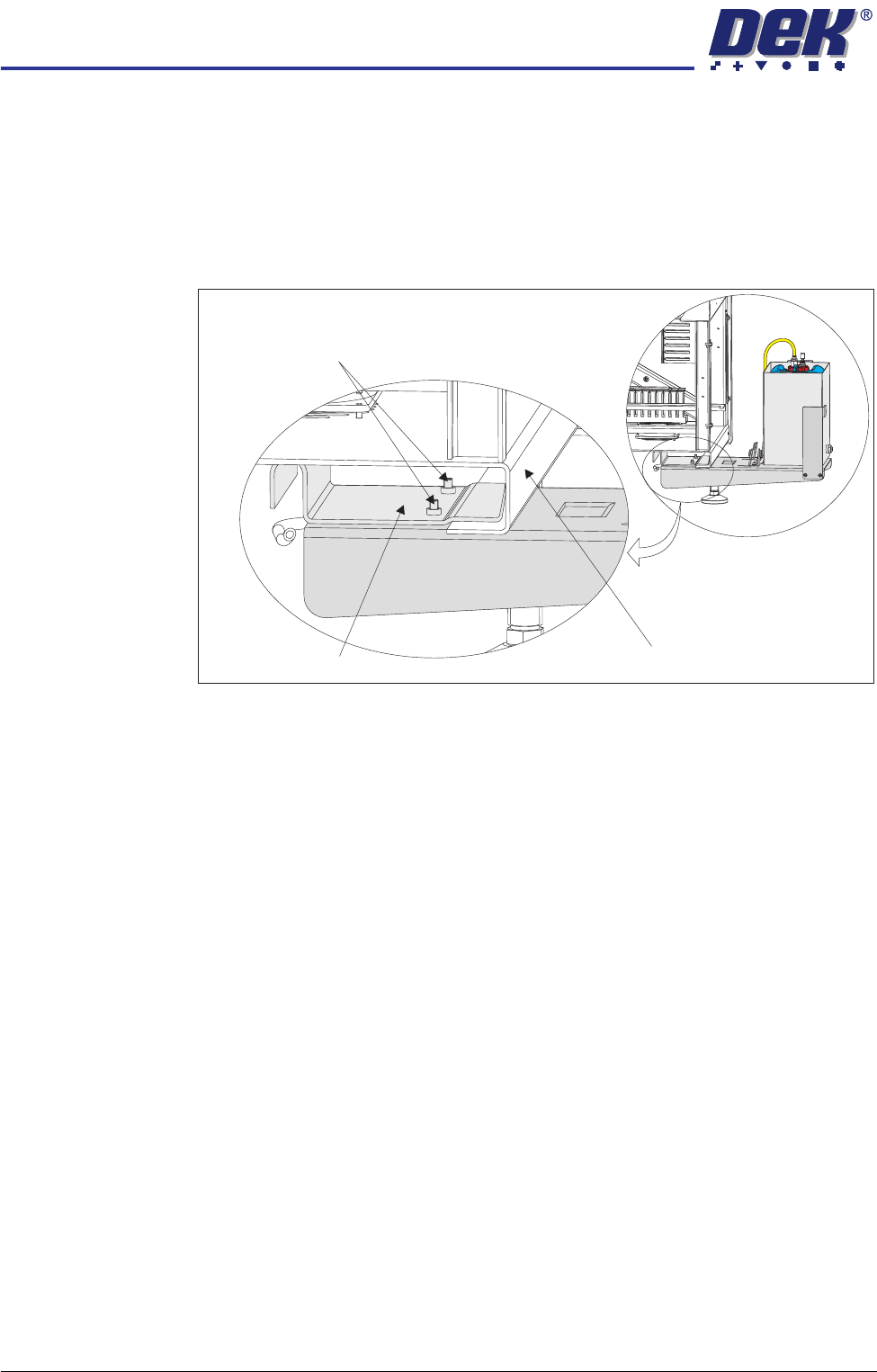
8. Loosen the two M6 cap head screws from underneath the mounting bracket.
9. Supporting its weight, slide the external solvent tank towards the machine,
releasing the mounting bracket from the machine frame.
10. Remove the external solvent tank from the machine.
11. Fit the rear panel using the maintenance key.
Solvent Bottle The solvent bottle must be emptied before transportation, carry out the following
procedure:
1. Open the printhead cover.
2. Remove the lid from the solvent bottle.
3. Remove the solvent bottle from the bracket and empty the contents into a
properly labelled container.
4. Replace the solvent bottle back into the machine and refit the lid.
5. Close the printhead cover.
Securing Screws
Machine Frame Cross Section
Mounting Bracket
TRANSPORTATION
MAJOR RELOCATION
Chapter Issue 7 Oct 06 Technical Reference Manual 34.43
Transportation If the machine is to be relocated to another site it is recommended that it is
encased in its original transportation box, or if not available, a new transporta-
tion box may be obtained from DEK Printing Machines Ltd.
If the machine is to be transported by sea freight, packing advice should be
sought from specialist freight companies.
WARNING
MACHINE LIFTING. TO PREVENT SERIOUS INJURY TO PERSONNEL, DURING
LIFTING AND TRANSPORTATION OPERATIONS, ENSURE THE MACHINE IS
LIFTED AND TRANSPORTED IN ACCORDANCE WITH INSTRUCTIONS
DETAILED IN THIS SECTION.
CAUTION
MACHINE DAMAGE.
Damage to the machine will occur if the machine is
lifted:
• Using lifting strops
• From the sides
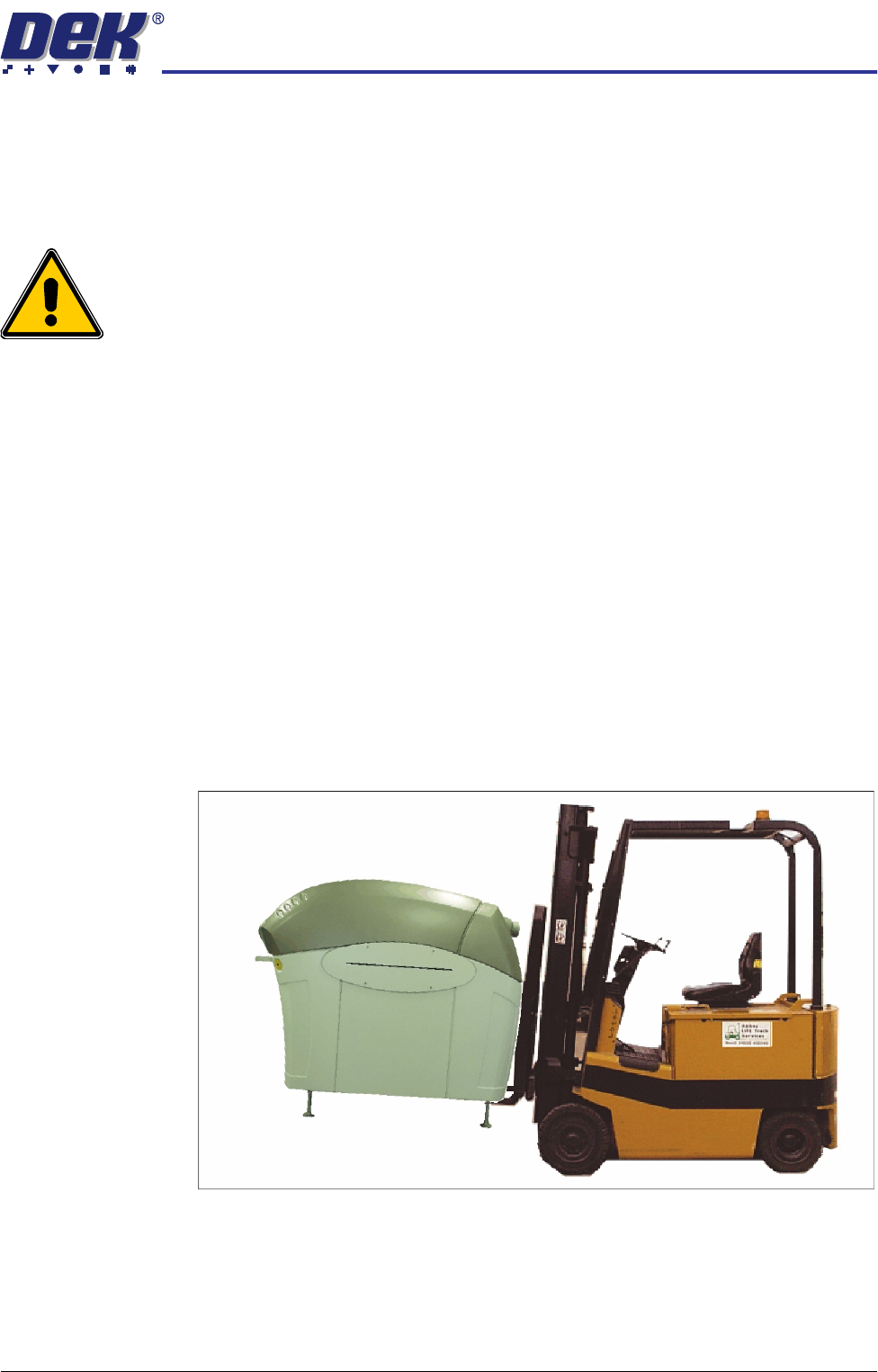
The machine may be lifted using a fork-lift truck or similar machine that meets
the following criteria:
• Minimum fork length of 1372mm (54 inches)
• Fork span >686mm (27 inches) and <914mm (36 inches)
• Fork Height (thickness) <50mm (2 inches)
• Lifting capability of 2000kg
1. Locate the forks under the machine base (preferably from the rear so the
weight of the machine is taken evenly on the front and rear cross members).
2. Raise the machine and remove the five mounting feet.