Printer 710_810 v8 Transportation.pdf - 第79页
TRANS PORTATION MAJOR RELO CATION Chapter Issue 7 Oct 06 Technical Reference Manual 34.79 Inst alling High Throughput Conveyors ( HTC) The foll owing proc edure det ails how t o inst all t he HTC auxili ary conve yors to…
TRANSPORTATION
MAJOR RELOCATION
34.78 Technical Reference Manual Chapter Issue 7 Oct 06
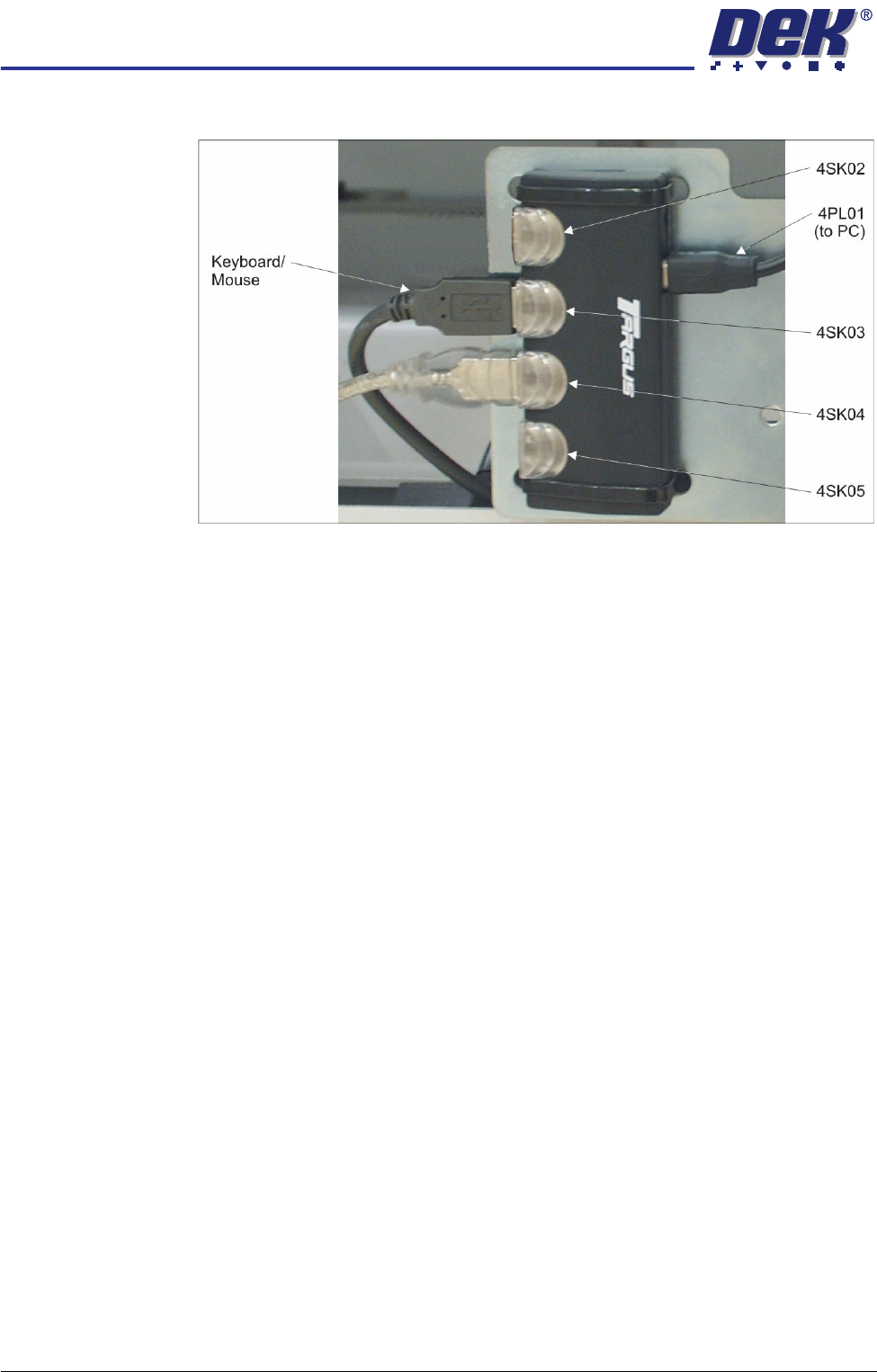
4. Connect the keyboard/mouse to 4SK03 of the 4 port USB hub.
5. Place the keyboard into the stowage on the inside of the front panel.
TRANSPORTATION
MAJOR RELOCATION
Chapter Issue 7 Oct 06 Technical Reference Manual 34.79
Installing High
Throughput
Conveyors (HTC)
The following procedure details how to install the HTC auxiliary conveyors to
the machine. This installation procedure is for a machine product transfer in the
left to right direction.
To install the auxiliary conveyors, remove the left and right safety covers and
the following panels (as detailed in the Covers chapter):
• Gull wing covers - front and rear side covers on both sides
• Sliding glass covers - front and rear corner panels and the centre side
panel on both sides
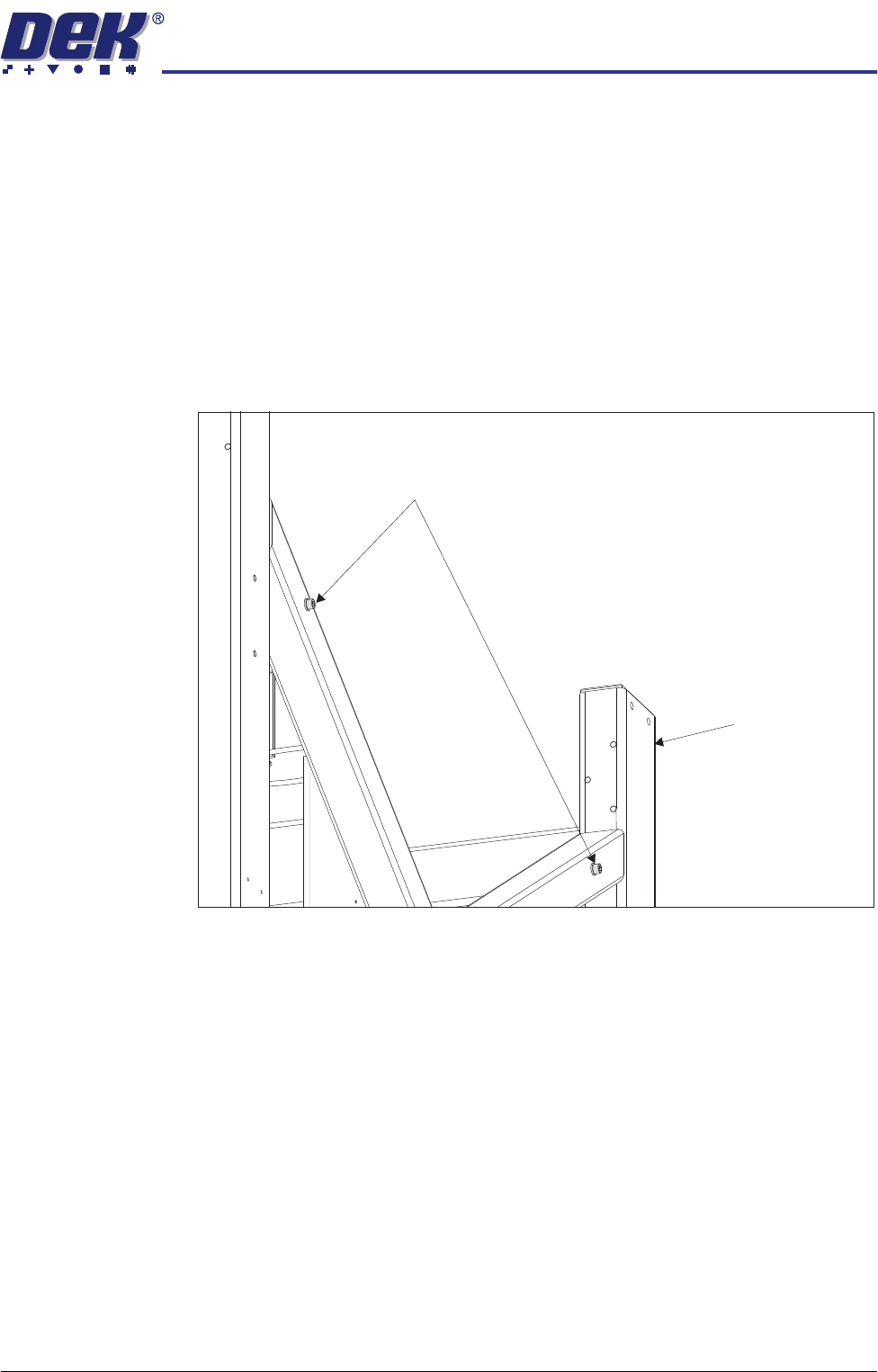
1. Remove the four auxiliary conveyor securing bolts from the holes in the
machine frame (two on either side).
Auxiliary Conveyor Securing Bolts
Machine Frame
TRANSPORTATION
MAJOR RELOCATION
34.80 Technical Reference Manual Chapter Issue 7 Oct 06
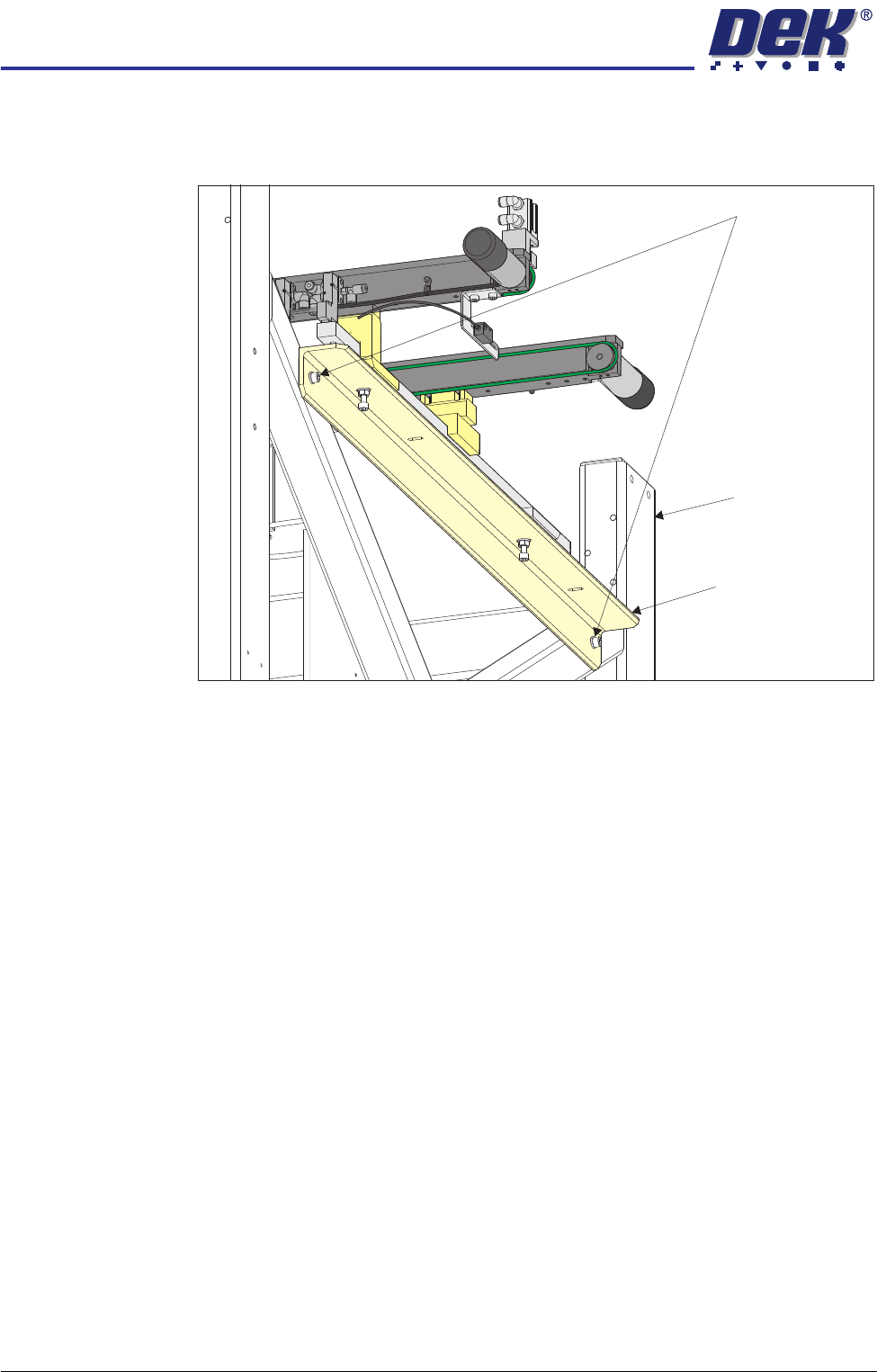
2. On the right hand side of the machine, align the holes in the right hand
auxiliary conveyor mounting bracket to the holes in the machine frame and
refit the auxiliary conveyor securing bolts.
NOTE
The right hand auxiliary rail has two pneumatic solenoids mounted on its
front rail, the left hand auxiliary rail only has one.
3. Align the auxiliary conveyor to the print station rails and tighten the securing
bolts.
4. On the left hand side of the machine, align the holes in the left hand auxiliary
conveyor mounting bracket to the holes in the machine frame and refit the
auxiliary conveyor securing bolts.
5. Align the auxiliary conveyor to the print station rails and tighten the securing
bolts.
6. Connect the following to the left hand auxiliary conveyor:
• M27PL07 to M27SK07 on the rear rail
• M27PL06 to M27SK06 on the front rail
• Clip M27SK05 into its bracket on the front rail and connect M27PL05 to
M27SK05
• Electrical connection to M27SOL02 (pneumatic solenoid) on the front rail
• Pneumatic feed to the input connector of M27SOL02
Auxiliary Conveyor Securing Bolts
Auxiliary Conveyor
Mounting Bracket
Machine Frame