Printer 710_810 v8 Transportation.pdf - 第81页
TRANS PORTATION MAJOR RELO CATION Chapter Issue 7 Oct 06 Technical Reference Manual 34.81 7. Connect the fol lowing to the right hand auxi liary conveyor: • M27PL17 to M27SK17 on the rear rail • M27PL16 to M27SK16 on the…
TRANSPORTATION
MAJOR RELOCATION
34.80 Technical Reference Manual Chapter Issue 7 Oct 06
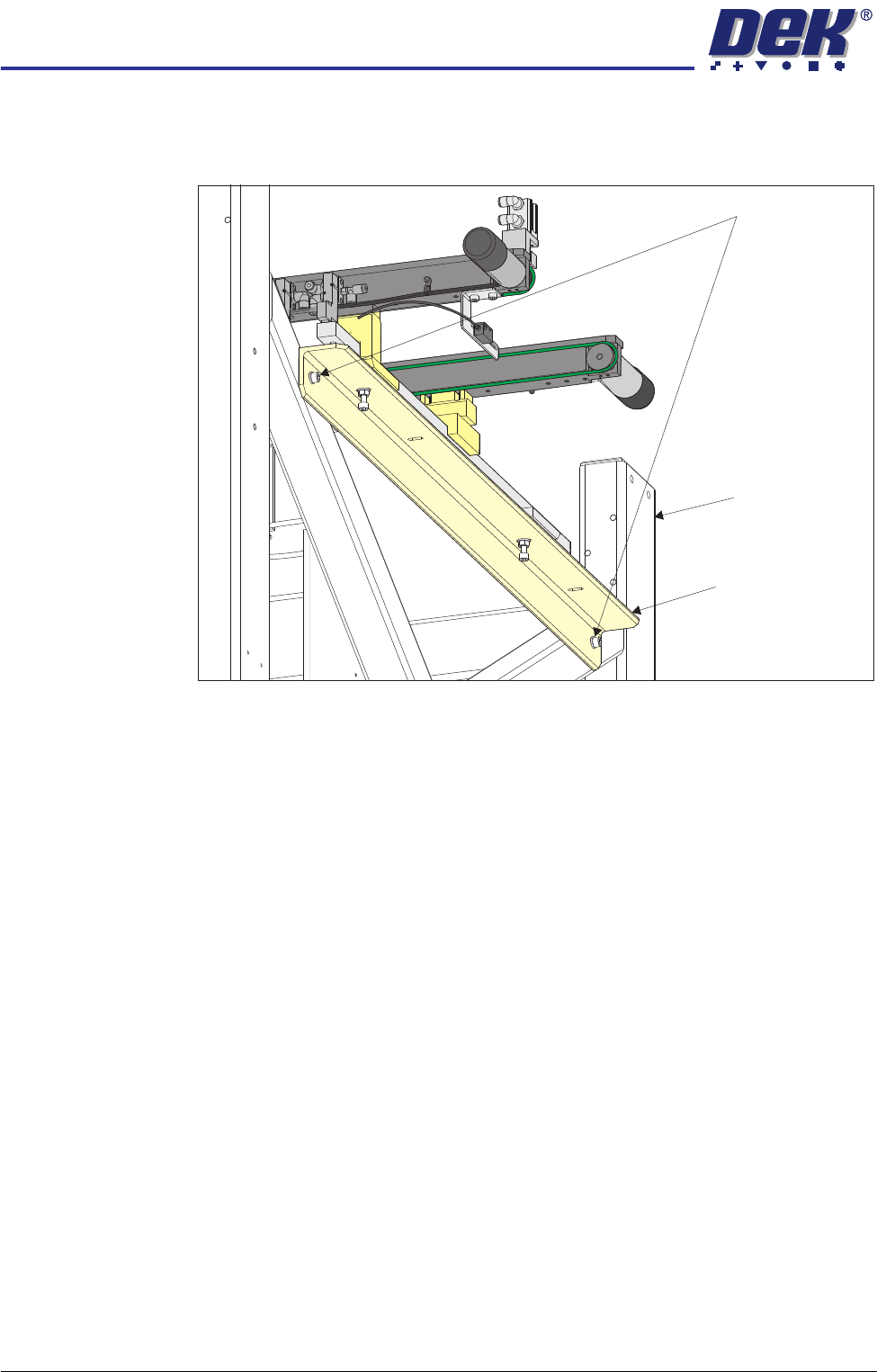
2. On the right hand side of the machine, align the holes in the right hand
auxiliary conveyor mounting bracket to the holes in the machine frame and
refit the auxiliary conveyor securing bolts.
NOTE
The right hand auxiliary rail has two pneumatic solenoids mounted on its
front rail, the left hand auxiliary rail only has one.
3. Align the auxiliary conveyor to the print station rails and tighten the securing
bolts.
4. On the left hand side of the machine, align the holes in the left hand auxiliary
conveyor mounting bracket to the holes in the machine frame and refit the
auxiliary conveyor securing bolts.
5. Align the auxiliary conveyor to the print station rails and tighten the securing
bolts.
6. Connect the following to the left hand auxiliary conveyor:
• M27PL07 to M27SK07 on the rear rail
• M27PL06 to M27SK06 on the front rail
• Clip M27SK05 into its bracket on the front rail and connect M27PL05 to
M27SK05
• Electrical connection to M27SOL02 (pneumatic solenoid) on the front rail
• Pneumatic feed to the input connector of M27SOL02
Auxiliary Conveyor Securing Bolts
Auxiliary Conveyor
Mounting Bracket
Machine Frame
TRANSPORTATION
MAJOR RELOCATION
Chapter Issue 7 Oct 06 Technical Reference Manual 34.81
7. Connect the following to the right hand auxiliary conveyor:
• M27PL17 to M27SK17 on the rear rail
• M27PL16 to M27SK16 on the front rail
• Clip M27SK14 into its bracket on the front rail and connect M27PL14 to
M27SK14
• Electrical connection to M27SOL01 (pneumatic solenoid) on the front rail
• Electrical connection to M27SOL03 (pneumatic solenoid) on the front rail
• Pneumatic feed to the input connector of M27SOL03
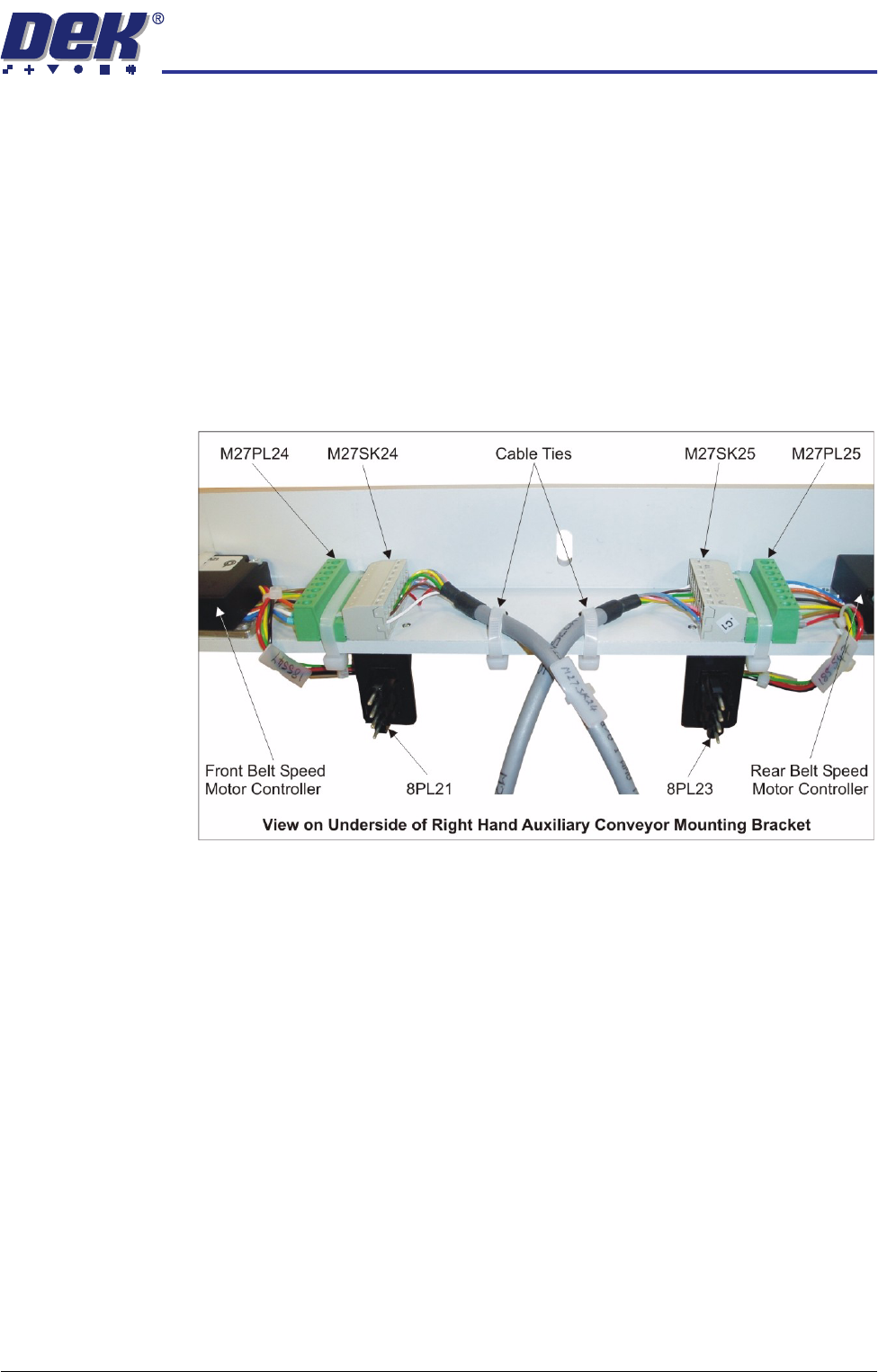
• M27SK24 to M27PL24 and M27SK25 to M27PL25 of the belt speed motor
controllers. Fit two cable ties to secure the cables to the mounting bracket
• 8SK21 to 8PL21 and 8SK23 to 8PL23 of the belt speed motor controllers
8. Cable tie any loose cables together to prevent them catching or rubbing on
any moving parts.
The following sections must be completed to align the auxiliary conveyors:
• Auxiliary Conveyor to Print Station Gap
• Auxiliary Conveyor Levelling
• Auxiliary Conveyor Front Rail Parallelism
• Auxiliary Conveyor Rear Rail Parallelism
• Auxiliary Conveyor Height Setting
TRANSPORTATION
MAJOR RELOCATION
34.82 Technical Reference Manual Chapter Issue 7 Oct 06
Auxiliary Conveyor
to Print Station Gap
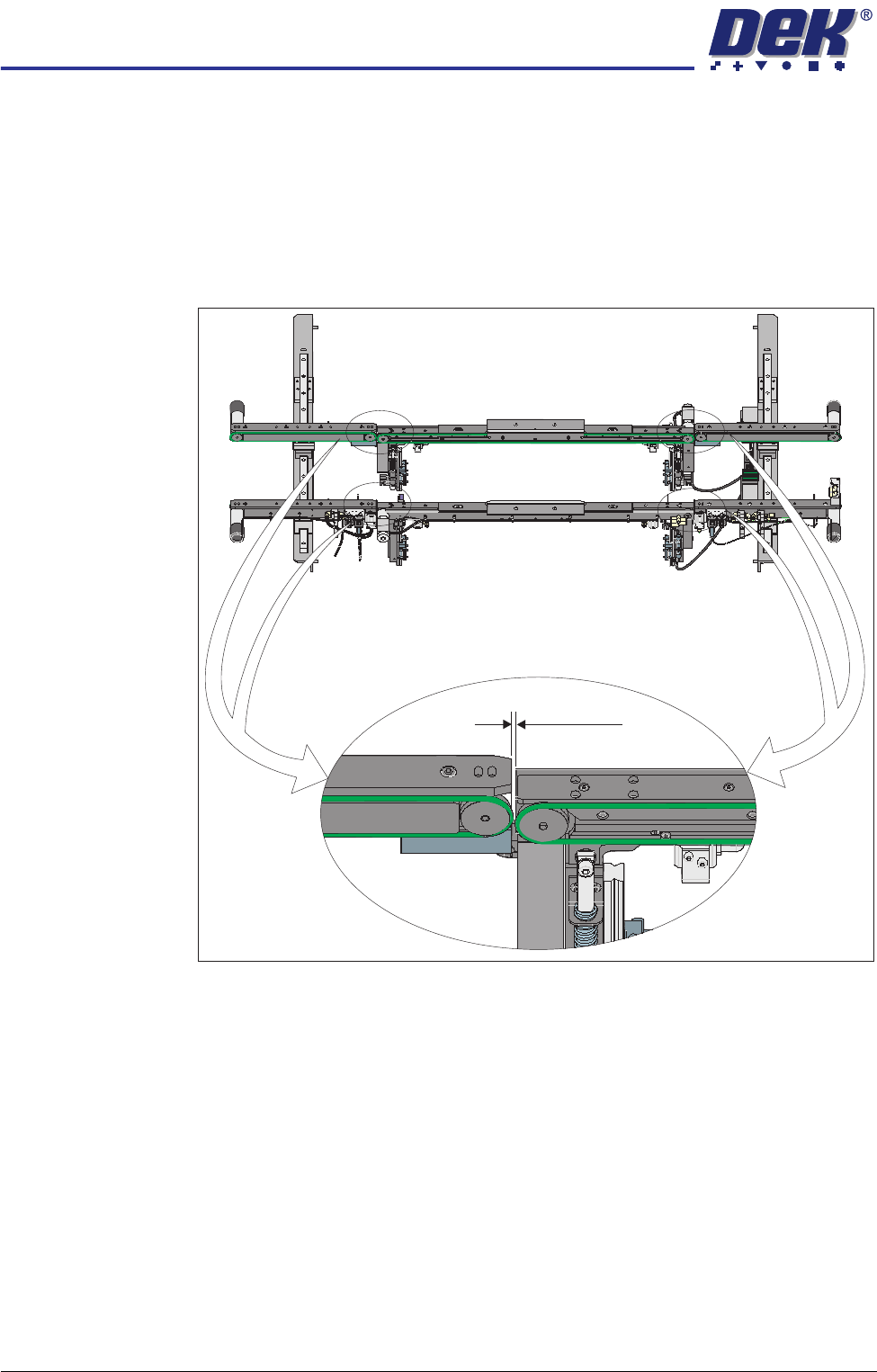
To check and if required adjust the gaps between the print station rails and the
auxiliary conveyors carry out the following procedure:
NOTE
To carry out this procedure on the front rail, the board stops between the print
station and the auxiliary conveyors must be removed.
1. Using feeler gauges, ensure that the gap between the print station and the
auxiliary conveyors (in four positions) is between 3.5mm ±0.5mm.
Front View of HTC Rails
3.5 ±0.5mm