Printer 710_810 v8 Transportation.pdf - 第17页
TRANS PORTATION MAJOR RELO CATION Chapter Issue 7 Oct 06 Technical Reference Manual 34.17 Figure 34-8 T ransit Bracket and Screw Location (Camera Linear Drive) Under Screen Cleaner 1. Place a piece of card (300mm x 18 0m…
TRANSPORTATION
MAJOR RELOCATION
34.16 Technical Reference Manual Chapter Issue 7 Oct 06
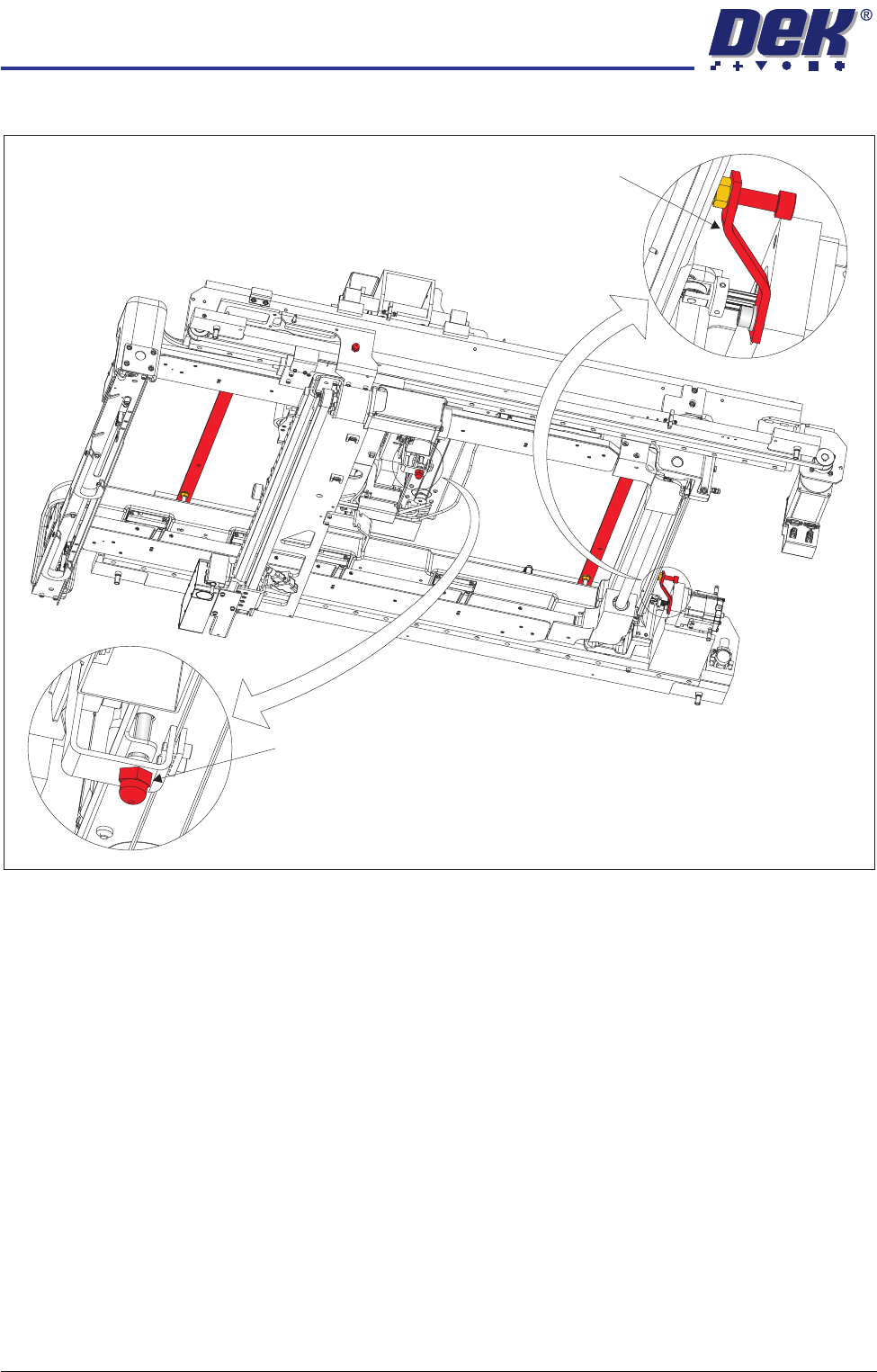
Figure 34-7 Transit Bracket and Screw Location
Rear Chase Transit Bracket
Paste Dispenser Transit Screw
View on Right Hand Underside
TRANSPORTATION
MAJOR RELOCATION
Chapter Issue 7 Oct 06 Technical Reference Manual 34.17
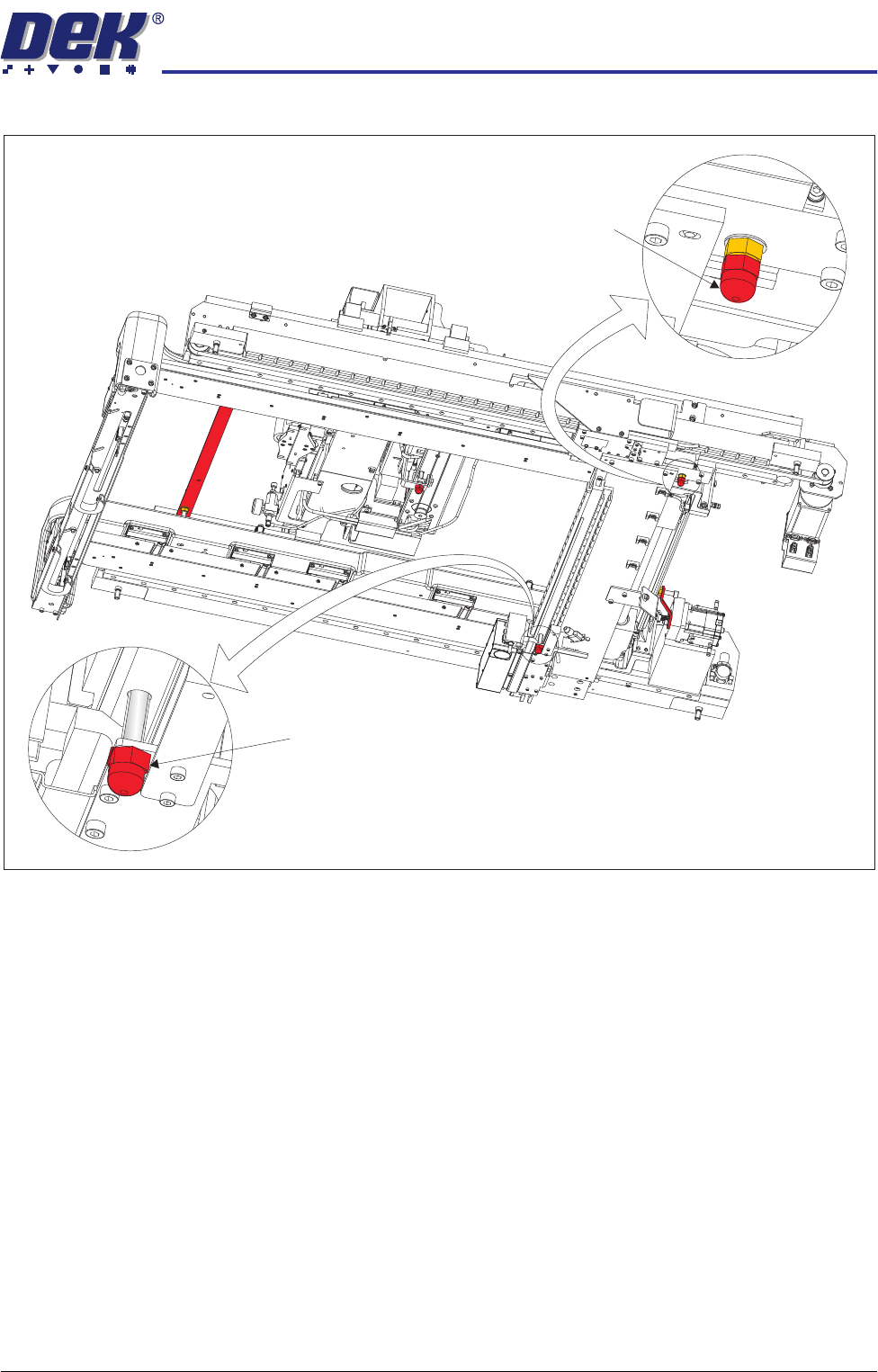
Figure 34-8 Transit Bracket and Screw Location (Camera Linear Drive)
Under Screen
Cleaner
1. Place a piece of card (300mm x 180mm approximately) onto the top of the
screen cleaner.
2. Join three large cable ties together and secure the card and the cleaner to
the carriage by fitting them around the whole cleaner assembly.
View on Right Hand Underside
Camera Transit Screw
Camera Transit Screw
TRANSPORTATION
MAJOR RELOCATION
34.18 Technical Reference Manual Chapter Issue 7 Oct 06
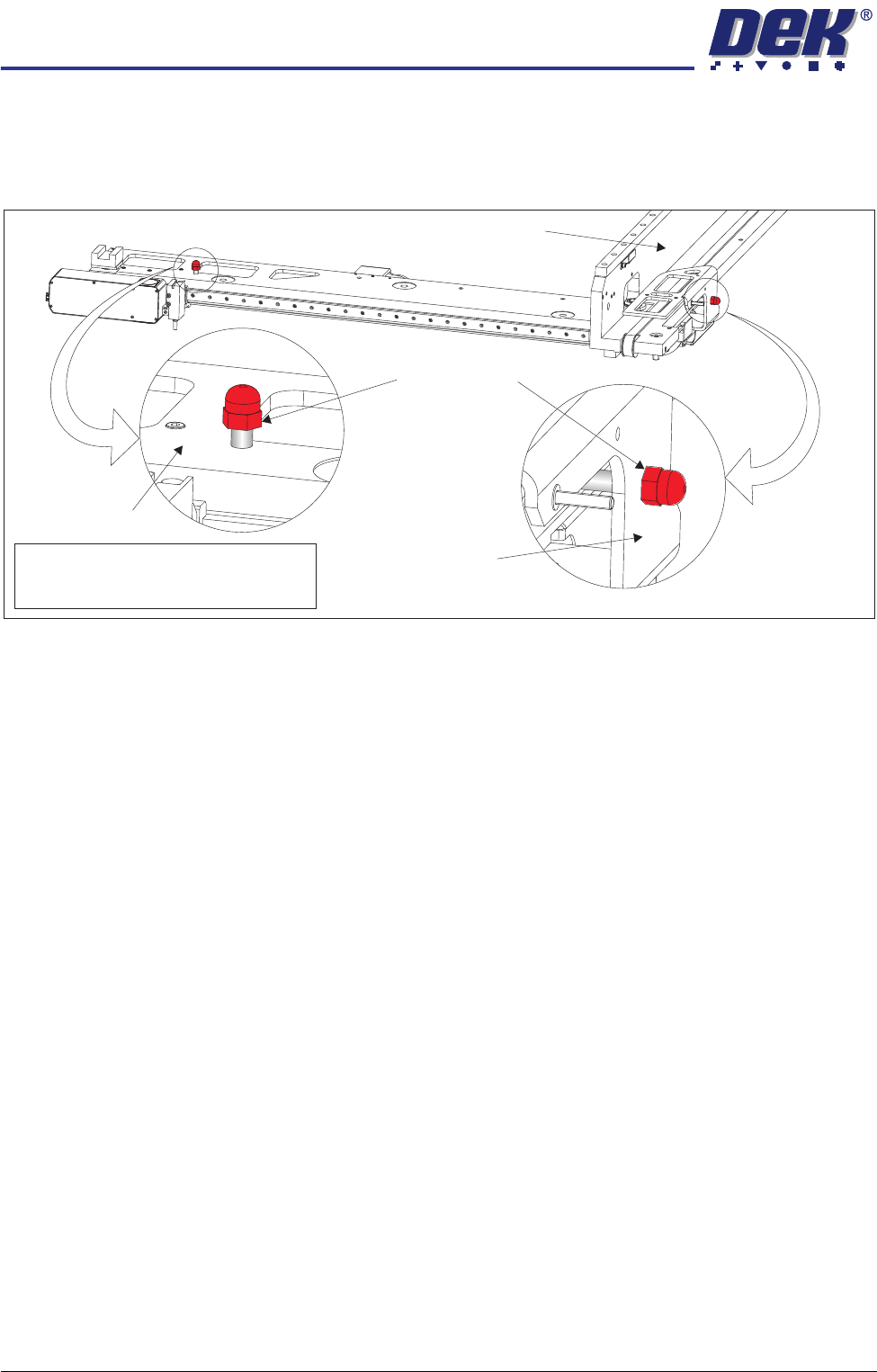
Camera Transit
Screws (Rotary
Drive)
1. Manually pull the camera beam to the front of the machine.
2. Align the threaded hole in the camera Y drag chain bracket with the hole in
the right hand printhead and fit the M8 transit screw.
3. Align the threaded hole in the camera beam with the hole in the camera X
drag chain bracket (below the camera beam) and fit the M8 transit screw
downwards through the camera beam.
Note
Camera X Drag Chain Bracket is hidden
from view by the Camera Beam
Transit Screws
Camera Beam
Right Hand Printhead
Camera Y Drag
Chain Bracket