80S-2080F480F5.pdf - 第153页
SIPLACE 80S-20/F4/F5 User M anual 3 Placement Functions 05/99 Issue from Software Version SR.405.xx 3.3 Error 3 - 13 3.3 Error The "Err or“ menu is used to display lists of various error ty pes. Error informati on a…
3 Placement Functions SIPLACE 80S-20/F4/F5 User Manual
3.2 Set-Up 05/99 Issue from Software Version SR.405.xx
3 - 12
SIPLACE 80S-20/F4/F5 User Manual 3 Placement Functions
05/99 Issue from Software Version SR.405.xx 3.3 Error
3 - 13
3.3 Error
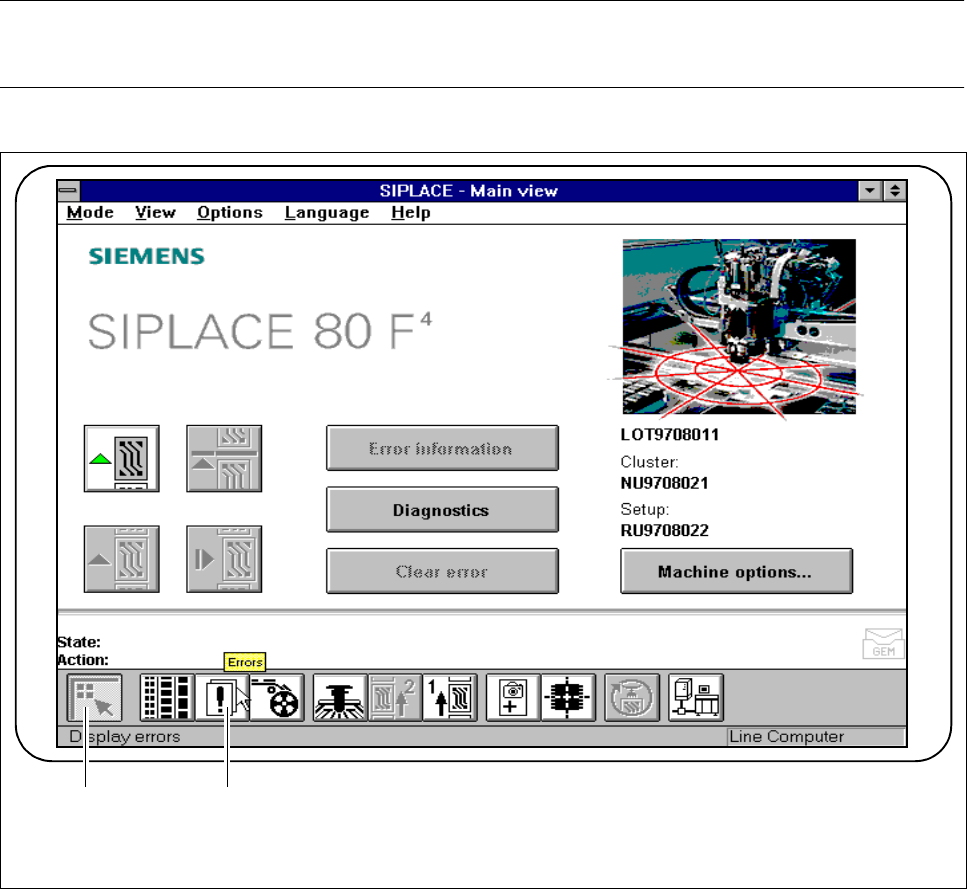
The "Error“ menu is used to display lists of various error types.
Error information and a fault diagnosis of the corresponding error type can be accessed.
NOTE
The error which occurred last will always appear at the top of the list.
Fig. 3.3.1 Errors
- Key to Fig. 3.3.1
1 Main view 2 Display errors
1 2
3 Placement Functions SIPLACE 80S-20/F4/F5 User Manual
3.3 Error 05/99 Issue from Software Version SR.405.xx
3 - 14
3.3.1 Track Errors
NOTE
Empty tracks must be set to full.
It is not possible for empty tracks to be cleared.
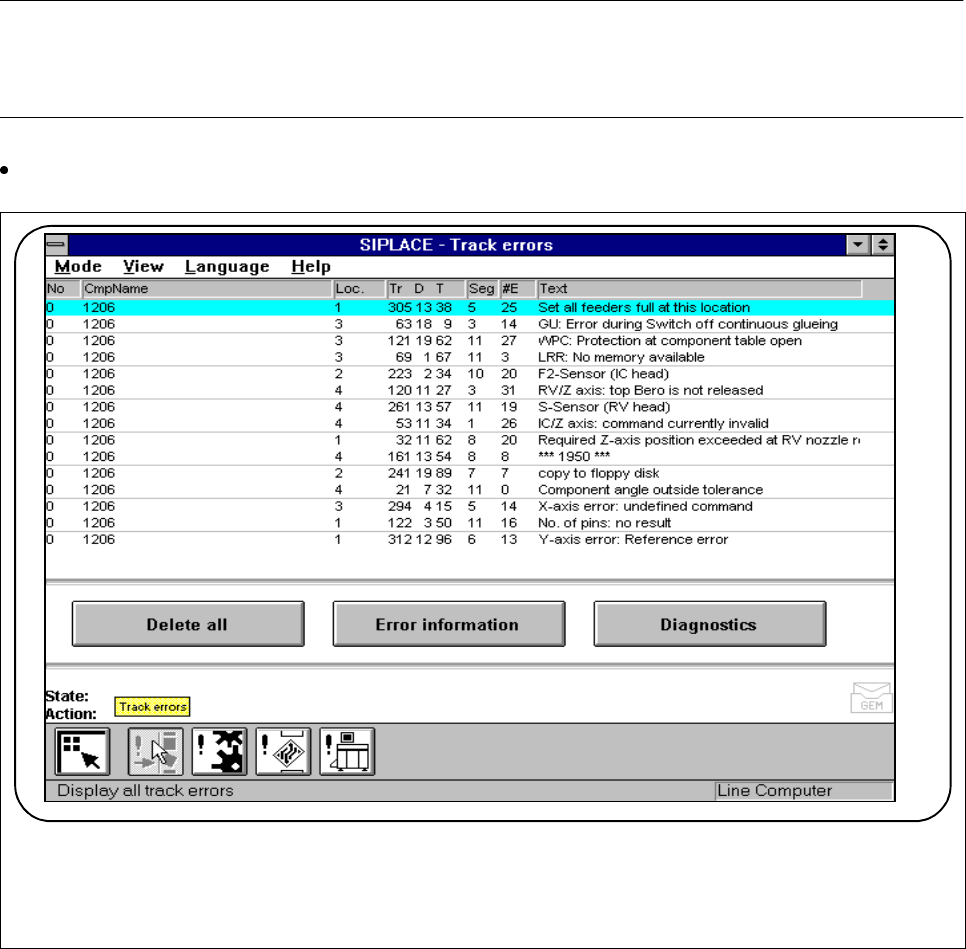
Click on the symbol button for
Track errors
in the
Display all track errors
menu.
Fig. 3.3.2 Track errors
l No.
The error numbers of the errors in question are displayed in this column.
l Component name (CmpName)
In this column the component name where the error occurred is displayed.
l Location (Loc.)
In this column the location corresponding to the component is displayed.
l Tr/D/T
This column displays the track, the division and the tray corresponding to the component.
F