80S-2080F480F5.pdf - 第459页
SIPLACE 80S-20/F4/F5 User M anual 8 On-Line Help 05/99 Issue from Software Version SR.405.xx 8.1 On-Line Help 8 - 3 8.1 On-Line Help NOTE Y ou c an acc ess he lp on menus and w indows b y pres sing t he ke y comb inatio …
8 On-Line Help SIPLACE 80S-20/F4/F5 User Manual
05/99 Issue from Software Version SR.405.xx
8 - 2
SIPLACE 80S-20/F4/F5 User Manual 8 On-Line Help
05/99 Issue from Software Version SR.405.xx 8.1 On-Line Help
8 - 3
8.1 On-Line Help
NOTE
You can access help on menus and windows by pressing the key combination
Alt+F1
. Help on commands in
the menu items or tool bar can be obtained by pressing the key combination
Shift+F1
.
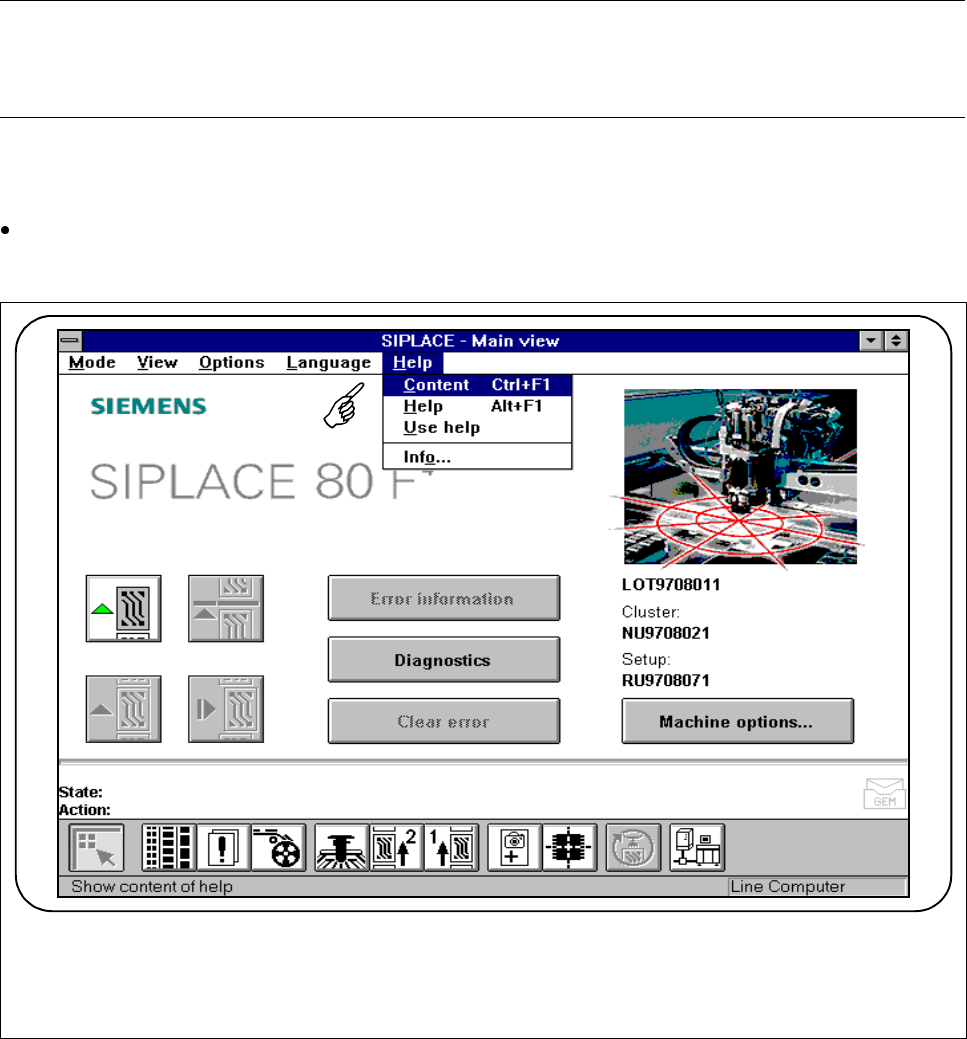
On-line help is available in each and every screen of the user interface. Detailed information is provided in the
menu
Using help
or on-line in the corresponding menus.
Do not change screens but either select the
Help
menu from the menu bar or press the key combination.
Alt+F1.
Fig. 8.1.1 On-line help (here, as seen from main view)
8 On-Line Help SIPLACE 80S-20/F4/F5 User Manual
8.1 On-Line Help 05/99 Issue from Software Version SR.405.xx
8 - 4
8.1.1 Contents
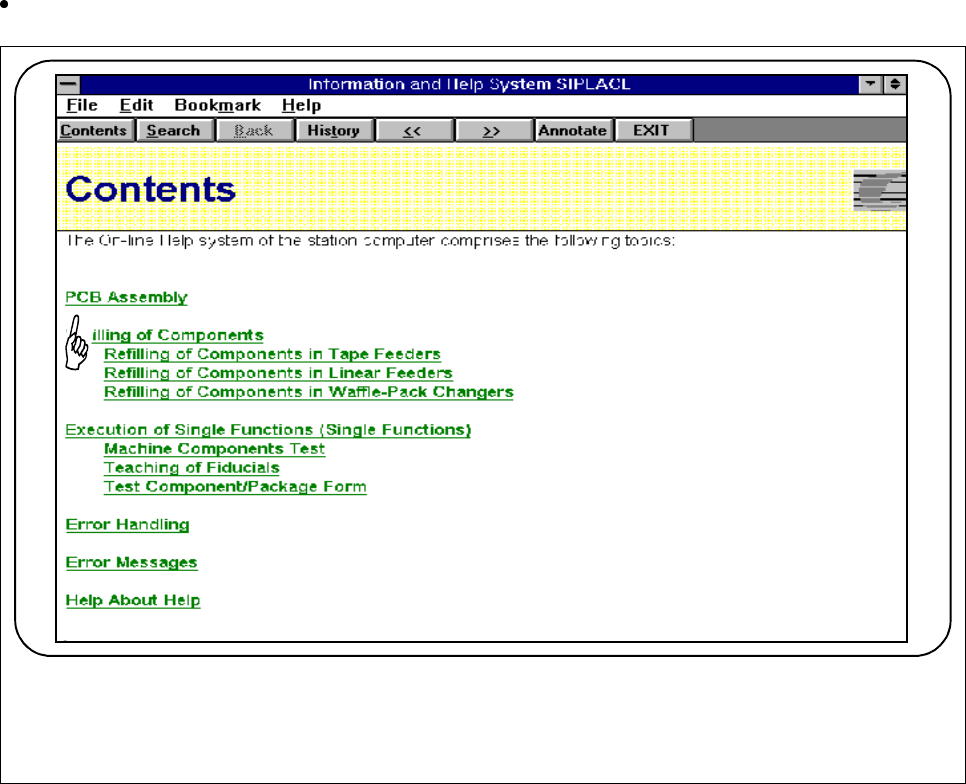
You can call a table of contents of the topics available.
You can jump directly to a topic by clicking on text displayed in green and underlined.
Fig. 8.1.2 Contents
8.1.2 Help
You can access help on any current window or by pressing the key combination
Alt+F1
.
8.1.3 Using Help
Here you will find an introduction to using the help feature.