80S-2080F480F5.pdf - 第452页
7 Erro r Information & Diagnostics SIPLACE 80 S-20/F4/F5 User Manual 7.2 Diagnostics 05/99 Issue f rom Software Version SR.405.xx 7 - 20 Fig. 7.2.1 1 Example of cau se and remedy - Key to Fig. 7.2.1 1 1 Lower butto n…
SIPLACE 80S-20/F4/F5 User Manual 7 Error Information & Diagnostics
05/99 Issue from Software Version SR.405.xx 7.2 Diagnostics
7 - 19
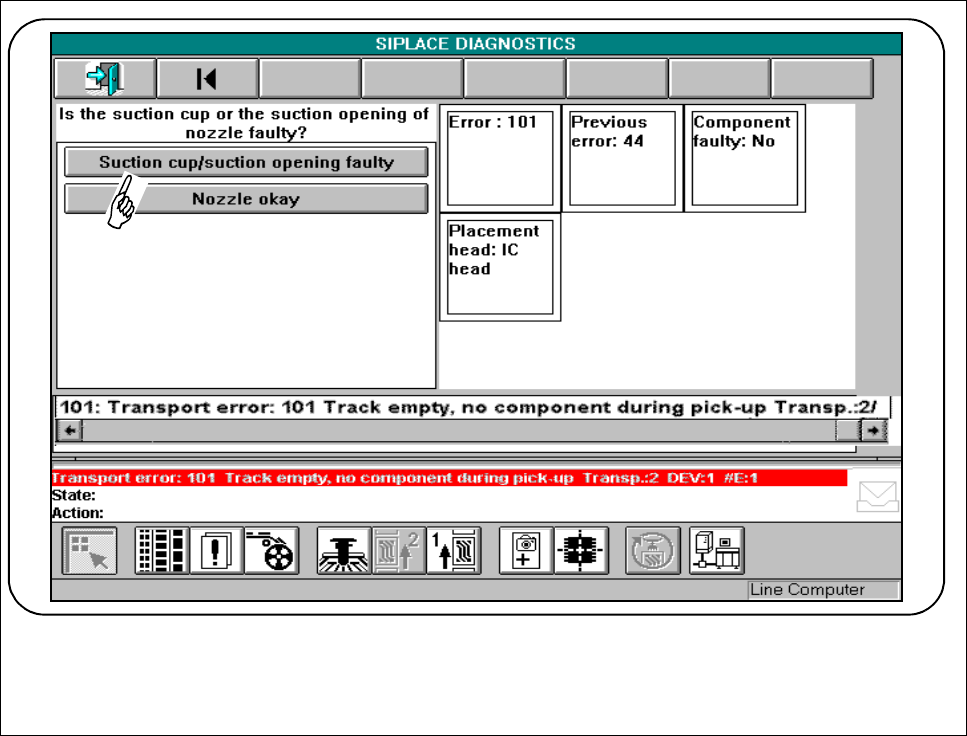
Fig. 7.2.10 Example of a question
● Answer the question asked by clicking on the appropriate button.
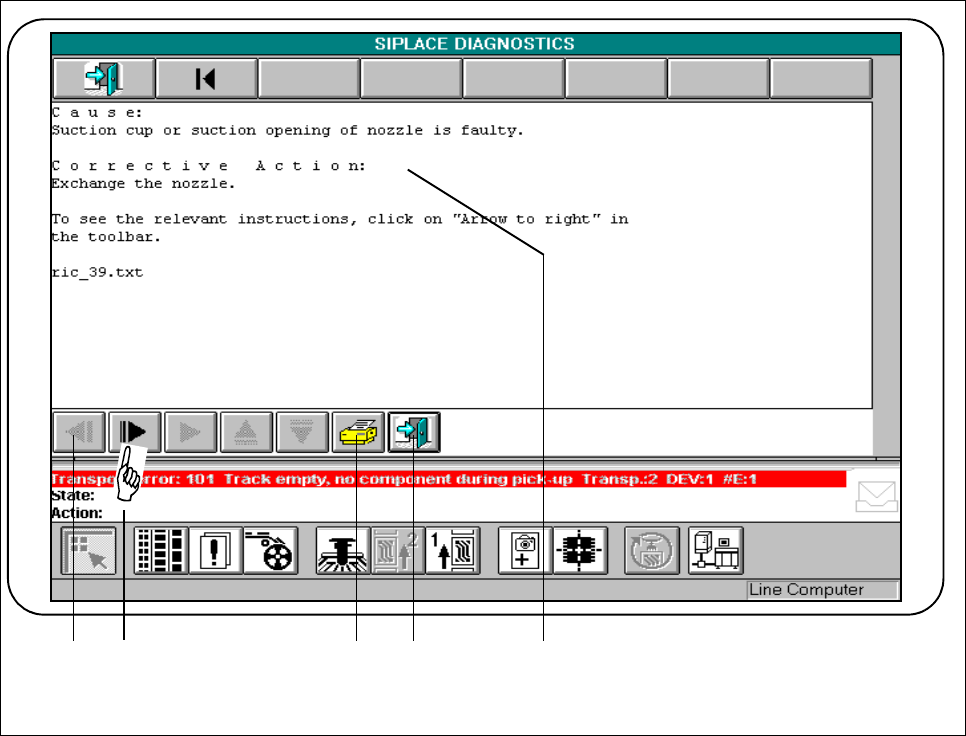
The following screen will be displayed when the cause of the error has been determined by the diagnostic
method.
7 Error Information & Diagnostics SIPLACE 80S-20/F4/F5 User Manual
7.2 Diagnostics 05/99 Issue from Software Version SR.405.xx
7 - 20
Fig. 7.2.11 Example of cause and remedy
- Key to Fig. 7.2.11
1 Lower buttons bar 2 Page through additional information
3 Print window 4 Return to previous questions menu
5 Display window for cause and remedy
In the display window the possible cause of the error which has occurred is described and a possible remedy
is suggested.
● If buttons on the lower buttons bar are active you can page through additional information on error correc-
tion. Click on the corresponding button (see also Fig. 7.2.12)
2 3 4 5 1
SIPLACE 80S-20/F4/F5 User Manual 7 Error Information & Diagnostics
05/99 Issue from Software Version SR.405.xx 7.2 Diagnostics
7 - 21
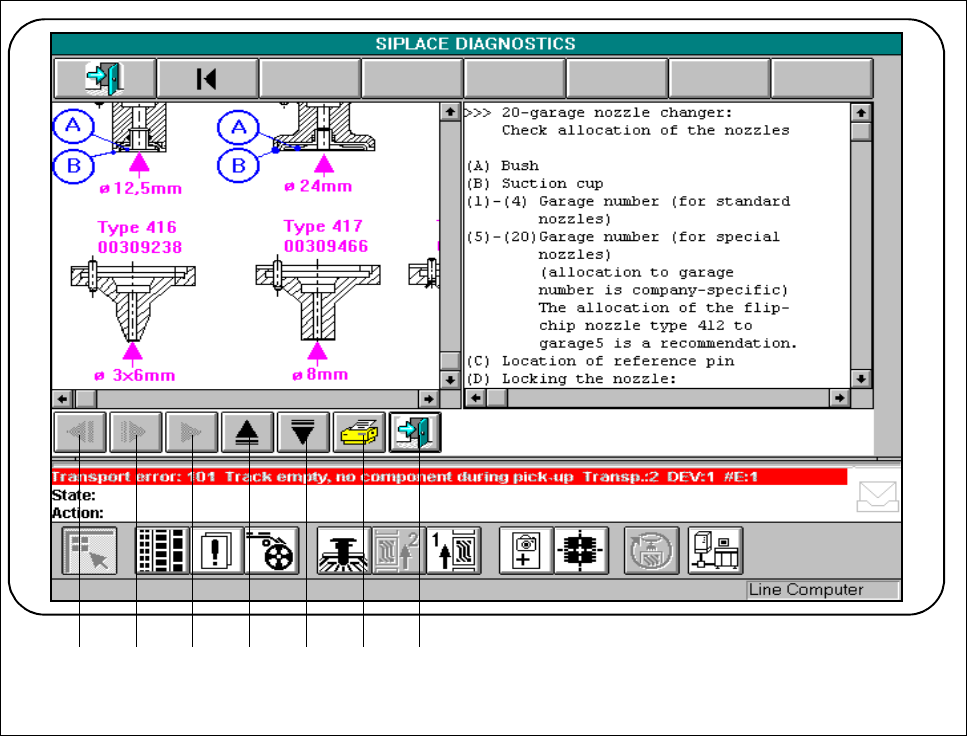
Fig. 7.2.12 Example of additional information
- Key to Fig. 7.2.12
1 Scroll back in displayed window 2 Page through additional windows
3 Display additional information (if active) 4 Scroll up in displayed window
5 Scroll displayed window downwards 6 Print displayed window
7 Return to previous window
● You can use the active buttons to call and scroll through all information in the windows.
r
1 2 3 4 5 6 7