80S-2080F480F5.pdf - 第183页
SIPLACE 80S-20/F4/F5 User M anual 4 Single Functions 05/99 Issue from Software Version SR.405.xx 4.2 Single Functions, Gantry with 12x Revolver Head 4 - 7 4.2.1.2 Go to Ser vice Posit ion At the s ervice po sition th e g…
4 Single Functions SIPLACE 80S-20/F4/F5 User Manual
4.2 Single Functions, Gantry with 12x Revolver Head 05/99 Issue from Software Version SR.405.xx
4 - 6
4.2.1 Gantry Functions
In the
Gantry functions
screen click on the symbol button for
Gantry functions.
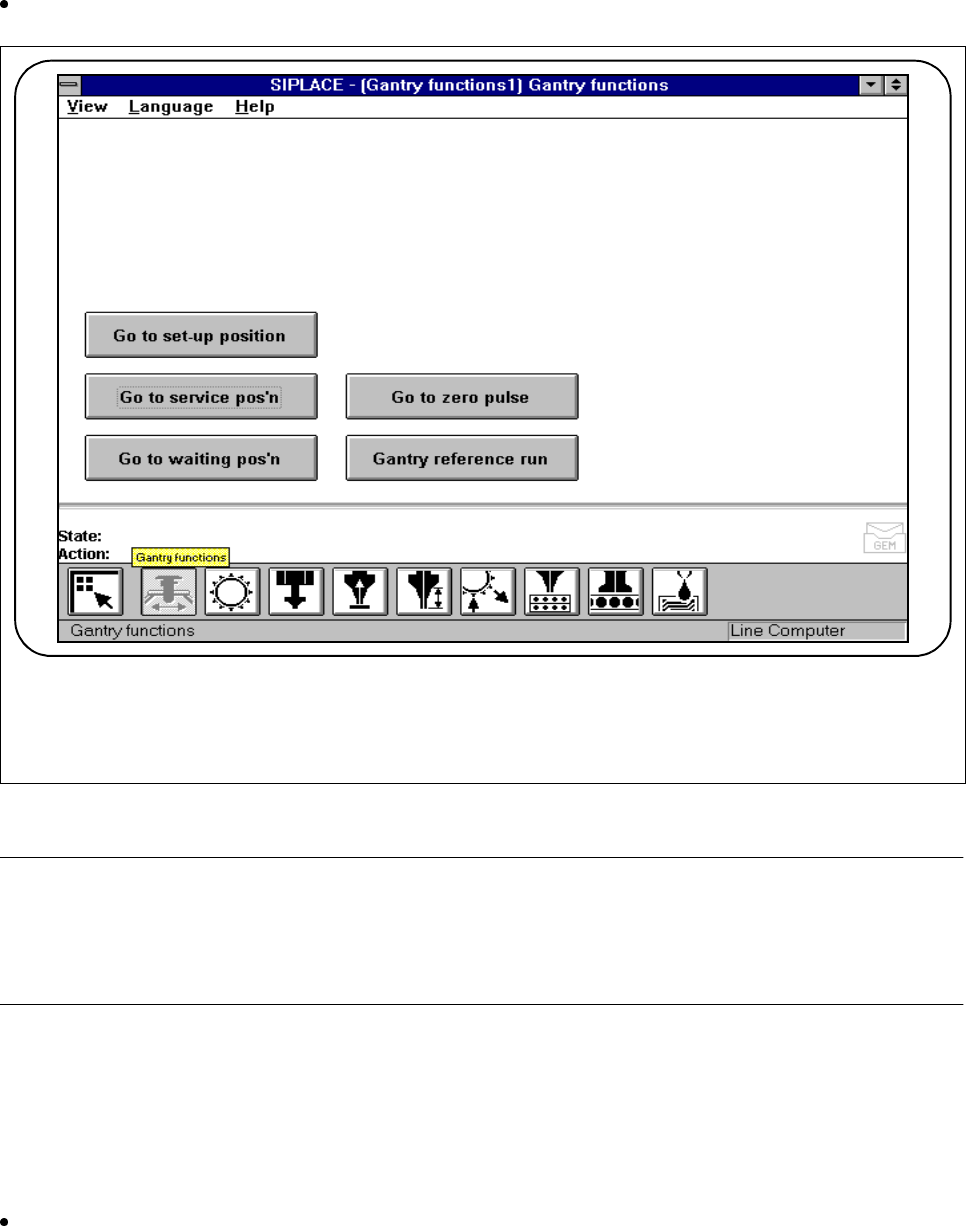
Fig. 4.2.2 Gantry functions
NOTE
All travel functions of the main axes (x and y) must be launched using the start button. The screen message
’Please press the start button’ which follows the menu item ’Action’ in the main menu will ask you to press the
start button. If the cover is not closed, another screen message will ask you to close the covers.
4.2.1.1 Go to set-up position
In the set-up position, the gantry is in a position in which the feeders can be unloaded and retooled. At this
time, the gantry is located in the center of the machine.
Click on the Go to set-up position button and then press the Start button whenever you are prompted to
do so. The gantry will travel to the set-up position.
F

SIPLACE 80S-20/F4/F5 User Manual 4 Single Functions
05/99 Issue from Software Version SR.405.xx 4.2 Single Functions, Gantry with 12x Revolver Head
4 - 7
4.2.1.2 Go to Service Position
At the service position the gantry is at a position in which it is possible to carry out work on the placement
head or on other parts of the gantry.
Click on the
Go to service position
button and press the start button as often as you are asked to do so.
The gantry will move into the service position.
4.2.1.3 Go to Waiting Position
The waiting position is that position in the machine to which the gantry moves when it is not required for place-
ment.
Click on the
Go to waiting position
button and press the start button as often as you are asked to do so.
The gantry will move into the waiting position.
4.2.1.4 Go to Zero Pulse
Zero pulse is the position of the gantry to which the counting procedures of the incremental encoder refer.
Click on the
Go to zero pulse
button and press the start button as often as you are asked to do so. The
gantry will move to the zero pulse position of the x and y axes.
4.2.1.5 Gantry Reference Run
The
Gantry reference run
function causes the active gantry to perform a reference run with the x and y axes.
Click on the
Gantry reference run
button and press the start button as often as you are asked to do so.
The gantry will perform a reference run.
4 Single Functions SIPLACE 80S-20/F4/F5 User Manual
4.2 Single Functions, Gantry with 12x Revolver Head 05/99 Issue from Software Version SR.405.xx
4 - 8
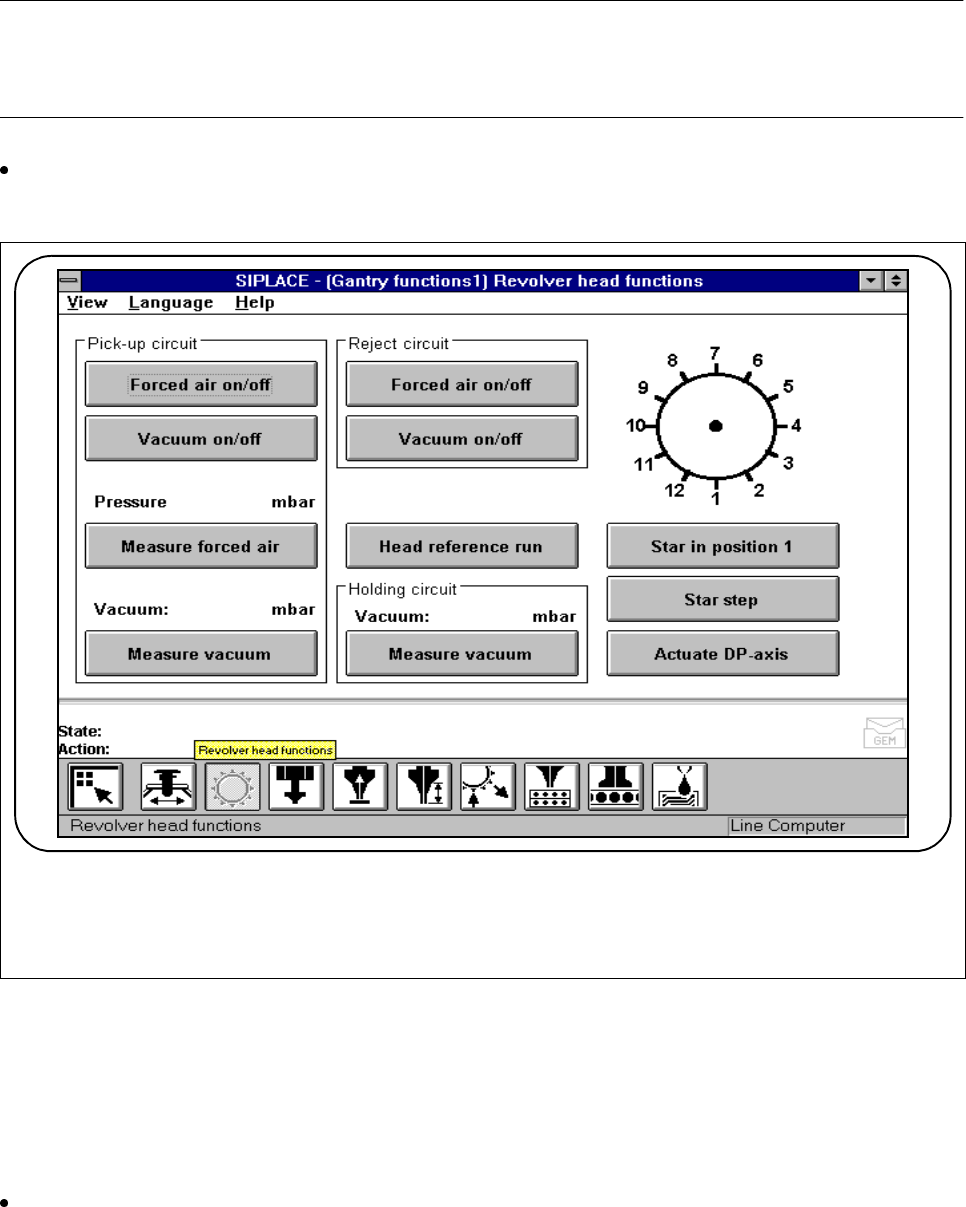
4.2.2 Revolver Head Functions, 12x Revolver Head
In the
Revolver head functions
menu you can control revolver head functions.
NOTE
When the cover is open the revolver head functions can be carried out only when the key-operated switch has
been turned.
In the
Gantry functions
menu, click on the symbol button for
Revolver head functions.
The current position of the star will be shown each time.
Fig. 4.2.3 Revolver head functions, 12x revolver head
4.2.2.1 Star in Position 1
This function is used for bringing the star into a defined starting position. To this end the star and the z axis
perform a reference run.
Click on the Star in position 1 button. The star will then be moved until the segment of star position 1 is in
the pick-up and placement position (the lowest position).
F