80S-2080F480F5.pdf - 第309页
SIPLACE 80S-20/F4/F5 User M anual 5 Vision Func tions 05/99 Issue from Software Vers ion SR.405.xx 5.6 Test Comp onent Line en gineer 5 - 77 Fig. 5.6.5 Flowchart ’T est component’, ’Measure mode’ menu ’Test component’ me…
5 Vision Functions SIPLACE 80S-20/F4/F5 User Manual
5.6 Test Component 05/99 Issue from Software Version SR.405.xx
5 - 76 Line engineer
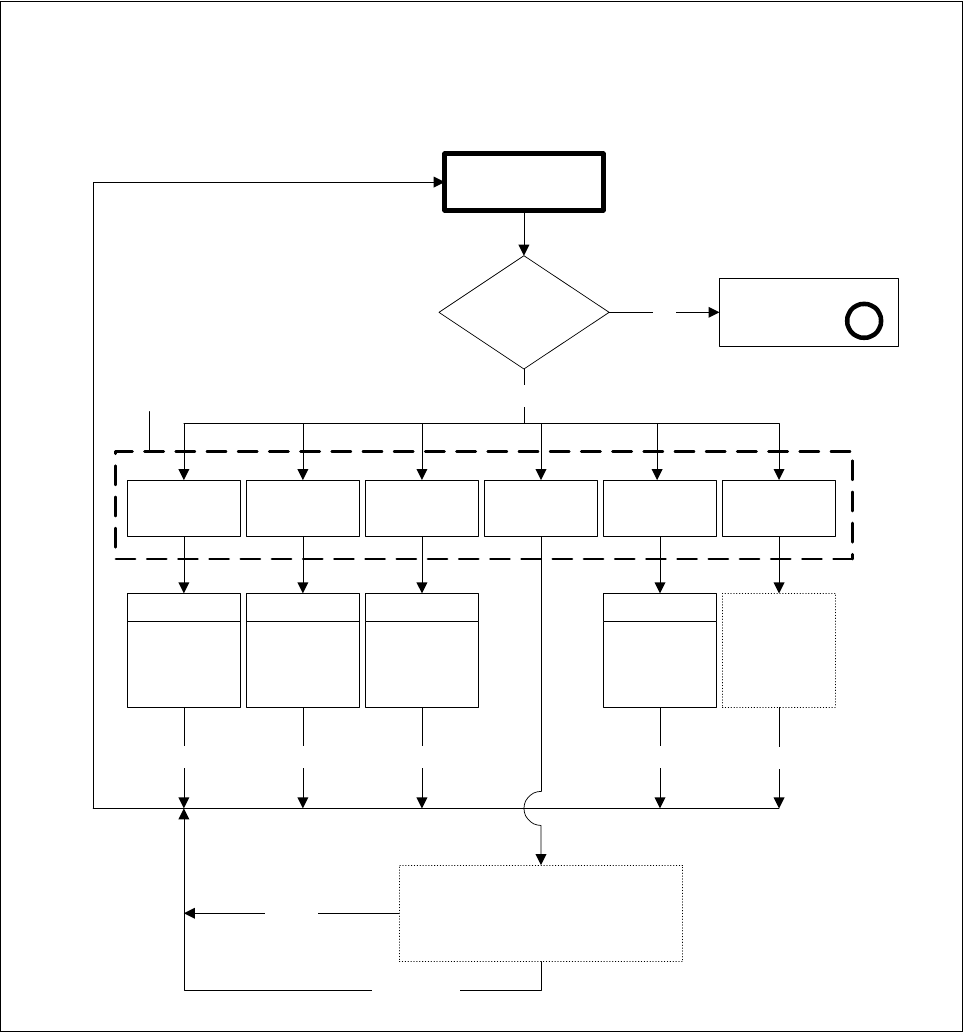
Fig. 5.6.4 Flowchart ’Test component’ - ’Edit GF data’ menu
’Test component’ menu options
’Edit GF data’ menu
Test component
GF data
loaded?
Yes
Cancel
Edit package form data
Illumination
No
Select package
form menu
A
Package
dimension
Pin
dimension
Transform Ball image
Measure
mode
ESC
Video image
ESC
Video image
ESC
Modification
of
GF data
Video image
ESC
Modification
of
GF data
Video image
ESC
See menu
options ’Test
component’,
from Figs.
6.6-5 to 6.6-8
Cancel Accept
Input box
’Select contrast graduation’:
Program LUT
Accept data
Modification
of
GF data
Modification
of
GF data
SIPLACE 80S-20/F4/F5 User Manual 5 Vision Functions
05/99 Issue from Software Version SR.405.xx 5.6 Test Component
Line engineer 5 - 77
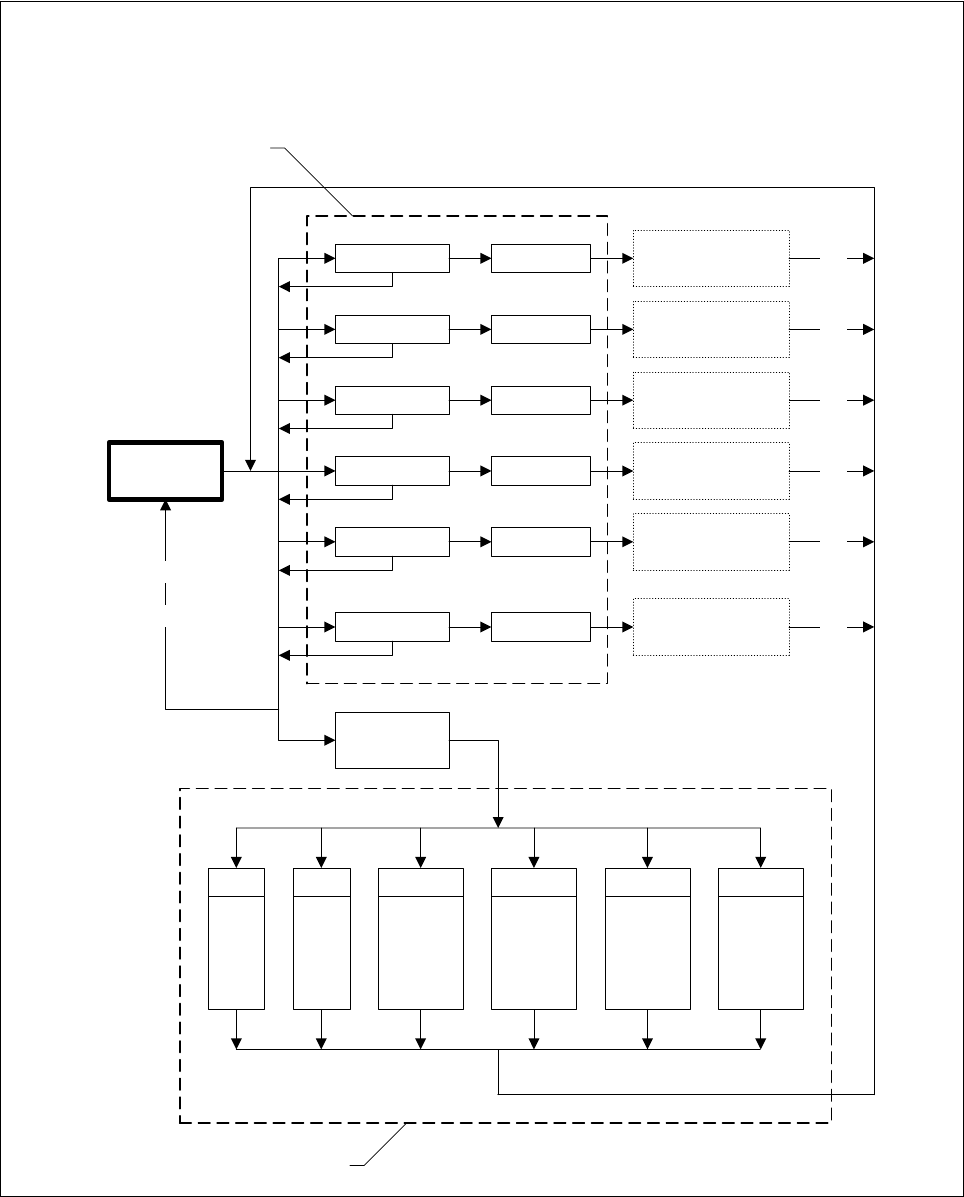
Fig. 5.6.5 Flowchart ’Test component’, ’Measure mode’ menu
’Test component’ menu options
’Measure mode’ menu
SIZE
ROW
Measure
mode
Set
ROW measure
mode menu
Set
CORNER
CORNER measure
mode menu
Set
LEAD
LEAD measure
mode menu
Set
GRID
GRID measure
mode menu
Set
BALL
BALL measure
mode menu
Set
Hex input
SIZE measure
mode menu
Cancel
Accept
Cancel
Accept
Cancel
Accept
Cancel
Accept
Cancel
Accept
ROWSIZE
CORNER
LEAD GRID BALL
P1
P1a
P1
P2
P2a
P3
P1
P2
P3
P4
P5
P1
P1a
P2
P2a
P1
P2
P3
P3a
P1
P1a
P2
P3_5
’Measure mode 2’
menu
Cancel
Accept
Cancel Accept
’Measure mode’ menu
Cancel
Accept
5 Vision Functions SIPLACE 80S-20/F4/F5 User Manual
5.6 Test Component 05/99 Issue from Software Version SR.405.xx
5 - 78 Line engineer
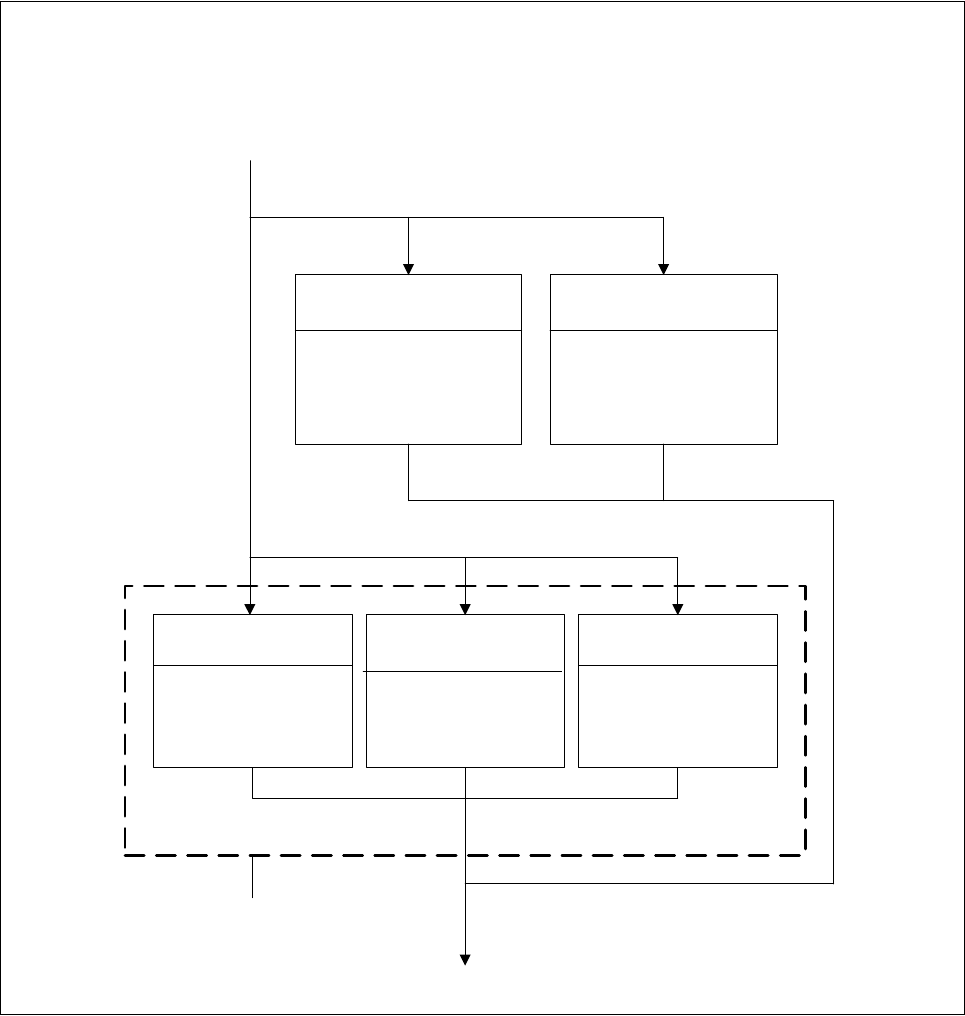
Fig. 5.6.6 Flowchart ’Test component’, ’SIZE’ measure mode menu
’Test component’ menu options
’SIZE measure mode’ menu
Cancel Accept
Resolution in direction
of integration
low
medium
high
very high
Resolution in
measurement direction
low
medium
high
very high
Integration
direction
In X direction
in Y direction
Resolution of
angle calculation
low
medium
high
very high
Method for calculation of
rotation
Automatic
selection
SWIN method
TWIN method
Integration settings of
SIZE meas. mode menu