80S-2080F480F5.pdf - 第460页
8 On-Line Help SIPLACE 80S-20/F4 /F5 User Manual 8.1 On-Line Help 05/99 Is sue from Software Version SR.405.xx 8 - 4 8.1.1 Content s Y ou ca n call a table o f conte nts of the topi cs availa ble. Y ou can j ump dire ctl…
SIPLACE 80S-20/F4/F5 User Manual 8 On-Line Help
05/99 Issue from Software Version SR.405.xx 8.1 On-Line Help
8 - 3
8.1 On-Line Help
NOTE
You can access help on menus and windows by pressing the key combination
Alt+F1
. Help on commands in
the menu items or tool bar can be obtained by pressing the key combination
Shift+F1
.
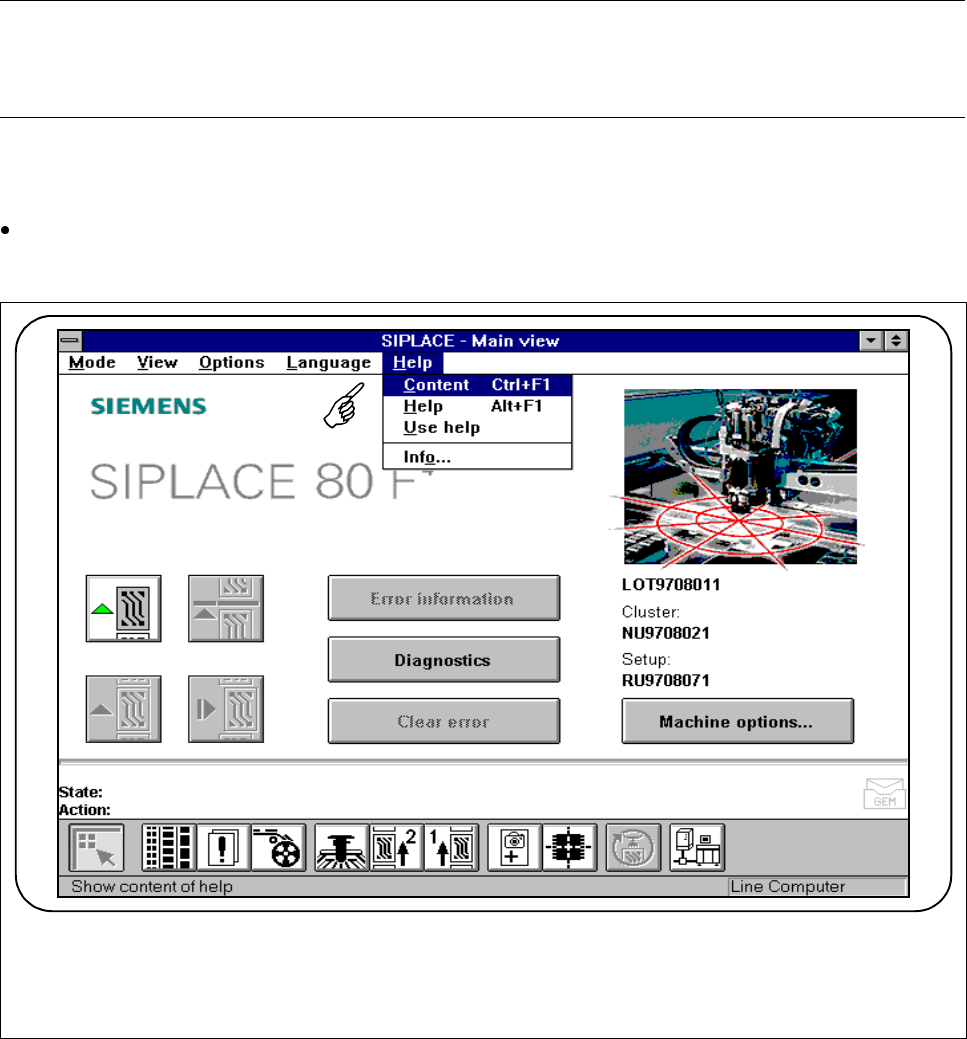
On-line help is available in each and every screen of the user interface. Detailed information is provided in the
menu
Using help
or on-line in the corresponding menus.
Do not change screens but either select the
Help
menu from the menu bar or press the key combination.
Alt+F1.
Fig. 8.1.1 On-line help (here, as seen from main view)
8 On-Line Help SIPLACE 80S-20/F4/F5 User Manual
8.1 On-Line Help 05/99 Issue from Software Version SR.405.xx
8 - 4
8.1.1 Contents
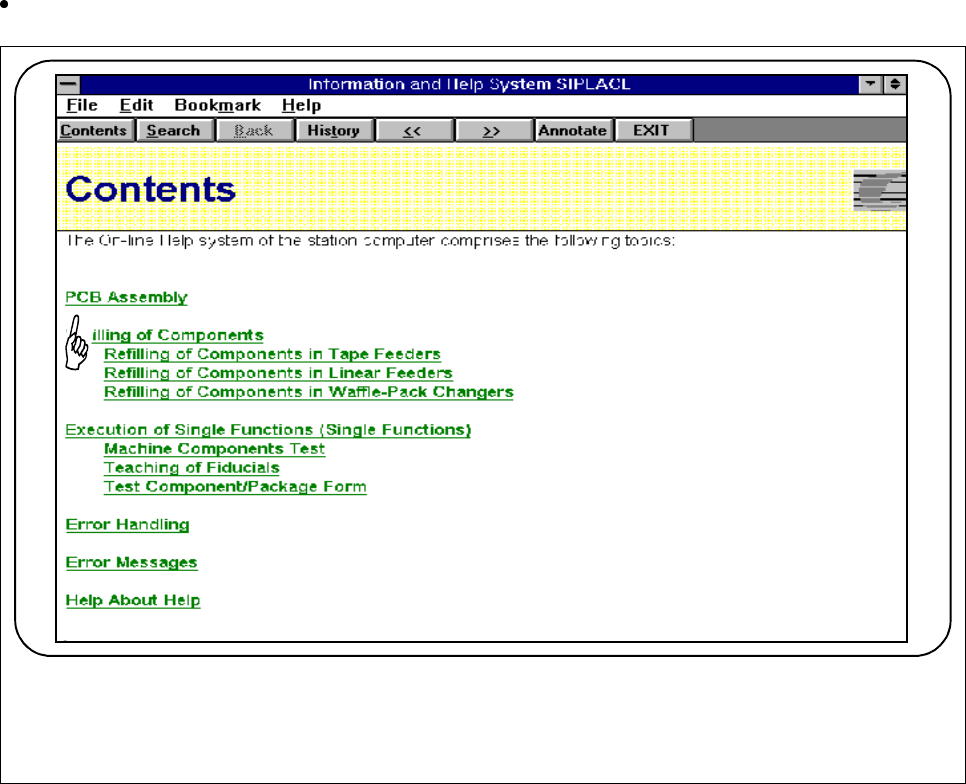
You can call a table of contents of the topics available.
You can jump directly to a topic by clicking on text displayed in green and underlined.
Fig. 8.1.2 Contents
8.1.2 Help
You can access help on any current window or by pressing the key combination
Alt+F1
.
8.1.3 Using Help
Here you will find an introduction to using the help feature.
SIPLACE 80S-20/F4/F5 User Manual 8 On-Line Help
05/99 Issue from Software Version SR.405.xx 8.1 On-Line Help
8 - 5
8.1.4 About ...
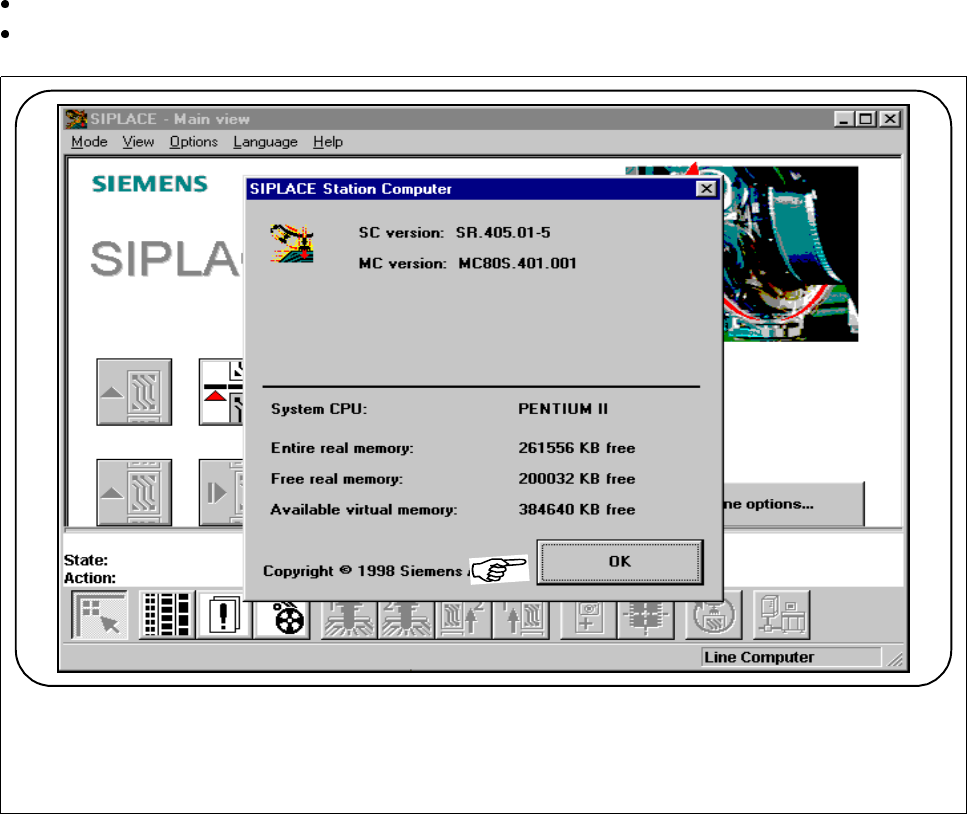
In the
About ...
submenu you will find information on the software versions installed in the station computer.
Should you have any questions in connection with servicing you can access this information at any time.
In the
Help
menu, select the submenu
About ...
.
To close this window, click on the
OK
button.
Fig. 8.1.3 Information (here, as seen from main view)