80S-2080F480F5.pdf - 第628页
11 Station Extensions/Options SIPLACE 80S-20/F4/F5 User Manual 11.2 Nozzle Changer for IC Head (I CPW20) 05/99 Issue f rom Software Version SR.405.xx 11 - 12

SIPLACE 80S-20/F4/F5 User Manual 11 Station Extensions/Options
05/99 Issue from Software Version SR.405.xx 11.2 Nozzle Changer for IC Head (ICPW20)
11 - 11
- Key to Fig. 11.2.2
1 Position fiducial 2 Nozzle garage
3 Reject box 4 Nozzle changer
5 Machine zero point 6 Magazine 1 (standard)
7 Magazines 2 to 4 (optional)
- Each of the individual magazines bears a position fiducial which is used for position recognition.
- The individual locations in the magazines are numbered consecutively from 1 to 4.
- The individual nozzle garages in the individual magazines are numbered consecutively from 1 to 5.
- The nozzles are held securely in the garages by means of spring-loaded detents. Depending on the direc-
tion in which the IC head axis rotates the nozzles will either be clamped or released.
11.2.4 Notes for Operators and Service Staff
To insert or change nozzles use the nozzle removal tool (see Section 9.6.6 in this user manual).
Clean the nozzle changer in the way described in Section 9.3.7 of this user manual.
11 Station Extensions/Options SIPLACE 80S-20/F4/F5 User Manual
11.2 Nozzle Changer for IC Head (ICPW20) 05/99 Issue from Software Version SR.405.xx
11 - 12
SIPLACE 80S-20/F4/F5 User Manual 11 Station Extensions/Options
05/99 Issue from Software Version SR.405.xx 11.3 PCB Barcode
11 - 13
11.3 PCB Barcode
11.3.1 Overview
The PCB barcode can be read from the underside (solder side) or from the top side (insertion side) of a board.
If the bar code is placed on the top side of a board the reading head will be mounted in such a way that the
reading beam of the barcode reader hits the board from above.
If the bar code is located on the underside of a board, the reading head will be mounted in such a way that the
reading beam of the barcode reader hits the board from below.
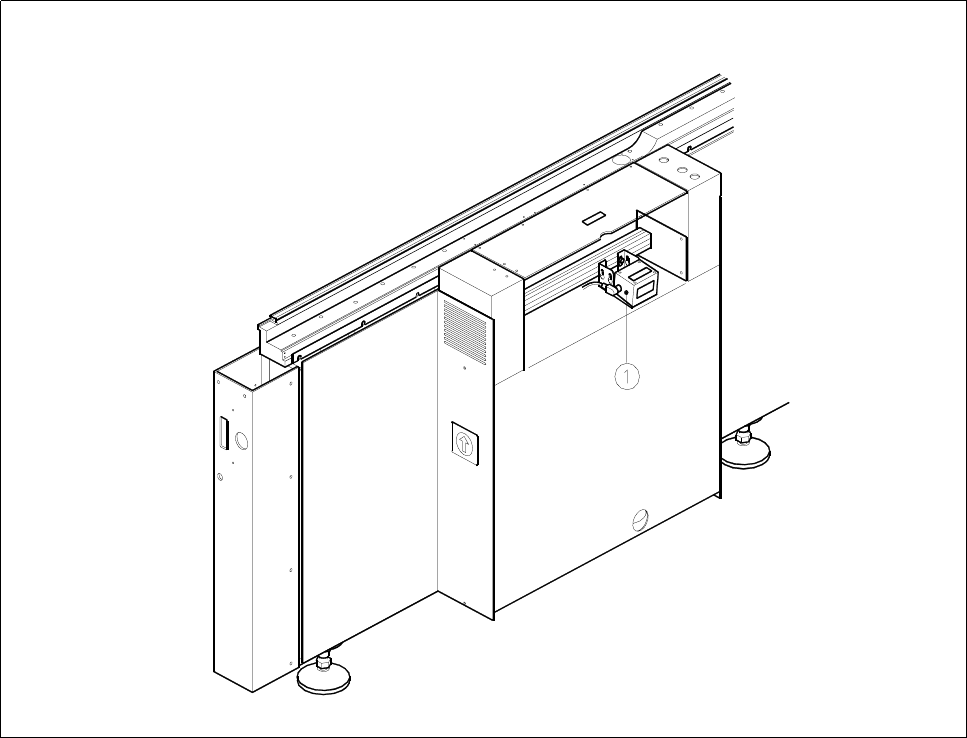
Fig. 11.3.1 Location where the PCB barcode reader is installed
Key to Fig. 11.3.1
1 Location of PCB barcode reader (can be fitted on top or below)