80S-2080F480F5.pdf - 第98页
2 Introduction and Ba sic Concepts SIPLACE 80S-20/F4/F5 User Manual 2.2 Principles and Structure of the User Interface 05/99 Issue from Software Version SR.405.xx 2 - 14 2.2.2.4 St atus Window The status wi ndow shows th…
SIPLACE 80S-20/F4/F5 User Manual 2 Introduction and Basic Concepts
05/99 Issue from Software Version SR.405.xx 2.2 Principles and Structure of the User Interface
2 - 13
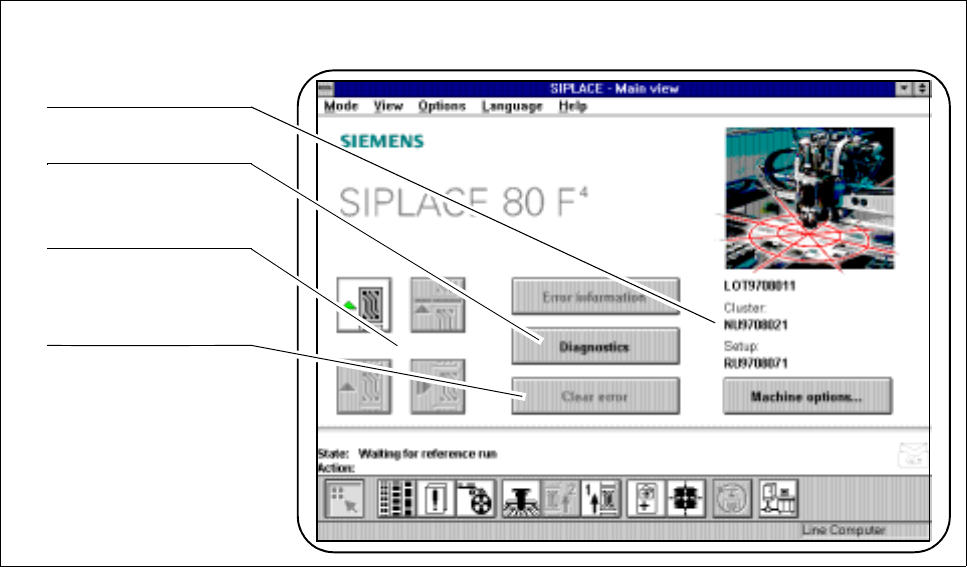
2.2.2.3 Working Area
Depending on the menu or object selected, the working area presents the operator with actions or displays.
Fig. 2.2.3 Example of the working area
- Key to Fig. 2.2.3
1 Job, cluster and set-up name 2 Selector field for submenus
3 Symbols (buttons) for operator actions 4 Selector fields for operator actions
Actions appearing in the working area can be selected or launched by using either the trackball or the touch
screen.
1
2
3
4
2 Introduction and Basic Concepts SIPLACE 80S-20/F4/F5 User Manual
2.2 Principles and Structure of the User Interface 05/99 Issue from Software Version SR.405.xx
2 - 14
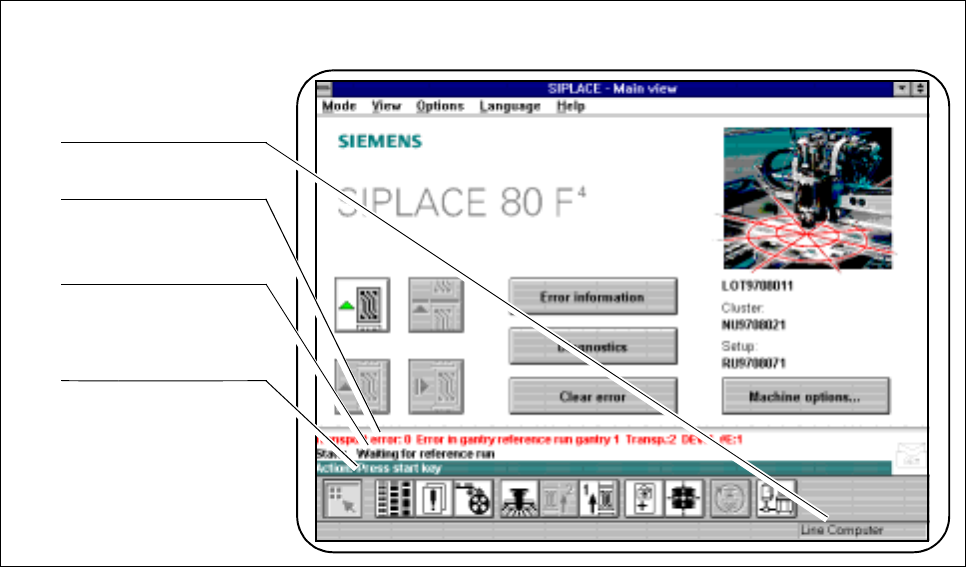
2.2.2.4 Status Window
The status window shows the last fault, the control mode of the machine (Stand alone, line computer, GEM)
and an action which the operator has been asked to carry out.
Fig. 2.2.4 Example of the status window
- Key to Fig. 2.2.4
1 Machine control mode 2 Last fault to occur (red bar)
3 State of the machine 4 Action for the operator (green bar)
1
2
3
4
SIPLACE 80S-20/F4/F5 User Manual 2 Introduction and Basic Concepts
05/99 Issue from Software Version SR.405.xx 2.2 Principles and Structure of the User Interface
2 - 15
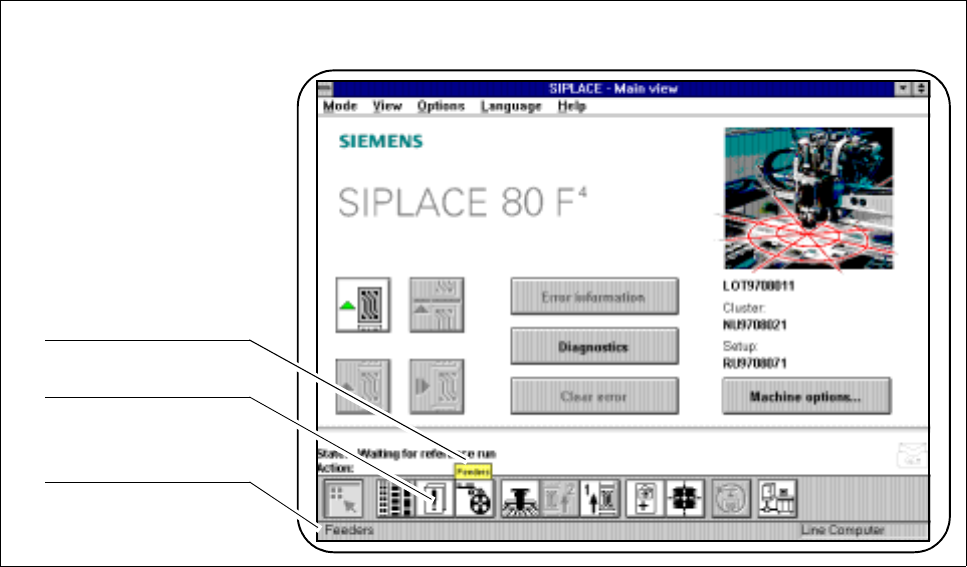
2.2.2.5 Symbol and Status Strips
The symbol strip contains icons (buttons) which are used for selecting the view or an object.
When the trackball pointer is positioned over an icon the corresponding help text will appear within a bubble.
Fig. 2.2.5 Example of symbol strip and status strip
- Key to Fig. 2.2.5
1 Bubble help text 2 Icons (buttons) for submenus
3 Information concerning menu entries and icons
The status strip displays some brief information concerning menu entries and icons when these have been
selected with the trackball or finger but not actually executed.
1
2
3