Portal-Operation-Manual-REV-I.pdf - 第17页
PVA Portal Manual Revision I / Janua ry 2022 Page 17 of 106 Portal Over view The Portal scr een has sev eral compon ents. Understa nding the sectio ns of the Po rtal screen will ensure successful navigation of the Port a…
PVA Portal Manual
Revision I / January 2022
Page 16 of 106
6. Selecting “Explorer” will open Windows® explorer, allowing the operator to navigate
the folders located on the computer.
7. Selecting “Shutdown” will shut down the computer.
The number of options available on the Portal Shell depends on the machine configuration.
Refer to machine specific manuals for more information.
4.1.1 Portal Shell Keyboard Shortcuts
Note: It is not necessary to exit Portal Shell for normal operation, this is a
maintenance feature.
Keys
Action
F1
Keyboard Shortcut Help
Ctrl + Shift + F12
Exit Portal Shell Application
Ctrl + Shift + D
Launch Windows® Desktop
Ctrl + Shift + W
Launch Desktop Then Exit Portal Shell Application
PVA Portal Manual
Revision I / January 2022
Page 17 of 106
Portal Overview
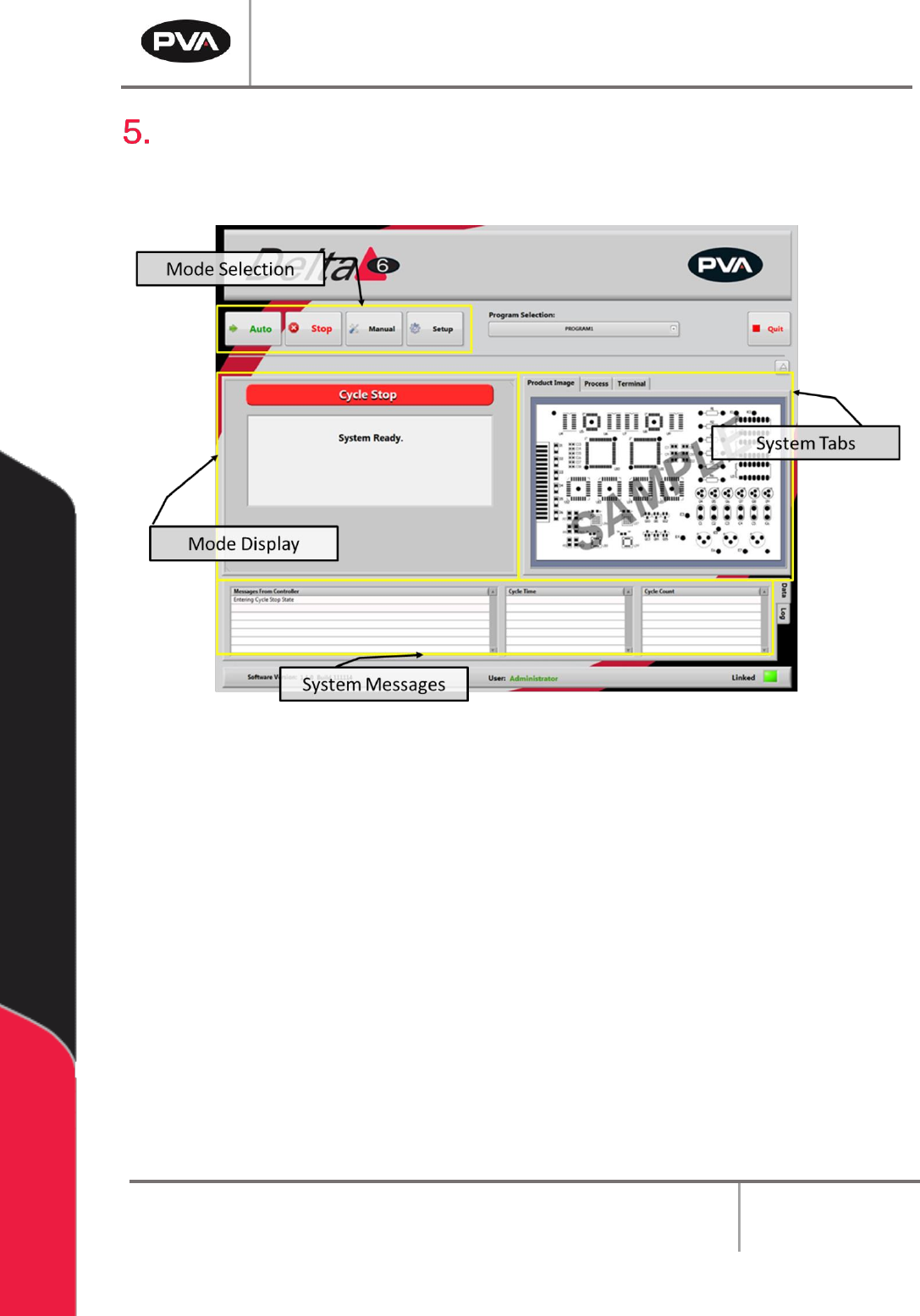
The Portal screen has several components. Understanding the sections of the Portal
screen will ensure successful navigation of the Portal program.
Figure 3: Portal Screen Overview
• Select the desired mode from the mode selection area.
Note: Cycle Stop mode must be selected in order to change to a new mode.
• Upon selecting a mode, the options for that mode will be shown in the mode display
section of the screen.
• The System Tabs section of the screen remains the same no matter what mode is
selected. This section of the screen contains the terminal used to communicate
with the controller. The Terminal is used as a debug tool.
PVA Portal Manual
Revision I / January 2022
Page 18 of 106
5.1 Cycle Stop Interface
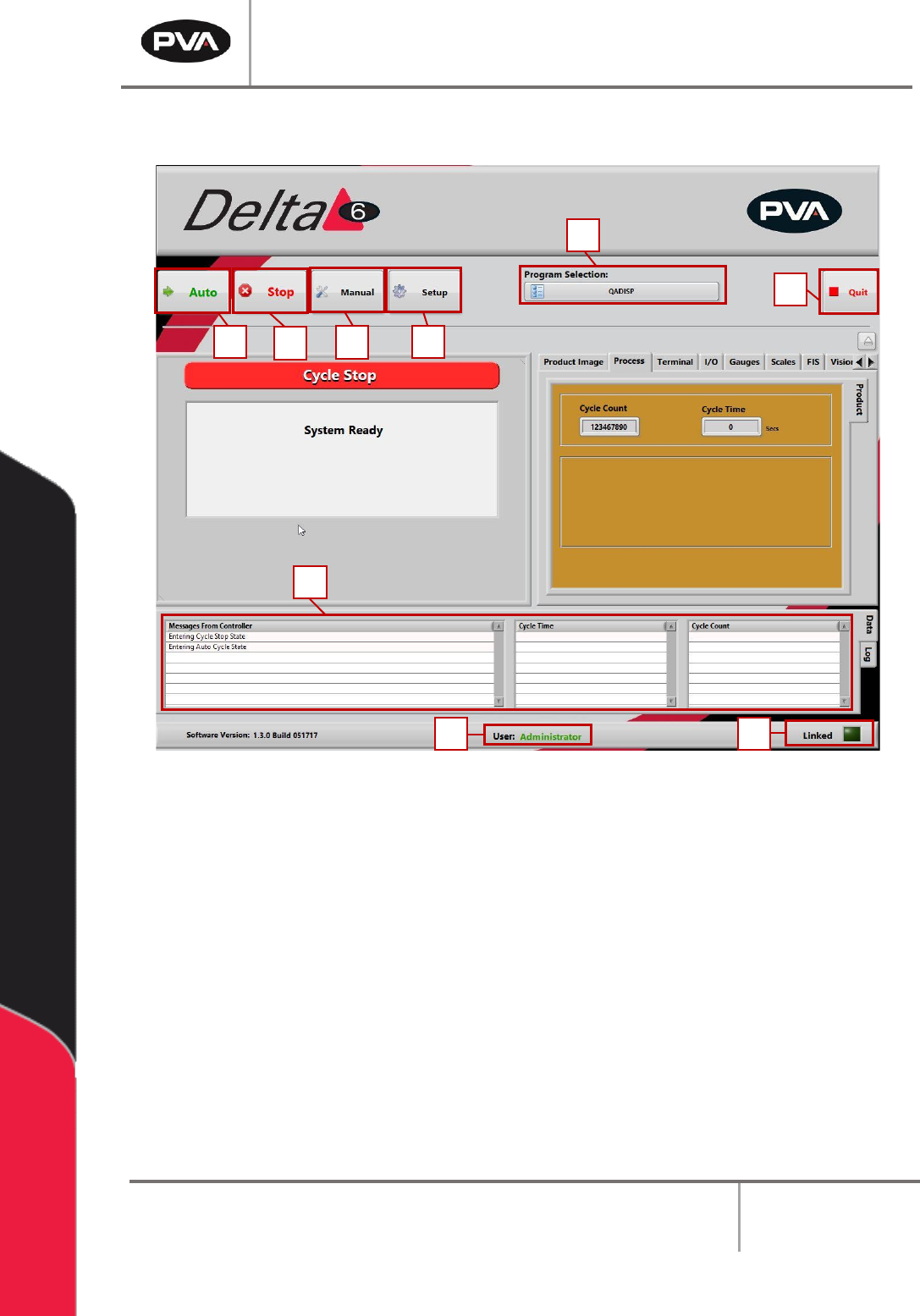
Figure 4: Cycle Stop Interface
After logging in, select “Continue”. Portal will open in Cycle Stop mode, which is the
default mode for the workcell. All other modes and options can be accessed from this mode
with the buttons shown.
1. Select the “Auto” button to operate the machine in Auto Cycle. Refer to Section 7
for more information.
2. Select the “Stop” button to go to Cycle Stop mode from any other mode. Refer to
Section 5.1 for more information.
3. Select the “Manual” button to operate the machine manually. Refer to Section 6 for
more information.
4. Select “Setup” to see or change the setup functions of the machine. Refer to
Section 8 for more information.
1
7
9
8
2
3
4
5
6