Portal-Operation-Manual-REV-I.pdf - 第21页
PVA Portal Manual Revision I / Janua ry 2022 Page 21 of 106 6.1 Device Selection Figure 8 : D evice s Tab Workcells with devices have a Devic e Selectio n mode. Select the active head or valve from the drop-dow n m enu u…
PVA Portal Manual
Revision I / January 2022
Page 20 of 106
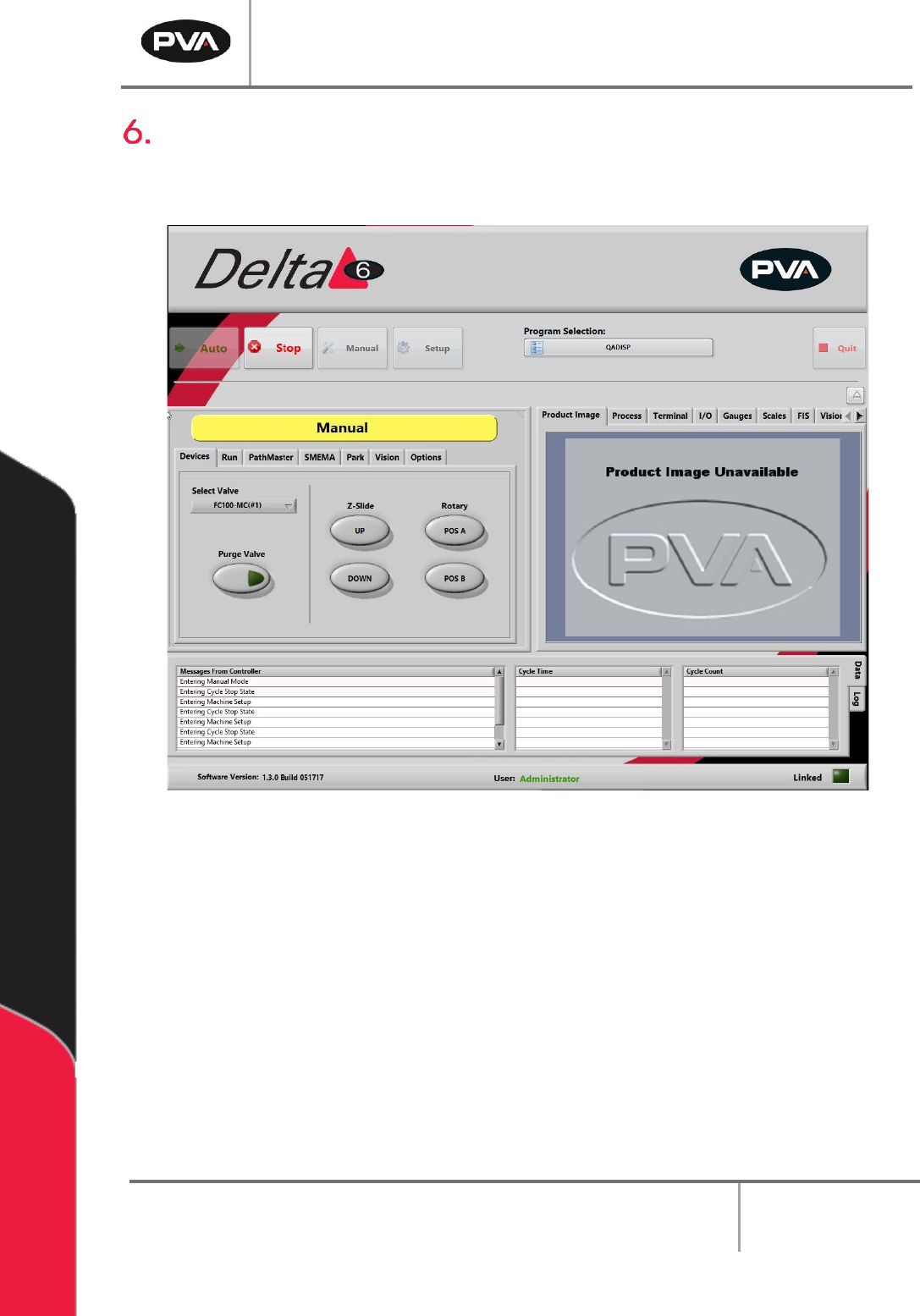
Manual Mode
The options shown in Portal depend on the workcell configuration. Refer to machine
specific manuals and appendices for more information.
Figure 7: Manual Mode
In Manual mode, the operator has manual control of all devices on the workcell. There are
tabs in Manual mode that are used for different Portal functions. A trackball can be used to
move the axes, operate the devices, and teach positions to PathMaster®. Only qualified
personnel should operate the machine in Manual mode.
Paths can be programmed with the PathMaster® software when in Manual mode in Portal.
For more information refer to the separate PathMaster® manual.
To leave Manual mode and return to Cycle Stop, select the “Stop” button.
The options that most workcells have are shown in the following sections.
PVA Portal Manual
Revision I / January 2022
Page 21 of 106
6.1 Device Selection
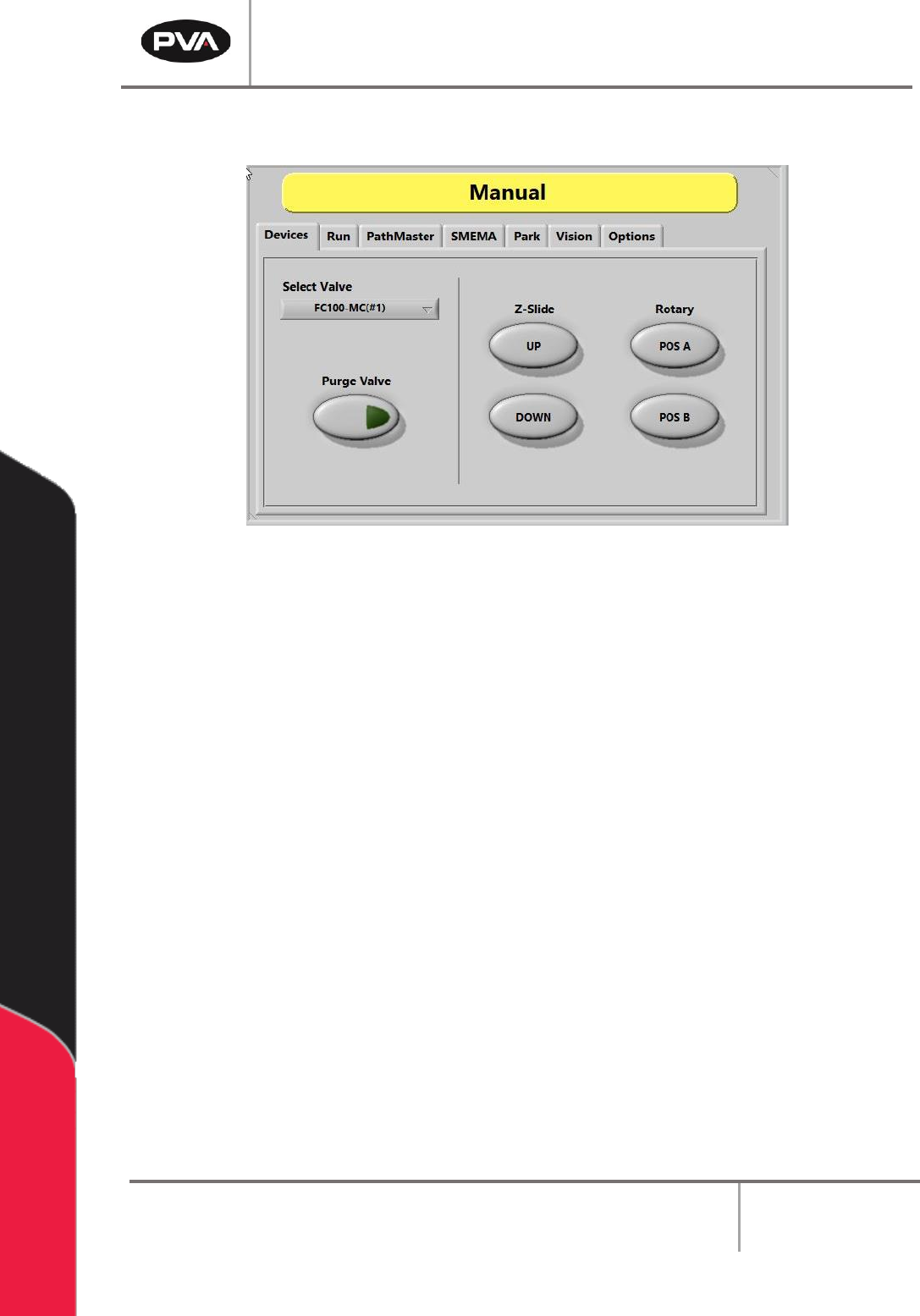
Figure 8: Devices Tab
Workcells with devices have a Device Selection mode. Select the active head or valve from
the drop-down menu under the “Devices” tab. The pneumatic Z-slide(s) and rotary(s), if
equipped, can be operated with the applicable buttons.
Note: When programming or operating the workcell, do not use the valve to move
components or boards. PVA is not responsible for damages caused from operating
the valves incorrectly.
1. Select the “Devices” tab.
2. Select a device or valve from the Select Valve drop down menu.
3. Select the “Purge” button to operate the valve selected. The valve will purge until
the “Purge” button is released so that it is no longer selected.
4. Select the Z-Slide - “UP” or “Down” buttons to raise or lower the pneumatic Z-slide
for the active head.
5. Select the Rotary - “POS A” or “POS B” buttons to put the rotary in the home
position (Default, A) or the auxiliary position (B).
PVA Portal Manual
Revision I / January 2022
Page 22 of 106
6.2 Run Mode
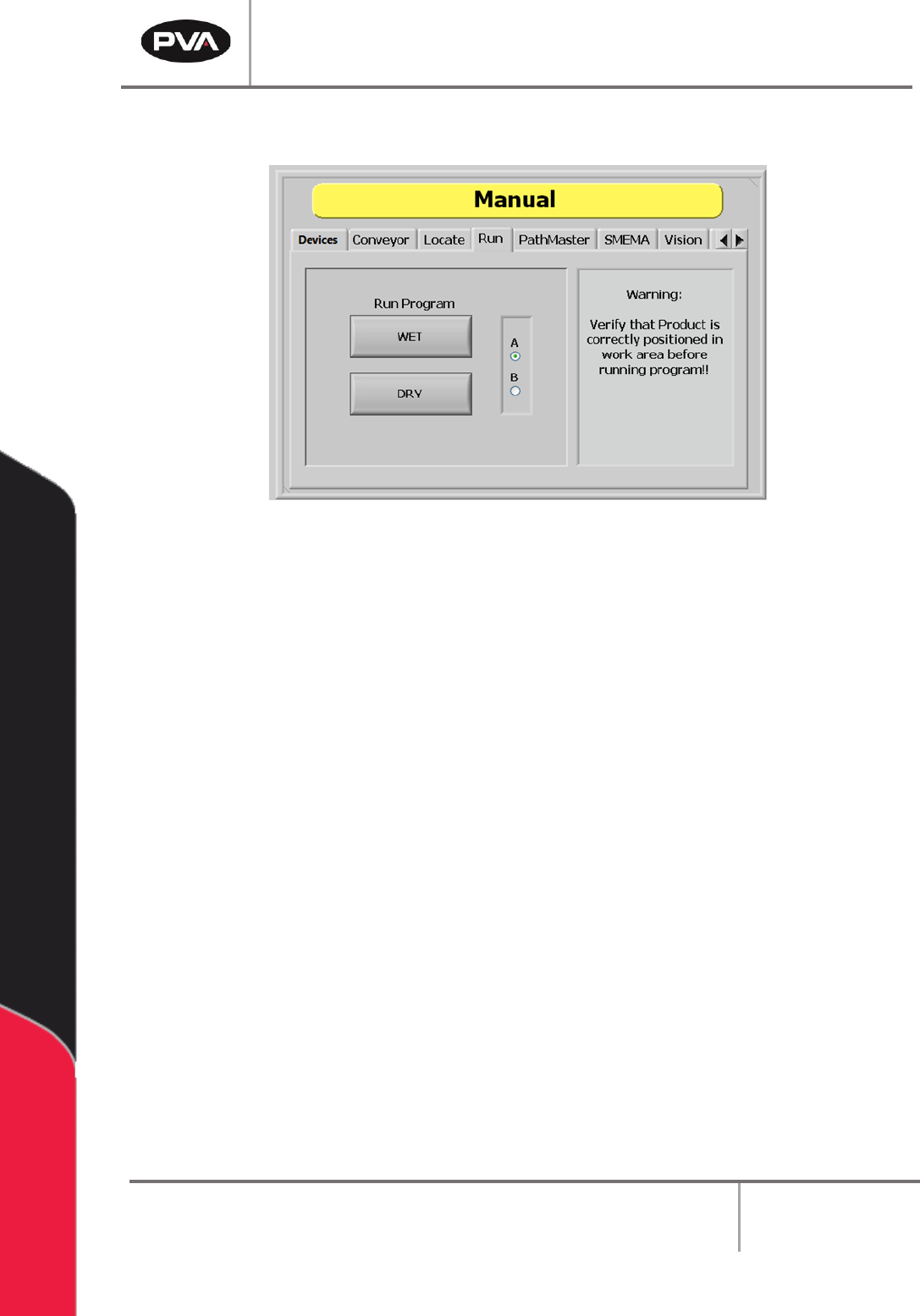
Figure 9: Run Tab
Run mode allows testing of a downloaded path program for a single cycle. The path can be
run as “WET” or “DRY”. Ensure that the part is in the correct position inside the workcell
before the path is run or the results will not be accurate and could damage the workcell.
1. Select the “Run” tab.
2. Select the “A” or “B” radio button to select which side will run. Select the “A” radio
button for the left side program select drop down or the “B” radio button for right
side program select drop down.
3. Select the Run Program - “WET” button to run the selected program with the
valves turned on.
4. Select the Run Program - “DRY” button to run the selected program with the
valves turned off. If this button is selected, the valves will move but they will not
dispense.
Note: Confirm the correct program is selected from the Program Selection drop down
menu. Ensure the part is correctly installed and all board stops and locators are in the
correct position to prevent a crash.