Portal-Operation-Manual-REV-I.pdf - 第48页
PVA Portal Manual Revision I / Janua ry 2022 Page 48 of 106 Figure 45 : Ad just ing Machine Idle Action 8.4.4 Pressur e Monitoring Pressure Monito ring is us ed to verify the digital gauges installed on the syste m. When…
PVA Portal Manual
Revision I / January 2022
Page 47 of 106
8.4.3 Machine Idle
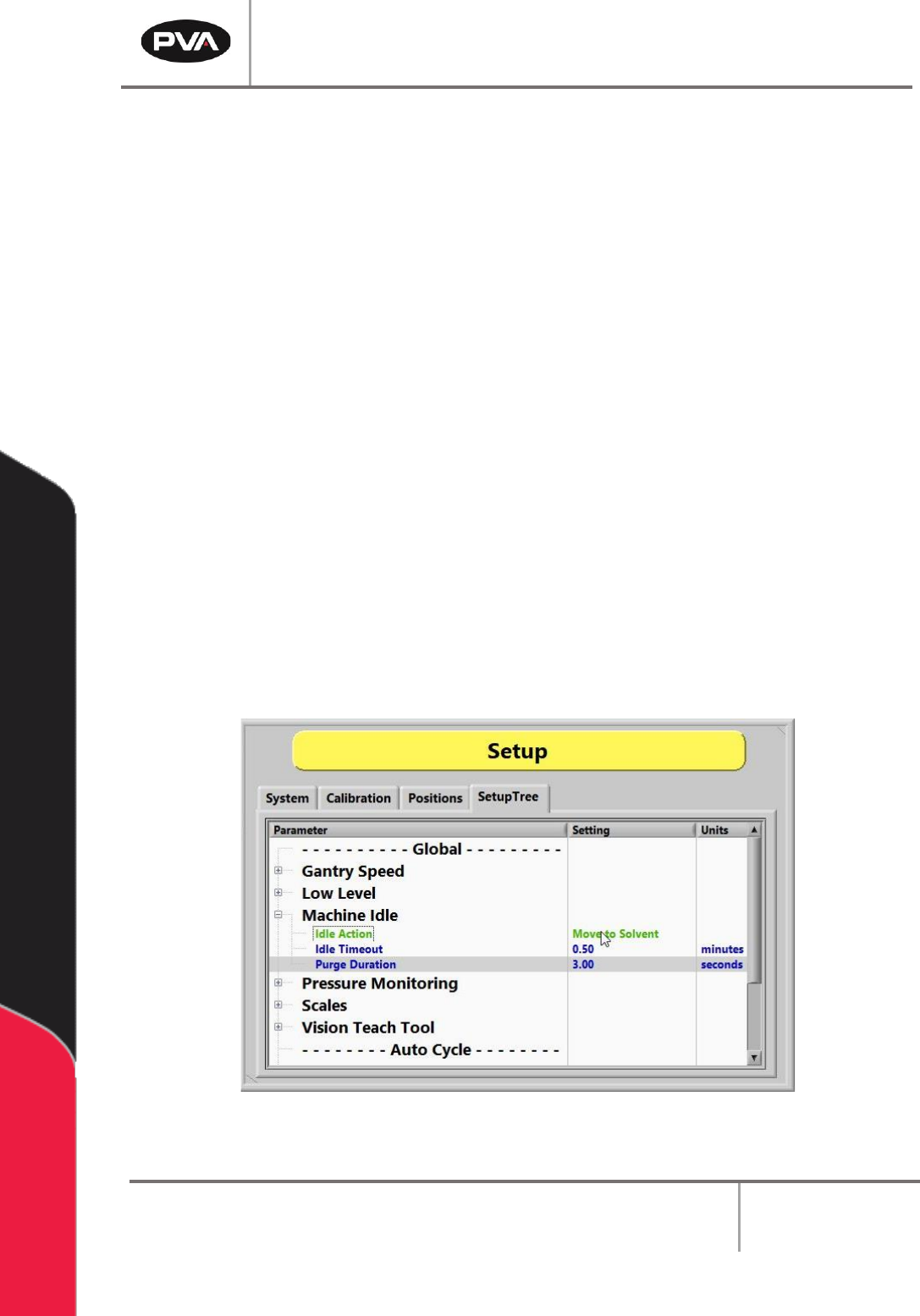
Using the Machine Idle option, the purge and/or solvent cup features can be adjusted.
Auto purge dispenses material from all valves at specific intervals to prevent valves from
clogging. The default setting depends on the material used. The workcell only auto purges
when in Auto Cycle or Cycle Stop. The workcell does not auto purge in other modes but
will immediately auto purge when returned to the Cycle Stop or Auto Cycle modes, if
necessary.
Note: If the workcell has solvent cups, the solvent cup routine overrides the auto
purge settings. The system will only purge, when necessary, with the solvent cup
sequence.
1. Select the “+” to open the "Machine Idle” drop down list.
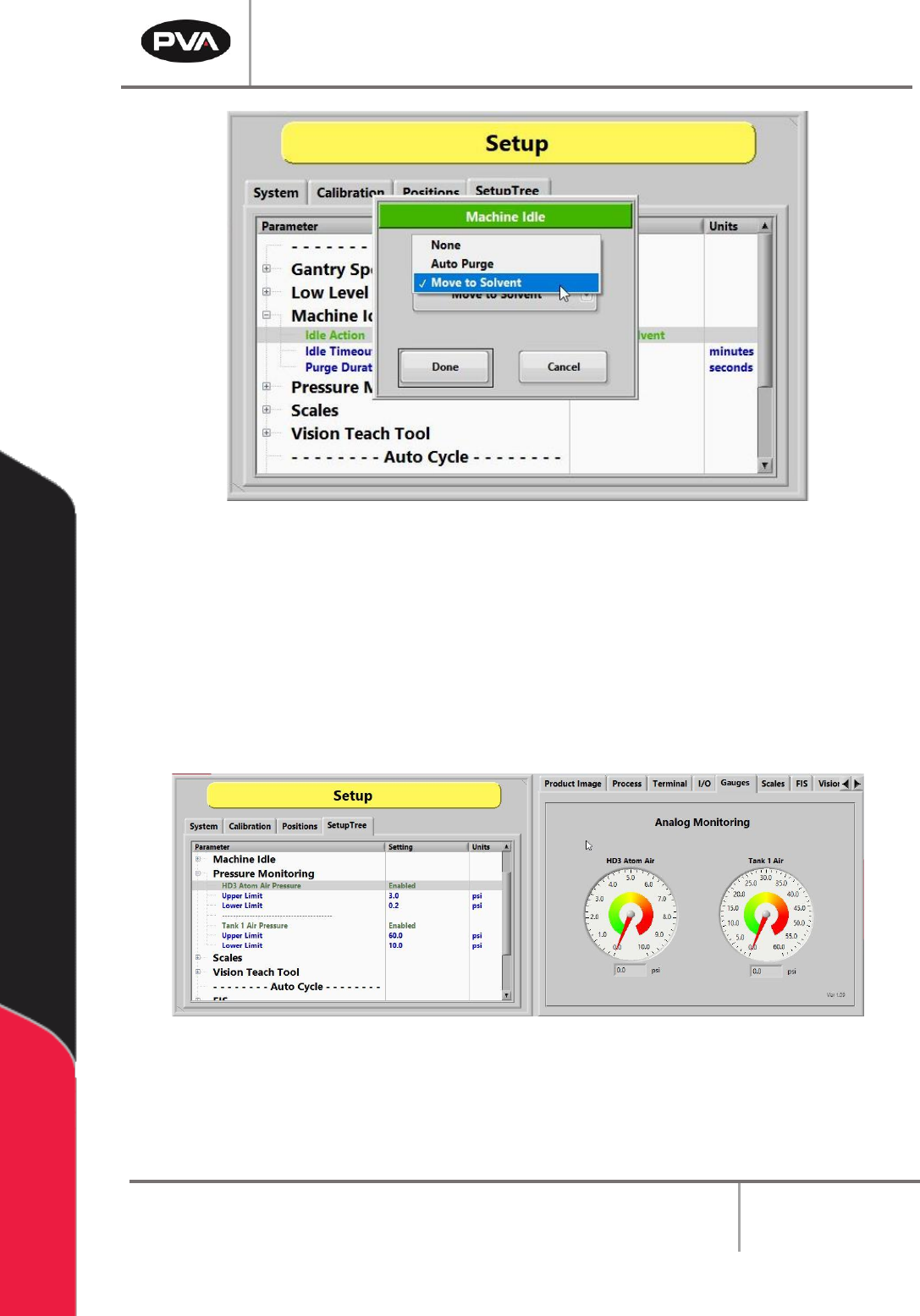
2. Double left click on the Idle Action and select “None, Auto Purge, or Move to
Solvent” to set the function. When set to "None", the head will move to the taught
Standby Position. For more information on setting Idle Positions, refer to Section
8.3.
3. Set the Idle Timeout in minutes of how often the valves will purge or the duration
of inactivity during Auto Cycle before the heads move to the solvent cups.
4. Set the Purge Duration in seconds for the time for which the valves will purge. This
applies to both auto purge and solvent options.
Figure 44: Adjust Machine Idle Options
PVA Portal Manual
Revision I / January 2022
Page 48 of 106
Figure 45: Adjusting Machine Idle Action
8.4.4 Pressure Monitoring
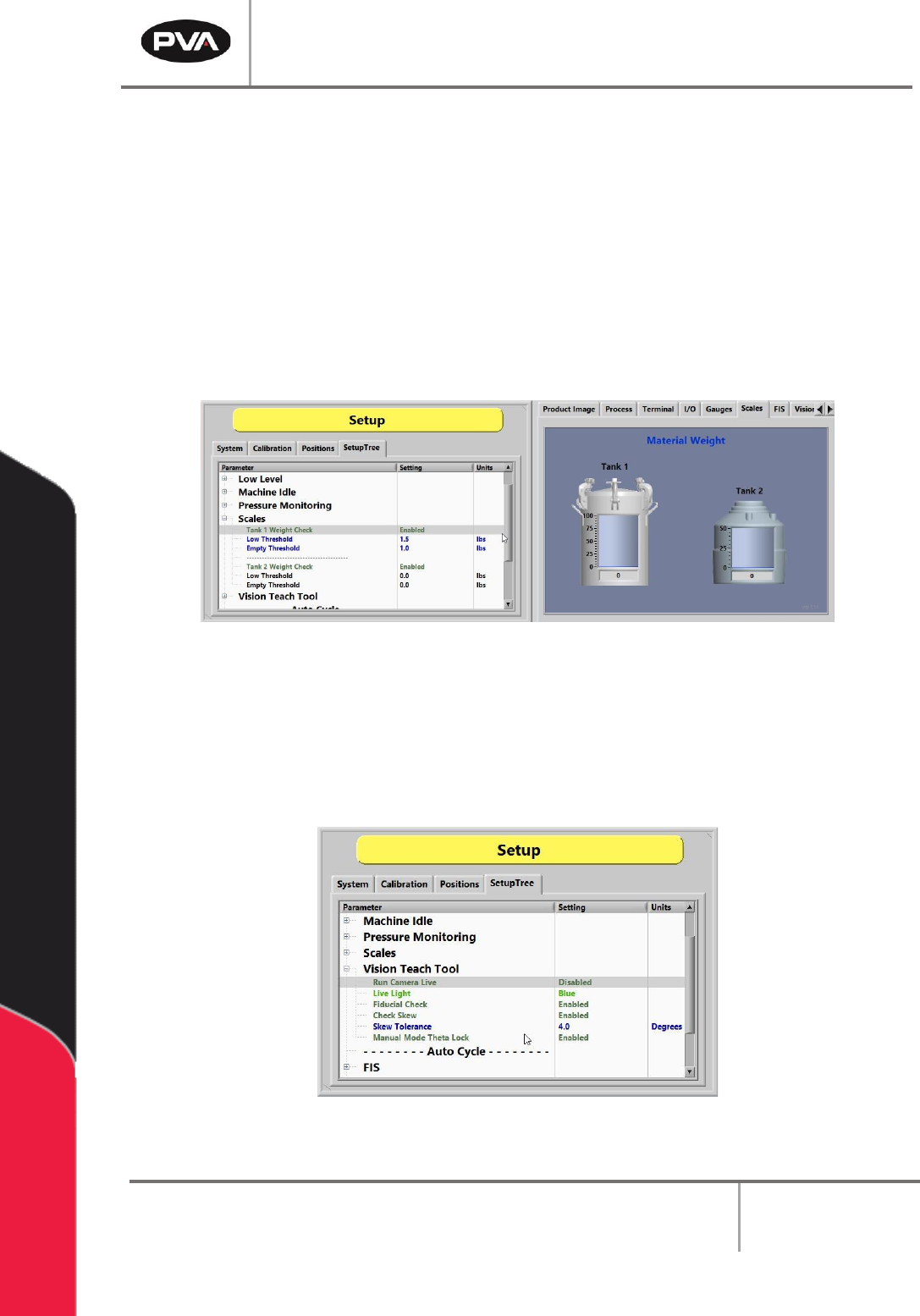
Pressure Monitoring is used to verify the digital gauges installed on the system. When
enabled, the monitoring will set an alarm flag and display a message if the pressure is
outside the specified ranges for the Upper and Lower Limits.
The Upper Limit and the Lower Limit can be adjusted as needed for the process.
Figure 46: Adjust Pressure Monitoring in SetupTree Tab
PVA Portal Manual
Revision I / January 2022
Page 49 of 106
8.4.5 Scales
Scales are used to verify the digital scales installed on the system. When enabled, the
monitoring will set an alarm flag and display a message if the current material tank weight
is outside the specified ranges for Low Threshold and Empty Threshold.
The Low Threshold and Empty Threshold values can be adjusted as needed for the
process. Low Threshold will display a warning. Empty Threshold, however, will set an
alarm and prevent further production.
Note: Always ensure the Low and Empty Threshold values are set so that the material
never falls below the tank dip tube.
Figure 47: Adjusting the Scales in SetupTree Tab
8.4.6 Vision Teach Tool
The vision functions shown below are set in the Vision Teach Tool option under the
SetupTree tab in Setup mode. Each option can be toggled to enable or disable it.
Figure 48: Vision Teach Tool Functions