Portal-Operation-Manual-REV-I.pdf - 第79页
PVA Portal Manual Revision I / Janua ry 2022 Page 79 of 106 12.3 Unsolicited Connection The Unsolicited Connection tab h as the settin gs for the syste m messages communication between the Galil and Portal. 1. The Unsoli…
PVA Portal Manual
Revision I / January 2022
Page 78 of 106
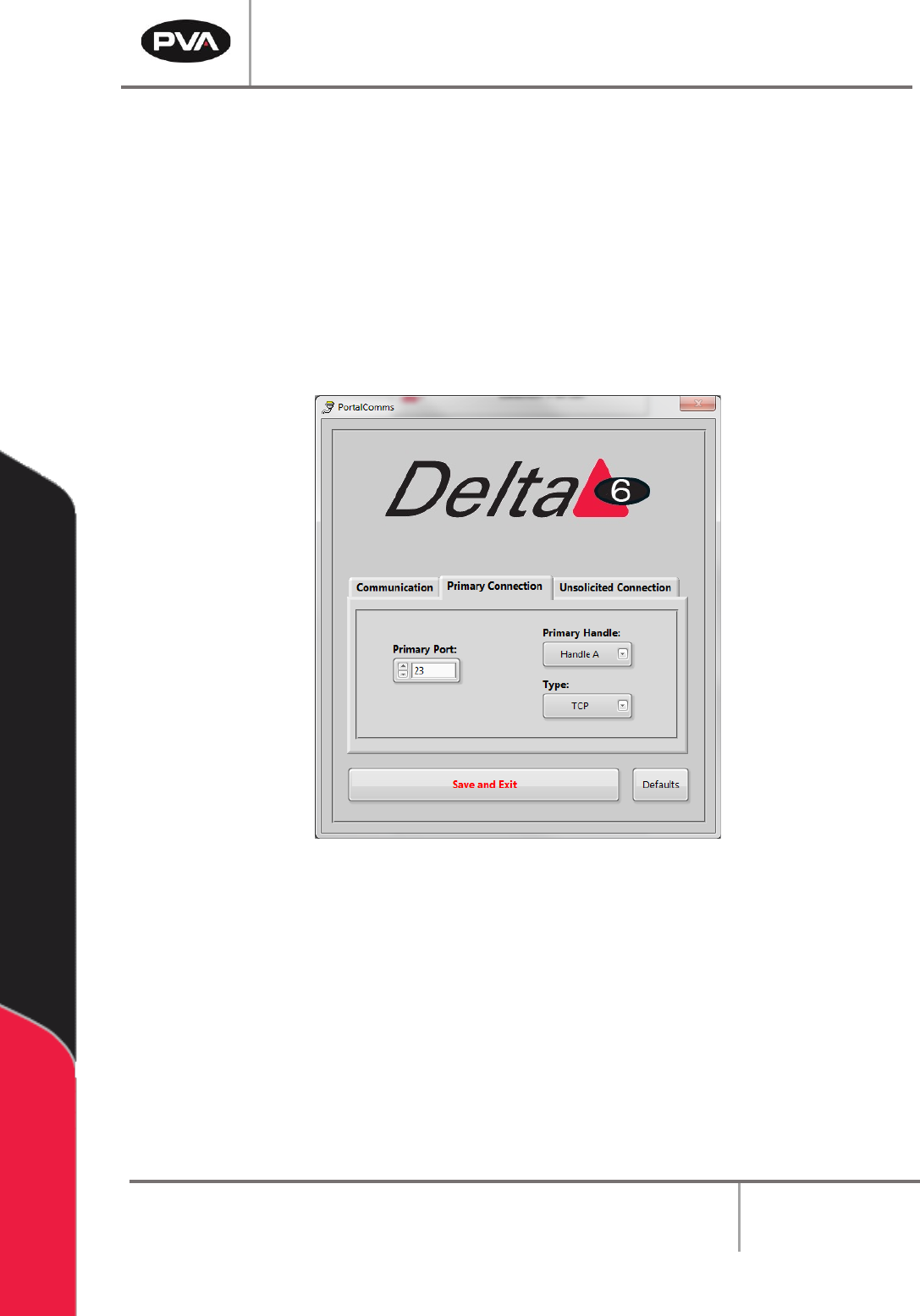
12.2 Primary Connection
The Primary Connection tab has the settings for the primary communication between the
Galil and Portal.
1. The Primary Handle and Type must be different from the settings for the
Unsolicited Connection.
2. Select the arrow next to the setting to select a setting from the drop-down menu.
3. Select the “Save and Exit” button to save the updated values.
Figure 88: Primary Connection Tab
Note: Selecting the “Defaults” button at any time will return the Primary Connection
settings to the default factory settings.
PVA Portal Manual
Revision I / January 2022
Page 79 of 106
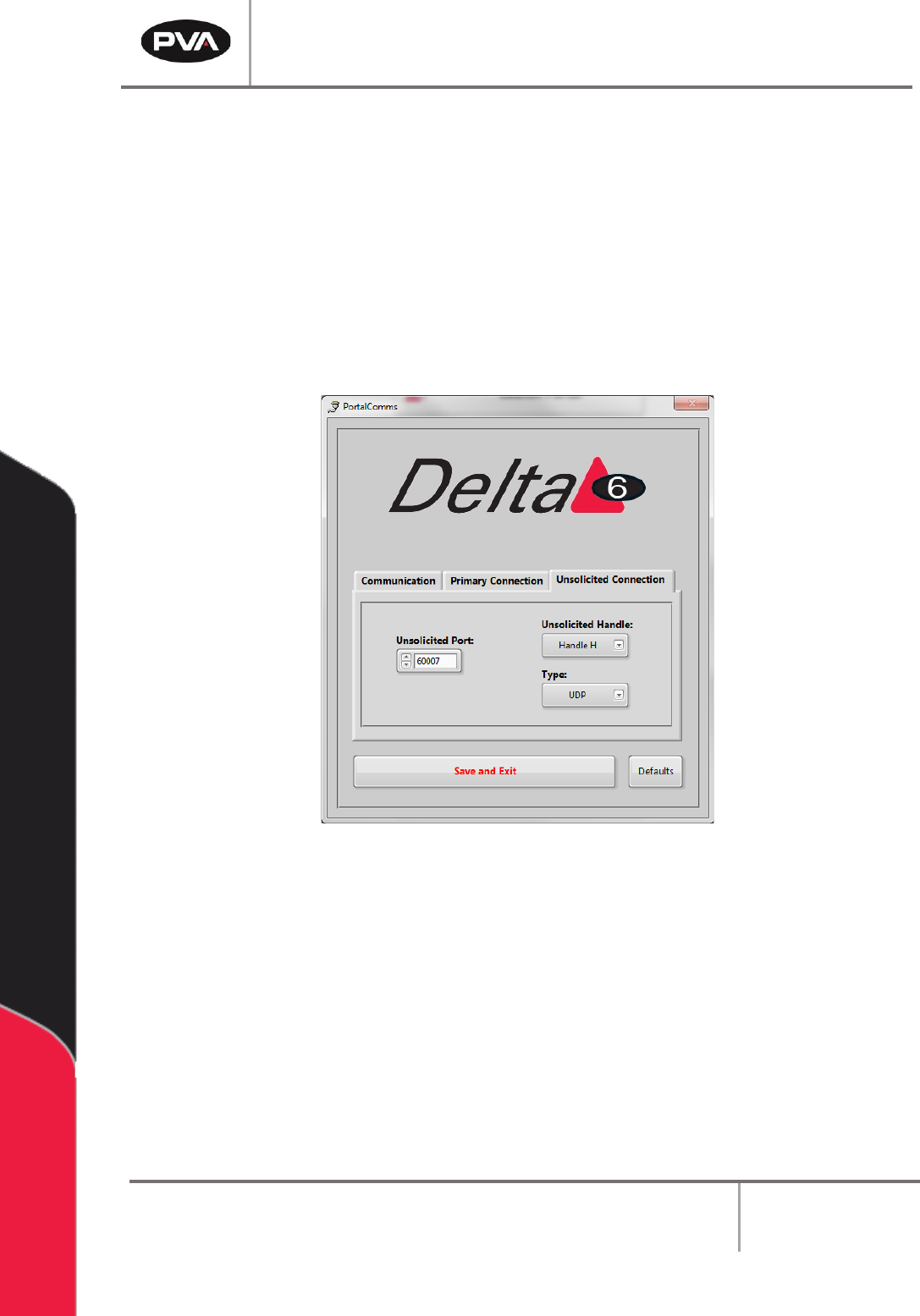
12.3 Unsolicited Connection
The Unsolicited Connection tab has the settings for the system messages
communication between the Galil and Portal.
1. The Unsolicited Handle and Type must be different from the settings for the
Primary Connection.
2. Select the arrow next to the setting to select a setting from the drop-down menu.
3. Select the “Save and Exit” button to save the updated values.
Figure 89: Unsolicited Connection Tab
Note: Selecting the “Defaults” button at any time will return the Unsolicited
Connection settings to the default factory settings.
PVA Portal Manual
Revision I / January 2022
Page 80 of 106
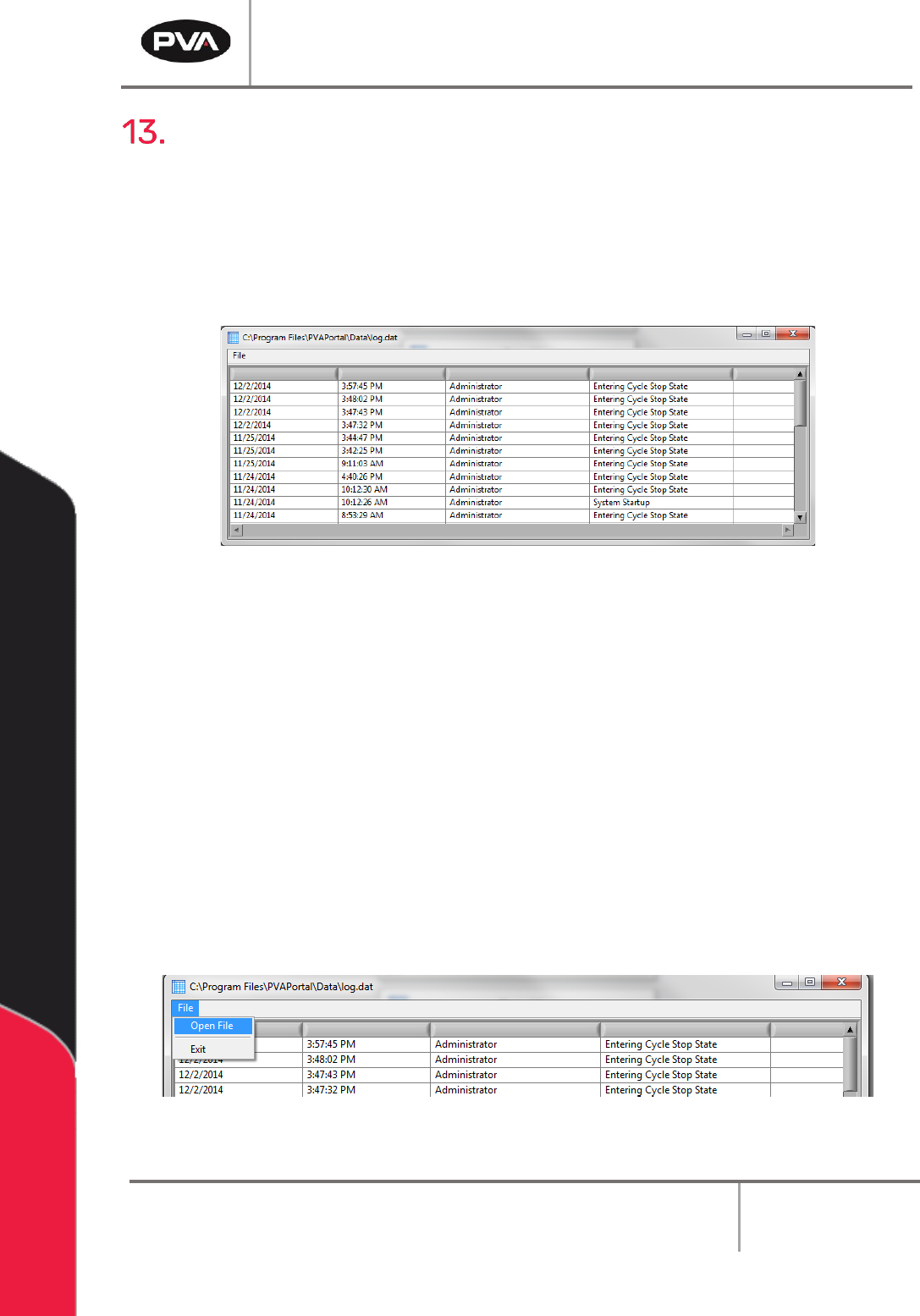
DataView
The Portal DataView application can run as a standalone application or as an embedded
version within PVA Portal. The window for the standalone version can be resized,
maximized, or minimized. The embedded version is in the Log tab on the main Portal
screen and has a fixed dimension that is sized accordingly. Additional configuration of each
version of the DataView app is handled in the Portal Sysconfig.ini file. Refer to the ini
configuration parameters listed below for more information.
Figure 90: Log File
13.1 Startup Log File
PVA Portal can write data to any of 10 different log files. However, DataView can only
display the content of one log file at a time. On startup, the default log file is loaded into
DataView.
The default log is configured by setting the ‘InitialLogFile’ key in the [DataView] section of
the configuration files.
To load a log file other than the initial log file:
1. When DataView is running in the standalone version, select File -> Open File on the
menu bar.
Figure 91: Open File from Standalone DataView