Portal-Operation-Manual-REV-I.pdf - 第69页
PVA Portal Manual Revision I / Janua ry 2022 Page 69 of 106 10.3 Mac hine Safety Check Once initializatio n and exhaust verification ar e complete, th e operator i nterface displays the messag e seen in Figure 72 . The M…
PVA Portal Manual
Revision I / January 2022
Page 68 of 106
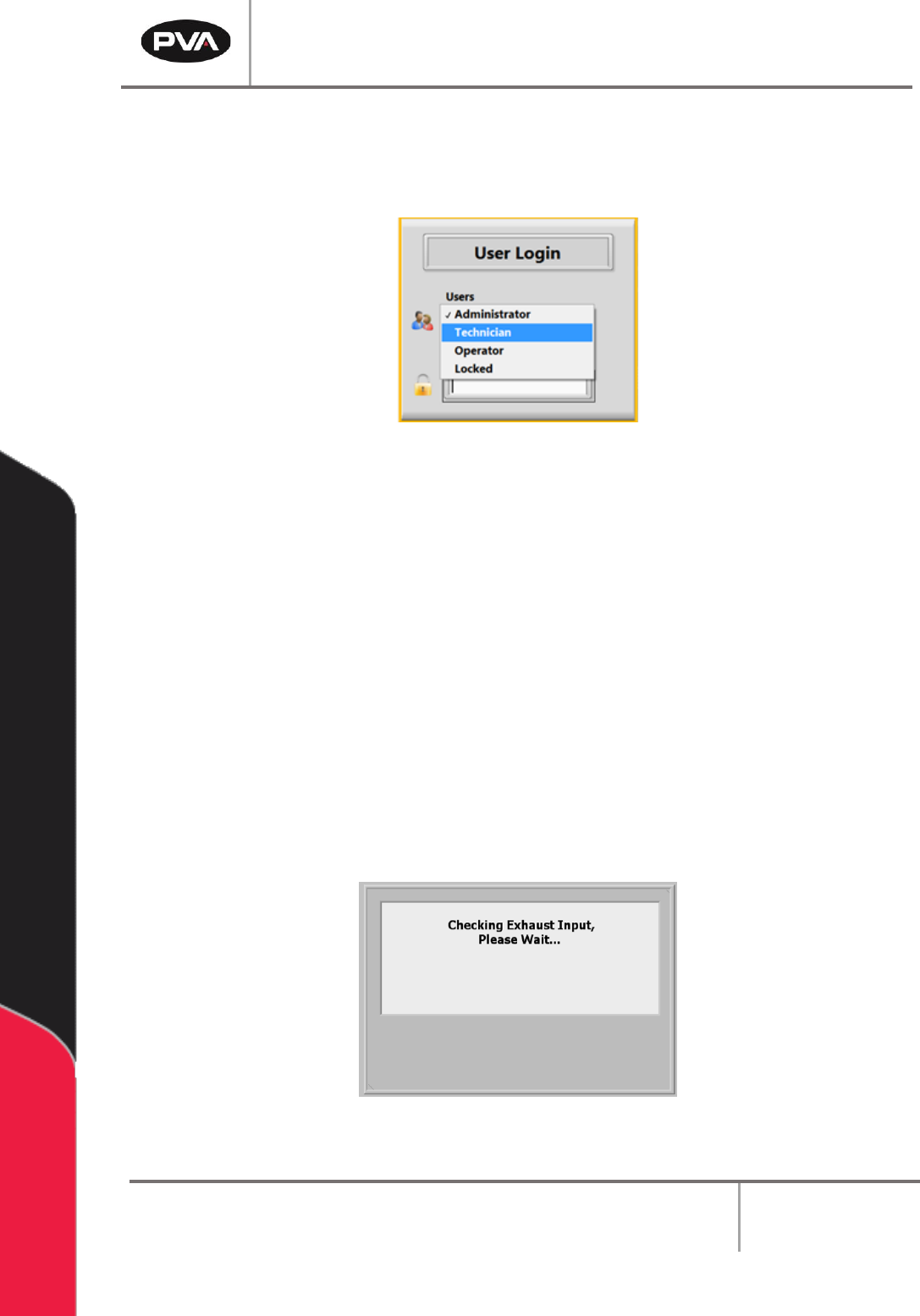
10.1.2 Login to Portal
Login to the PVA Portal Software by selecting the correct user and entering the
corresponding password. Push the “Enter” button on the keyboard.
Figure 70: User Selection
Note: PVA configures the default password as blank. Refer to Section 11 for more
information on Portal Permissions.
10.2 Exhaust Verification
Once the workcell has initialized, it will perform an Exhaust Verification test of the
exhaust flow rate. If initialization fails, refer to the workcell manual for fault diagnostics.
The exhaust flow rate is monitored with the on-board pressure differential switch.
The workcell must exhaust at a rate no less than 300 cubic feet per minute (CFM),
otherwise a critical fault will occur and stop the motors. The Exhaust Verification test will
also help to evacuate any vapors that are in the work area. The time this takes is based on
the CFM and the area that must be evacuated. The Exhaust Input Screen below will be
shown:
Figure 71: Exhaust Input Screen
PVA Portal Manual
Revision I / January 2022
Page 69 of 106
10.3 Machine Safety Check
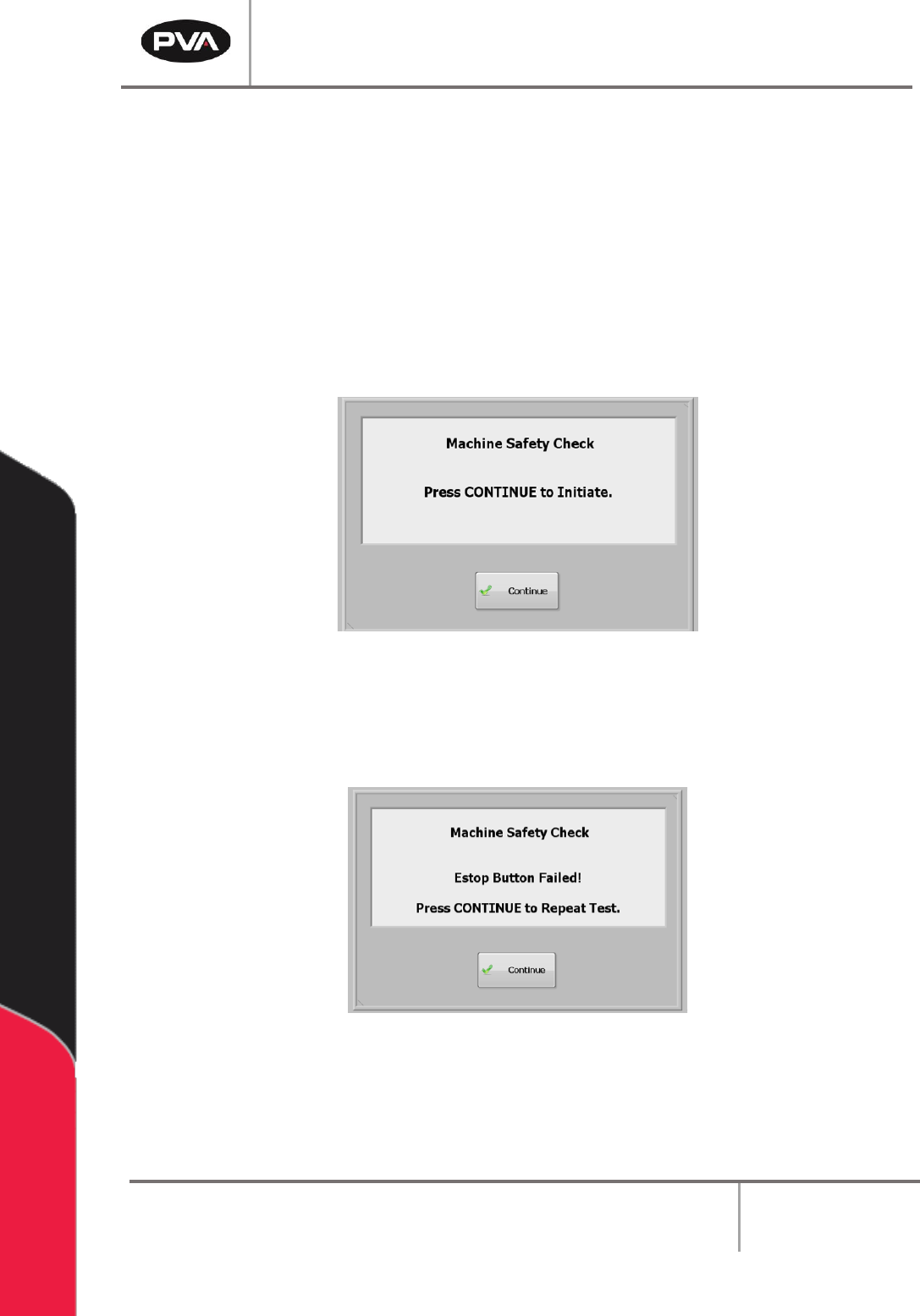
Once initialization and exhaust verification are complete, the operator interface displays
the message seen in Figure 72.
The Machine Safety Check ensures that the workcell safety devices (Emergency Stop,
Door Interlocks, Light Curtain, etc.) are operating correctly. During startup, the operator
must start the safety check and complete it successfully, or the machine will stop all
operations.
1. Select the “Continue” button.
Figure 72: Machine Safety Check
2. Safety devices must be activated and deactivated when shown on the screen. All
events in this procedure are timed. If an action is not completed within 8 seconds,
an error screen will be shown.
Figure 73: Sample Estop Fail
3. Select the “Continue” button to repeat the test.
PVA Portal Manual
Revision I / January 2022
Page 70 of 106
After the second failure, the workcell stops and must be restarted. Turn the workcell power
off and on again. The second failure does not have to be for the same device. For example,
an Emergency Stop failure followed by a Door Interlock failure will stop the workcell.
Note: If the safety check fails, a qualified person must examine the full system before
the machine is operated again. Refer to the Troubleshooting Power Check Failures
Document for more information.
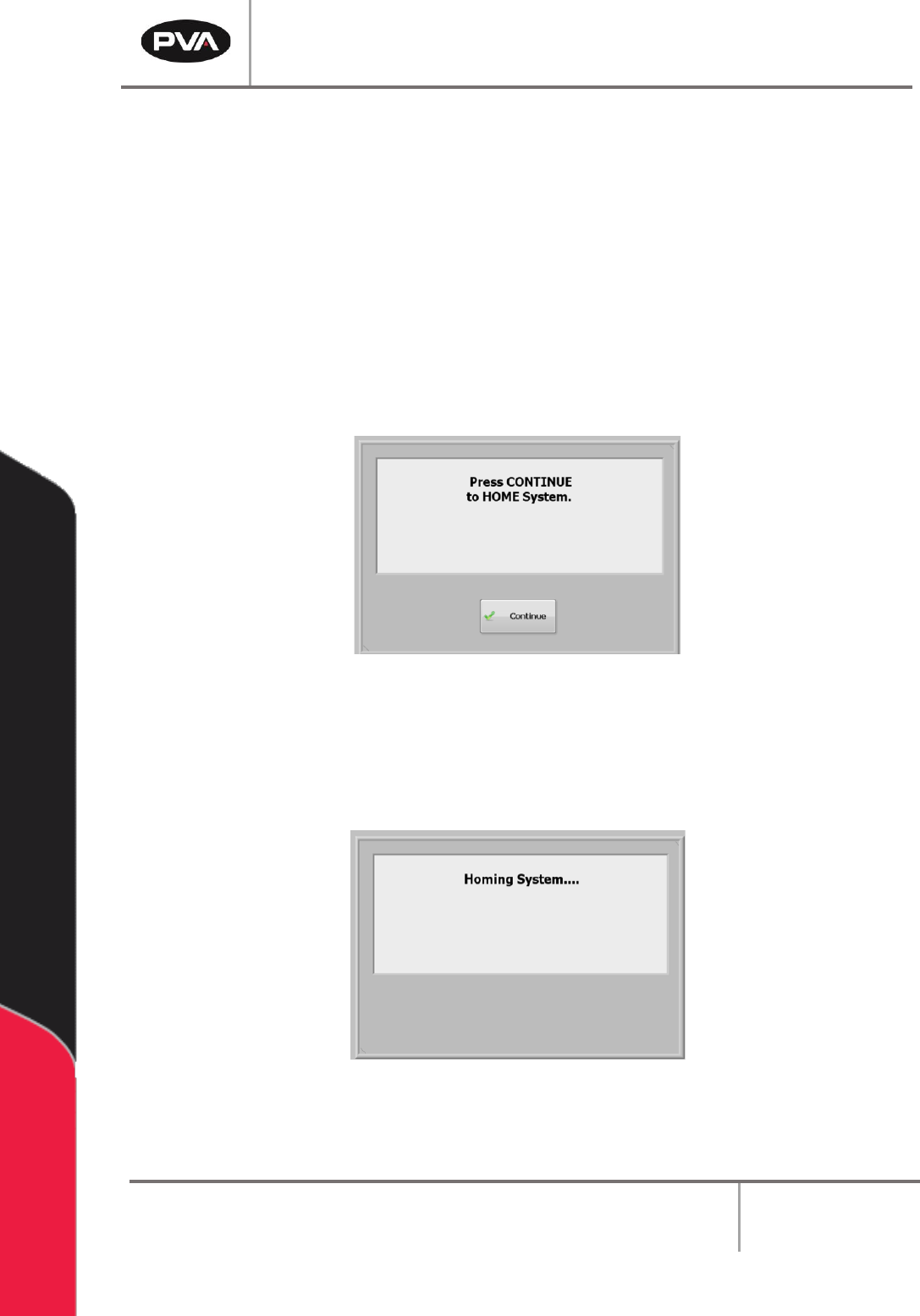
10.4 Homing the Axes
After the safety check is complete, the screen below is shown:
Figure 74: Home the System
1. Select the “Continue” button to home the system.
2. The axes will home in the following order: Z, W (if installed), then X & Y
simultaneously.
Figure 75: System Homing Screen