Portal-Operation-Manual-REV-I.pdf - 第50页
PVA Portal Manual Revision I / Janua ry 2022 Page 50 of 106 When enabled, the Run Came ra Live function wil l make the ca mera live unless an inspection is run ning or if there is a failed inspection. If dis abled, th e …
PVA Portal Manual
Revision I / January 2022
Page 49 of 106
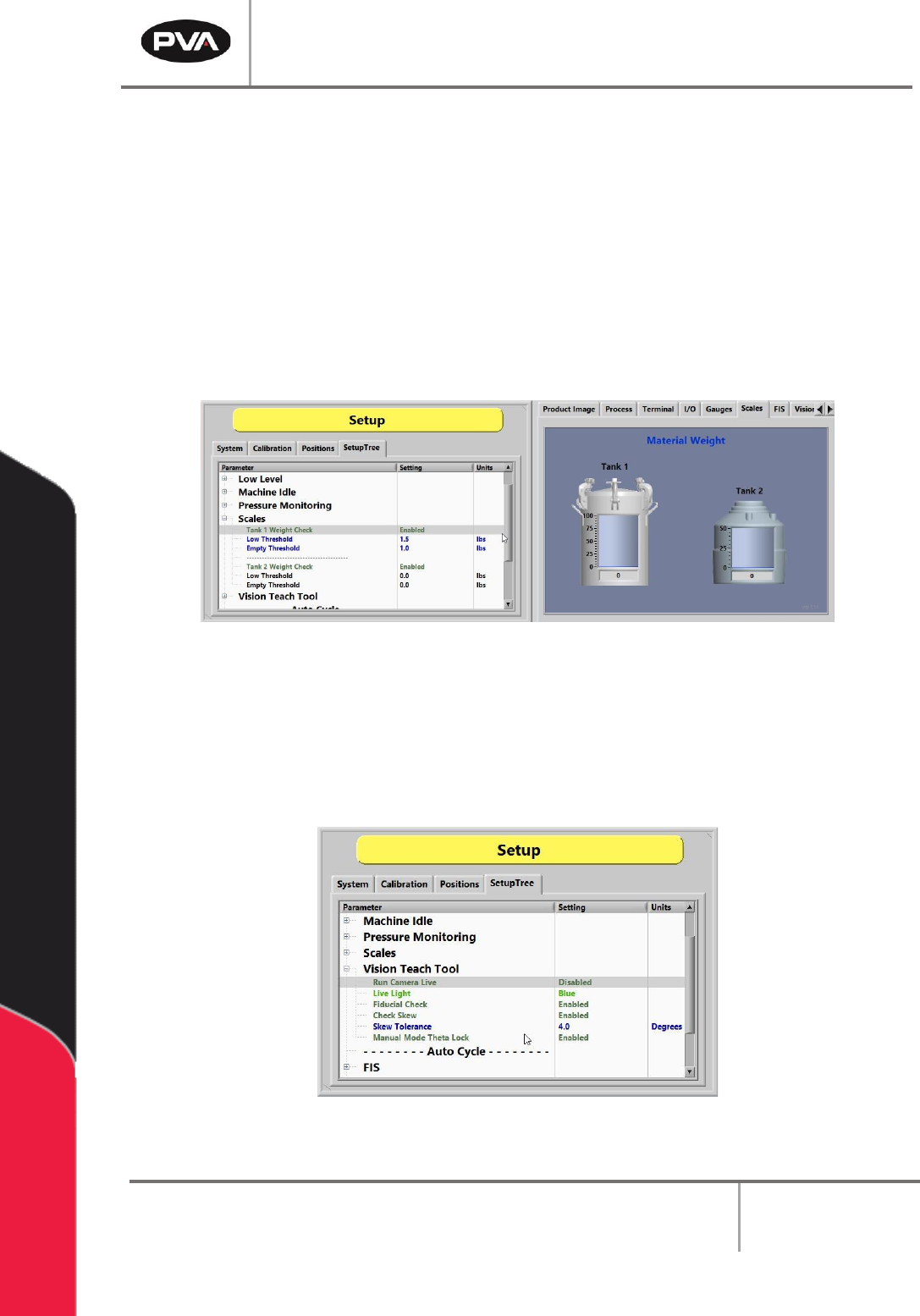
8.4.5 Scales
Scales are used to verify the digital scales installed on the system. When enabled, the
monitoring will set an alarm flag and display a message if the current material tank weight
is outside the specified ranges for Low Threshold and Empty Threshold.
The Low Threshold and Empty Threshold values can be adjusted as needed for the
process. Low Threshold will display a warning. Empty Threshold, however, will set an
alarm and prevent further production.
Note: Always ensure the Low and Empty Threshold values are set so that the material
never falls below the tank dip tube.
Figure 47: Adjusting the Scales in SetupTree Tab
8.4.6 Vision Teach Tool
The vision functions shown below are set in the Vision Teach Tool option under the
SetupTree tab in Setup mode. Each option can be toggled to enable or disable it.
Figure 48: Vision Teach Tool Functions
PVA Portal Manual
Revision I / January 2022
Page 50 of 106
When enabled, the Run Camera Live function will make the camera live unless an
inspection is running or if there is a failed inspection. If disabled, the camera will run live
only during the inspection and then turn off.
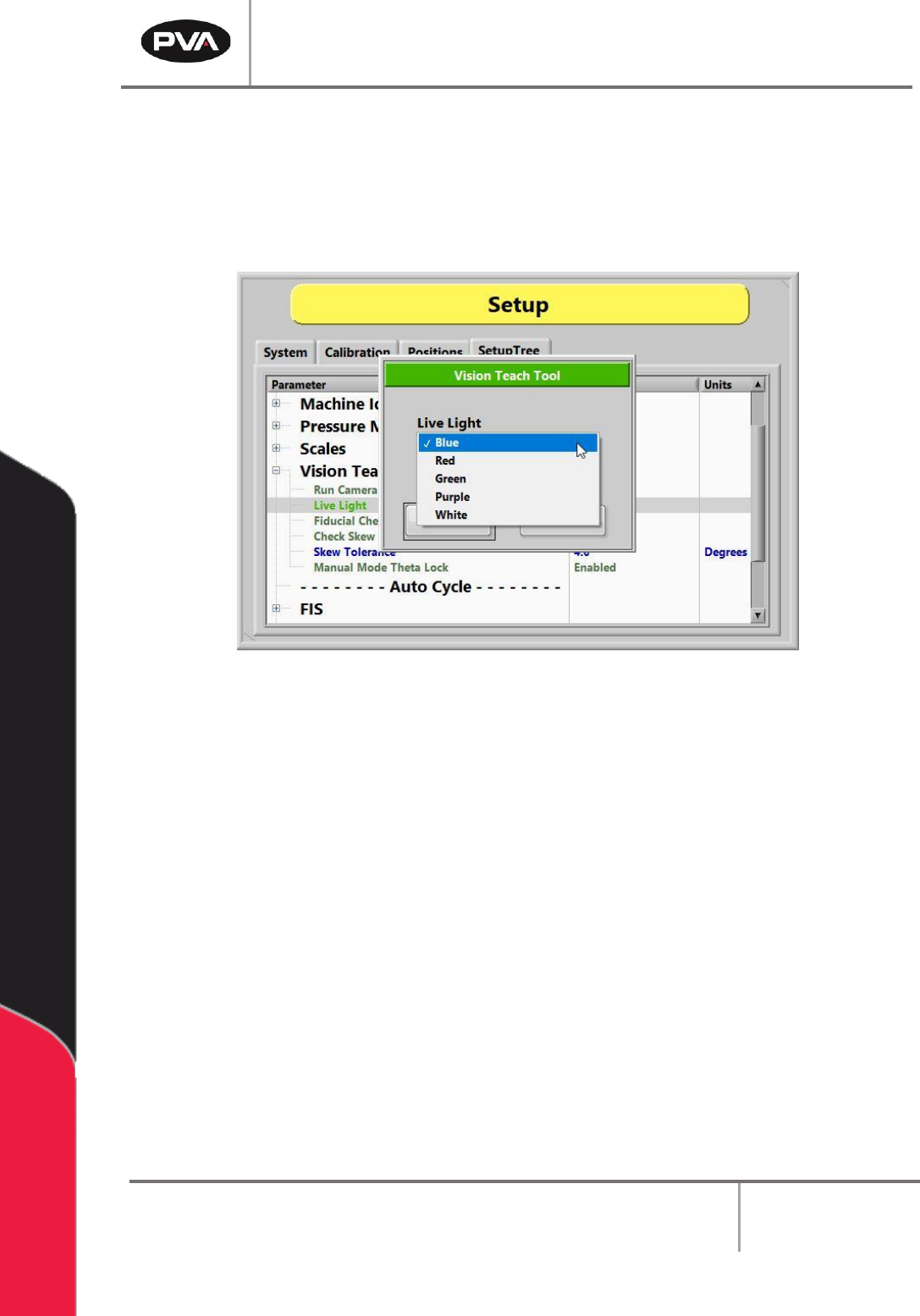
The Live Light function allows the live light color to be changed to blue, red, green, purple,
or white.
Figure 49: Vision Teach Tool Live Light Options
When the Fiducial Check function is enabled, a fiducial check will run in Auto Cycle. When
the function is disabled, the camera will go to the fiducial coordinate but will not run the
inspection.
Note: Any lights related to the inspection will shut off when the camera is not live.
If enabled, the Check Skew mode will apply a skew correction to the current program.
The Skew Tolerance is the allowable skew correction value in degrees. The range is 0 to 7
degrees of rotation.
The Manual Mode Theta function unlocks the theta position (W-axis) to prevent teaching
an incorrect theta position.
PVA Portal Manual
Revision I / January 2022
Page 51 of 106
8.4.7 FIS
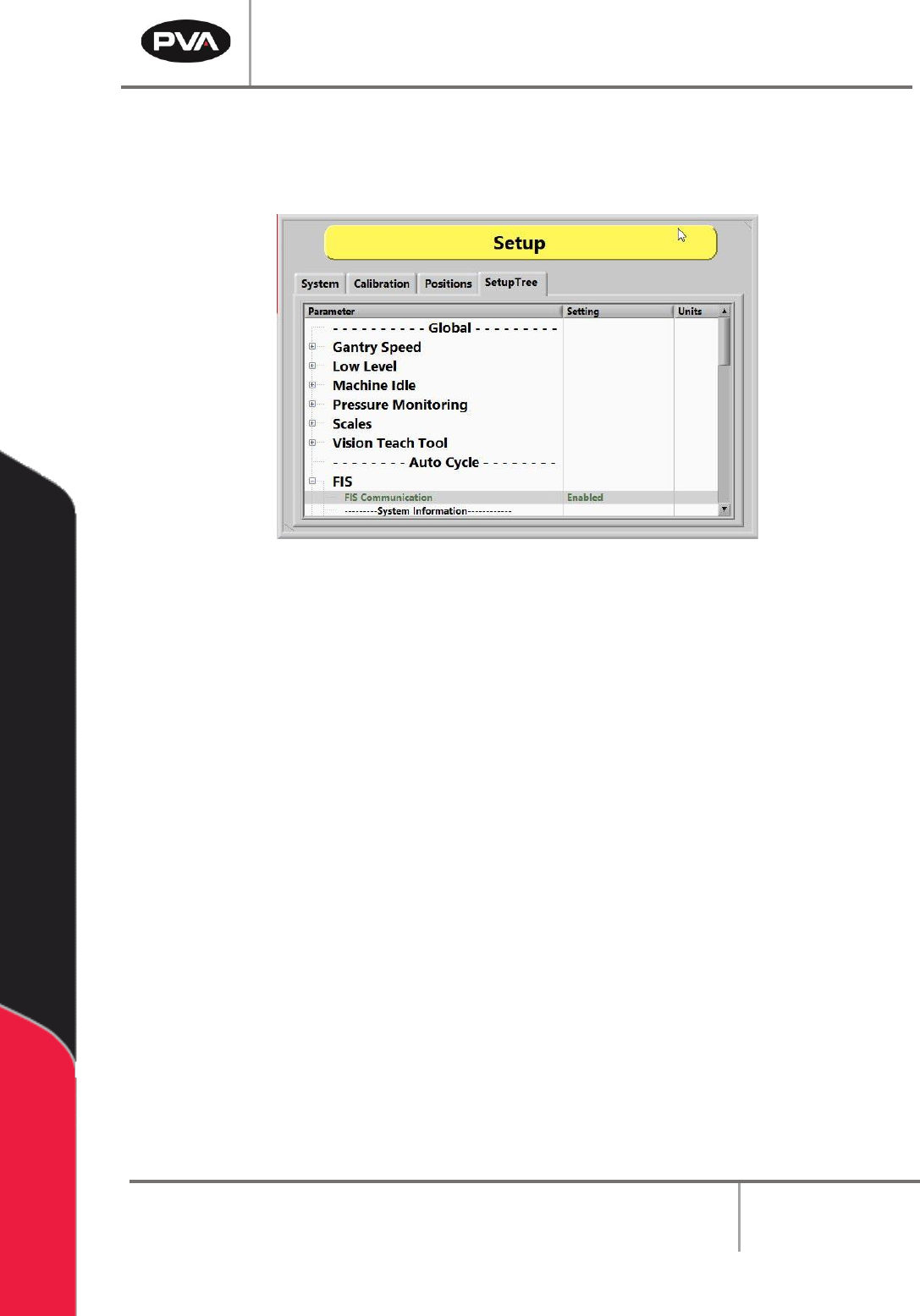
In the FIS option of the SetupTree tab, the FIS Communication can be either enabled or
disabled. Refer to Section 6.8 for more information on FIS.
Figure 50: Enable or Disable FIS
8.4.8 Flow Monitors
The Flow Monitor will always be in the SetupTree with only on/off settings. The Setpoint
and Deviation MUST be set in path programs.
Some workcells have flow monitors, up to four, installed. Workcell flow monitors measure
the amount of material that flows through the supply line before it goes to supply the
individual valves. Flow monitors are used to show when the actual values are outside of the
set values. The operator sets the necessary material volume and a permitted deviation.
8.4.8.1 Priming the Flow Monitor
The flow monitor must be primed before it is used to prevent damage. When priming the
flow monitor, the amount of air that goes through the unit during the initial startup is
reduced. Perform the following procedure to prime the flow monitor:
1. Fill the pressure vessel with material and close tightly. Refer to the system manual
for more information.
2. Set the material pressure regulator to 0 psi.
3. Turn the air inlet and the material outlet valves to the closed position.