Portal-Operation-Manual-REV-I.pdf - 第24页
PVA Portal Manual Revision I / Janua ry 2022 Page 24 of 106 6.4 SMEMA Status Figure 12 : SMEMA S tatus When the wor kcell is put in-line, the S MEMA signals communicat e wit h the upstream and downstream ma chines. Under…
PVA Portal Manual
Revision I / January 2022
Page 23 of 106
6.3 PathMaster®
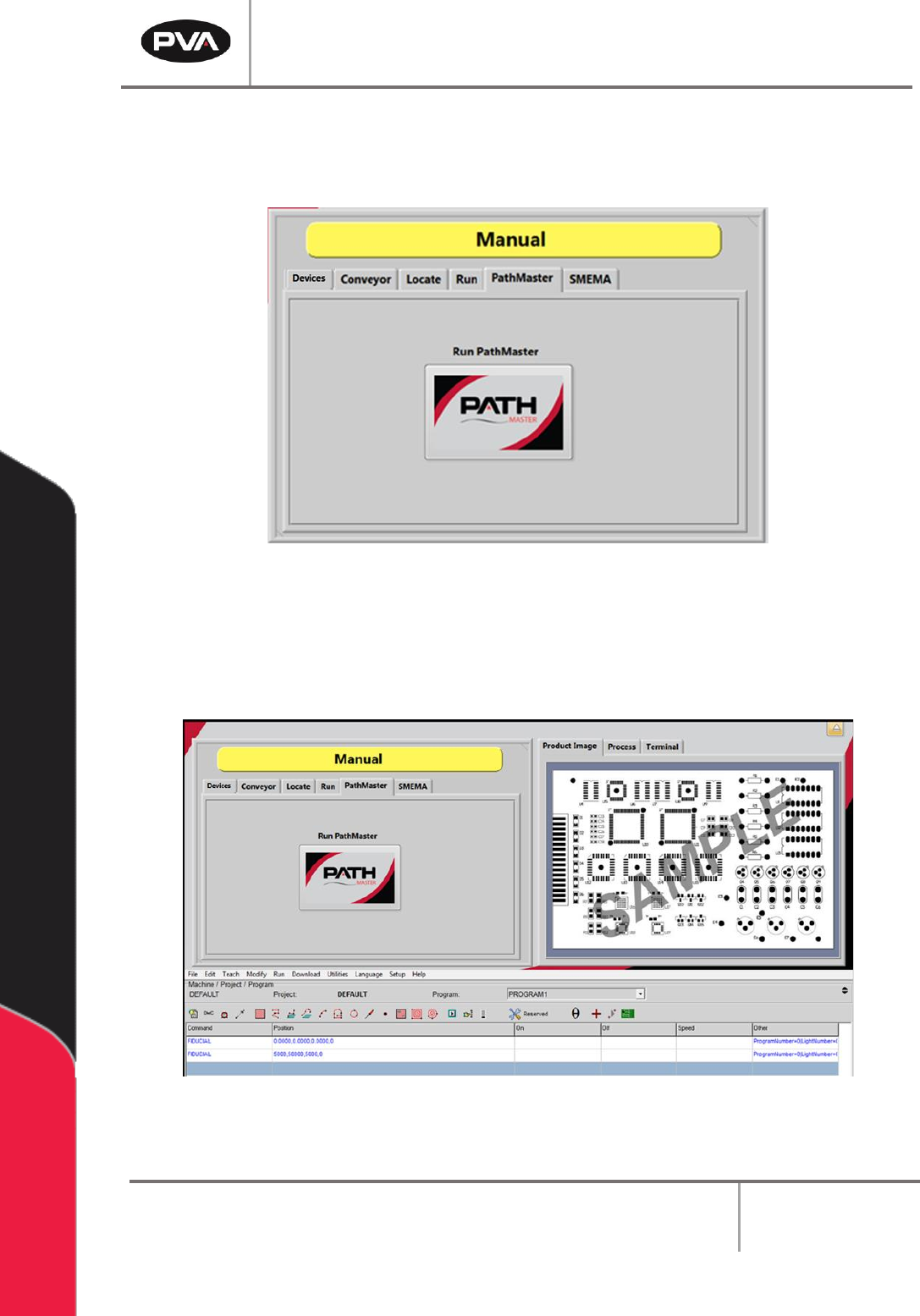
The PathMaster tab contains a button that launches the included PathMaster® software.
Figure 10: Launch PathMaster® from Manual Mode
1. Select the PathMaster tab.
2. Select the “Run PathMaster” button to open the software. The PathMaster®
window will open below the Portal screen.
Figure 11: PathMaster® Open in Manual Mode of Portal
PVA Portal Manual
Revision I / January 2022
Page 24 of 106
6.4 SMEMA Status
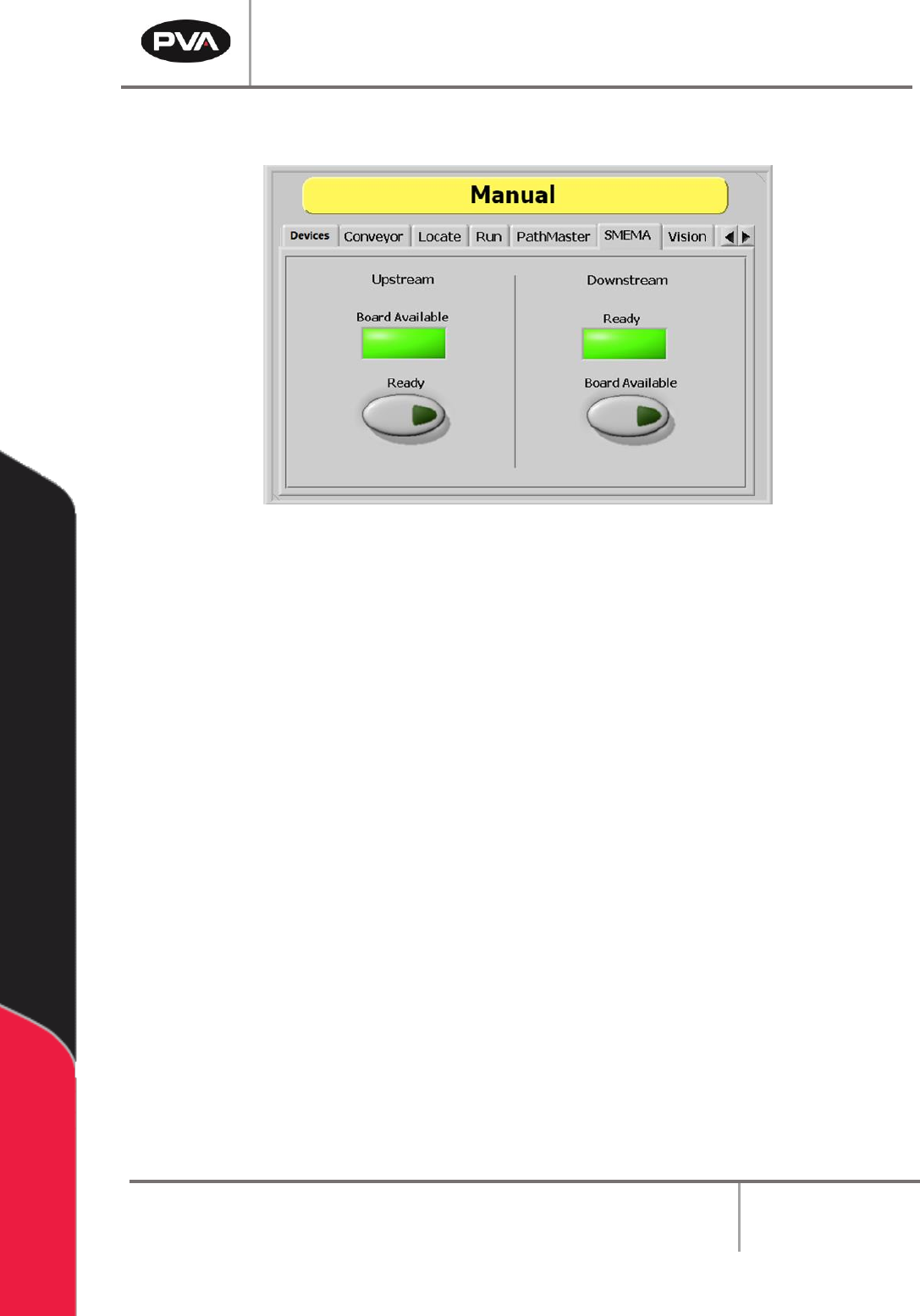
Figure 12: SMEMA Status
When the workcell is put in-line, the SMEMA signals communicate with the upstream and
downstream machines. Under the “SMEMA” tab, inputs to the workcell can be checked and
the Upstream Ready and Downstream Board Available output signals can be changed.
1. Select the “SMEMA” tab.
Note: The Upstream “Board Available” signal turns on when the upstream machine
sends a board available signal.
2. Select the Upstream - “Ready” button to toggle the Ready output to the upstream
machine on or off. When turned on, the workcell can receive parts.
Note: The Downstream “Ready” signal turns on when the downstream machine sends
a ready signal.
3. Select the Downstream - “Board Available” button to toggle the Board Available
output to the downstream machine on or off. When turned on, the workcell can send
parts.
PVA Portal Manual
Revision I / January 2022
Page 25 of 106
6.5 Park
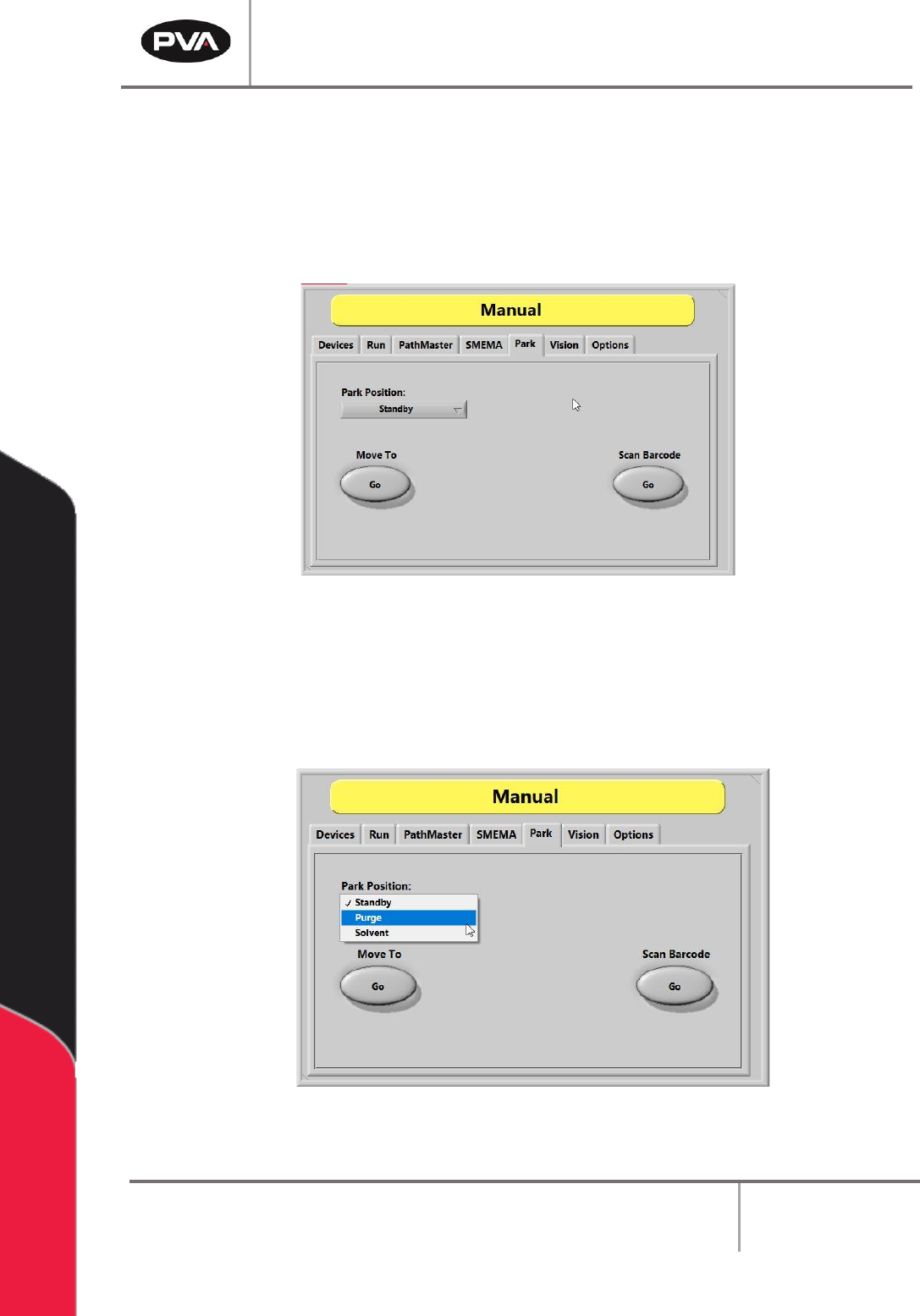
The Manual mode Park tab allows the user to place the gantry/head/valve(s) into a
predefined Park Position. The positions are taught prior to shipment and can be retaught
in Setup Mode under the Positions tab, if needed. The most common Park Positions are
Standby, Purge, and Solvent.
Figure 13: Park Position Options
To place the head into a Park Position:
1. Navigate to the Park Position drop down list.
2. From the list, select the desired position – Standby, Purge, or Solvent.
Figure 14: Choosing a Park Position Option
3. Select/press the Move To – “Go” button.