Portal-Operation-Manual-REV-I.pdf - 第30页
PVA Portal Manual Revision I / Janua ry 2022 Page 30 of 106 6.6.3 Quick FID Inspection Quick Fid Insp ection is an option al application in Portal. This option must be enabled to use the followin g functions. This applic…
PVA Portal Manual
Revision I / January 2022
Page 29 of 106
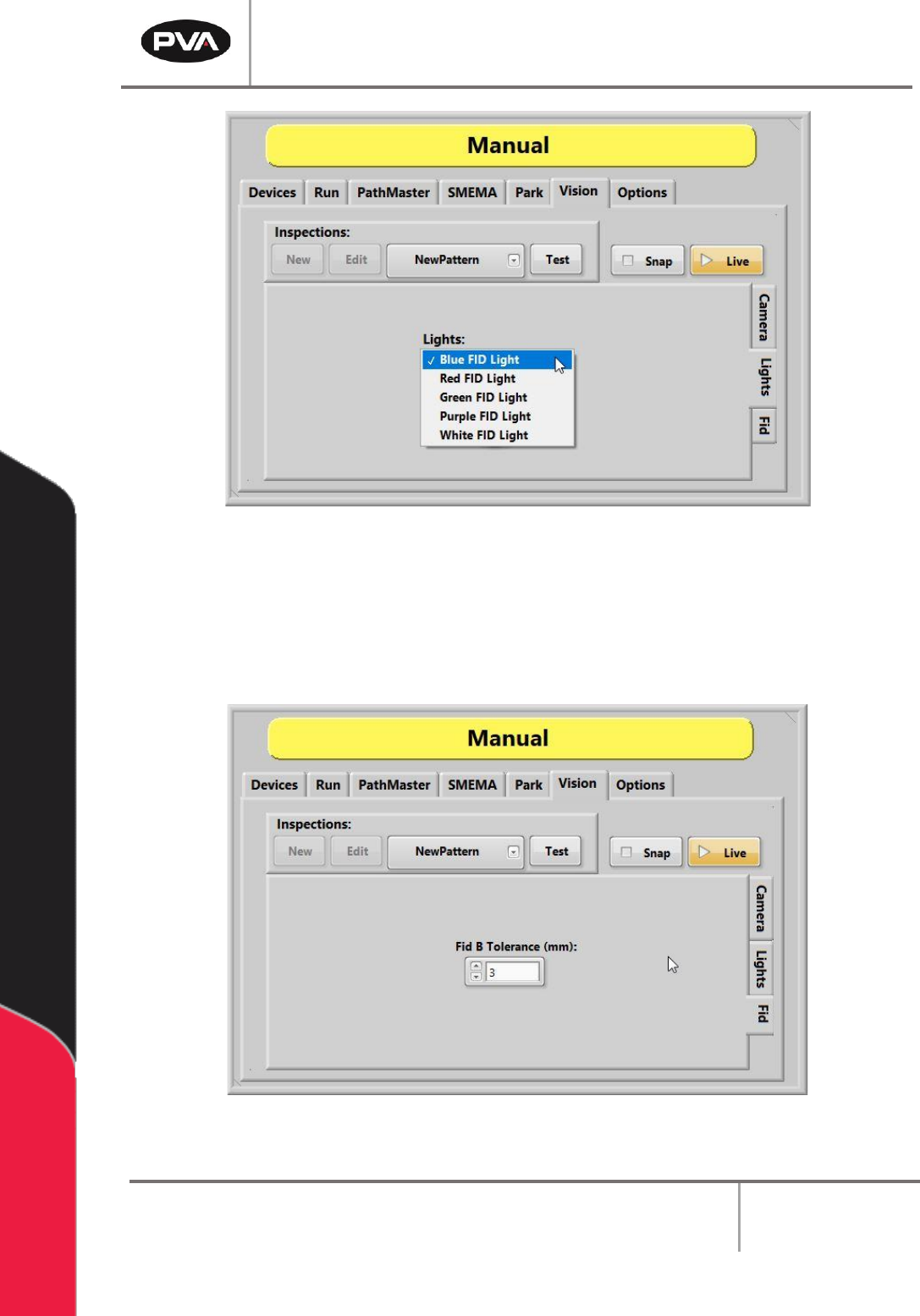
Figure 20: FID Light Options
10. Select the “Fid Tab” to set the tolerance for the B fiducial for the current inspection.
Note: An inspection can be used for an A or B fiducial or general inspection type.
Fiducial tolerance is the radial tolerance from nominal for a fiducial B type
inspection. Refer to the PathMaster® Vision manual for more information.
Figure 21: Manual Vision, FID
PVA Portal Manual
Revision I / January 2022
Page 30 of 106
6.6.3 Quick FID Inspection
Quick Fid Inspection is an optional application in Portal. This option must be enabled to
use the following functions. This application provides the use of fiducials without the
ability to do inspections.
6.6.3.1 Create a New Inspection
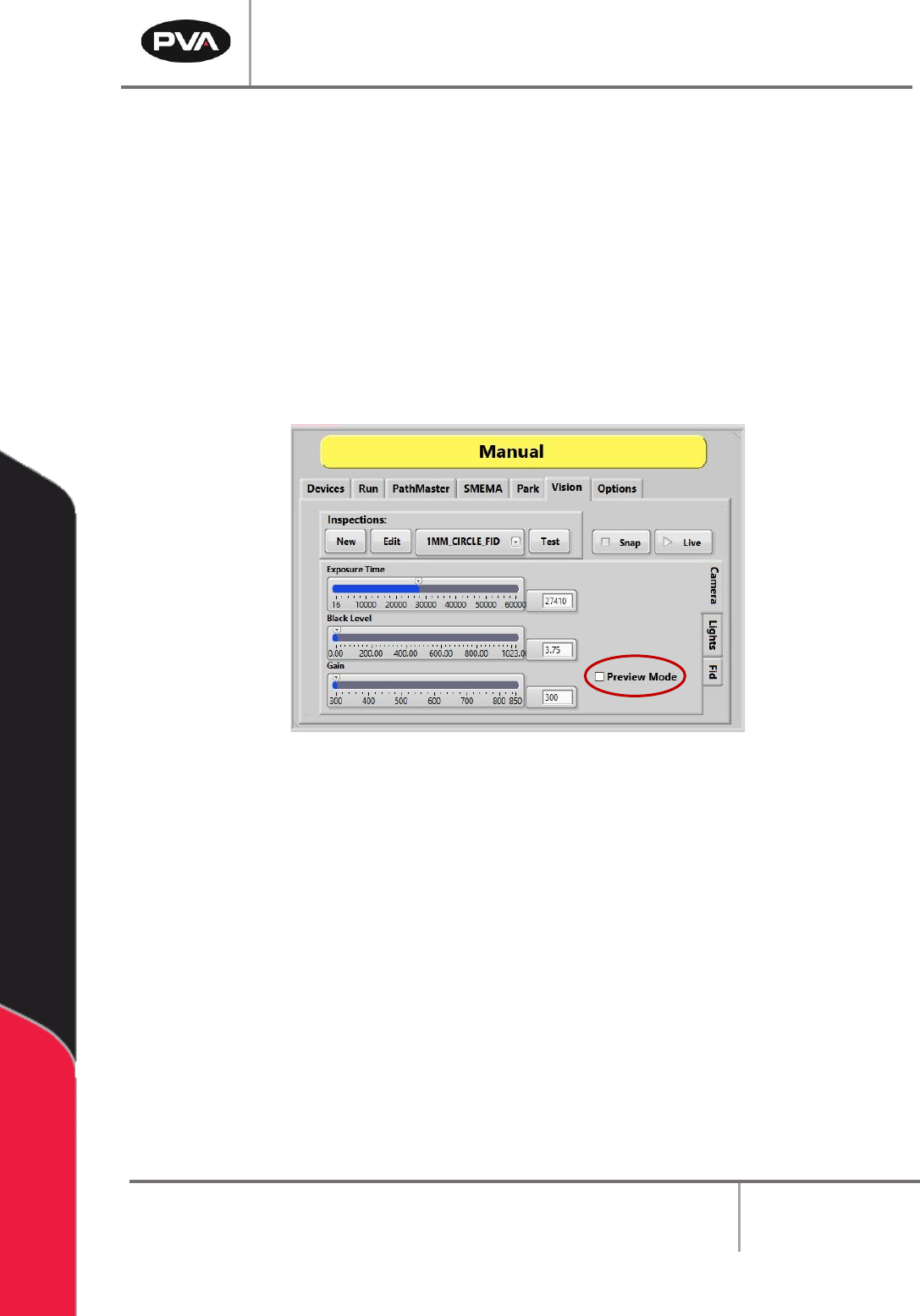
1. Uncheck the “Preview Mode” box. Changes to Inspections cannot be made in
Preview Mode. Changes made to the Camera attributes in Preview Mode do not
change the current inspection and are discarded.
Figure 22: Quick Fids
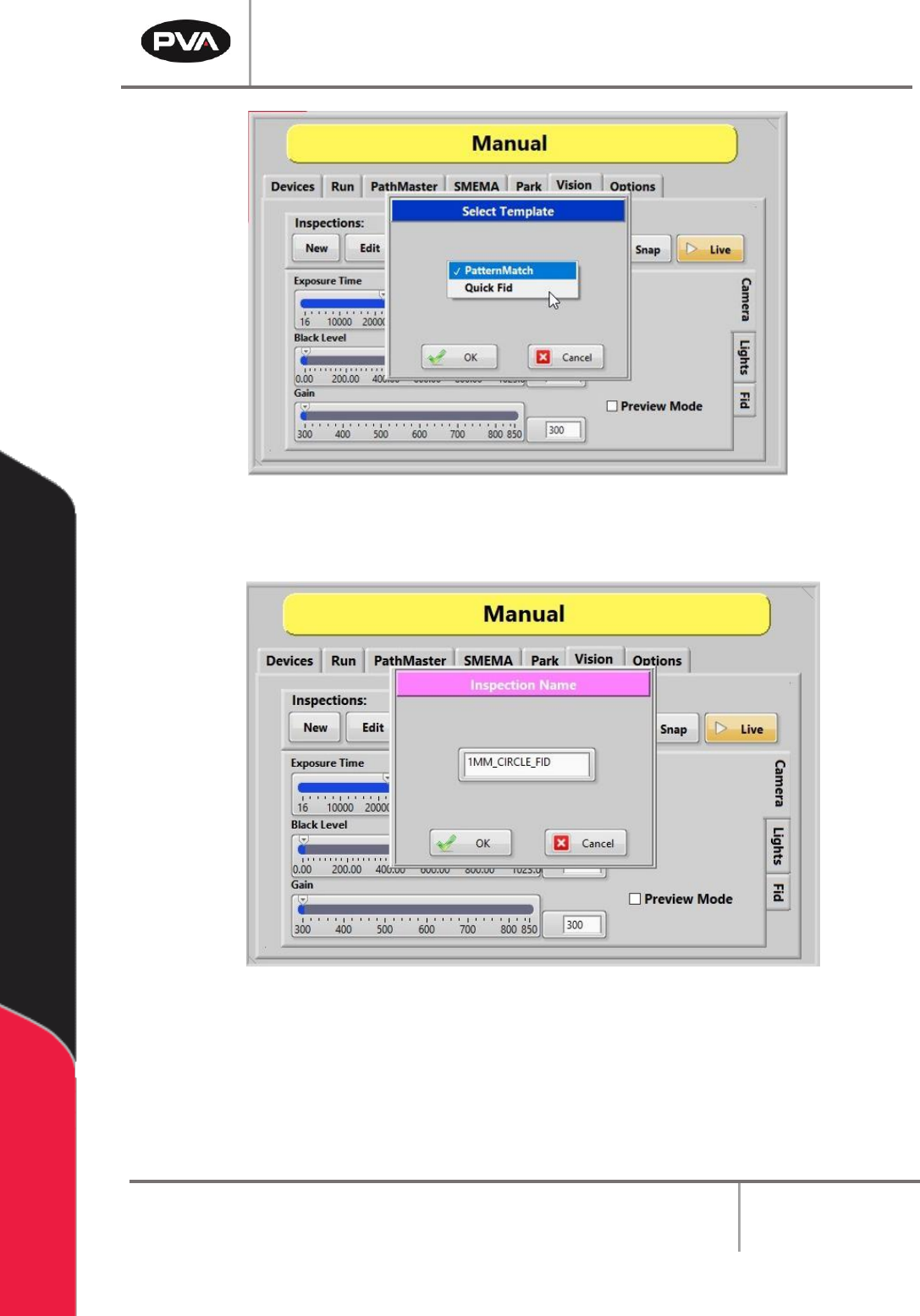
2. Under Inspections, select the “New” button.
3. Select the “Quick Fid” inspection template from the dropdown menu.
4. Select the “OK” button.
PVA Portal Manual
Revision I / January 2022
Page 31 of 106
Figure 23: Selecting a Quick Fid Template
5. Give the Quick Fid inspection a unique name and then click the “OK” button.
Figure 24: Changing the Inspection Name
6. The new Quick Fid inspection has been created.