Portal-Operation-Manual-REV-I.pdf - 第19页
PVA Portal Manual Revision I / Janua ry 2022 Page 19 of 106 Note : To change from one mode to ano ther, the “Stop” button must b e selected. For example, to go f rom Manual mo de to Auto C ycle mode select the “Stop” but…
PVA Portal Manual
Revision I / January 2022
Page 18 of 106
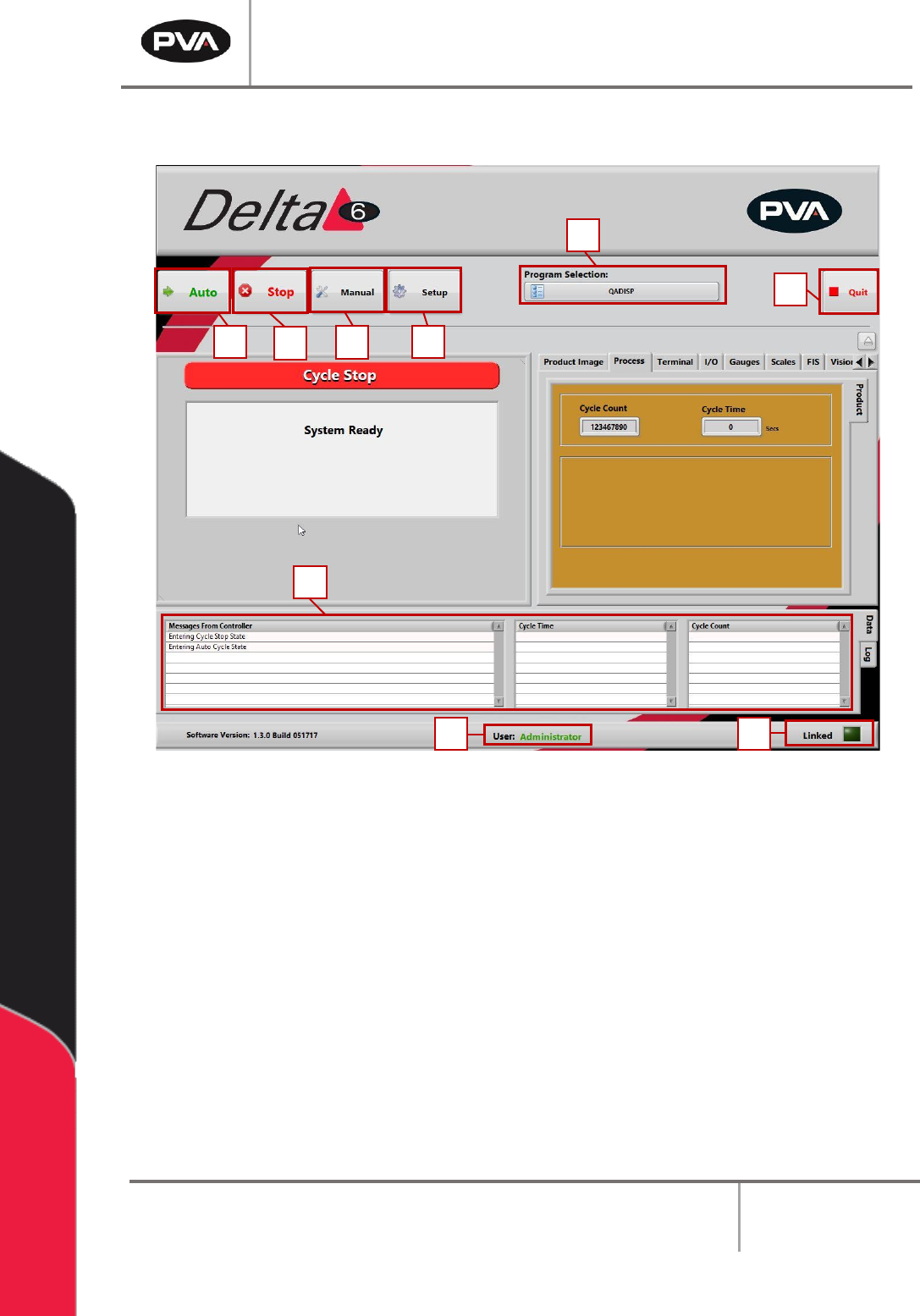
5.1 Cycle Stop Interface
Figure 4: Cycle Stop Interface
After logging in, select “Continue”. Portal will open in Cycle Stop mode, which is the
default mode for the workcell. All other modes and options can be accessed from this mode
with the buttons shown.
1. Select the “Auto” button to operate the machine in Auto Cycle. Refer to Section 7
for more information.
2. Select the “Stop” button to go to Cycle Stop mode from any other mode. Refer to
Section 5.1 for more information.
3. Select the “Manual” button to operate the machine manually. Refer to Section 6 for
more information.
4. Select “Setup” to see or change the setup functions of the machine. Refer to
Section 8 for more information.
1
7
9
8
2
3
4
5
6
PVA Portal Manual
Revision I / January 2022
Page 19 of 106
Note: To change from one mode to another, the “Stop” button must be selected. For
example, to go from Manual mode to Auto Cycle mode select the “Stop” button and
then select the “Auto” button. The Cycle Stop mode must be selected to shut down
Portal.
5. Select the desired program to use while in Auto Mode from the Program Selection
dropdown menu. Refer to Section Error! Reference source not found. for more
information.
6. Select the “Quit” button to shut down Portal.
7. All system messages will be shown in the Messages From Controller window.
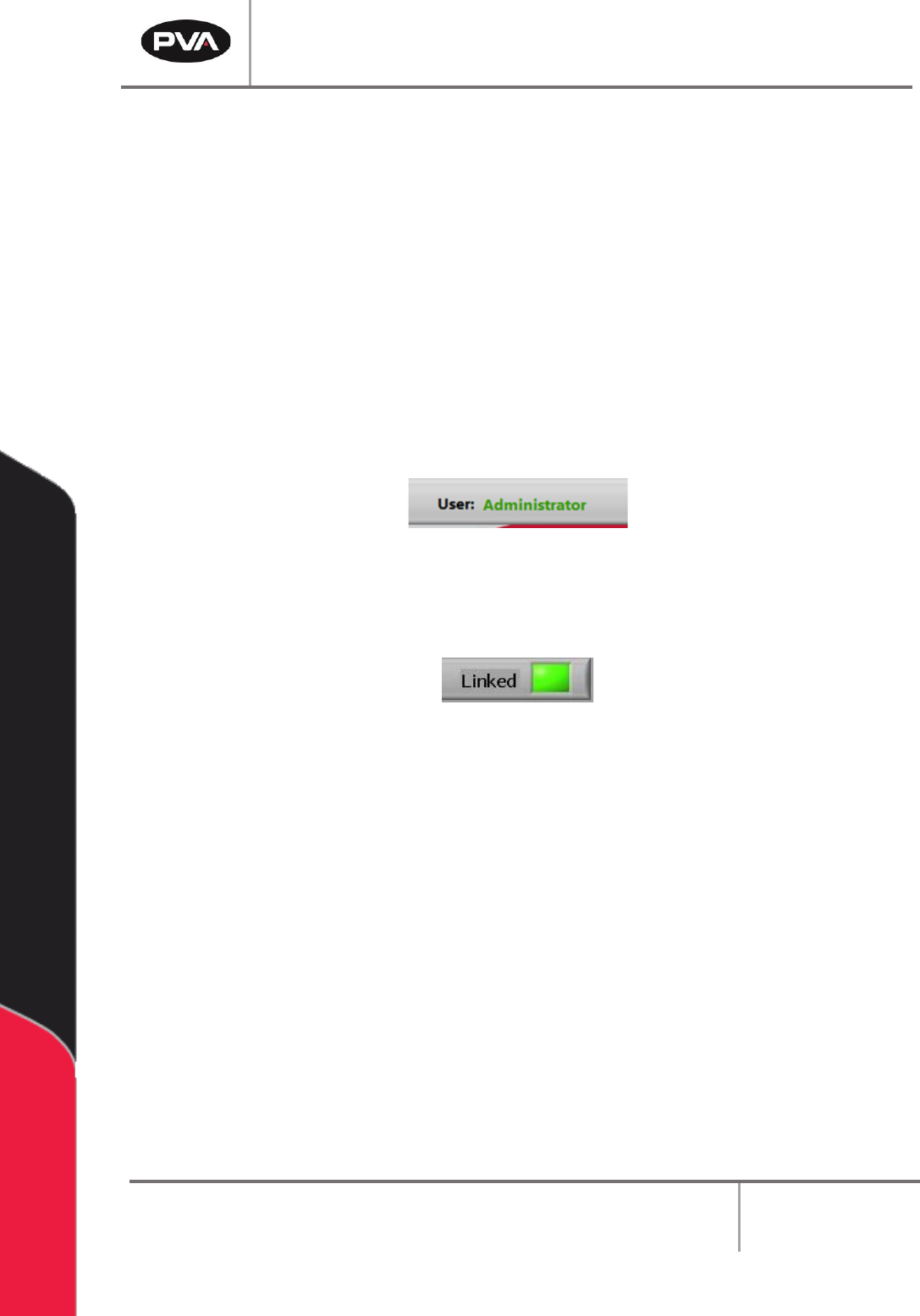
8. To change the User, select Cycle Stop and select the User at the bottom of the
window.
Figure 5: User Options
9. The Linked display shows the machine status. This indicator will blink while the PC
is connected to the workcell, but NOT while the machine is in an error state.
Figure 6: Linked Display
5.2 Program Selection
The active program can be changed at any time with the Program Selection drop-down
menu. Refer to Sections 14.1 and 14.2 for more information.
PVA Portal Manual
Revision I / January 2022
Page 20 of 106
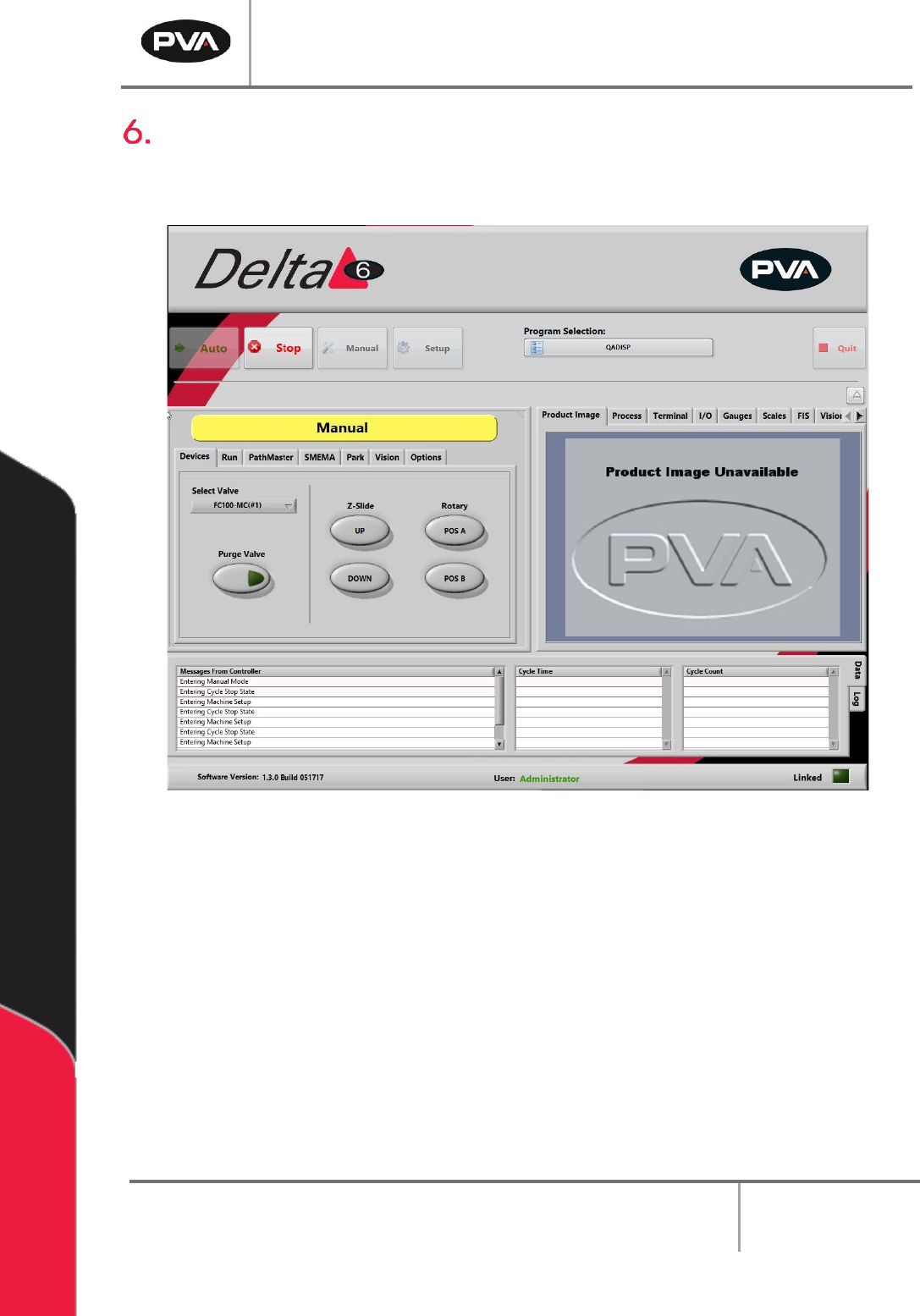
Manual Mode
The options shown in Portal depend on the workcell configuration. Refer to machine
specific manuals and appendices for more information.
Figure 7: Manual Mode
In Manual mode, the operator has manual control of all devices on the workcell. There are
tabs in Manual mode that are used for different Portal functions. A trackball can be used to
move the axes, operate the devices, and teach positions to PathMaster®. Only qualified
personnel should operate the machine in Manual mode.
Paths can be programmed with the PathMaster® software when in Manual mode in Portal.
For more information refer to the separate PathMaster® manual.
To leave Manual mode and return to Cycle Stop, select the “Stop” button.
The options that most workcells have are shown in the following sections.