Portal-Operation-Manual-REV-I.pdf - 第66页
PVA Portal Manual Revision I / Janua ry 2022 Page 66 of 106 Operation Note : Administrator level p rivileges are needed to setup and corr ectly configur e the workcell. Addition ally, Windows® User Acco unt Control m ust…
PVA Portal Manual
Revision I / January 2022
Page 65 of 106
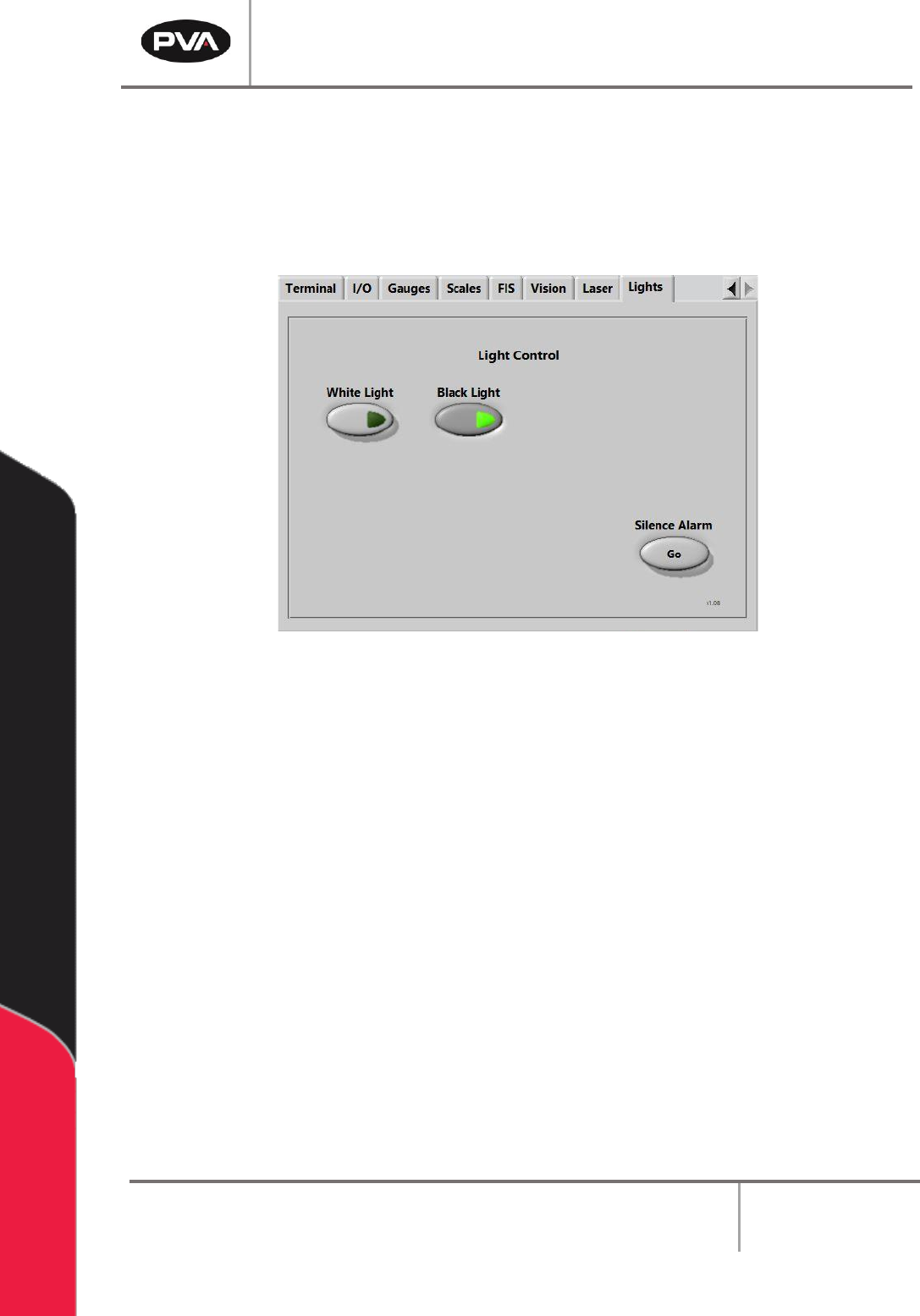
9.9 Lights
The Lights tab allows the user to toggle the installed lights on or off.
If the machine is in an error state, the alarm can be silenced by pressing the Silence Alarm
– “Go” button or by pressing the Teach button located on the teach pendant.
Figure 67: Light Control
PVA Portal Manual
Revision I / January 2022
Page 66 of 106
Operation
Note: Administrator level privileges are needed to setup and correctly configure the
workcell. Additionally, Windows® User Account Control must be turned off.
10.1 Startup Procedure
Note: Do not power on the workcell or add material to the pressure vessels until they
are properly grounded.
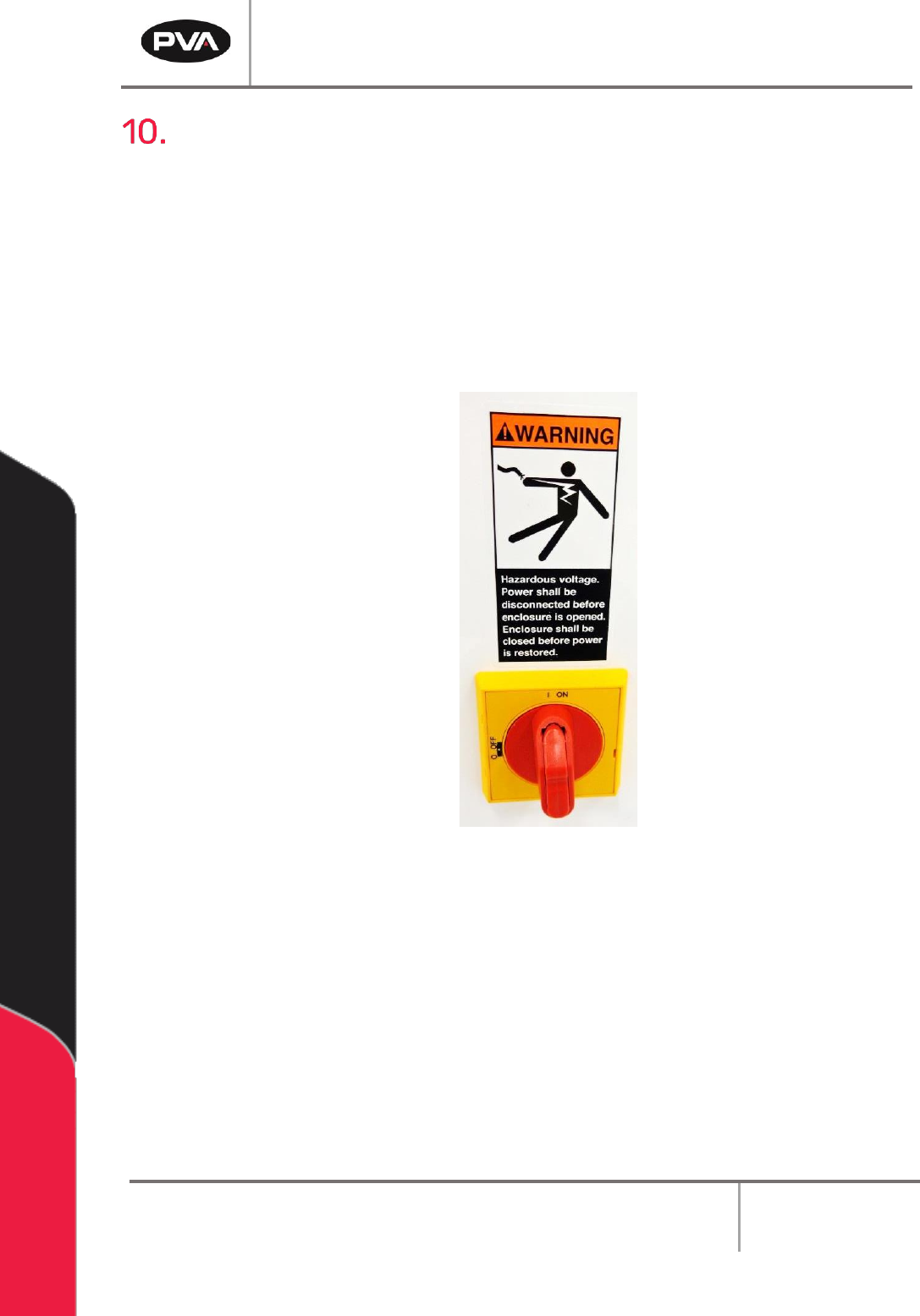
1. Turn the main power switch to the “ON” position.
Figure 68: Main Power Switch Example
2. Ensure both the fluid and air pressures are in the correct pressure range.
3. Close all the doors.
4. If applicable, turn the “DOOR BYPASS” key switch to the “OFF” position.
5. Engage the “Emergency Stop” button.
6. Turn the main power switch to the “ON” position.
PVA Portal Manual
Revision I / January 2022
Page 67 of 106
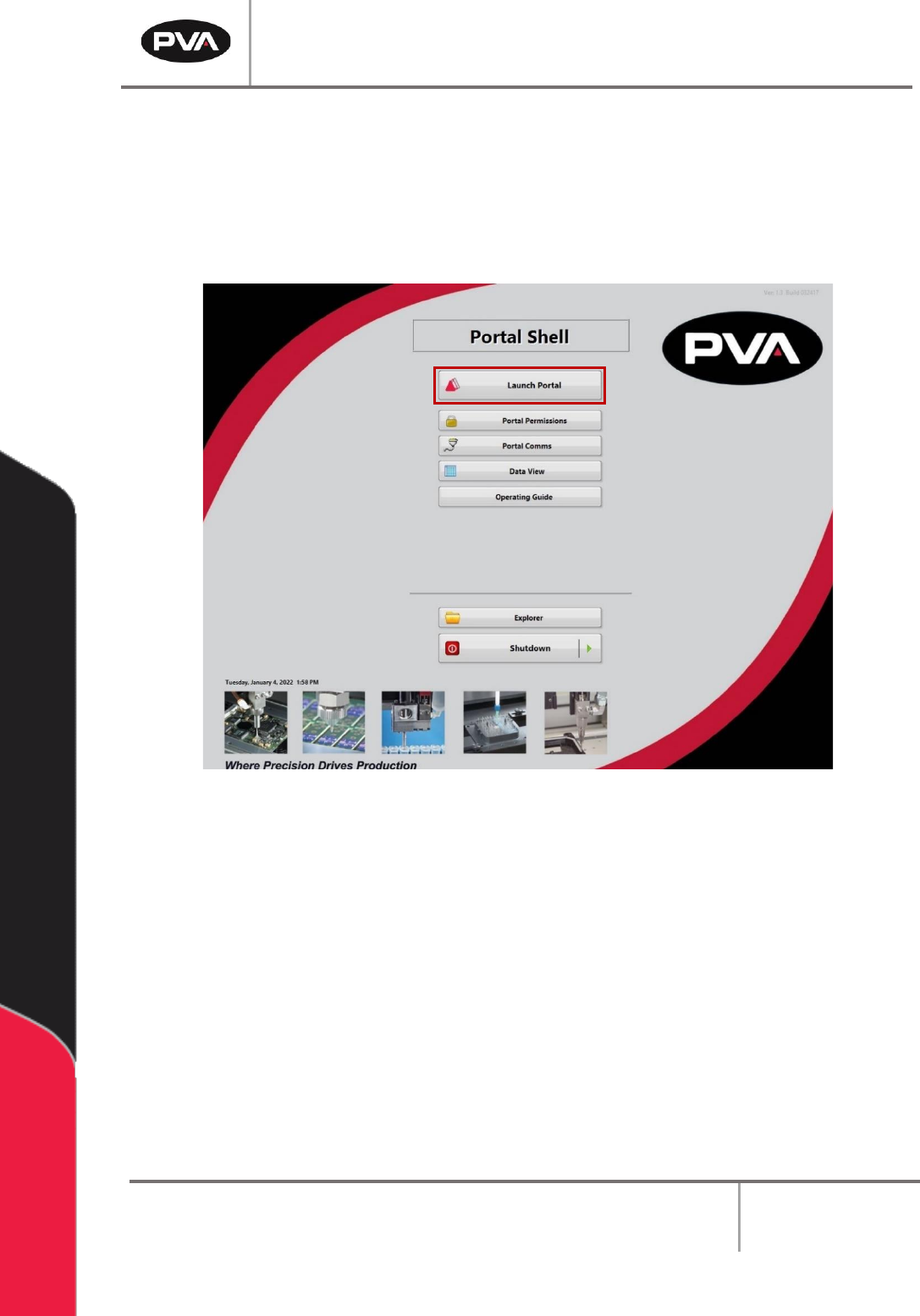
10.1.1 Portal Shell
1. Ensure the computer connected to the workcell is turned on.
2. Portal Shell will open and provide a list of options.
3. Select the “Launch Portal” button to open Portal.
Figure 69: Portal Shell