Portal-Operation-Manual-REV-I.pdf - 第97页
PVA Portal Manual Revision I / Janua ry 2022 Page 97 of 106 15.9 Request t he Motion C ontroller Version Perform the pr ocedure below t o request th e motion contr oller firmwar e version. Refer to the PathMaster ® Manua…
PVA Portal Manual
Revision I / January 2022
Page 96 of 106
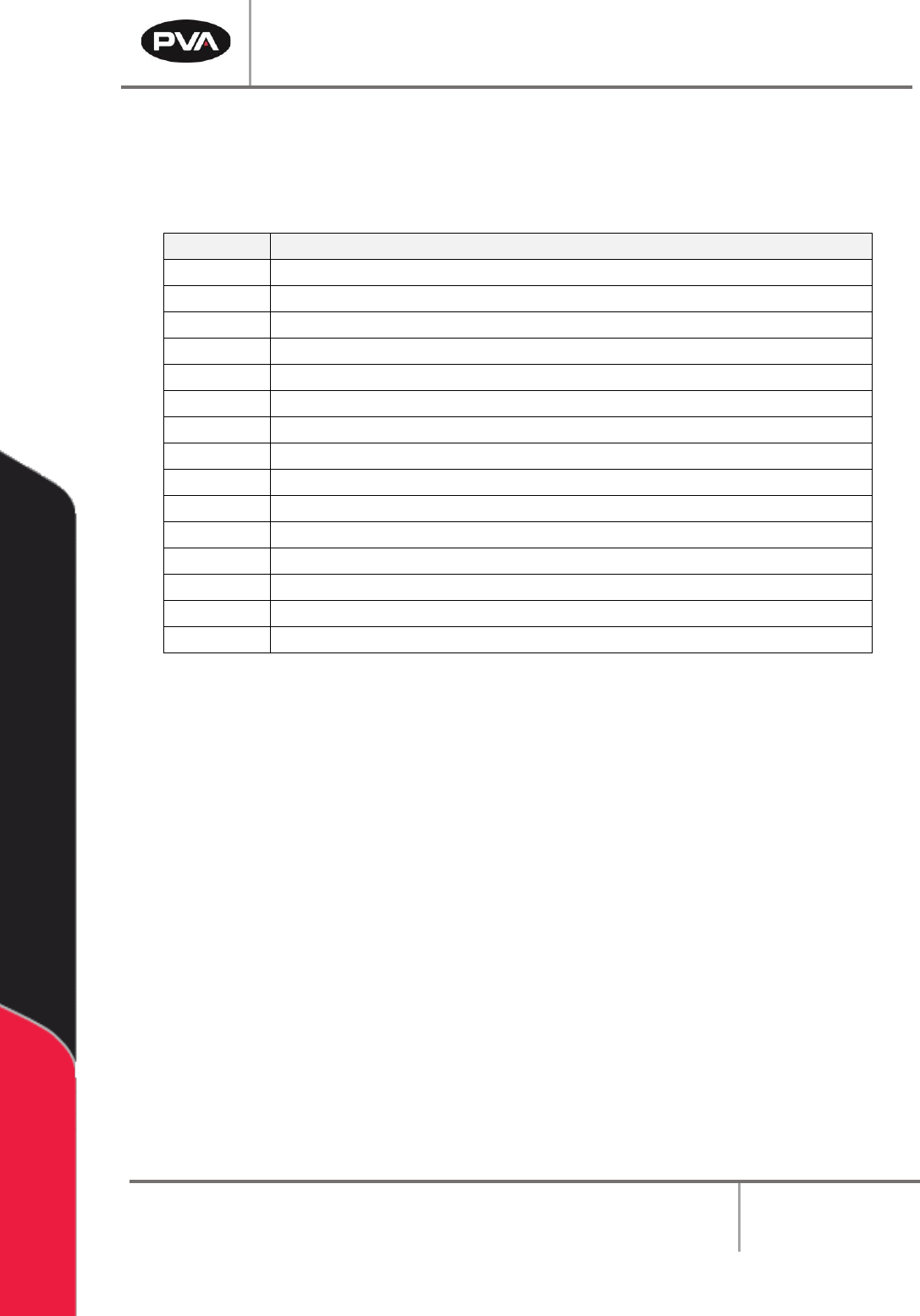
15.8 Stop Codes
For position and limit errors, the error screen shows stop codes for all the motors. This
shows which axis (or axes) caused the machine to fault.
Code
Meaning
0
Motors are running, independent mode.
1
Motors stopped at commanded independent position.
2
Decelerating or stopped by FWD limit switch or software.
3
Decelerating or stopped by REV limit switch or software.
4
Decelerating or stopped by Stop Command (ST).
6
Stopped by Abort input.
7
Stopped by Abort command (AB).
8
Decelerating or stopped by Off-on-Error (OE1).
9
Stopped after Finding Edge (FE).
10
Stopped after Homing (HM).
50
Contour running.
51
Contour Stop.
99
MC timeout.
100
Motors are running, vector sequence.
101
Motors stopped at command vector.
Table 2: Stop Code Definitions
PVA Portal Manual
Revision I / January 2022
Page 97 of 106
15.9 Request the Motion Controller Version
Perform the procedure below to request the motion controller firmware version. Refer to
the PathMaster® Manual for more information.
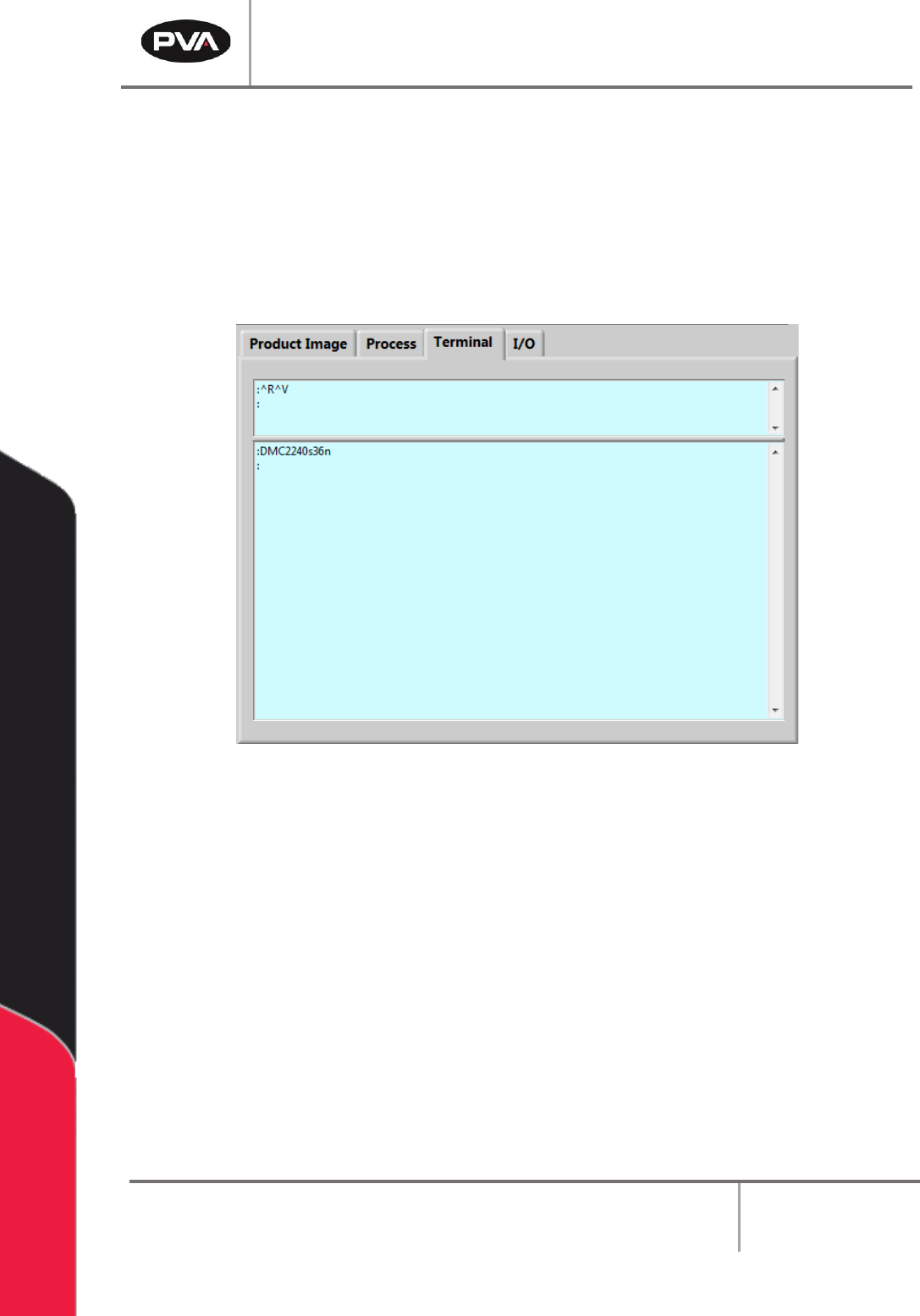
1. Select the Terminal tab on the right side of the Portal window.
2. In the terminal window type “^R^V”.
Figure 122: Portal Terminal Window
3. Press the “Enter” button.
4. The motion controller model and firmware version are shown in the terminal
window.
PVA Portal Manual
Revision I / January 2022
Page 98 of 106
Notes