Portal-Operation-Manual-REV-I.pdf - 第63页
PVA Portal Manual Revision I / Janua ry 2022 Page 63 of 106 9.6 Scales The Scales tab displays th e current weight readout of th e digital scale indicators. Refer to Section 15.2 for additional info rmation. Note: This i…
PVA Portal Manual
Revision I / January 2022
Page 62 of 106
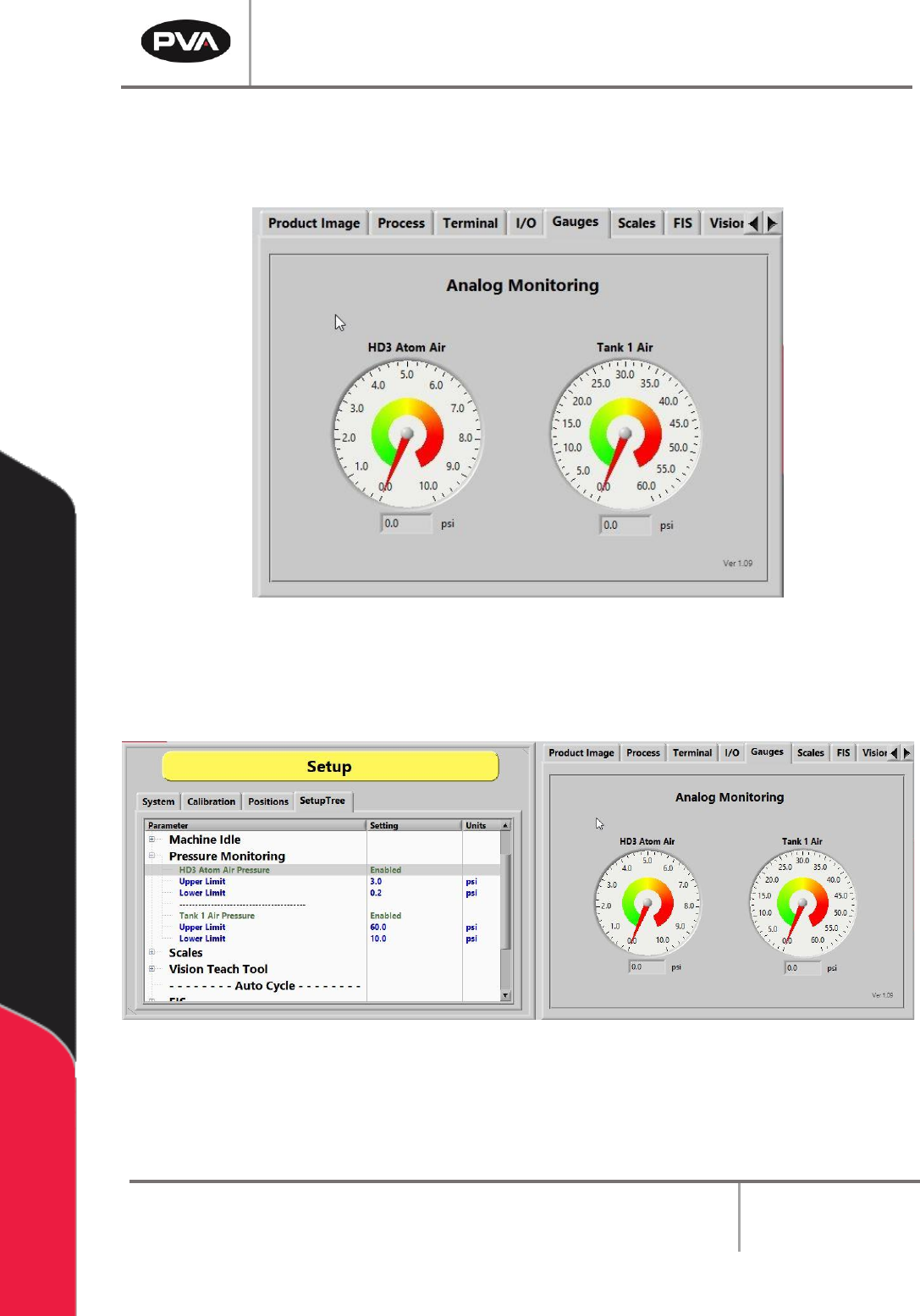
9.5 Gauges
The Gauges tab shows a readout of the digital gauges installed on the machine.
Figure 62: Gauges Tab
If enabled, the Gauges are typically monitored in the SetupTree tab.
Figure 63: Gauges Tab in the SetupTree
PVA Portal Manual
Revision I / January 2022
Page 63 of 106
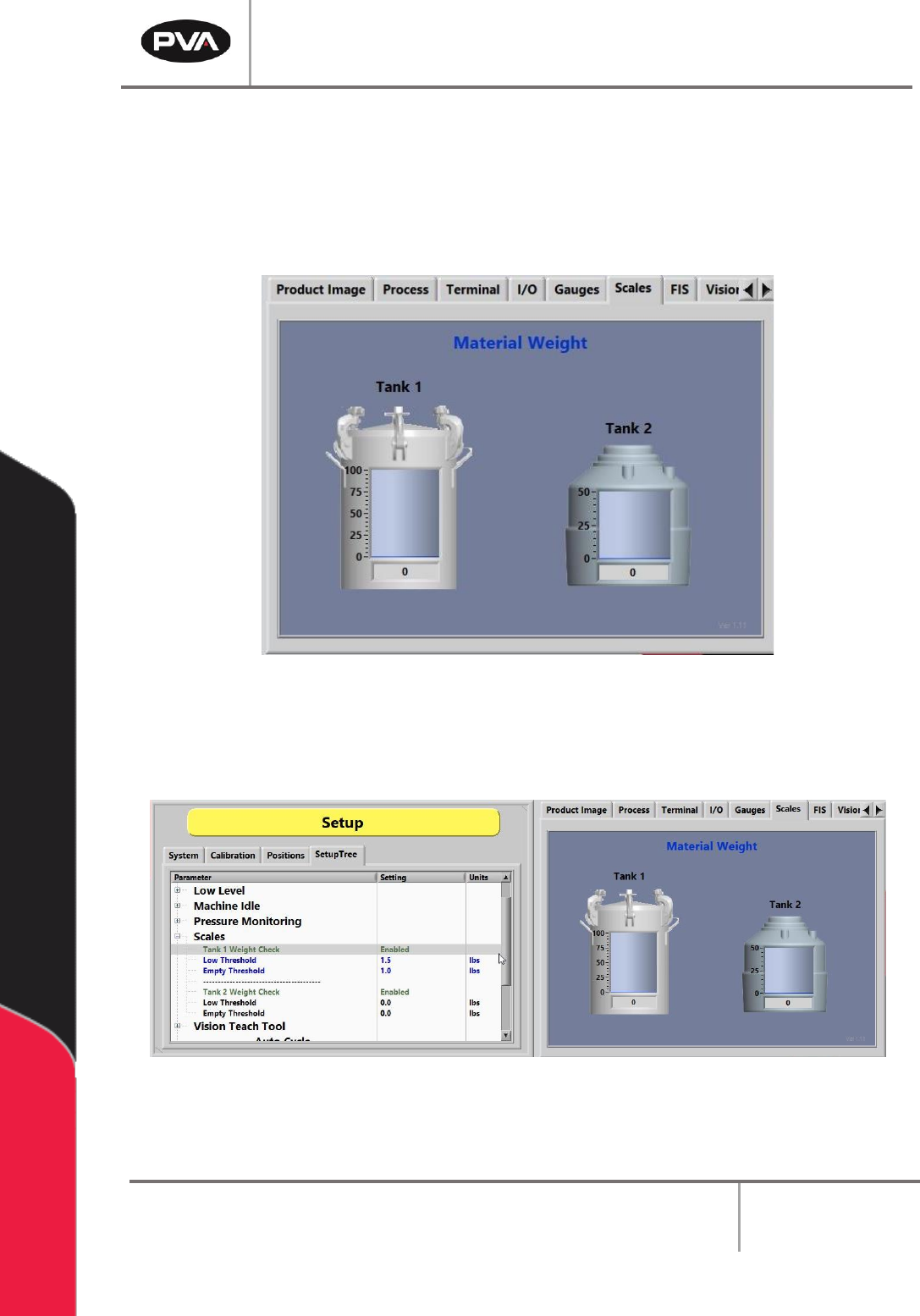
9.6 Scales
The Scales tab displays the current weight readout of the digital scale indicators. Refer to
Section 15.2 for additional information.
Note: This is not a standard option on all machines.
Figure 64: Scales Tab
If enabled, the Scales are typically monitored in the SetupTree tab.
Figure 65: Scales Tab in the SetupTree
PVA Portal Manual
Revision I / January 2022
Page 64 of 106
9.7 FIS
Refer to Section 6.8.2 for more information on FIS.
Note: This is not a standard option on all machines.
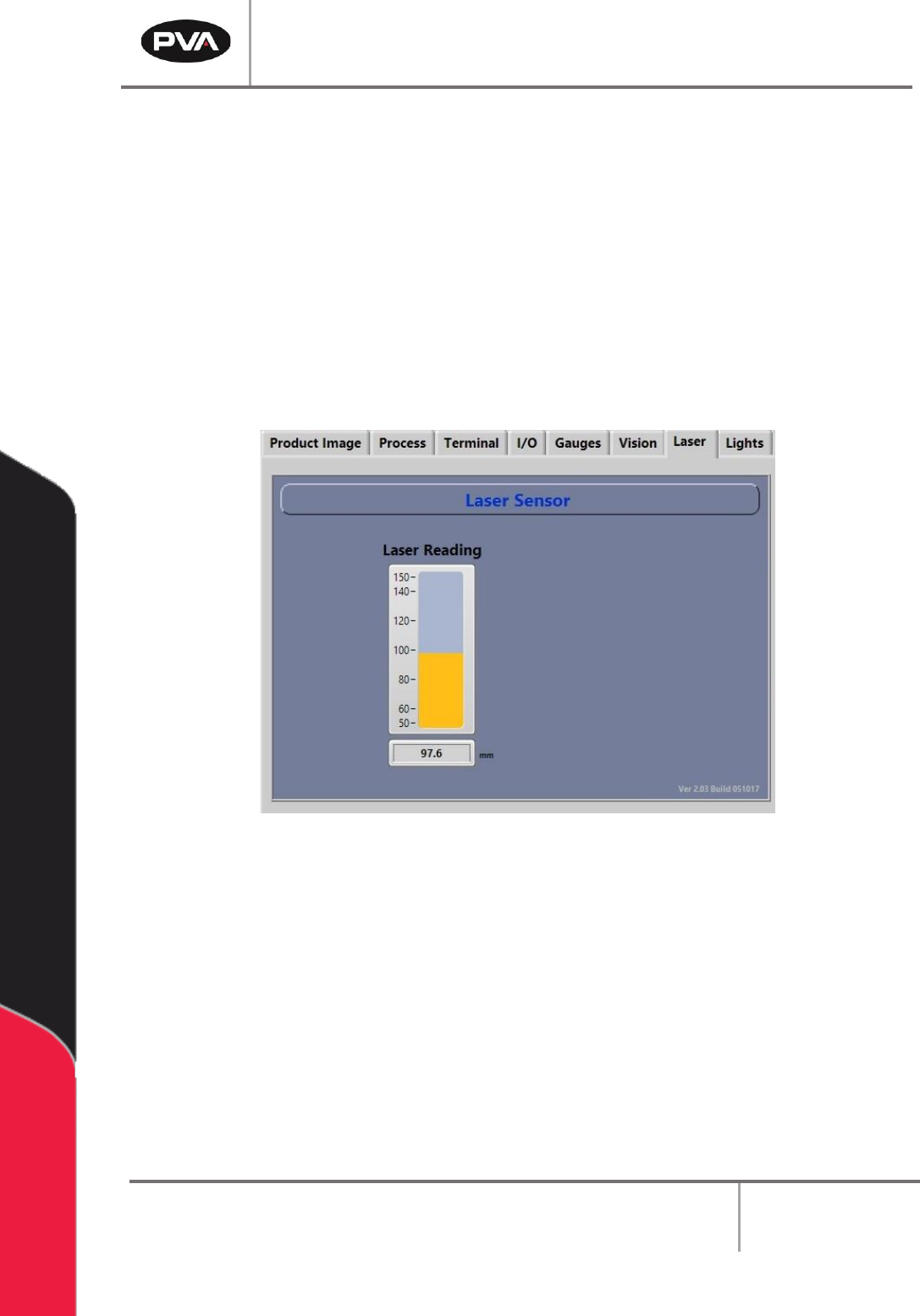
9.8 Laser
The Laser tab shows the current readout of the laser height sensor.
Note: This is not a standard option on all machines.
Figure 66: Laser Sensor Screen
Refer to the PathMaster® manual for more information on teaching the laser.