Portal-Operation-Manual-REV-I.pdf - 第76页
PVA Portal Manual Revision I / Janua ry 2022 Page 76 of 106 11.2 To Modify User Accounts 1. Select the username that needs t o be modified . 2. Sele ct the “ Mo dify User ” butto n. Figure 85 : Select “ Modify User” 3. C…
PVA Portal Manual
Revision I / January 2022
Page 75 of 106
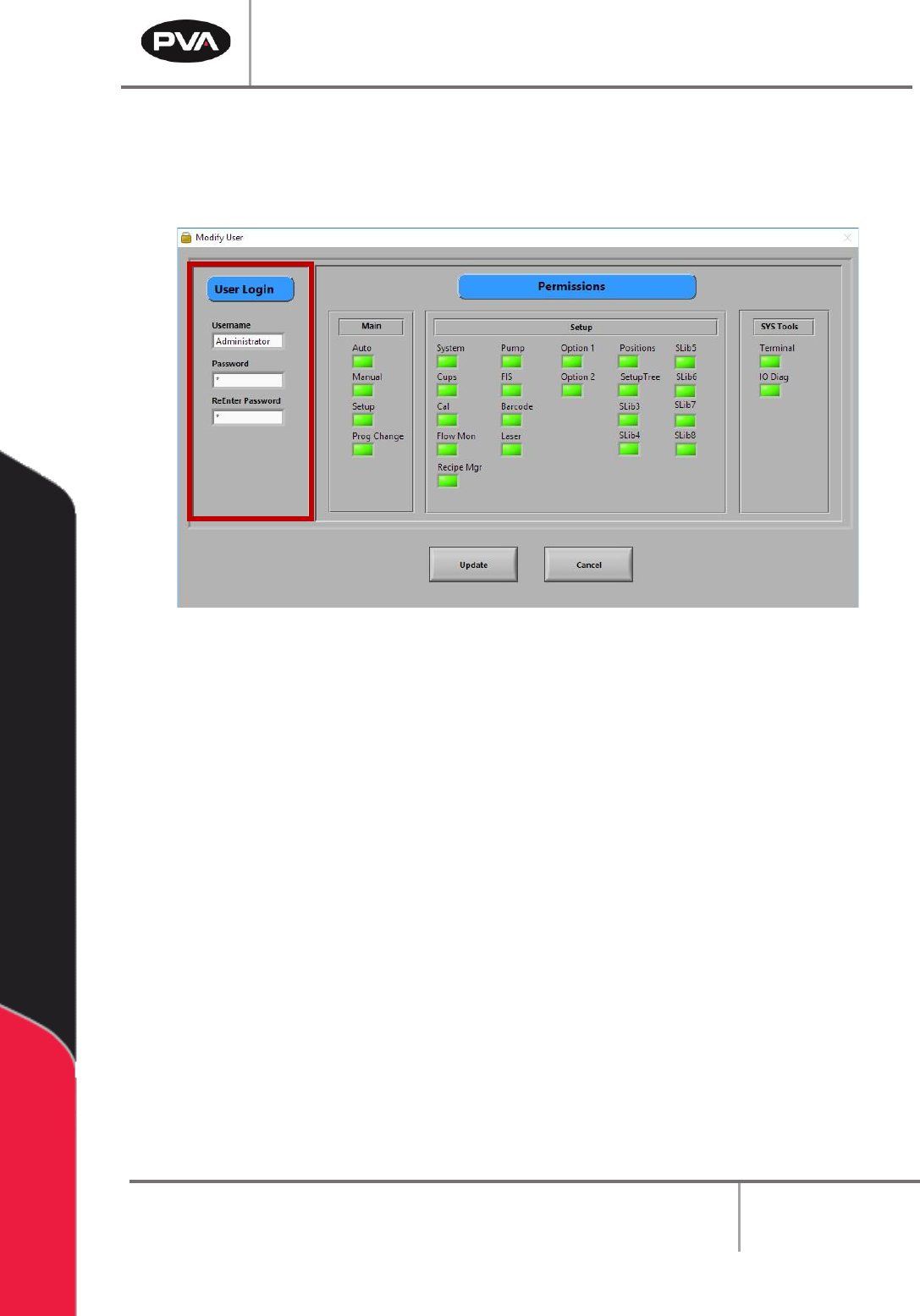
2. Under User Login, type the Username, Password, and re-enter the Password.
3. Select the correct Permissions for each user by clicking on the related permissions
boxes. When selected, the permission boxes will be bright green.
Figure 84: Enter the User Login
4. Select the “Add User” button.
5. Repeat steps 1-4 as many times as necessary to set up all the required accounts.
6. Select the “Exit” button to save and close Portal user accounts.
PVA Portal Manual
Revision I / January 2022
Page 76 of 106
11.2 To Modify User Accounts
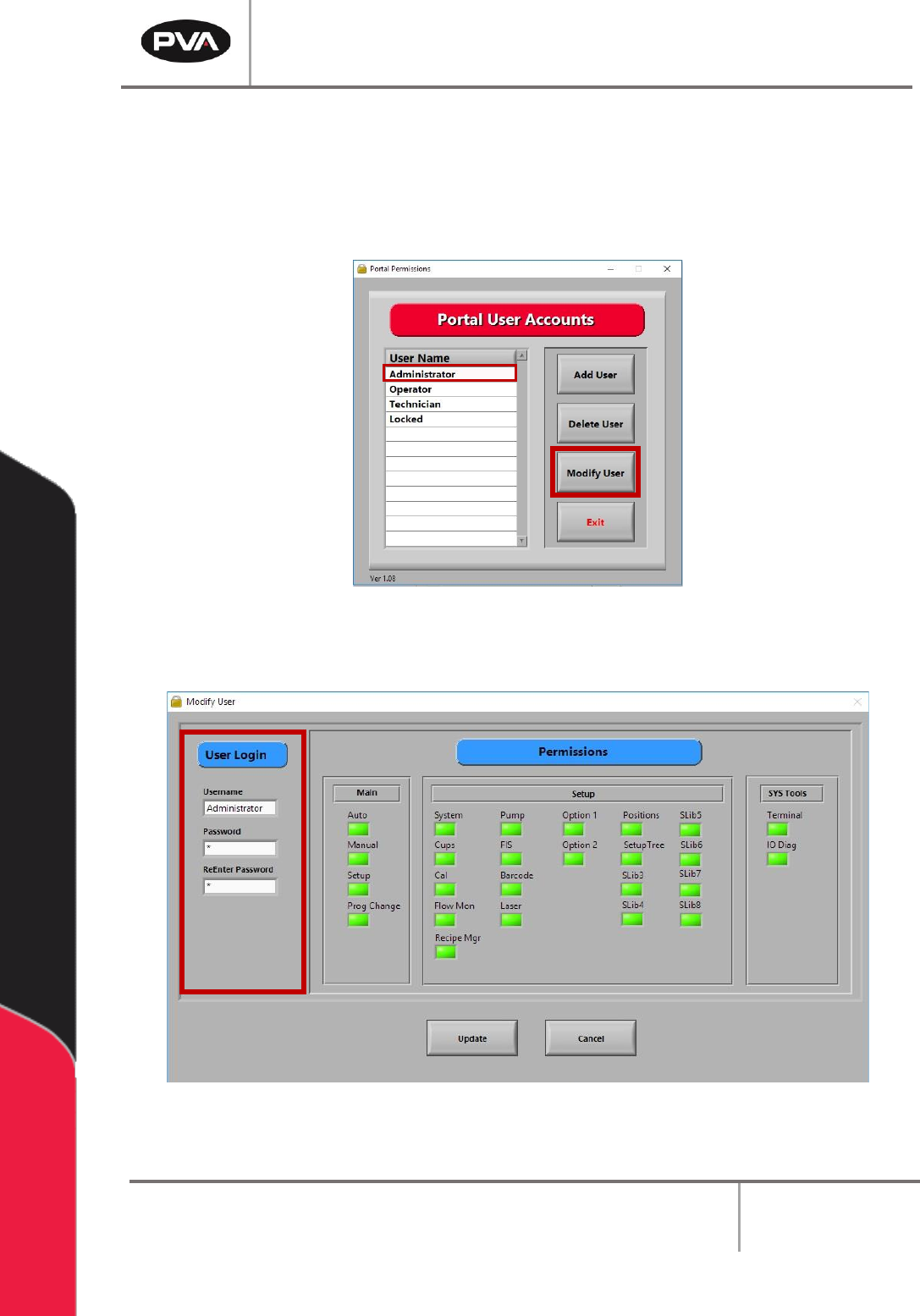
1. Select the username that needs to be modified.
2. Select the “Modify User” button.
Figure 85: Select “Modify User”
3. Change the user settings, select new permissions, or change the user password.
Figure 86: Changing User Settings
4. Select the “Update” button to save any changes.
PVA Portal Manual
Revision I / January 2022
Page 77 of 106
Portal Communications
Portal Communications contains the parameters for communicating between Portal and
the Galil. There are two virtual communications established with the controller: the
Primary Connection and the Unsolicited Connection.
Note: Changing the IP Address, Port, or Handle will cause communication issues
unless main program modifications are done correctly. Contact PVA before changing
any default values.
12.1 Communication
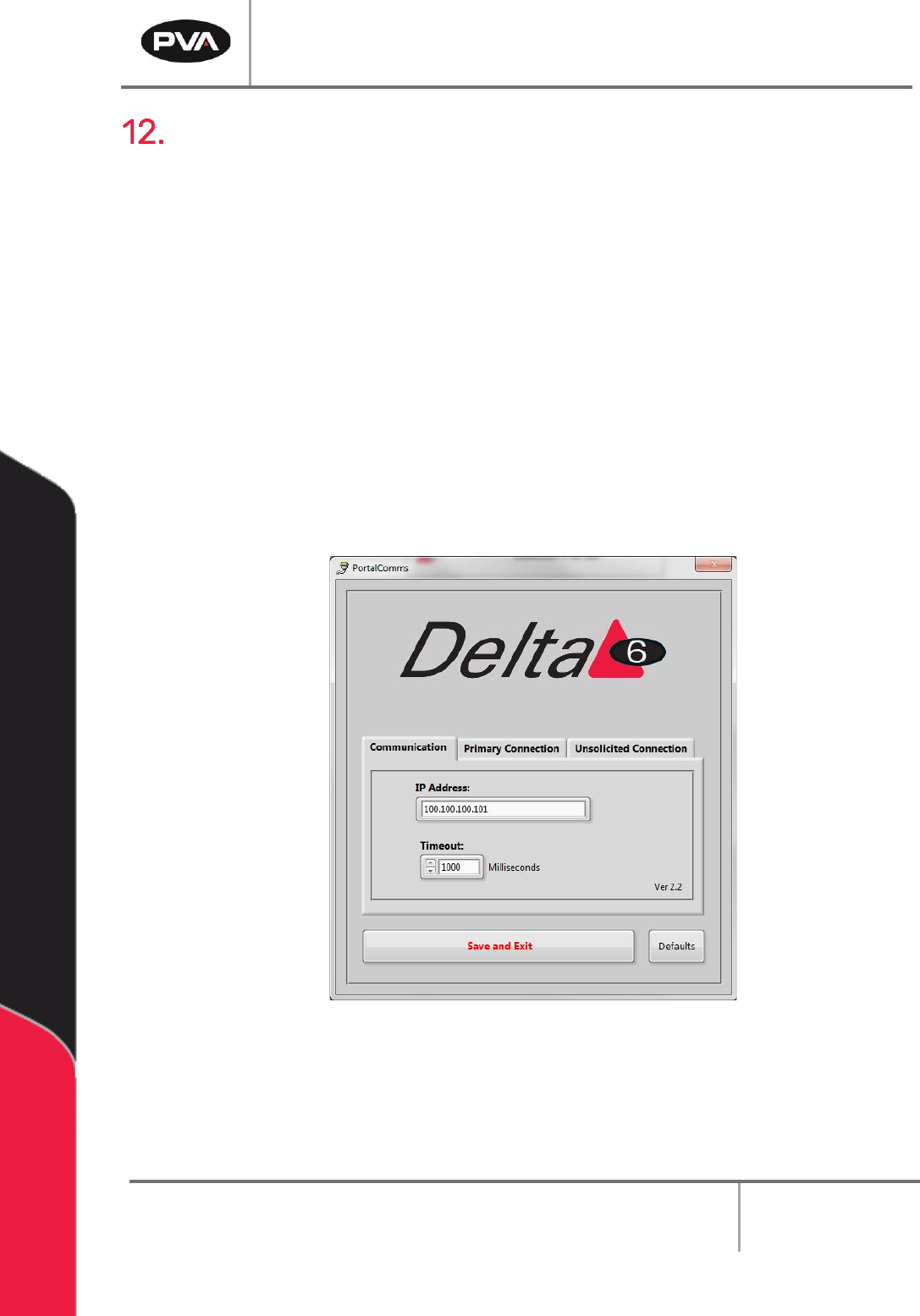
The Communication tab contains the IP Address and the Timeout.
1. To change the IP Address, type the new value in the box.
2. To change the Timeout value, type a new value in the box or use the arrows to
increase or decrease the value.
Figure 87: Communication Tab
3. Select the “Save and Exit” button to save the updated values.
Note: Selecting the “Defaults” button at any time will return the Communication
settings to the default factory settings.